Generate BigQuery SQL from natural language queries using GPT-4o chat

Workflow preview

Workflow preview
100%
Generate BigQuery SQL from natural language queries using GPT-4o chat preview
Open on n8n.io

Important notice

This workflow is provided as-is. Please review and test before using in production.

1. Workflow Overview

Give business users a chat box; get back valid BigQuery SQL and live query results. The workflow: 1. Captures a plain language question from a chat widget or internal portal. 2. Fetches the current...

Best for

  • Internal Wiki automation workflows
  • AI Chatbot automation workflows
  • intermediate n8n builders looking for reusable templates

Tools used

@n8n/n8n-nodes-langchain.memorybufferwindow, @n8n/n8n-nodes-langchain.lmchatopenai, @n8n/n8n-nodes-langchain.outputparserstructured, n8n-nodes-base.stickynote, @n8n/n8n-nodes-langchain.chattrigger, n8n-nodes-base.googlebigquery, n8n-nodes-base.aggregate, n8n-nodes-base.code

Source and attribution

This workflow is cataloged by N8N Workflows and links back to its original n8n.io source page by Robert Breen.

Original n8n.io source

1.1 Workflow description

Title
Generate BigQuery SQL from natural language queries using GPT-4o chat
Workflow name
Generate BigQuery SQL from natural language queries using GPT-4o chat

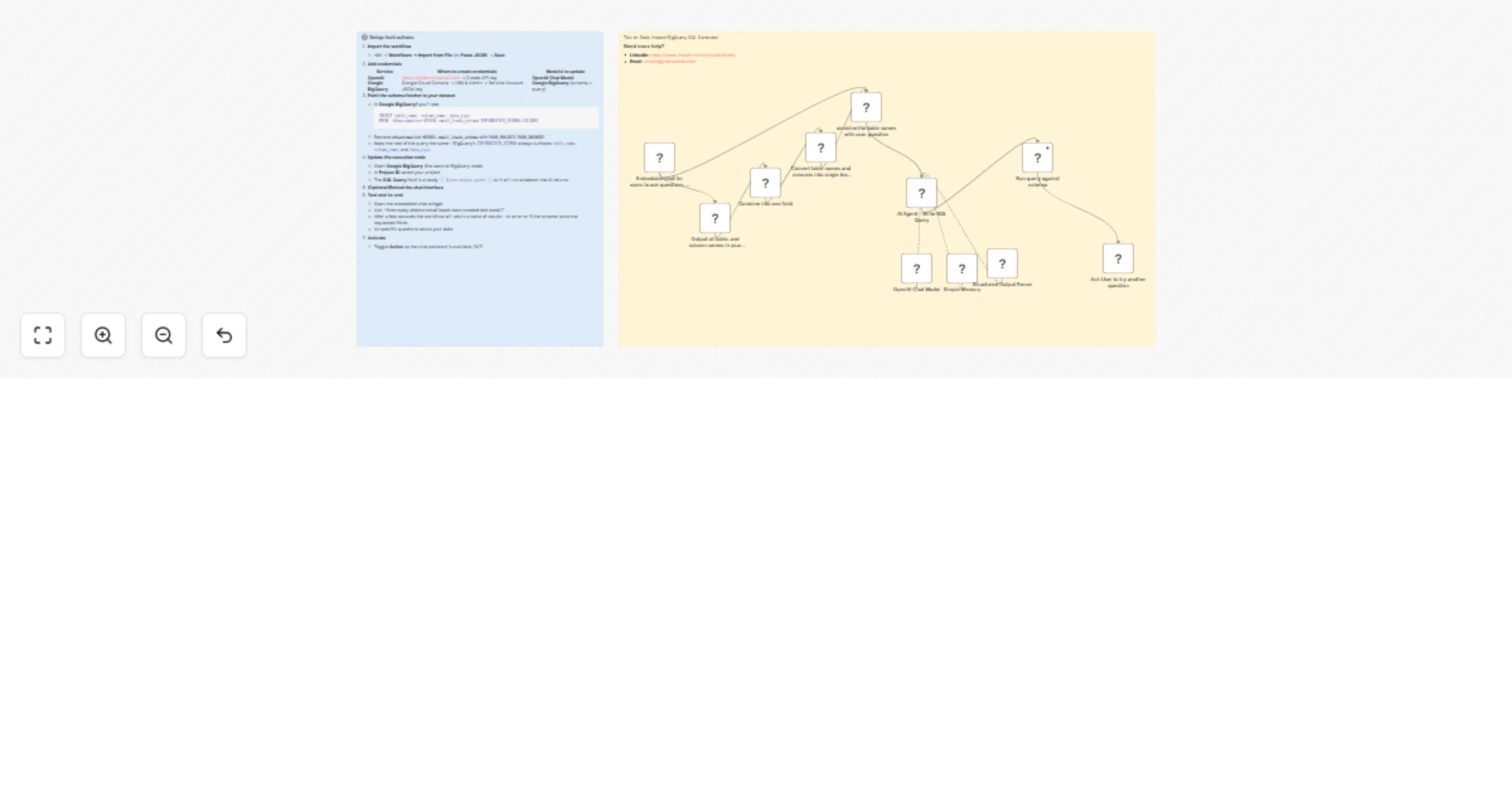
Give business users a chat box; get back valid BigQuery SQL and live query results.
The workflow:

  1. Captures a plain-language question from a chat widget or internal portal.
  2. Fetches the current table + column schema from your BigQuery dataset (via INFORMATION_SCHEMA).
  3. Feeds both the schema and the question to GPT-4o so it can craft a syntactically correct SQL query using only fields that truly exist.
  4. Executes the AI-generated SQL in BigQuery and returns the results.
  5. Stores a short-term memory by session, enabling natural follow-up questions.

Perfect for analysts, customer-success teams, or any stakeholder who needs data without writing SQL.


⚙️ Setup Instructions
  1. Import the workflow

    • n8n → Workflows → Import from File (or Paste JSON) → Save
  2. Add credentials

    Service Where to create credentials Node(s) to update
    OpenAI <https://platform.openai.com> → Create API key OpenAI Chat Model
    Google BigQuery Google Cloud Console → IAM & Admin → Service Account JSON key Google BigQuery (schema + query)
  3. Point the schema fetcher to your dataset

    • In Google BigQuery1 you’ll see:
      SELECT table_name, column_name, data_type
      FROM `n8nautomation-453001.email_leads_schema.INFORMATION_SCHEMA.COLUMNS`
      
    • Replace n8nautomation-453001.email_leads_schema with YOUR_PROJECT.YOUR_DATASET.
    • Keep the rest of the query the same—BigQuery’s INFORMATION_SCHEMA always surfaces table_name, column_name, and data_type.
  4. Update the execution node

    • Open Google BigQuery (the second BigQuery node).
    • In Project ID select your project.
    • The SQL Query field is already {{ $json.output.query }} so it will run whatever the AI returns.
  5. (Optional)Embed the chat interface

  6. Test end-to-end

    • Open the embedded chat widget.
    • Ask: “How many distinct email leads were created last week?”
    • After a few seconds the workflow will return a table of results—or an error if the schema lacks the requested fields.
    • As specific questions about your data
  7. Activate

    • Toggle Active so the chat assistant is available 24/7.
🧩 Customization Ideas
  • Row-limit safeguard: automatically append LIMIT 1000 to every query.
  • Chart rendering: send query results to Google Sheets + Looker Studio for instant visuals.
  • Slack bot: forward both the question and the SQL result to a Slack channel for team visibility.
  • Schema caching: store the INFORMATION_SCHEMA result for 24 hours to cut BigQuery costs.

Contact

1.2 Logical Blocks

This catalog entry is organized from the workflow JSON. The node-level section below shows the executable blocks available for review before importing the template.

2. Block-by-Block Analysis

Block 1 - Simple Memory

Type / Role
@n8n/n8n-nodes-langchain.memoryBufferWindow - memoryBufferWindow
Config choices
Version 1.3

Block 2 - OpenAI Chat Model

Type / Role
@n8n/n8n-nodes-langchain.lmChatOpenAi - lmChatOpenAi
Config choices
Version 1.2

Block 3 - Structured Output Parser

Type / Role
@n8n/n8n-nodes-langchain.outputParserStructured - outputParserStructured
Config choices
Version 1.2

Block 4 - Sticky Note

Type / Role
n8n-nodes-base.stickyNote - stickyNote
Config choices
Version 1

Block 5 - Sticky Note1

Type / Role
n8n-nodes-base.stickyNote - stickyNote
Config choices
Version 1

Block 6 - Embedable chat for users to ask questions of bigquery

Type / Role
@n8n/n8n-nodes-langchain.chatTrigger - chatTrigger
Config choices
Version 1.1

Block 7 - Output all table, and column names in your schema

Type / Role
n8n-nodes-base.googleBigQuery - googleBigQuery
Config choices
Version 2.1

Block 8 - Combine into one field

Type / Role
n8n-nodes-base.aggregate - aggregate
Config choices
Version 1

Block 9 - Convert table names and columns into single text for agent

Type / Role
n8n-nodes-base.code - code
Config choices
Version 2

Block 10 - combine the table names with user question

Type / Role
n8n-nodes-base.merge - merge
Config choices
Version 3.2

Block 11 - AI Agent - Write SQL Query

Type / Role
@n8n/n8n-nodes-langchain.agent - agent
Config choices
Version 2

Block 12 - Run query against schema

Type / Role
n8n-nodes-base.googleBigQuery - googleBigQuery
Config choices
Version 2.1

Block 13 - Ask User to try another question

Type / Role
n8n-nodes-base.code - code
Config choices
Version 2

3. Summary Table

Workflow Generate BigQuery SQL from natural language queries using GPT-4o chat
Complexity intermediate
Nodes 13
Categories Internal Wiki, AI Chatbot
Author Robert Breen
Published 31 Jul 2025

4. Reproducing the Workflow from Scratch

  1. 1. Download the workflow JSON

    Use the JSON export at /data/workflows/6745/6745.json as the source template for this automation.

  2. 2. Import the template into n8n

    Open n8n, import the downloaded JSON, and review each node before activating the workflow.

  3. 3. Configure credentials and variables

    Replace placeholder credentials, API keys, webhook URLs, account IDs, and environment-specific values with your own settings.

  4. 4. Test with sample data

    Run the workflow manually or in a staging workspace, inspect node output, and confirm downstream systems receive the expected data.

  5. 5. Activate and monitor

    Enable the workflow only after testing, then monitor executions, errors, and rate limits during the first production runs.

5. General Notes & Resources

Review imported nodes carefully before activation. This catalog entry is intended to help you inspect the workflow structure, understand required services, and find related templates faster.

Node names, credentials, schedules, webhook paths, and external service limits may need adjustment for your workspace.

Frequently asked questions

What does Generate BigQuery SQL from natural language queries using GPT-4o chat do?

Give business users a chat box; get back valid BigQuery SQL and live query results. The workflow: 1. Captures a plain language question from a chat widget or internal portal. 2. Fetches the current...

What do I need before importing this workflow?

Review the workflow JSON, configure any required credentials in n8n, and test the automation in a safe workspace before using it in production.

Can I customize this workflow?

Yes. Use the block-by-block analysis and the downloadable JSON to inspect each node, then adjust credentials, prompts, schedules, filters, or destinations for your Internal Wiki, AI Chatbot use case.