Generate and send AI newsletters with OpenAI, Tavily, Google Sheets and Gmail

Workflow preview

Workflow preview
100%
Generate and send AI newsletters with OpenAI, Tavily, Google Sheets and Gmail preview
Open on n8n.io

1. Workflow Overview

AI Newsletter Automation Workflow Brief Overview (How It Works) This workflow automates the complete process of generating and sending AI powered newsletters. It starts with a form submission...

Best for

  • Social Media automation workflows
  • Multimodal AI automation workflows
  • advanced n8n builders looking for reusable templates

Tools used

@n8n/n8n-nodes-langchain.outputparserstructured, @n8n/n8n-nodes-langchain.agent, n8n-nodes-base.splitout, n8n-nodes-base.aggregate, n8n-nodes-base.googlesheets, n8n-nodes-base.gmail, @n8n/n8n-nodes-langchain.lmchatopenai, n8n-nodes-base.stickynote

Source and attribution

This workflow is cataloged by N8N Workflows and links back to its original n8n.io source page by Pratyush Kumar Jha.

Original n8n.io source

1.1 Workflow description

Title
Generate and send AI newsletters with OpenAI, Tavily, Google Sheets and Gmail
Workflow name
Generate and send AI newsletters with OpenAI, Tavily, Google Sheets and Gmail

📨 AI Newsletter Automation Workflow

🚀 Brief Overview (How It Works)

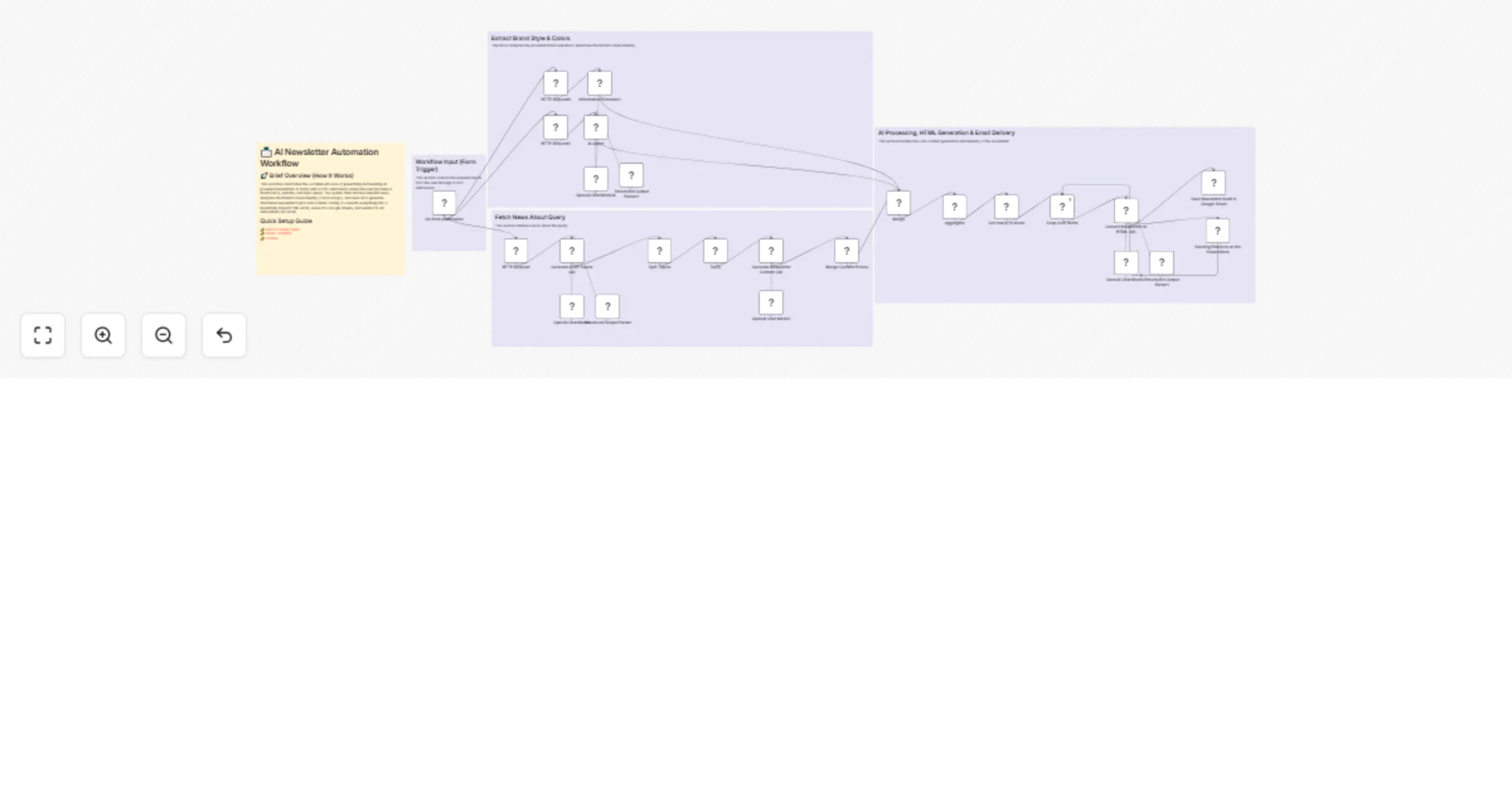
This workflow automates the complete process of generating and sending AI-powered newsletters. It starts with a form submission where the user provides a brand name, website, and topic query. The system then fetches relevant news, analyzes the brand’s visual identity (colors & logo), and uses AI to generate structured newsletter topics and content. Finally, it converts everything into a beautifully styled HTML email, saves it to Google Sheets, and sends it to all subscribers via Gmail.


Quick Setup Guide

👉 Demo & Setup Video 👉 Sheet Template 👉 Course


🔑 Nodes of Interest

  • On Form Submission (Trigger)

  • Entry point for brand details and query input

  • HTTP Request (Tavily API)

  • Fetches latest news based on the query

  • Generate Draft Topics (AI)

  • Creates newsletter title + 3 key topics using LLM

  • Split Topics

  • Breaks topics into individual items for processing

  • Generate Newsletter Content (AI)

  • Writes detailed content for each topic with sources

  • Merge Content Pieces

  • Combines all sections into one dataset

  • AI Agent (Brand Analyzer)

  • Extracts brand colors from website HTML

  • Information Extractor

  • Extracts logo URL from brand website

  • Convert Newsletter to HTML (AI)

  • Formats content into styled email HTML using brand theme

  • Google Sheets

  • Saves generated newsletter drafts

  • Gmail Node

  • Sends newsletter to all subscribers


🔐 What You’ll Need (Credentials)

  • OpenAI API Key

  • Used for all AI content generation (GPT-4.1-mini)

  • Tavily API Key

  • For fetching real-time news data

  • Google Sheets OAuth

  • To store newsletter drafts & manage subscribers

  • Gmail OAuth

  • To send emails to subscribers


⚙️ Recommended Settings & Best Practices

  • Use structured output parsers to ensure consistent AI responses
  • Keep topic count fixed (3) for predictable flow
  • Limit newsletter length to ≤ 1000 words for readability
  • Use Split + Aggregate pattern for scalable content generation
  • Maintain strict prompt engineering (system messages already optimized)
  • Always validate real URLs for citations (avoid hallucinations)
  • Use Loop Over Items for controlled email sending
  • Store drafts before sending (fail-safe logging)

🎯 Customization Ideas

  • Add weekly automation trigger (Cron node) instead of manual form
  • Integrate Notion / Airtable instead of Google Sheets
  • Add unsubscribe & email tracking (SendGrid / Mailchimp)
  • Personalize emails using user segmentation (AI-based)
  • Add multi-language newsletter generation
  • Include image generation (DALL·E / Stable Diffusion) for visuals
  • Connect to Telegram / WhatsApp bot for distribution
  • Add analytics dashboard for open/click rates

🏷️ Tags

AI Automation, n8n Workflow, Newsletter Automation, Email Marketing, GPT Integration, LangChain, Tavily API, No-Code AI, Content Generation, Marketing Automation, GenAI Workflow, AI Agents


1.2 Logical Blocks

This catalog entry is organized from the workflow JSON. The node-level section below shows the executable blocks available for review before importing the template.

2. Block-by-Block Analysis

Block 1 - Structured Output Parser

Type / Role
@n8n/n8n-nodes-langchain.outputParserStructured - outputParserStructured
Config choices
Version 1.3

Block 2 - Structured Output Parser1

Type / Role
@n8n/n8n-nodes-langchain.outputParserStructured - outputParserStructured
Config choices
Version 1.3

Block 3 - Generate Draft Topics (AI)

Type / Role
@n8n/n8n-nodes-langchain.agent - agent
Config choices
Version 2.2

Block 4 - Split Topics

Type / Role
n8n-nodes-base.splitOut - splitOut
Config choices
Version 1

Block 5 - Generate Newsletter Content (AI)

Type / Role
@n8n/n8n-nodes-langchain.agent - agent
Config choices
Version 2.2

Block 6 - Merge Content Pieces

Type / Role
n8n-nodes-base.aggregate - aggregate
Config choices
Version 1

Block 7 - Convert Newsletter to HTML (AI)

Type / Role
@n8n/n8n-nodes-langchain.agent - agent
Config choices
Version 2.2

Block 8 - Save Newsletter Draft in Google Sheet

Type / Role
n8n-nodes-base.googleSheets - googleSheets
Config choices
Version 4.7

Block 9 - Sending Emails to all the Subscribers

Type / Role
n8n-nodes-base.gmail - gmail
Config choices
Version 2.1

Block 10 - OpenAI Chat Model

Type / Role
@n8n/n8n-nodes-langchain.lmChatOpenAi - lmChatOpenAi
Config choices
Version 1.2

Block 11 - OpenAI Chat Model1

Type / Role
@n8n/n8n-nodes-langchain.lmChatOpenAi - lmChatOpenAi
Config choices
Version 1.2

Block 12 - OpenAI Chat Model2

Type / Role
@n8n/n8n-nodes-langchain.lmChatOpenAi - lmChatOpenAi
Config choices
Version 1.2

Block 13 - Sticky Note

Type / Role
n8n-nodes-base.stickyNote - stickyNote
Config choices
Version 1

Block 14 - HTTP Request

Type / Role
n8n-nodes-base.httpRequest - httpRequest
Config choices
Version 4.2

Block 15 - On form submission

Type / Role
n8n-nodes-base.formTrigger - formTrigger
Config choices
Version 2.3

Block 16 - HTTP Request2

Type / Role
n8n-nodes-base.httpRequest - httpRequest
Config choices
Version 4.2

Block 17 - AI Agent

Type / Role
@n8n/n8n-nodes-langchain.agent - agent
Config choices
Version 2.2

Block 18 - Merge

Type / Role
n8n-nodes-base.merge - merge
Config choices
Version 3.2

Block 19 - Aggregate

Type / Role
n8n-nodes-base.aggregate - aggregate
Config choices
Version 1

Block 20 - Structured Output Parser2

Type / Role
@n8n/n8n-nodes-langchain.outputParserStructured - outputParserStructured
Config choices
Version 1.3

Block 21 - OpenAI Chat Model4

Type / Role
@n8n/n8n-nodes-langchain.lmChatOpenAi - lmChatOpenAi
Config choices
Version 1.2

Block 22 - Loop Over Items

Type / Role
n8n-nodes-base.splitInBatches - splitInBatches
Config choices
Version 3

Block 23 - Get row(s) in sheet

Type / Role
n8n-nodes-base.googleSheets - googleSheets
Config choices
Version 4.7

Block 24 - Information Extractor1

Type / Role
@n8n/n8n-nodes-langchain.informationExtractor - informationExtractor
Config choices
Version 1.2

Showing the first 24 of 30 workflow blocks. Download the JSON for the full node graph.

3. Summary Table

Workflow Generate and send AI newsletters with OpenAI, Tavily, Google Sheets and Gmail
Complexity advanced
Nodes 30
Categories Social Media, Multimodal AI
Author Pratyush Kumar Jha
Published 28 Mar 2026

4. Reproducing the Workflow from Scratch

  1. 1. Download the workflow JSON

    Use the JSON export at /data/workflows/14412/14412.json as the source template for this automation.

  2. 2. Import the template into n8n

    Open n8n, import the downloaded JSON, and review each node before activating the workflow.

  3. 3. Configure credentials and variables

    Replace placeholder credentials, API keys, webhook URLs, account IDs, and environment-specific values with your own settings.

  4. 4. Test with sample data

    Run the workflow manually or in a staging workspace, inspect node output, and confirm downstream systems receive the expected data.

  5. 5. Activate and monitor

    Enable the workflow only after testing, then monitor executions, errors, and rate limits during the first production runs.

5. General Notes & Resources

Review imported nodes carefully before activation. This catalog entry is intended to help you inspect the workflow structure, understand required services, and find related templates faster.

Node names, credentials, schedules, webhook paths, and external service limits may need adjustment for your workspace.

Frequently asked questions

What does Generate and send AI newsletters with OpenAI, Tavily, Google Sheets and Gmail do?

AI Newsletter Automation Workflow Brief Overview (How It Works) This workflow automates the complete process of generating and sending AI powered newsletters. It starts with a form submission...

What do I need before importing this workflow?

Review the workflow JSON, configure any required credentials in n8n, and test the automation in a safe workspace before using it in production.

Can I customize this workflow?

Yes. Use the block-by-block analysis and the downloadable JSON to inspect each node, then adjust credentials, prompts, schedules, filters, or destinations for your Social Media, Multimodal AI use case.