Block 1 - On form submission
- Type / Role
- n8n-nodes-base.formTrigger - formTrigger
- Config choices
- Version 2.2


 Early Deal
This workflow is provided as-is. Please review and test before using in production.
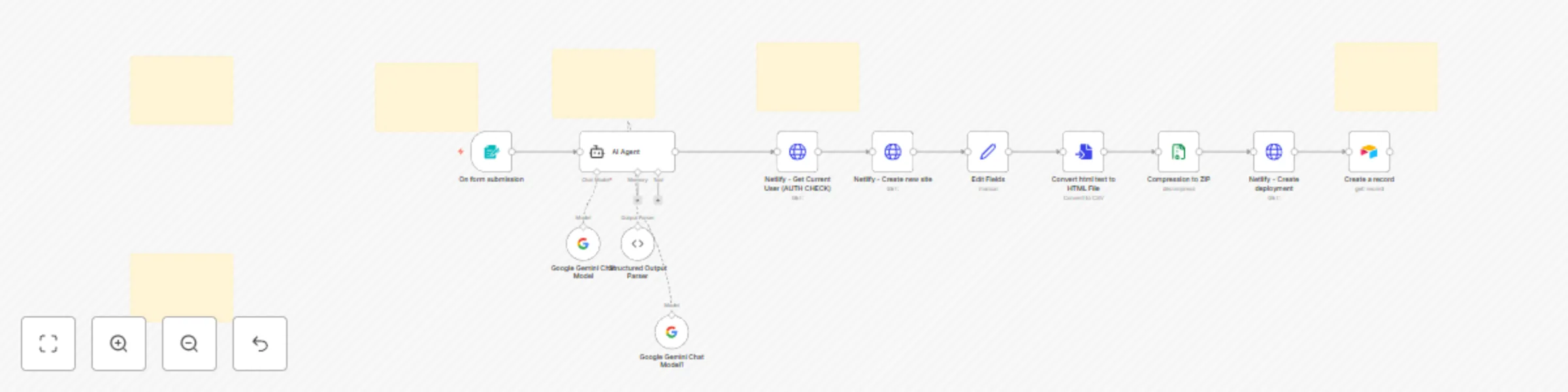
AI Website Generator & Auto Deployer Template Transform any idea into a live website in seconds! This AI powered template generates professional, fully functional websites from simple text descr...
n8n-nodes-base.formtrigger, @n8n/n8n-nodes-langchain.agent, @n8n/n8n-nodes-langchain.lmchatgooglegemini, @n8n/n8n-nodes-langchain.outputparserstructured, n8n-nodes-base.httprequest, n8n-nodes-base.airtable, n8n-nodes-base.converttofile, n8n-nodes-base.compression
This workflow is cataloged by N8N Workflows and links back to its original n8n.io source page by Tamer.
Original n8n.io sourceTransform any idea into a live website in seconds! This AI-powered template generates professional, fully-functional websites from simple text descriptions and automatically deploys them to Netlify.
Instant Website Creation: Just provide a name and description - our AI agent creates complete HTML files with embedded CSS/JavaScript, ready for immediate deployment.
Professional Quality: Every website includes mobile-responsive design, modern CSS Grid/Flexbox layouts, SEO optimization, accessibility features, and smooth animations. No amateur-looking sites - only professional results.
Zero-Config Deployment: Automatic Netlify deployment with SSL certificates, CDN distribution, and custom URLs. No technical setup required.
Required API Keys:
"Modern UX designer portfolio" → Clean design with project galleries "Local bakery website with menu" → Appetizing layout with image galleries "SaaS product landing page" → Conversion-focused with pricing tables "Tech conference site" → Event layout with speaker bios and schedules
Transform your web development workflow today!
This catalog entry is organized from the workflow JSON. The node-level section below shows the executable blocks available for review before importing the template.
| Workflow | Generate and deploy websites with Gemini AI and Netlify auto-deployment |
|---|---|
| Complexity | advanced |
| Nodes | 18 |
| Categories | Content Creation, Multimodal AI |
| Author | Tamer |
| Published | 25 Aug 2025 |
Use the JSON export at /data/workflows/7807/7807.json as the source template for this automation.
Open n8n, import the downloaded JSON, and review each node before activating the workflow.
Replace placeholder credentials, API keys, webhook URLs, account IDs, and environment-specific values with your own settings.
Run the workflow manually or in a staging workspace, inspect node output, and confirm downstream systems receive the expected data.
Enable the workflow only after testing, then monitor executions, errors, and rate limits during the first production runs.
Review imported nodes carefully before activation. This catalog entry is intended to help you inspect the workflow structure, understand required services, and find related templates faster.
Node names, credentials, schedules, webhook paths, and external service limits may need adjustment for your workspace.
AI Website Generator & Auto Deployer Template Transform any idea into a live website in seconds! This AI powered template generates professional, fully functional websites from simple text descr...
Review the workflow JSON, configure any required credentials in n8n, and test the automation in a safe workspace before using it in production.
Yes. Use the block-by-block analysis and the downloadable JSON to inspect each node, then adjust credentials, prompts, schedules, filters, or destinations for your Content Creation, Multimodal AI use case.