Generate an AI YouTube trend report with GPT-4o, Google Sheets and PDF.co

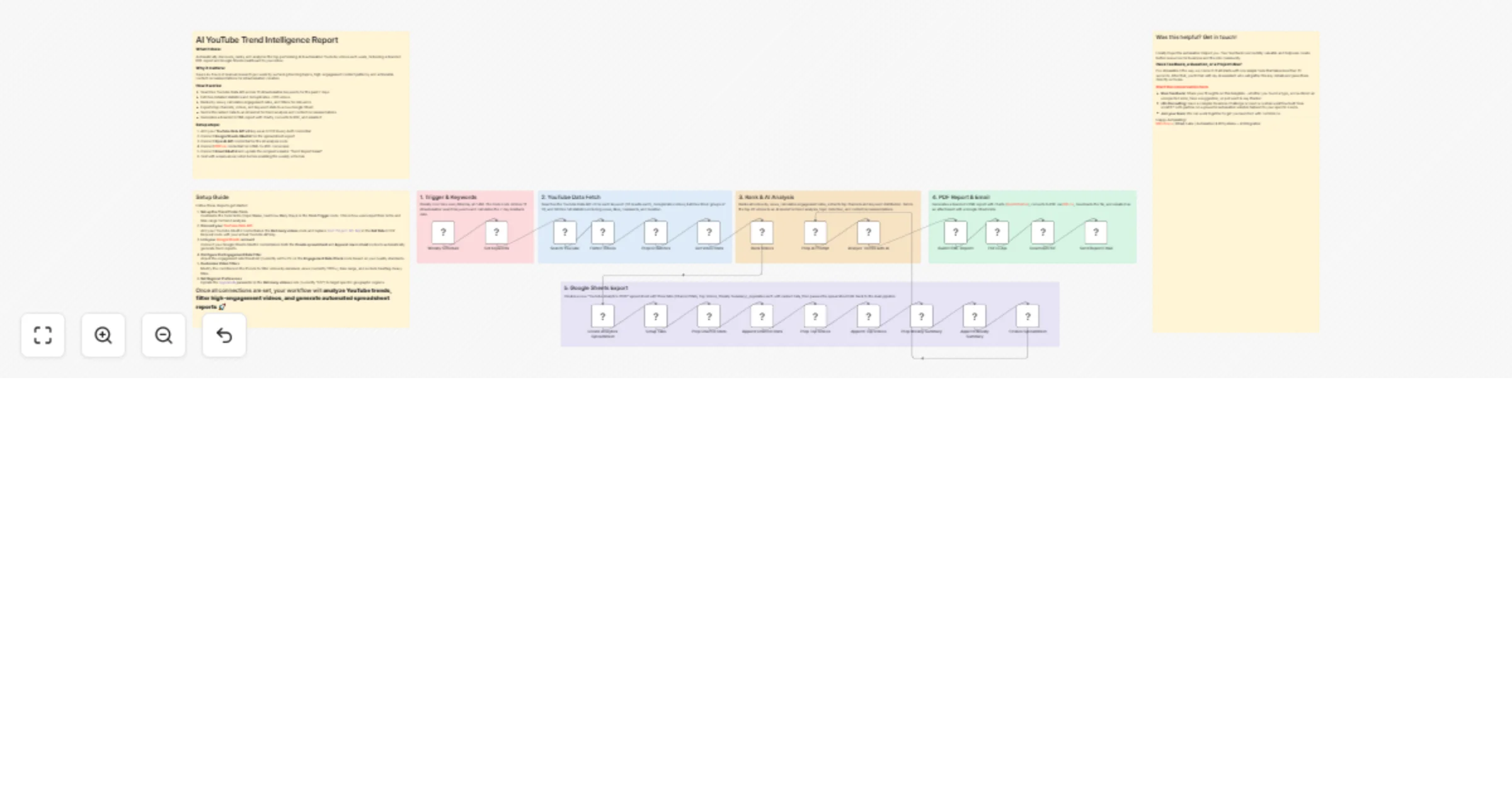
Workflow preview

Workflow preview
100%
Generate an AI YouTube trend report with GPT-4o, Google Sheets and PDF.co preview
Open on n8n.io

1. Workflow Overview

AI YouTube Trend Intelligence Report: YouTube API + GPT 4o + PDF Dashboard Who is this for? AI creators, marketers, agencies, and researchers tracking YouTube trends who need weekly high signal ins...

Best for

  • Market Research automation workflows
  • AI Summarization automation workflows
  • advanced n8n builders looking for reusable templates

Tools used

n8n-nodes-base.scheduletrigger, n8n-nodes-base.code, n8n-nodes-base.httprequest, @n8n/n8n-nodes-langchain.openai, n8n-nodes-base.stickynote, n8n-nodes-base.googlesheets, n8n-nodes-pdfco.pdfco api, n8n-nodes-base.gmail

Source and attribution

This workflow is cataloged by N8N Workflows and links back to its original n8n.io source page by Milo Bravo.

Original n8n.io source

1.1 Workflow description

Title
Generate an AI YouTube trend report with GPT-4o, Google Sheets and PDF.co
Workflow name
Generate an AI YouTube trend report with GPT-4o, Google Sheets and PDF.co

AI YouTube Trend Intelligence Report: YouTube API + GPT-4o + PDF Dashboard

Who is this for? AI creators, marketers, agencies, and researchers tracking YouTube trends who need weekly high-signal insights without 4+ hours manual research.


What problem is this workflow solving? Trend hunting is exhausting:

  • Scanning 500+ videos across keywords

  • Manual engagement calculations

  • No automated filtering or analysis

  • Scattered spreadsheets vs polished reports

  • This workflow auto-discovers top videos, ranks by engagement, and delivers branded PDF + Sheets dashboard.


What this workflow does

  1. Trigger: Form input (keywords, days back) or weekly cron
  2. YouTube API: Searches 10 keywords → ~500 videos (past 7 days)
  3. Ranking: Views + engagement rates → top performers
  4. Google Sheets: Exports channels/videos/keywords/stats
  5. GPT-4o: Analyzes trends → content recommendations
  6. PDF.co: HTML charts → branded PDF report
  7. Gmail: Delivers to inbox

Setup:(5 minutes)

  • YouTube Data API v3 key (HTTP Query Auth)

  • Google Sheets OAuth2 for exports

  • OpenAI API (GPT-4o-mini)

  • PDF.co for HTML-to-PDF

  • Gmail OAuth2 + recipient email

  • Fully configurable env vars—no hardcoded IDs.

How to customize:

  • Edit 10-term list for your niche

  • Filters: Adjust min views (1k), engagement (2%)

  • Schedule: Daily/weekly cron

  • Output: Swap Gmail for Slack/Notion

  • Scale: 1000s videos/month

ROI:

  • 4+ hours saved weekly

  • 20% higher content performance

  • Automated competitive intel

  • Zero manual spreadsheet work


Need help customizing? Contact me for consulting and support: LinkedIn / **[Message](https://tally.so/r/E


Keywords: YouTube trend analysis, AI YouTube research, YouTube analytics automation, content trend tracker, video engagement ranking, YouTube API n8n, weekly YouTube report, YouTube keyword monitoring

1.2 Logical Blocks

This catalog entry is organized from the workflow JSON. The node-level section below shows the executable blocks available for review before importing the template.

2. Block-by-Block Analysis

Block 1 - Weekly Schedule

Type / Role
n8n-nodes-base.scheduleTrigger - scheduleTrigger
Config choices
Version 1.2

Block 2 - Set Keywords

Type / Role
n8n-nodes-base.code - code
Config choices
Version 2

Block 3 - Search YouTube

Type / Role
n8n-nodes-base.httpRequest - httpRequest
Config choices
Version 4.2

Block 4 - Flatten Videos

Type / Role
n8n-nodes-base.code - code
Config choices
Version 2

Block 5 - Prep ID Batches

Type / Role
n8n-nodes-base.code - code
Config choices
Version 2

Block 6 - Get Video Stats

Type / Role
n8n-nodes-base.httpRequest - httpRequest
Config choices
Version 4.2

Block 7 - Rank Videos

Type / Role
n8n-nodes-base.code - code
Config choices
Version 2

Block 8 - Prep AI Prompt

Type / Role
n8n-nodes-base.code - code
Config choices
Version 2

Block 9 - Analyze Trends with AI

Type / Role
@n8n/n8n-nodes-langchain.openAi - openAi
Config choices
Version 2.1

Block 10 - Setup Guide

Type / Role
n8n-nodes-base.stickyNote - stickyNote
Config choices
Version 1

Block 11 - Create Analytics Spreadsheet

Type / Role
n8n-nodes-base.googleSheets - googleSheets
Config choices
Version 4.7

Block 12 - Finalize Spreadsheet

Type / Role
n8n-nodes-base.code - code
Config choices
Version 2

Block 13 - Setup Tabs

Type / Role
n8n-nodes-base.httpRequest - httpRequest
Config choices
Version 4.2

Block 14 - Prep Channel Stats

Type / Role
n8n-nodes-base.code - code
Config choices
Version 2

Block 15 - Append Channel Stats

Type / Role
n8n-nodes-base.googleSheets - googleSheets
Config choices
Version 4.7

Block 16 - Prep Top Videos

Type / Role
n8n-nodes-base.code - code
Config choices
Version 2

Block 17 - Append Top Videos

Type / Role
n8n-nodes-base.googleSheets - googleSheets
Config choices
Version 4.7

Block 18 - Prep Weekly Summary

Type / Role
n8n-nodes-base.code - code
Config choices
Version 2

Block 19 - Append Weekly Summary

Type / Role
n8n-nodes-base.googleSheets - googleSheets
Config choices
Version 4.7

Block 20 - Workflow Overview

Type / Role
n8n-nodes-base.stickyNote - stickyNote
Config choices
Version 1

Block 21 - Contact & Attribution

Type / Role
n8n-nodes-base.stickyNote - stickyNote
Config choices
Version 1

Block 22 - Section 1 - Trigger & Keywords

Type / Role
n8n-nodes-base.stickyNote - stickyNote
Config choices
Version 1

Block 23 - Section 2 - YouTube Data Fetch

Type / Role
n8n-nodes-base.stickyNote - stickyNote
Config choices
Version 1

Block 24 - Section 3 - Rank & AI Analysis

Type / Role
n8n-nodes-base.stickyNote - stickyNote
Config choices
Version 1

Showing the first 24 of 30 workflow blocks. Download the JSON for the full node graph.

3. Summary Table

Workflow Generate an AI YouTube trend report with GPT-4o, Google Sheets and PDF.co
Complexity advanced
Nodes 30
Categories Market Research, AI Summarization
Author Milo Bravo
Published 24 Feb 2026

4. Reproducing the Workflow from Scratch

  1. 1. Download the workflow JSON

    Use the JSON export at /data/workflows/13659/13659.json as the source template for this automation.

  2. 2. Import the template into n8n

    Open n8n, import the downloaded JSON, and review each node before activating the workflow.

  3. 3. Configure credentials and variables

    Replace placeholder credentials, API keys, webhook URLs, account IDs, and environment-specific values with your own settings.

  4. 4. Test with sample data

    Run the workflow manually or in a staging workspace, inspect node output, and confirm downstream systems receive the expected data.

  5. 5. Activate and monitor

    Enable the workflow only after testing, then monitor executions, errors, and rate limits during the first production runs.

5. General Notes & Resources

Review imported nodes carefully before activation. This catalog entry is intended to help you inspect the workflow structure, understand required services, and find related templates faster.

Node names, credentials, schedules, webhook paths, and external service limits may need adjustment for your workspace.

Frequently asked questions

What does Generate an AI YouTube trend report with GPT-4o, Google Sheets and PDF.co do?

AI YouTube Trend Intelligence Report: YouTube API + GPT 4o + PDF Dashboard Who is this for? AI creators, marketers, agencies, and researchers tracking YouTube trends who need weekly high signal ins...

What do I need before importing this workflow?

Review the workflow JSON, configure any required credentials in n8n, and test the automation in a safe workspace before using it in production.

Can I customize this workflow?

Yes. Use the block-by-block analysis and the downloadable JSON to inspect each node, then adjust credentials, prompts, schedules, filters, or destinations for your Market Research, AI Summarization use case.