Generate AI video avatars from URLs with HeyGen, Gemini & upload to social media

Workflow preview

Workflow preview
100%
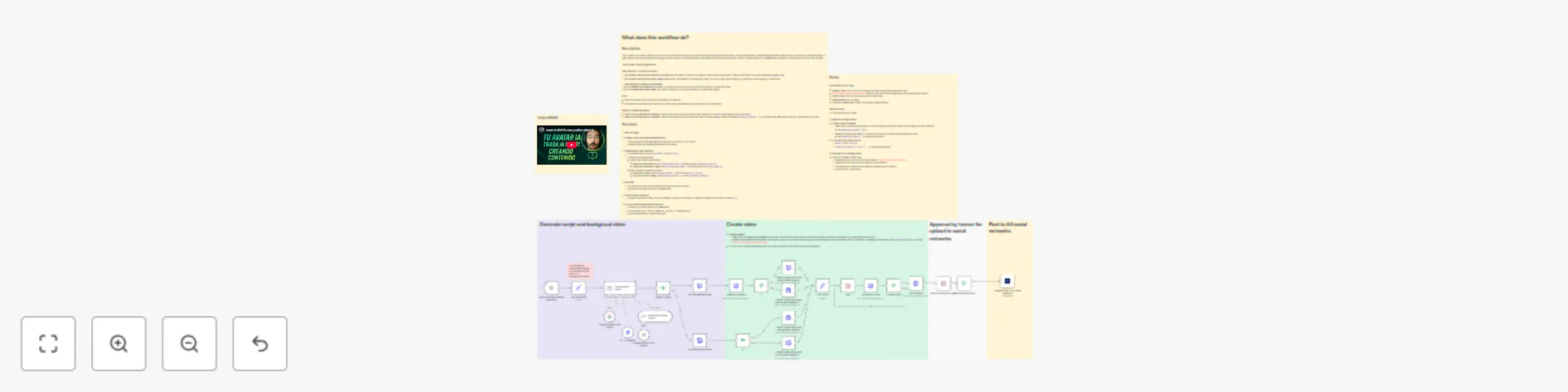
Generate AI video avatars from URLs with HeyGen, Gemini & upload to social media preview
Open on n8n.io

Important notice

This workflow is provided as-is. Please review and test before using in production.

1. Workflow Overview

This workflow turns any URL (news article, blog post, or even an n8n workflow page) into a vertical short video with your AI avatar explaining it ready for TikTok, Instagr...

Best for

  • Content Creation automation workflows
  • Multimodal AI automation workflows
  • advanced n8n builders looking for reusable templates

Tools used

n8n-nodes-base.stickynote, n8n-nodes-base.if, n8n-nodes-base.wait, n8n-nodes-base.httprequest, @n8n/n8n-nodes-langchain.agent, @n8n/n8n-nodes-langchain.lmchatgooglegemini, n8n-nodes-base.httprequesttool, @n8n/n8n-nodes-langchain.outputparserstructured

Source and attribution

This workflow is cataloged by N8N Workflows and links back to its original n8n.io source page by Juan Carlos Cavero Gracia.

Original n8n.io source

1.1 Workflow description

Title
Generate AI video avatars from URLs with HeyGen, Gemini & upload to social media
Workflow name
Generate AI video avatars from URLs with HeyGen, Gemini & upload to social media

This workflow turns any URL (news article, blog post, or even an n8n workflow page) into a vertical short video with your AI avatar explaining it ready for TikTok, Instagram Reels, and YouTube Shorts. It fetches the page, generates a tight 30–45s script and platform-optimized descriptions, captures a dynamic background of the page (animated scroll or static image), composes and renders the video with HeyGen (free split‑screen or paid clean cut‑out), and sends it to Upload-Post with an optional human review step.

Note: You can generate full videos end‑to‑end using free trials—no credit card required—for all APIs used in this template (Google Gemini, ScreenshotOne, HeyGen, Upload‑Post).

Who Is This For?

  • Creators & Marketers: Explain articles, launches, and workflows without filming or editing.
  • Media & Newsletters: Turn breaking stories into clear, shareable shorts.
  • Agencies: Scale content creation with review gates and multi-account publishing.
  • Founders & Product Teams: Maintain an on-brand presence in minutes.

What Problem Does It Solve?

Making platform-native explainers is slow and inconsistent. This workflow:

  • Writes the script with AI: ~30s hook-led monologue with key facts.
  • Optimizes per platform: Tailored captions for TikTok, Reels, and Shorts.
  • Generates the video automatically: Uses the page itself as background + avatar voiceover.
  • Publishes everywhere: Optional review, then one-click multi-platform posting.

How It Works

  1. URL Input: Paste any page to convert (article, blog, or workflow).
  2. AI Agent (Gemini): Reads the page and produces a single script (~30s) + platform-specific descriptions.
  3. Video Background: Animated scroll capture (9:16) or featured image via ScreenshotOne.
  4. HeyGen Composition & Render:
    • Free: split-screen vertical (avatar bottom, background top).
    • Paid: clean avatar cut‑out over video/image (background removal).
  5. Render & Poll: Waits for HeyGen to finish and retrieves the final MP4.
  6. Human Review (optional): Approve or reject in a simple form.
  7. Publish (Upload-Post): Uploads to TikTok, Instagram (Reels), and YouTube Shorts with AI-generated titles/descriptions.

Setup

  1. Credentials (all offer free trials, no credit card required):
    • HeyGen API (X-Api-Key) + your avatar_id and voice_id.
    • ScreenshotOne API key.
    • Upload-Post (connect your social accounts).
    • Google Gemini (chat model).
  2. Variables in “Set Input Vars”:
    • workflow_url: page to convert.
    • background_removal: true (paid) or false (free).
    • background_type: video (animated scroll) or photo (static).
  3. Publishing: Choose platforms in Upload-Post; enable review if you want to approve before posting.

Requirements

  • Accounts: n8n, HeyGen, ScreenshotOne, Upload-Post, Google (Gemini).
  • API Keys: HeyGen, ScreenshotOne, Gemini; Upload-Post credentials.
  • Assets: An avatar and a voice available in HeyGen.

Features

  • URL → Short in minutes: 9:16 vertical (720×1280).
  • Pro script with hook: Clear, natural, ~30s.
  • Two render modes: Split-screen (free) or clean cut‑out (paid).
  • Background from the page: Animated scroll or main image.
  • Human-in-the-loop: Approval before going live.
  • Multi-publish: TikTok, Instagram Reels, YouTube Shorts via Upload-Post.
  • Start free: Generate videos with free trials across all APIs—no credit card required.

1.2 Logical Blocks

This catalog entry is organized from the workflow JSON. The node-level section below shows the executable blocks available for review before importing the template.

2. Block-by-Block Analysis

Block 1 - Sticky Note2

Type / Role
n8n-nodes-base.stickyNote - stickyNote
Config choices
Version 1

Block 2 - Sticky Note10

Type / Role
n8n-nodes-base.stickyNote - stickyNote
Config choices
Version 1

Block 3 - Sticky Note12

Type / Role
n8n-nodes-base.stickyNote - stickyNote
Config choices
Version 1

Block 4 - Sticky Note13

Type / Role
n8n-nodes-base.stickyNote - stickyNote
Config choices
Version 1

Block 5 - If

Type / Role
n8n-nodes-base.if - if
Config choices
Version 2.2

Block 6 - Wait

Type / Role
n8n-nodes-base.wait - wait
Config choices
Version 1.1

Block 7 - Get Avatar Video

Type / Role
n8n-nodes-base.httpRequest - httpRequest
Config choices
Version 4.2

Block 8 - If Video Done

Type / Role
n8n-nodes-base.if - if
Config choices
Version 2.2

Block 9 - Social Media Agent

Type / Role
@n8n/n8n-nodes-langchain.agent - agent
Config choices
Version 1.6

Block 10 - Google Gemini Chat Model

Type / Role
@n8n/n8n-nodes-langchain.lmChatGoogleGemini - lmChatGoogleGemini
Config choices
Version 1

Block 11 - HTTP Request1

Type / Role
n8n-nodes-base.httpRequestTool - httpRequestTool
Config choices
Version 4.2

Block 12 - Structured Output Parser

Type / Role
@n8n/n8n-nodes-langchain.outputParserStructured - outputParserStructured
Config choices
Version 1.2

Block 13 - Google Gemini Chat Model1

Type / Role
@n8n/n8n-nodes-langchain.lmChatGoogleGemini - lmChatGoogleGemini
Config choices
Version 1

Block 14 - When clicking ‘Execute workflow’

Type / Role
n8n-nodes-base.manualTrigger - manualTrigger
Config choices
Version 1

Block 15 - Create video avatar with background removal

Type / Role
n8n-nodes-base.httpRequest - httpRequest
Config choices
Version 4.2

Block 16 - Create video avatar with split screen (heygen free trial api)

Type / Role
n8n-nodes-base.httpRequest - httpRequest
Config choices
Version 4.2

Block 17 - Get video url

Type / Role
n8n-nodes-base.httpRequest - httpRequest
Config choices
Version 4.2

Block 18 - Get background video

Type / Role
n8n-nodes-base.httpRequest - httpRequest
Config choices
Version 4.2

Block 19 - Sticky Note

Type / Role
n8n-nodes-base.stickyNote - stickyNote
Config choices
Version 1

Block 20 - Wait to approve by user1

Type / Role
n8n-nodes-base.wait - wait
Config choices
Version 1.1

Block 21 - If approved publish1

Type / Role
n8n-nodes-base.if - if
Config choices
Version 2.2

Block 22 - Sticky Note11

Type / Role
n8n-nodes-base.stickyNote - stickyNote
Config choices
Version 1

Block 23 - Upload video to all social networks

Type / Role
n8n-nodes-upload-post.uploadPost - uploadPost
Config choices
Version 1

Block 24 - Sticky Note3

Type / Role
n8n-nodes-base.stickyNote - stickyNote
Config choices
Version 1

Showing the first 24 of 33 workflow blocks. Download the JSON for the full node graph.

3. Summary Table

Workflow Generate AI video avatars from URLs with HeyGen, Gemini & upload to social media
Complexity advanced
Nodes 33
Categories Content Creation, Multimodal AI
Author Juan Carlos Cavero Gracia
Published 08 Nov 2025

4. Reproducing the Workflow from Scratch

  1. 1. Download the workflow JSON

    Use the JSON export at /data/workflows/10642/10642.json as the source template for this automation.

  2. 2. Import the template into n8n

    Open n8n, import the downloaded JSON, and review each node before activating the workflow.

  3. 3. Configure credentials and variables

    Replace placeholder credentials, API keys, webhook URLs, account IDs, and environment-specific values with your own settings.

  4. 4. Test with sample data

    Run the workflow manually or in a staging workspace, inspect node output, and confirm downstream systems receive the expected data.

  5. 5. Activate and monitor

    Enable the workflow only after testing, then monitor executions, errors, and rate limits during the first production runs.

5. General Notes & Resources

Review imported nodes carefully before activation. This catalog entry is intended to help you inspect the workflow structure, understand required services, and find related templates faster.

Node names, credentials, schedules, webhook paths, and external service limits may need adjustment for your workspace.

Frequently asked questions

What does Generate AI video avatars from URLs with HeyGen, Gemini & upload to social media do?

This workflow turns any URL (news article, blog post, or even an n8n workflow page) into a vertical short video with your AI avatar explaining it ready for TikTok, Instagr...

What do I need before importing this workflow?

Review the workflow JSON, configure any required credentials in n8n, and test the automation in a safe workspace before using it in production.

Can I customize this workflow?

Yes. Use the block-by-block analysis and the downloadable JSON to inspect each node, then adjust credentials, prompts, schedules, filters, or destinations for your Content Creation, Multimodal AI use case.