Juan Carlos Cavero Gracia
Workflows by Juan Carlos Cavero Gracia
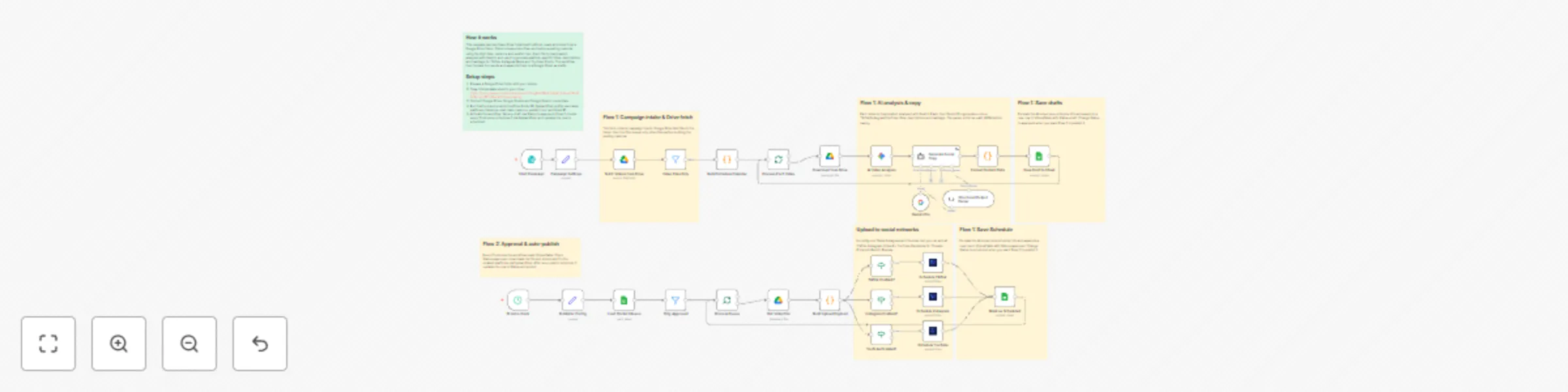
Bulk auto-publish videos to social networks with AI copy and client approval
This workflow automates batch video publishing prep from a Google Drive folder with AI-generated, platform-specific copy and a simple approval queue in Google Sheets. Perfect for Agencies, content creators or Teams  --- ## What This Workflow Does 1. **Fetches videos from a Google Drive folder** You provide a folder ID and the workflow lists all files, filtering to keep only `.mp4`. 2. **Builds a simple publishing calendar** You configure: - Start date - Cadence (daily, 5/week, 3/week) - Timezone - One **Publish Hour** shared across all selected platforms The workflow creates: - **Schedule Date** - **Schedule DateTime** for each video 3. **Analyzes each video with AI** Gemini performs a structured analysis of the video to understand: - What happens in the content - Key topics - Tone - Audience intent 4. **Generates platform-specific social copy** For each video, the AI creates unique text for: - **TikTok** - **Instagram Reels** - **YouTube Shorts** The prompts are **language-aware**: - If the video is in **English**, the titles/descriptions are generated in English. - If the video is in **Spanish**, they are generated in Spanish. 5. **Saves everything to Google Sheets as drafts** Each video becomes one row with: - Titles, descriptions, hashtags/tags - A single shared Schedule DateTime - **Status = draft** 6. **Auto-publishes approved rows (Flow 2)** Every hour: - Loads the sheet - Filters rows where **Status = approved** - Downloads the Drive file - Schedules the video to the selected platforms - Updates **Status = scheduled** --- ## Sheet Structure The tracking sheet is designed to be a clean approval queue. Recommended columns: - Video ID - Video Name - Index - Status - Schedule Date - Schedule DateTime - TikTok Title - TikTok Description - TikTok Hashtags - Instagram Title - Instagram Description - Instagram Hashtags - YouTube Title - YouTube Description - YouTube Tags - Summary - Profile - Platforms - Created At --- ## How Approval Works - New rows start as **draft**. - You revise any copy directly in Sheets. - When ready, change **Status** to **approved**. - Flow 2 schedules the video and updates the row. --- ## Requirements - **Google Drive** access - **Google Sheets** access - **Gemini API key** - **Upload-Post** account with connected social profiles --- ## Installation & Setup 1. **Create your tracking sheet** Copy this sheet in your drive https://docs.google.com/spreadsheets/d/1cegJHxj7Kx4Tg8gMr3uixpzToNc62VEvuuz37iFvnRw/edit?usp=sharing 2. **Connect credentials in n8n** - Google Drive OAuth - Google Sheets OAuth - Gemini credentials - Upload-Post credentials 3. **Run the form** Provide: - Drive Folder ID - Profile Username - Platforms - Timezone - Start Date - Cadence - Publish Hour - Google Sheet ID 4. **If you want to explore the API used for publishing** These docs can help for custom extensions: - [social media API](https://upload-post.com) --- ## Ideal Use Cases - **Creators** batching Shorts/Reels/TikToks and wanting a single approval queue - **Agencies** that need a simple client-friendly review workflow - **Teams** building internal content ops with predictable scheduling --- ## Notes - This version keeps scheduling simple with **one Schedule DateTime per video** shared across all selected platforms. - If you later want per-platform times, extend the calendar builder to generate separate datetimes again.
Create & auto-publish YouTube content with Gemini AI, face thumbnails & human review
 This workflow transforms any video you drop into a Google Drive folder into a ready-to-publish YouTube upload. It analyzes the video with AI to craft 3 high-CTR title ideas, 3 long SEO-friendly descriptions (with timestamps), and 10–15 optimized tags. It then generates 4 thumbnail options using your face and lets you pick your favorite before auto-publishing to YouTube via Upload-Post. ### Who Is This For? - **YouTube Creators & Editors:** Ship videos with winning titles, thumbnails, and SEO in minutes. - **Agencies & Media Teams:** Standardize output and speed across channels and clients. - **Founders & Solo Makers:** Maintain consistent publishing with minimal manual work. ### What Problem Does It Solve? Producing SEO metadata and high-performing thumbnails is slow and inconsistent. This flow: - **Generates High-CTR Options:** 3 distinct angles for title/description/tags. - **Creates Thumbnails with Your Face:** 4 options ready for review in one pass. - **Auto-Publishes Safely:** Human selection gates reduce risk before going live. ### How It Works 1. **Google Drive Trigger:** Watches a folder for new video files. 2. **AI Video Analysis (Gemini):** Produces an in-depth Spanish description and timestamps. 3. **Concept Generation:** Returns 3 JSON concepts (title, thumbnail prompt, description, tags). 4. **User Review #1:** Pick your favorite concept in a simple form. 5. **Thumbnail Generation (fal.ai):** Creates 4 thumbnails using your face (provided image URL). 6. **User Review #2:** Choose the best thumbnail. 7. **Upload to YouTube (Upload-Post):** Publishes the video with your chosen title, description, tags, and thumbnail. ### Setup 1. **Credentials (all offer free trials, no credit card required):** - Google Gemini (chat/vision for analysis) - fal.ai API (thumbnail generation) - [Upload-Post](https://www.upload-post.com) ( [Connect your Youtube channel](https://app.upload-post.com/manage-users) and [generate api keys](https://app.upload-post.com/api-keys)) - Google Drive OAuth (folder watch + file download) 2. **Provide Your Face Image URL(s):** Used by fal.ai to integrate your face into thumbnails. 3. **Select the Google Drive Folder:** Where you’ll drop videos to process. 4. **Pick & Publish:** Use the built-in forms to choose concept and thumbnail. ### Requirements - **Accounts:** Google (Drive + Gemini), fal.ai, Upload-Post, n8n. - **API Keys:** Gemini, fal.ai; Upload-Post credentials; Google Drive OAuth. - **Assets:** At least one clear face image for thumbnails. ### Features - **Three SEO Angles:** Distinct title/description sets to test different intents. - **Rich Descriptions with Timestamps:** Ready for YouTube SEO and viewer navigation. - **Face-Integrated Thumbnails:** 4 options aligned with the selected title. - **Human-in-the-Loop Controls:** Approve concepts and thumbnails before publishing. - **Auto-Publish via Upload-Post:** One click to push live to YouTube. - **Start Free:** All API calls can run on free trials, no credit card required. ### Video demo https://www.youtube.com/watch?v=EOOgFveae-U
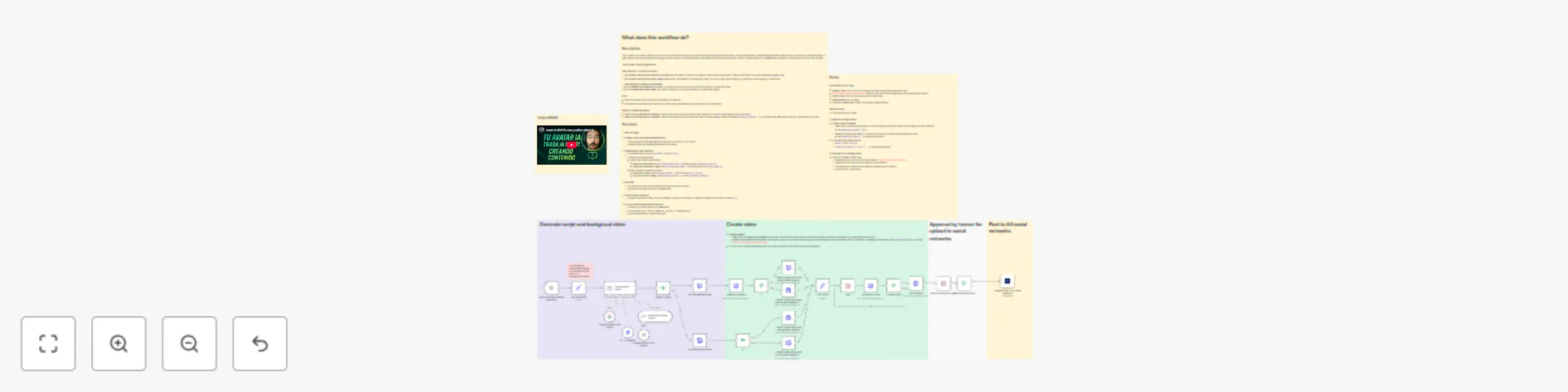
Generate AI video avatars from URLs with HeyGen, Gemini & upload to social media
 This workflow turns any URL (news article, blog post, or even an n8n workflow page) into a vertical short video with your AI avatar explaining it ready for TikTok, Instagram Reels, and YouTube Shorts. It fetches the page, generates a tight 30–45s script and platform-optimized descriptions, captures a dynamic background of the page (animated scroll or static image), composes and renders the video with HeyGen (free split‑screen or paid clean cut‑out), and sends it to Upload-Post with an optional human review step. ***Note: You can generate full videos end‑to‑end using free trials—no credit card required—for all APIs used in this template (Google Gemini, ScreenshotOne, HeyGen, Upload‑Post).*** ### Who Is This For? - **Creators & Marketers:** Explain articles, launches, and workflows without filming or editing. - **Media & Newsletters:** Turn breaking stories into clear, shareable shorts. - **Agencies:** Scale content creation with review gates and multi-account publishing. - **Founders & Product Teams:** Maintain an on-brand presence in minutes. ### What Problem Does It Solve? Making platform-native explainers is slow and inconsistent. This workflow: - **Writes the script with AI:** ~30s hook-led monologue with key facts. - **Optimizes per platform:** Tailored captions for TikTok, Reels, and Shorts. - **Generates the video automatically:** Uses the page itself as background + avatar voiceover. - **Publishes everywhere:** Optional review, then one-click multi-platform posting. ### How It Works 1. **URL Input:** Paste any page to convert (article, blog, or workflow). 2. **AI Agent (Gemini):** Reads the page and produces a single script (~30s) + platform-specific descriptions. 3. **Video Background:** Animated scroll capture (9:16) or featured image via ScreenshotOne. 4. **HeyGen Composition & Render:** - Free: split-screen vertical (avatar bottom, background top). - Paid: clean avatar cut‑out over video/image (background removal). 5. **Render & Poll:** Waits for HeyGen to finish and retrieves the final MP4. 6. **Human Review (optional):** Approve or reject in a simple form. 7. **Publish (Upload-Post):** Uploads to TikTok, Instagram (Reels), and YouTube Shorts with AI-generated titles/descriptions. ### Setup 1. **Credentials (all offer free trials, no credit card required):** - HeyGen API (`X-Api-Key`) + your `avatar_id` and `voice_id`. - ScreenshotOne API key. - Upload-Post (connect your social accounts). - Google Gemini (chat model). 2. **Variables in “Set Input Vars”:** - `workflow_url`: page to convert. - `background_removal`: `true` (paid) or `false` (free). - `background_type`: `video` (animated scroll) or `photo` (static). 3. **Publishing:** Choose platforms in Upload-Post; enable review if you want to approve before posting. ### Requirements - **Accounts:** n8n, HeyGen, ScreenshotOne, Upload-Post, Google (Gemini). - **API Keys:** HeyGen, ScreenshotOne, Gemini; Upload-Post credentials. - **Assets:** An avatar and a voice available in HeyGen. ### Features - **URL → Short in minutes:** 9:16 vertical (720×1280). - **Pro script with hook:** Clear, natural, ~30s. - **Two render modes:** Split-screen (free) or clean cut‑out (paid). - **Background from the page:** Animated scroll or main image. - **Human-in-the-loop:** Approval before going live. - **Multi-publish:** TikTok, Instagram Reels, YouTube Shorts via Upload-Post. - **Start free:** Generate videos with free trials across all APIs—no credit card required.
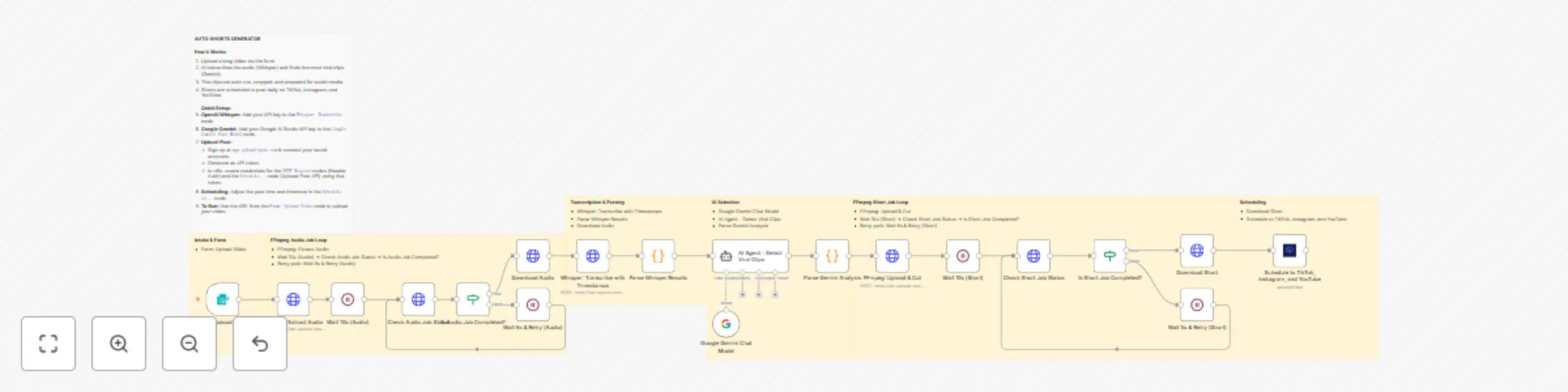
Transform long videos into viral shorts with AI and schedule to social media using Whisper & Gemini
 This automation template turns any long video into multiple viral-ready short clips and auto-schedules them to TikTok, Instagram Reels, and YouTube Shorts. It works with both vertical and horizontal inputs and respects the original input resolution (no unnecessary upscaling), cropping or letterboxing intelligently when needed. The workflow automatically extracts between 3 and 6 clips (based on video length and the most engaging segments) and schedules one short per consecutive day—e.g., 3 clips → the next 3 days, 6 clips → the next 6 days. ***Note: This workflow uses OpenAI Whisper for word-level transcription, Google’s Gemini for clip selection and metadata, and Upload-Post’s FFmpeg API for GPU-accelerated cutting/cropping and social scheduling. You can use the same Upload-Post API token for both FFmpeg jobs and publishing uploads. Upload-Post also offers a generous free trial with no credit card required.*** ## Who Is This For? - **Creators & Editors:** Batch-convert long talks/podcasts into daily Shorts/Reels/TikToks. - **Agencies & Social Teams:** Turn webinars/interviews into a reliable short-form stream. - **Brands & Founders:** Maintain a steady posting cadence with minimal hands-on editing. ## What Problem Does This Workflow Solve? Manual clipping is slow and inconsistent. This workflow: - **Finds Hooks Automatically:** AI picks 3–6 high-retention segments from transcript + timestamps (count scales with video length/quality). - **Cuts Cleanly:** Absolute-second FFmpeg timing to avoid mid-word cuts. - **Vertical & Horizontal Friendly:** Handles both orientations and respects source resolution. - **Schedules for You:** Posts one clip per day on consecutive days. ## How It Works 1. **Form Upload:** Submit your long video. 2. **Audio Extraction:** FFmpeg job extracts audio for accurate ASR. 3. **Whisper Transcription:** Word-level timestamps enable precise clipping. 4. **AI Clip Mining (Gemini):** Detects 3–6 “viral” moments (15–60s) and generates titles/descriptions. 5. **Cut & Crop (FFmpeg):** GPU pipeline produces clean clips; preserves input resolution/orientation when possible and crops/pads appropriately for target platforms. 6. **Status & Download:** Polls job status and retrieves the final clips. 7. **Auto-Scheduling (Consecutive Days):** Schedules one short per day starting tomorrow, for as many days as clips were produced (e.g., 3 clips → 3 days, 6 clips → 6 days) at a configurable time (default 20:00 Europe/Madrid). ## Setup 1. **OpenAI (Whisper):** Add your OpenAI API credentials. 2. **Google Gemini:** Add Gemini credentials used by the AI Agent node. 3. **Upload-Post (free trial no credit card required):** Generate your api token https://app.upload-post.com/ connect your social media accounts and add your API token credentials in n8n (same token works for FFmpeg jobs and publishing). 4. **Scheduling:** Adjust posting time/intervals and timezone (`Europe/Madrid` by default). 5. **Metadata Mapping:** Titles/descriptions are auto-generated per platform; tweak as needed. ## Requirements - **Accounts:** n8n, OpenAI, Google (Gemini), Upload-Post, and social platform connections. - **API Keys:** OpenAI token, Gemini credentials, Upload-Post token. - **Budget:** Whisper + Gemini inference + FFmpeg compute + optional posting costs. ## Features - **Word-Accurate Cuts:** Absolute-second timecodes with subtle pre/post-roll. - **Orientation-Aware:** Supports vertical and horizontal inputs; preserves source resolution where possible. - **Platform-Optimized Output:** 9:16-ready delivery with smart crop/pad behavior. - **Consecutive-Day Scheduler:** 3–6 clips → 3–6 consecutive posting days, automatically. - **Retry & Polling:** Built-in waits and status checks for robust processing. - **Modular:** Swap models, adjust clip count/length, or add/remove platforms quickly. Turn long-form video into a consistent sequence of Shorts/Reels/TikToks—automatically, day after day, while respecting your source resolution.
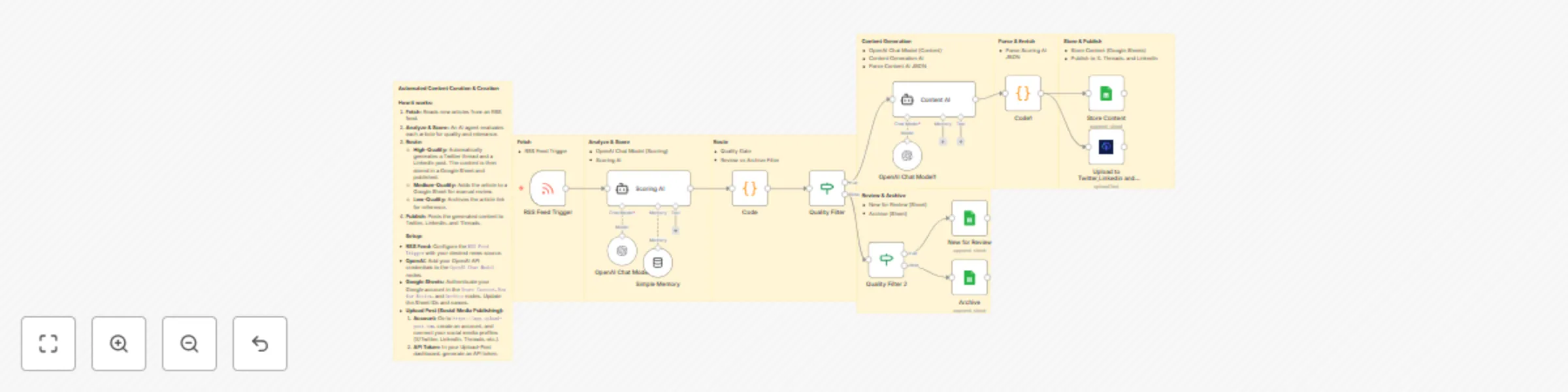
AI-powered news monitoring & social post generator with OpenAI and Upload-Post
 This automation template turns any RSS feed into ready-to-publish social content using AI. It continuously ingests articles, scores their quality and relevance, crafts platform-native posts (Twitter/X threads and LinkedIn posts), routes items for review or archiving, logs everything to Google Sheets, and can publish automatically to X, Threads, and LinkedIn. ***Note: This workflow uses OpenAI models for analysis and content generation and integrates with Upload-Post for multi-platform publishing and Google Sheets for tracking. Costs depend on token usage and posting volume.*** ## Who Is This For? - **Content Teams & Solo Creators:** Ship consistent, high-signal posts without manual rewriting. - **Newsletters & Media Brands:** Turn breaking stories into shareable, platform-native content. - **Agencies:** Scale curation across clients with review and auto-publish paths. - **Founders & PMMs:** Maintain a steady public presence with minimal effort. ## What Problem Does This Workflow Solve? Manual curation and rewriting of news is slow and inconsistent. This workflow: - **Scores Articles:** Filters noise with AI quality/relevance scoring. - **Auto-Writes Posts:** Generates concise X threads and business-ready LinkedIn copy. - **Routes Intelligently:** Sends good items to publish/review and archives the rest. - **Logs Everything:** Keeps a structured history in Google Sheets for analytics. ## How It Works 1. **RSS Polling:** Monitors your chosen feed(s) on a schedule. 2. **Scoring AI:** Rates quality and relevance; extracts summary, key topics, and angle. 3. **Parse & Enrich:** Normalizes AI output and merges with article metadata. 4. **Quality Gates:** Directs items to “publish/review” or “archive.” 5. **Content Generation:** Produces an X thread and a LinkedIn post with clear hooks and insights. 6. **Publishing:** Uploads to X, Threads, and LinkedIn via Upload-Post (optional). 7. **Sheets Logging:** Writes summaries, scores, and outputs to Google Sheets. ## Setup 1. **OpenAI API:** Add your OpenAI credentials (models like `gpt-4.1`/`gpt-4o`). 2. **Upload-Post Credentials:** Connect the Upload-Post integration and target pages (e.g., LinkedIn org ID). 3. **Google Sheets:** Add OAuth credentials and point “Store Content”/“New for Review”/“Archive” to your sheets. 4. **RSS Feed URL:** Replace the sample feed with your preferred sources. 5. **Thresholds & Routing:** Adjust quality/relevance filters to your standards. 6. **Publishing Mode:** Toggle platforms (X, Threads, LinkedIn) and decide auto vs. review-first. ## Requirements - **Accounts:** n8n, OpenAI, Upload-Post, Google account (Sheets). - **API Keys:** OpenAI token, Upload-Post credentials, Google Sheets OAuth. - **Feeds:** One or more RSS URLs for your niche. ## Features - **AI Triage:** Quality/relevance scoring to prioritize high-value stories. - **Platform-Native Output:** Hooked X threads and professional LinkedIn posts. - **Review or Auto-Publish:** Safe gating before posting live. - **Analytics-Ready Logs:** Structured entries in Google Sheets. - **Modular & Extensible:** Swap feeds, add Slack/Discord alerts, or plug into CMS/Notion. Stay top-of-mind: convert fresh news into compelling, on-brand social content—automatically.
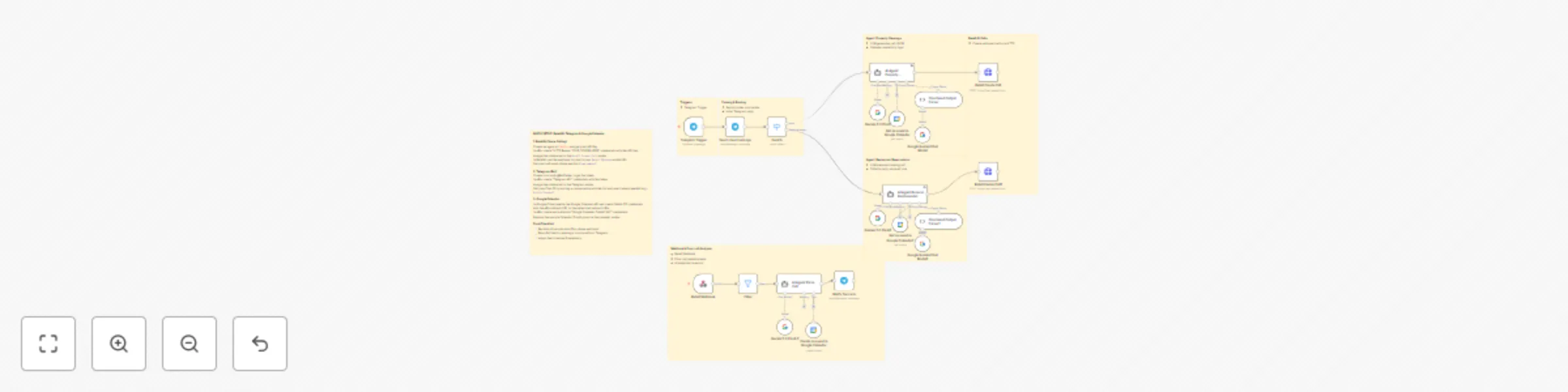
Automated property & restaurant bookings with AI voice calls via Telegram
 This automation template is an AI-powered booking agent that schedules property viewings and reserves restaurant tables for you, all coordinated through Telegram. It checks your calendar to avoid conflicts, places the calls on your behalf, negotiates times, confirms details, and delivers a crisp summary back to Telegram—hands-free. ***Note: This workflow uses a voice-calling provider for outbound calls, your calendar for availability, and Telegram for notifications. Usage costs depend on your telephony provider, call duration, and any API usage.*** ## Who Is This For? - **Home Buyers & Renters:** Queue up and confirm viewings without calling around. - **Real Estate Agents & Property Managers:** Automate client viewing scheduling and confirmations. - **Relocation Specialists & Assistants:** Coordinate multi-property tours with calendar-aware logic. - **Busy Professionals:** Let AI handle restaurant bookings and post-viewing meals. - **Concierge & Ops Teams:** Standardize bookings with structured logs and Telegram updates. ## What Problem Does This Workflow Solve? Scheduling property viewings and restaurant tables often means endless calls, conflicts, and coordination. This workflow removes the friction by: - **AI Phone Calls on Your Behalf:** Natural voice calls to agents/venues to secure slots. - **Calendar-Aware Booking:** Checks your real-time availability and avoids overlaps. - **Preference Handling:** Location, budget, party size, time windows, language, and notes. - **Instant Telegram Summaries:** Clear outcomes (confirmed, waitlist, action needed) and quick next steps. - **Scalable Coordination:** Handles multiple properties and dining options with fallback logic. ## How It Works 1. **Intent Capture (Telegram):** You send a simple message (e.g., “Viewings tomorrow 17:00–20:00, Eixample, 2-bed; table for 4 at 21:30 near there”). 2. **Calendar Check:** Reads free/busy blocks and suggests viable windows or alternatives. 3. **AI Calling:** Places outbound calls to listing agents/restaurants, negotiates slots, and confirms. 4. **Result Parsing:** Extracts confirmed time, address, contact name, reservation name, and special instructions. 5. **Telegram Delivery:** Sends a concise recap plus optional quick-reply buttons (confirm/cancel/map/nav). 6. **Optional Calendar Hold:** Adds confirmed bookings to your calendar and blocks time. 7. **Logging (Optional):** Writes outcomes to a sheet/database for tracking and analytics. ## Setup 1. **Telephony Provider:** Connect your AI calling service (API key). Configure voice/language. 2. **Calendar Access:** Link Google Calendar (or similar). Grant read (and optionally write) access. 3. **Telegram Bot:** Create a bot with BotFather and add the bot token to credentials. 4. **Environment/Credentials:** Store calling API token, calendar credentials, Telegram token in n8n. 5. **Preferences:** Set defaults for viewings (areas, price range, time windows) and dining (party size, cuisine, budget). 6. **Test Run:** Trial a single booking to verify calling, calendar sync, and Telegram delivery. ## Requirements - **Accounts:** n8n, telephony provider, calendar account, Telegram bot. - **API Keys:** Telephony API token, Calendar credentials, Telegram bot token. - **Permissions:** Calendar read (and write if auto-blocking); outbound calls enabled. - **Budget:** Telephony per-minute fees and minor API costs where applicable. ## Features - **Dual-Domain Booking:** Property viewings + restaurant tables in one flow. - **Calendar Intelligence:** Checks conflicts and proposes best-fit time slots. - **Telegram-Native UX:** Simple prompts, instant confirmations, and quick actions. - **Preference Profiles:** Time windows, neighborhoods, max budget, language, and notes. - **Fallbacks & Alternatives:** Suggests nearby times/venues if first choice is unavailable. - **Multilingual Voice:** Configure voice and language to match region/venue. - **Structured Logs:** Optional recording of outcomes for reporting and audits. - **Extensible:** Add CRM, maps, SMS, or payment links as needed. Automate your day from tours to tables: message your intent on Telegram, and let the AI book, confirm, and keep your calendar clean—so you just show up on time.
One telegram chat to edit, thumbnail & auto-post your videos everywhere
This workflow turns any **Telegram bot** into an AI-powered **social media command center** for photos, videos and voice notes. [video demo](https://www.youtube.com/watch?v=a5WndRCD63I) From one Telegram chat you can: - Send a **photo** and auto-post it to **Instagram, TikTok and Pinterest** with AI captions. - Send a **video** and: - Let AI generate **titles + descriptions** and upload it to **TikTok, Instagram and YouTube**. - Use `/thumb` to generate **4 custom thumbnails** with **Nano Banana Pro**. - Use `/edit ...` to run **FFmpeg edits** (cut, mute, resize, speed, etc.) via **Upload-Post FFmpeg jobs** and get the edited video back in Telegram. - Send a **voice note** and turn it into posts for **LinkedIn, X (Twitter) and Threads**, then auto-publish. - Keep **human approval** in the loop: every caption or text post is shown in Telegram for you to accept before publishing. Out of the box, the captions and long descriptions are optimized for **Spanish (es-ES)**, but you can easily change the prompts to any language or brand voice. --- ## What You Can Do From Telegram ### 1. Photo → Instagram, TikTok & Pinterest Just send a **photo** (or image as document) to your Telegram bot: - The workflow downloads the photo from Telegram. - **Gemini 2.5 Flash** analyzes the image plus your caption/text (if any). - An AI Agent generates **platform-specific descriptions** for: - TikTok (short hook, 90 chars) - Instagram - Pinterest (title + description) - You receive a message in Telegram with all the proposed descriptions. - You approve or reject with inline buttons. - On approval, **Upload-Post** publishes the photo to: - Instagram - TikTok - Pinterest (to the board you configured) and sends back a status message with success flags, post URLs and error messages. --- ### 2. Video → TikTok, Instagram & YouTube (no commands) If you send a **video with no special caption**: - The workflow treats it as a standard **video post**. - It fetches the file from Telegram. - **Gemini 2.5 Flash** analyzes the video and describes its content. - An AI Agent turns that description + your caption into: - TikTok description - Instagram description - YouTube **title + description** - You get a Telegram message with the three platform descriptions to review. - Once you approve: - It shows “Uploading…” in Telegram. - The video is sent to **Upload-Post**, which uploads to **TikTok, Instagram and YouTube** with the generated text. - Finally, you receive an upload report for each platform (success, URL, error message). --- ### 3. `/thumb` → AI Thumbnails for Your Video (Nano Banana Pro) If you send a **video with caption exactly `/thumb`**: - The workflow downloads the video. - **Gemini 2.5 Flash** generates a **long, SEO-rich description in Spanish** of everything that happens in the video. - A second AI Agent uses that detailed description to create **3 concepts**: - Each concept has: `title`, `description`, and a full `prompt_thumbnail` (Spanish, single line) specially crafted for **Nano Banana Pro**. - In Telegram you see the 3 concepts (titles) and select: - `0`, `1`, `2` or “create new”. - Once you choose a concept: - The prompt is sent to **Nano Banana Pro** (`fal-ai/nano-banana-pro/edit`) with your reference face image (configurable). - Nano Banana Pro generates **4 thumbnails** (16:9). - The workflow downloads the 4 images and sends them back to you in Telegram as photos so you can pick and use your favorite in your YouTube/Upload-Post pipeline. Use `/thumb` whenever you already have the video and just want **killer thumbnails** generated with AI. --- ### 4. `/edit …` → Natural-Language FFmpeg Video Editor If you send a **video with a caption starting with `/edit`**, for example: - `/edit cut the first 3 seconds and remove the audio` - `/edit crop to vertical 9:16 and speed up x1.5` - `/edit blur the background and keep the subject centered` The workflow behaves as a **text-to-FFmpeg command generator**: - An AI Agent (powered by **Gemini**) reads your `/edit` instructions. - It generates a **safe FFmpeg command** in JSON format: - Always uses `ffmpeg -y` - Uses `{input}` and `{output}` placeholders - No semicolons and no dangerous shell characters - The workflow then: - Downloads the original video from Telegram. - Calls **Upload-Post FFmpeg jobs API** with the video and the generated `full_command`. - Polls the job status until it’s finished. - Downloads the processed (edited) video. - Sends the edited video back to you in Telegram with a simple `sendVideo` node. This makes Telegram a **front-end for a remote FFmpeg engine**: you describe the edit in natural language, and the workflow handles all the FFmpeg complexity. > Note: The edited video is returned to Telegram; if you want to auto-post it, simply send the new video again **without `/edit`** so it goes through the normal multi-platform publishing path. --- ### 5. Voice Notes → LinkedIn, X & Threads (Text Posts) For **voice messages**: - The Telegram Trigger detects `message.voice`. - The workflow downloads the audio file. - **OpenAI Whisper** transcribes the recording. - An AI Agent turns the transcription into: - A **LinkedIn post** (Spanish, long-form dev/creator style, based on your examples). - A **Threads post** (Spanish, up to ~500 chars). - A **Tweet / X post or thread** (English, using hooks + hashtags like `#n8n`, `#automation`, `#dev`). - In Telegram you see a preview message with the suggested copy for Threads, LinkedIn and X. - After you approve: - You get an “Uploading…” message. - **Upload-Post** publishes: - To your LinkedIn organization page (configured by ID). - To X (Twitter). - To Threads. - The workflow sends a status message with success flags and URLs for each platform. This is perfect for **“talk to your phone, ship content to all your text platforms”**. --- ## How the Workflow Is Structured - **Telegram Trigger** Listens to every incoming message and routes by type: - `/start` → No-Op - `voice` → Audio pipeline - `document/photo` → Photo pipeline - `video` → Video/thumbnail/editor pipelines (`/thumb`, `/edit` or normal) - **AI Blocks (Gemini + OpenAI)** - Gemini 2.5 Flash for: - Photo understanding. - Short video descriptions (for auto-posting). - Long, detailed video summaries (for thumbnail generator). - OpenAI Whisper for voice transcription. - Multiple AI Agents (Gemini chat) with **structured JSON output parsers** for: - Per-platform social captions. - Threads/LinkedIn/X posts. - Thumbnail prompts and title concepts. - FFmpeg command generation. - **Upload-Post Integration** - **Photos** → Instagram, TikTok, Pinterest. - **Videos** → TikTok, Instagram, YouTube. - **Text** → LinkedIn page, X, Threads. - FFmpeg job endpoint for server-side video editing. - All uploads return **status, URL and error messages** back into Telegram. - **Human-in-the-Loop** - All critical AI outputs go through `sendAndWait` nodes in Telegram: - You review and choose whether to publish or not. - You choose which thumbnail concept to use. --- ## Requirements & Setup - **Accounts & APIs** - Telegram bot (via @BotFather). - **Upload-Post.com** account with your social profiles connected. - **OpenAI API key** (Whisper). - **Google Gemini API key** (AI Studio). - **Nano Banana Pro / fal.ai** key (for thumbnails). - **Runtime** - n8n instance (cloud or self-hosted). - FFmpeg available where n8n runs (Docker image, VM, etc.) for local checks if needed (the heavy lifting is delegated to Upload-Post FFmpeg jobs). - **Configuration** - Create Telegram credentials with your bot token. - Create Upload-Post credentials with your API token. - Set `upload_post_user` and `pinterest_board_id` in the `Edit Fields` node. - Optionally replace: - Example face image URL used for Nano Banana Pro. - LinkedIn organization ID. - Any language / tone in the AI agent system prompts. --- ## Ideal Use Cases - **Creators & influencers** who want to post to every platform from **one Telegram chat**. - **Agencies** who want a “content butler” clients can use without touching n8n. - **Solo devs & makers** who publish workflows, devlogs and product updates and want: - Multi-platform video posts. - Voice → LinkedIn/X/Threads posts. - Easy text-based video editing and thumbnail generation. Install this template, plug in your keys, talk to your bot in Telegram, and turn it into your **all-in-one AI social media machine**.
Generate secure social media connection links for clients with Upload-Post
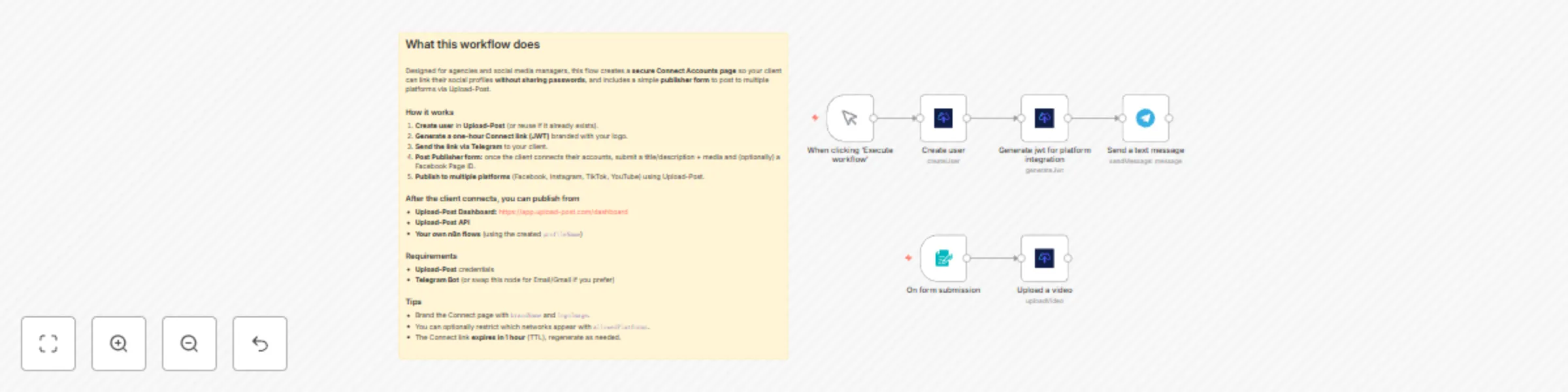
 This automated workflow template helps agencies and social media managers **securely onboard clients** by generating a branded **Connect Accounts** page where clients can link their social profiles **without sharing passwords**. The flow creates a user in Upload-Post and returns a **one-hour magic link** you can send to the client. Once connected, you can publish from the Upload-Post dashboard, via API, or from your own n8n automations using the created profile name. ***Note:*** This workflow uses the **Upload-Post.com** API to create the user and generate a time-limited JWT connect link. You can brand the connect page with your logo via the `logoImage` parameter (and optionally `brandName`, `redirectUrl`, or `allowedPlatforms`). ## Who Is This For? - **Marketing & Creative Agencies:** Onboard new clients quickly and securely without requesting credentials. - **Social Media Managers & Freelancers:** Standardize account connection across all clients in one simple step. - **SaaS & No-Code Builders:** Offer a white-label “connect your socials” experience inside your tools and client portals. - **In-House Marketing Teams:** Let internal stakeholders connect brand accounts without IT hand-offs. ## Why This Matters Collecting passwords is risky, slow, and non-compliant. Onboarding often means back-and-forth emails, shared logins, and manual setup. This template: - **Eliminates Password Sharing:** Clients connect through secure OAuth flows. - **Reduces Friction:** A single, short-lived link guides clients to connect supported platforms. - **Speeds Activation:** As soon as accounts are linked, you can publish from the dashboard, API, or n8n. - **Builds Trust & Compliance:** Brandable, auditable, and privacy-first onboarding. ## How It Works 1. **Trigger:** Start the workflow in n8n. 2. **Create User:** The **Create user** node provisions a client user in **Upload-Post** (use a unique handle/slug). 3. **Generate Connect Link:** The **Generate JWT for platform integration** node returns a **one-hour connect URL** (plus metadata), brandable via `logoImage`. 4. **Share With Client:** Send the link via your preferred channel (Email/Telegram/Slack/CRM). 5. **Client Connects Accounts:** The client links their social profiles on the secure page—no passwords required. 6. **Start Publishing:** Post from **https://app.upload-post.com/dashboard**, the **Upload-Post API**, or your **n8n flows** referencing the created profile name. ## Setup 1. **Upload-Post Account & Credentials** Create an account at **upload-post.com** and add your API credentials in n8n. 2. **Configure Nodes** - **Create user:** Set `newUser` to a unique identifier (e.g., client email/slug). - **Generate JWT:** Set `user` to the same identifier and (optionally) `logoImage` to a public logo URL. You can also pass `brandName`, `redirectUrl`, and `allowedPlatforms`. 3. **Branding (Optional)** Use a square transparent PNG for best results on the connect page. 4. **Delivery (Optional)** Add Email/Telegram/Slack nodes to automatically send the connect link to the client and log the action in your CRM. ## Requirements - **Accounts:** n8n, Upload-Post.com - **API Keys/Creds:** Upload-Post API credentials - **Social Media:** Clients must have the social accounts they want to connect ## Features - **Secure Client Onboarding:** One-click, **no-password** account linking via OAuth. - **Time-Limited Access:** **One-hour** magic link for safer sharing and compliance. - **Brandable Experience:** Show your own branding on the connect page with `logoImage` (plus `brandName`). - **Ready to Publish:** Post immediately from the dashboard, API, or n8n using the profile name. - **Scales With You:** Reuse the template for every client and integrate with your CRM and comms tools. - **Multi-Platform Support:** Works with all social platforms supported by Upload-Post (e.g., TikTok, Instagram, YouTube, Facebook, X, Threads, LinkedIn, Pinterest). Use this template to onboard clients in minutes and start publishing securely—without ever asking for a password.
Create e-commerce promotional carousels with Gemini 2.5 & social publishing
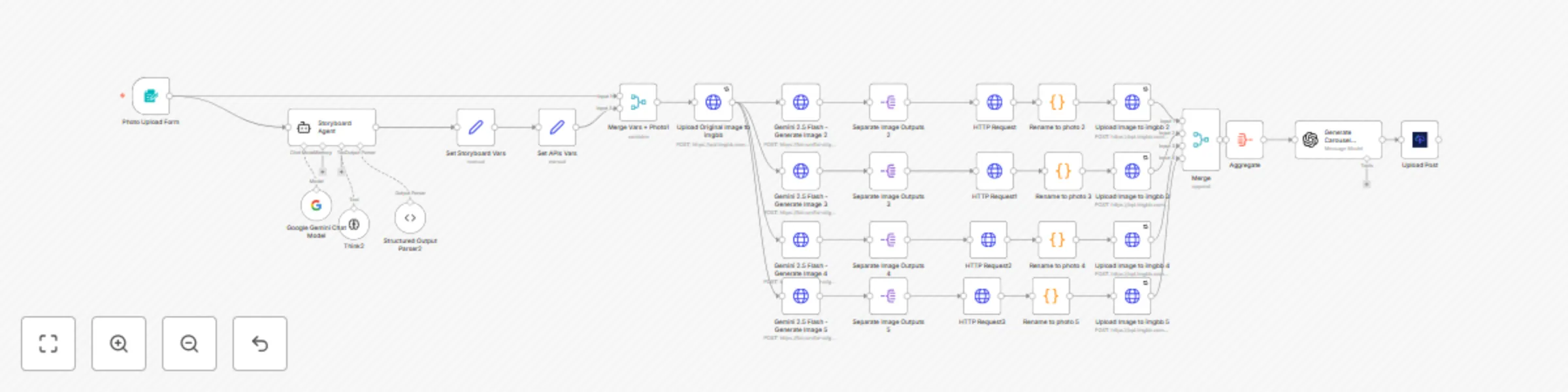
 This automation workflow is designed for e-commerce businesses, digital marketers, and entrepreneurs who need to create high-quality promotional content for their products quickly and efficiently. From a single product image and description, the system automatically generates 4 promotional carousel-style images, perfect for social media, advertising campaigns, or web catalogs. ***Note: This workflow uses Gemini 2.5 Flash API for image generation, imgbb for image storage, and upload-post.com for automatic Instagram, Tiktok, Facebook and Youtube publishing*** ## Who Is This For? - **E-commerce Owners:** Transform basic product photos into professional promotional content featuring real people using products in authentic situations. - **Digital Marketers & Agencies:** Generate multiple advertising content variations for Facebook Ads, Instagram Stories, and digital marketing campaigns. - **Small Businesses & Entrepreneurs:** Create professional promotional material without expensive photo shoots or graphic designers. - **Social Media Managers:** Produce engaging and authentic content that drives engagement and conversions across all social platforms. ## What Problem Does This Workflow Solve? Creating quality promotional content requires time, resources, and design skills. This workflow addresses these challenges by: - **Automatic Carousel Generation:** Converts a single product photo into 4 promotional images featuring people using the product naturally. - **Authentic & Engaging Content:** Generates images showing real product usage, increasing credibility and conversions. - **Integrated Promotional Text:** Automatically includes visible offers, benefits, and call-to-actions in the images. - **Social Media Optimization:** Produces vertical 9:16 format images, perfect for Instagram, TikTok, and Facebook Stories. - **Automatic Publishing:** Optionally publishes the complete carousel directly to Instagram with AI-generated optimized descriptions. ## How It Works 1. **Product Upload:** Upload a product image and provide detailed description through the web form. 2. **Smart Analysis:** The AI agent analyzes the product and creates a storyboard of 4 different promotional images. 3. **Image Generation:** Gemini 2.5 Flash generates 4 variations showing people using the product in authentic contexts. 4. **Automatic Processing:** Images are automatically processed, optimized, and stored in imgbb. 5. **Promotional Description:** GPT-4 generates an attractive, social media-optimized description based on the created images. 6. **Optional Publishing:** The system can automatically publish the complete carousel to Instagram. ## Setup 1. **fal.ai Credentials:** Sign up at [fal.ai](https://fal.ai) and add your API token to the Gemini 2.5 Flash nodes. 2. **imgbb API:** - Create an account at [imgbb.com](https://imgbb.com) - Get your API key and configure it in the "Set APIs Vars" node 3. **Upload-Post (Optional):** For automatic Instagram publishing: - Register your account at [upload-post.com](https://upload-post.com) - Connect your Instagram business account - Configure credentials in the "Upload Post" node 4. **OpenAI API:** Configure your OpenAI API key for promotional description generation. ## Requirements - **Accounts:** n8n, fal.ai, imgbb.com, OpenAI, upload-post.com (optional), Instagram business (optional). - **API Keys:** fal.ai token, imgbb API key, OpenAI API key, upload-post.com credentials. - **Image Format:** Any standard image format (JPG, PNG, WebP) of the product to promote. ## Features - **Advanced Generative AI:** Uses Gemini 2.5 Flash to create realistic images of people using products - **Smart Storyboard:** Automatically creates 4 different concepts to maximize engagement - **Integrated Promotional Text:** Includes offers, benefits, and CTAs directly in the images - **Optimized Format:** Generates vertical 9:16 images perfect for social media - **Parallel Processing:** Generates all 4 images simultaneously for maximum efficiency - **Automatic Publishing:** Option to publish directly to Instagram with optimized descriptions Use this template to transform basic product photos into complete promotional campaigns, saving time and resources while generating high-quality content that converts visitors into customers.
Generate video ads with Gemini 2.5 flash images & FAL WAN animation
 This automated workflow template transforms a single product image into a complete professional advertisement video with dynamic motion and custom soundtrack. Perfect for e-commerce businesses, marketing agencies, and content creators who need to quickly produce high-quality video ads for social media platforms like TikTok, Instagram Reels, and YouTube Shorts. ***Note: This workflow uses FAL.ai API for AI image generation with Gemini Bano Banana and video creation with Wan, Google Gemini for intelligent storyboarding, ImgBB for image hosting, and Upload-Post.com for automated social media publishing.*** ## Who Is This For? - **E-commerce Businesses:** Transform product photos into engaging video advertisements that drive sales and increase conversion rates across social media platforms. - **Marketing Agencies:** Scale video ad production for multiple clients without expensive video equipment or extensive editing time. - **Social Media Managers:** Create consistent, professional video content for brands that stands out in crowded social feeds. - **Content Creators & Influencers:** Generate eye-catching product showcase videos for sponsored content and affiliate marketing campaigns. - **Small Business Owners:** Compete with larger brands by creating professional-quality video ads on a budget. ## What Problem Does This Workflow Solve? Creating professional video advertisements traditionally requires expensive equipment, design skills, and hours of editing time. This workflow addresses these challenges by: - **AI-Powered Visual Enhancement:** Automatically generates 4 unique variations of your product image with different lighting, backgrounds, and visual effects. - **Intelligent Motion Generation:** Converts static images into dynamic 5-second video clips with smooth camera movements, rotations, and visual effects. - **Automated Storyboarding:** Uses AI to create a cohesive visual narrative that showcases your product from multiple appealing angles. - **Professional Audio Integration:** Automatically generates and adds suitable background music that matches your product and brand aesthetic. - **Seamless Video Composition:** Combines all video clips into a single 20-second advertisement with smooth transitions. - **Multi-Platform Publishing:** Automatically uploads finished videos to TikTok, Instagram, and YouTube with optimized formatting. ## How It Works 1. **Product Upload:** Submit a single product image and brief description through the web form interface. 2. **AI Storyboard Creation:** Google Gemini AI analyzes your product and creates a 4-frame visual story with lighting enhancements, background changes, and cinematic effects. 3. **Image Generation:** FAL.ai Gemini 2.5 Flash creates 4 unique variations of your product image based on the AI-generated prompts. 4. **Video Animation:** Each enhanced image is converted into a 5-second video clip with specific motion patterns (rotation, zoom, lighting sweeps, camera orbits). 5. **Quality Control:** The system monitors video generation progress and ensures all clips are successfully created before proceeding. 6. **Video Sequencing:** FFmpeg API combines all 4 video clips into a seamless 20-second advertisement with smooth transitions. 7. **Audio Enhancement:** AI generates appropriate background music that matches your product category and brand style. 8. **Final Composition:** Audio and video are merged to create the complete advertisement. 9. **Automated Publishing:** The finished video is automatically uploaded to TikTok, Instagram Reels, and YouTube with your product description. ## Setup 1. **FAL.ai API Setup:** - Create account at [fal.ai](https://fal.ai) and obtain API credentials - Add your API token to the HTTP request authentication nodes 2. **Google Gemini API:** - Set up Google AI Studio account and get API key - Configure the Google Gemini Chat Model node with your credentials 3. **ImgBB Configuration:** - Register at [imgbb.com](https://imgbb.com) for image hosting - Update the `imgbb_api_key` in the "Set APIs Vars" node 4. **Upload-Post Integration:** - Create account at [upload-post.com](https://upload-post.com) - Connect your social media accounts (TikTok, Instagram, YouTube) - Add your Upload-Post credentials to the final upload node 5. **Workflow Configuration:** - Adjust video parameters (resolution, frame rate, duration) in the image-to-video nodes - Customize audio prompts in the "Create Sounds" node - Modify social media posting settings in the "Upload Post" node ## Requirements - **Accounts:** n8n, FAL.ai, Google AI Studio, ImgBB, Upload-Post.com - **API Keys:** FAL.ai API token, Google Gemini API key, ImgBB API key, Upload-Post credentials - **Social Media:** Connected TikTok, Instagram, and YouTube accounts for automated publishing ## Features - **AI-Powered Image Enhancement:** Creates 4 professional variations with lighting, background, and effect improvements - **Dynamic Video Generation:** Converts static images to engaging videos with camera movements and visual effects - **Intelligent Audio Matching:** Generates background music that complements your product and target audience - **Multi-Platform Optimization:** Automatically formats videos for TikTok, Instagram Reels, and YouTube Shorts (9:16 aspect ratio) - **Progress Monitoring:** Built-in status checking ensures reliable video generation before proceeding to next steps - **Automated Publishing:** Direct upload to social media platforms with optimized descriptions and formatting - **Scalable Processing:** Handles multiple video generations simultaneously for efficient batch processing - **Professional Quality:** Produces broadcast-ready videos suitable for paid advertising campaigns Use this template to revolutionize your product marketing strategy, automatically converting any product photo into multiple high-quality video advertisements ready for immediate social media deployment.
Product visualization in Spaces with AI: Generate & publish videos to social media
 This automation template is a revolutionary AI-powered interior design and product visualization workflow that allows users to seamlessly place any object or artwork into real spaces using artificial intelligence. Upload two photos - one of your product/artwork and another of the target space - and watch as AI intelligently composites them together, then converts the result into a captivating animated video with professional camera movements. The final video is automatically published across TikTok, Instagram Reels, and YouTube Shorts for maximum reach. ***Note: This workflow uses Google's Gemini 2.5 Flash (Nano Banana) for intelligent image composition and FAL AI's WAN v2.2-a14b model for video generation. Each complete generation costs approximately $0.25 USD, making it an incredibly cost-effective solution for professional-quality content creation.*** ## Who Is This For? - **Interior Designers & Architects:** Visualize how furniture, artwork, or decor will look in client spaces before making purchases or installations. - **Art Dealers & Galleries:** Show potential buyers how paintings or sculptures would appear in their homes or offices with realistic placement and lighting. - **E-commerce Retailers:** Create compelling product demonstrations by showing furniture, artwork, or home decor items in realistic room settings. - **Real Estate Professionals:** Help clients visualize how their furniture or art collection would look in new properties. - **Content Creators & Influencers:** Generate engaging "before and after" style content showing product placements in various environments. - **Marketing Agencies:** Scale visual content production for furniture brands, art dealers, and home decor companies. ## What Problem Does This Workflow Solve? Traditional product visualization requires expensive 3D rendering software, professional photography setups, or costly photoshoot arrangements. This workflow eliminates these barriers by: - **Intelligent Object Placement:** AI analyzes both the object/artwork and target space to determine optimal positioning, scale, and lighting integration. - **Realistic Integration:** Advanced AI composition ensures shadows, reflections, and lighting match perfectly between the object and environment. - **Professional Animation:** Converts static compositions into cinematic videos with smooth camera movements that highlight the placement naturally. - **Cost-Effective Production:** At just $0.25 per generation, it's exponentially cheaper than traditional 3D rendering or professional photography. - **Instant Multi-Platform Distribution:** Automatically formats and publishes content across all major social media platforms simultaneously. ## How It Works 1. **Dual Image Upload:** Users upload two photos through an intuitive web form: - **Photo 1:** The object, artwork, or furniture piece to be placed - **Photo 2:** The target room or space where the item should appear - **Optional Description:** Additional context about the desired placement 2. **Image Processing & Hosting:** Both images are automatically uploaded to ImgBB for reliable cloud access throughout the workflow. 3. **AI-Powered Composition:** Google's Gemini 2.5 Flash (Nano Banana) analyzes both images and intelligently composites the object into the space, considering: - Proper scale and proportions - Realistic lighting and shadows - Perspective and depth matching - Environmental integration 4. **Video Generation:** FAL AI's WAN v2.2-a14b model transforms the composed image into a professional 4-second video featuring: - Smooth camera panning movements - Natural motion blur effects - Cinematic framing and composition 5. **Quality Assurance:** Automated status monitoring ensures successful generation before proceeding to publication. 6. **Multi-Platform Publishing:** The final video is automatically uploaded to TikTok, Instagram Reels, and YouTube Shorts with customizable captions. ## Setup 1. **FAL AI Credentials:** Create an account at [fal.ai](https://fal.ai) and add your API credentials for: - Gemini 2.5 Flash (Nano Banana) image composition - WAN v2.2-a14b image-to-video conversion 2. **ImgBB API Setup:** - Sign up at [imgbb.com](https://imgbb.com) for free image hosting - Generate an API key and update the `imgbb_api_key` value in the "Set APIs Vars" node 3. **Upload-Post Configuration:** - Create an account at [upload-post.com](https://upload-post.com) - Connect your TikTok, Instagram, and YouTube accounts - Add your Upload-Post credentials to the "Upload Post" node 4. **Prompt Customization:** In the "Set Prompts" node, fine-tune: - `prompt-image-edit`: "Place the [object] in the room on the back wall, respecting the [object] perfectly and the background room and the camera frame in the photo of the room." - `prompt-image-to-video`: Camera movement style and cinematic effects 5. **Cost Management:** Monitor usage as each generation costs approximately $0.25 USD through the FAL AI services. ## Requirements - **Accounts:** n8n, fal.ai, imgbb.com, upload-post.com, social media accounts (TikTok, Instagram, YouTube). - **API Keys & Credentials:** FAL AI API token, ImgBB API key, Upload-Post authentication. - **Budget:** Approximately $0.25 USD per complete workflow execution. - **Social Media Setup:** Business/Creator accounts connected through Upload-Post platform. ## Features - **Dual-Image Intelligence:** Sophisticated AI analysis of both object and space for perfect integration - **Cost-Effective Processing:** Only $0.25 per generation compared to hundreds for traditional methods - **Advanced AI Models:** Google Gemini 2.5 Flash (Nano Banana) + FAL WAN v2.2-a14b for premium quality - **Realistic Lighting Integration:** AI matches shadows, reflections, and ambient lighting automatically - **Professional Video Output:** Cinematic camera movements optimized for social media engagement - **Multi-Platform Optimization:** Automatic formatting for TikTok, Instagram Reels, and YouTube Shorts - **Robust Error Handling:** Built-in retry mechanisms and quality verification - **Scalable Production:** Handle multiple object-space combinations efficiently Transform your product visualization workflow today - simply upload a photo of any object and the space where you want to place it, and let AI create stunning, professional videos that showcase perfect integration for just $0.25 per generation.
Automated Instagram comment response with DMs & Google Sheets tracking
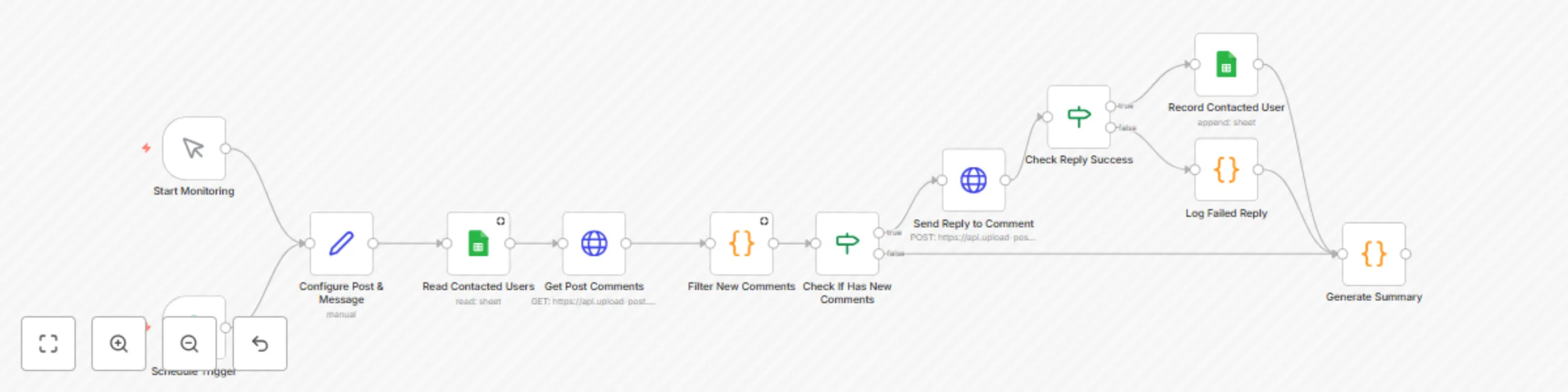
## Description  This automation template is designed for Instagram marketers, influencers, and businesses looking to supercharge their Instagram engagement strategy. It automatically monitors Instagram post comments and sends personalized direct messages (DMs) to new commenters, while maintaining a smart tracking system to prevent duplicate messages. The workflow runs continuously, checking for new comments every 15 minutes and responding instantly to maintain high engagement rates. ***Note: This workflow uses the upload-post.com API for Instagram interactions and Google Sheets for contact tracking. The workflow is configured to monitor a specific Instagram post*** ## Who Is This For? - **Instagram Marketers & Influencers:** Automatically engage with every commenter by sending personalized DMs with valuable content, links, or offers. - **E-commerce Businesses:** Convert Instagram comments into sales opportunities by instantly sending product links, discount codes, or catalog information via DM. - **Content Creators & Coaches:** Build deeper relationships with your audience by automatically reaching out to commenters with additional resources, course links, or exclusive content. - **Social Media Managers:** Scale client engagement without manual monitoring, ensuring no potential lead or follower interaction goes unnoticed. ## What Problem Does This Workflow Solve? Manually monitoring Instagram comments and sending follow-up DMs is time-consuming and often leads to missed opportunities. This workflow addresses these challenges by: - **Automated Comment Monitoring:** Continuously checks for new comments on your specified Instagram post every 15 minutes. - **Smart Duplicate Prevention:** Uses Google Sheets to track already contacted users, preventing spam and maintaining professional communication. - **Instant Response System:** Sends personalized DMs immediately when new comments are detected, maximizing engagement while the interaction is fresh. - **Scalable Engagement:** Handles multiple commenters simultaneously without manual intervention, perfect for viral posts or high-engagement content. - **Comprehensive Tracking:** Maintains detailed logs of all interactions including timestamps, usernames, and message content for analytics and follow-up. ## How It Works 1. **Post Configuration:** Set your Instagram post URL, reply message, and profile username in the configuration node. 2. **Comment Monitoring:** The workflow fetches all comments from your specified Instagram post using the upload-post.com API. 3. **Smart Filtering:** Compares new comments against your Google Sheets database to identify users who haven't been contacted yet. 4. **Automated DM Sending:** Sends personalized direct messages to new commenters with your configured message. 5. **Contact Tracking:** Records each successful interaction in Google Sheets with comment ID, username, message sent, timestamp, and post URL. 6. **Continuous Monitoring:** Automatically repeats the process every 15 minutes using the built-in scheduler. ## Setup 1. **Upload-Post API Credentials:** Create an account at upload-post [an API for social media](https://www.upload-post.com), connect your Instagram account and add your API credentials to the HTTP request nodes. 2. **Google Sheets Setup:** - Create a Google Sheet with columns: comment_id, username, message_sent, timestamp, post_url - Connect your Google account to the Google Sheets nodes - Update the document ID in the "Read Contacted Users" and "Record Contacted User" nodes 3. **Instagram Post Configuration:** In the "Configure Post & Message" node, update: - `postUrl`: Your Instagram post URL to monitor - `replyMessage`: The DM message to send to commenters - `profileUsername`: Your Upload-post profile username 4. **Monitoring Schedule:** The workflow is set to run every 15 minutes. You can adjust this in the "Schedule Trigger" node based on your needs. ## Requirements - **Accounts:** n8n, upload-post.com, Google (for Sheets access), Instagram business account. - **API Keys & Credentials:** Upload-post.com API token, Google Sheets OAuth2 credentials. - **Instagram Setup:** Business/Creator account with API access through upload-post.com. ## Features - **Duplicate Prevention:** Advanced comment ID tracking prevents sending multiple DMs to the same user - **Error Handling:** Robust error handling for API failures and edge cases - **Detailed Logging:** Comprehensive console logging for debugging and monitoring - **Flexible Configuration:** Easy to modify for different posts, messages, and monitoring intervals - **Success Tracking:** Monitors both successful and failed DM attempts for analytics Use this template to transform your Instagram engagement strategy, automatically converting every comment into a potential lead or deeper connection while maintaining professional communication standards.
From Google Drive to Instagram, TikTok & YouTube with AI descriptions & Airtable tracking
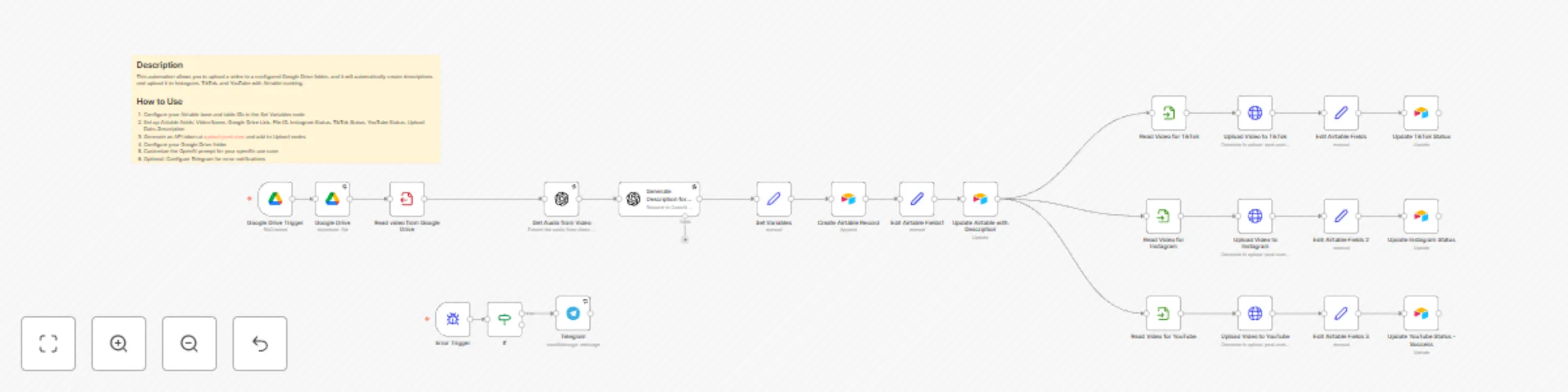
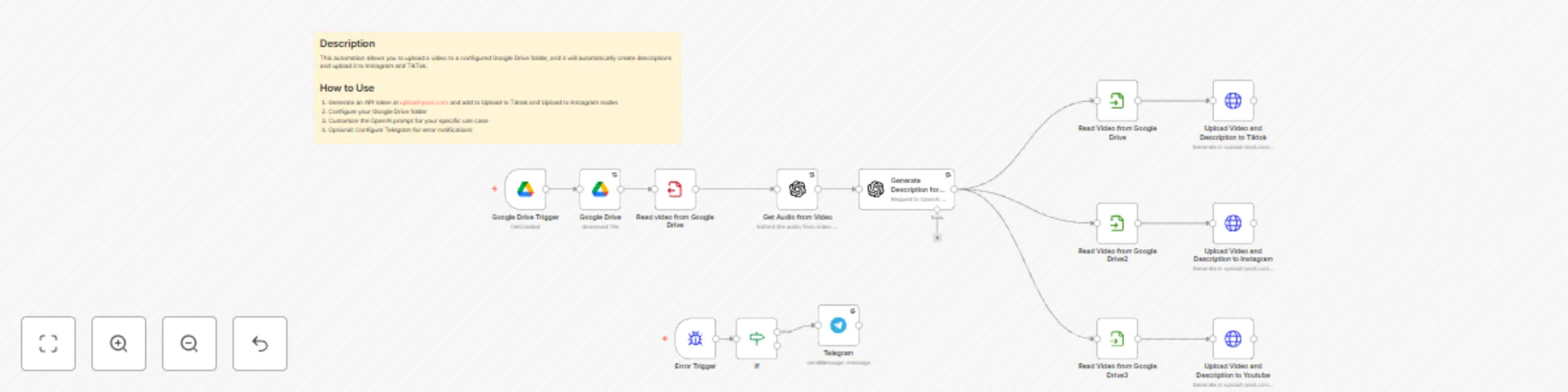
## Description  This automation template is designed for content creators, social media managers, and influencers who want to streamline their video publishing workflow. It automatically detects new videos uploaded to a specific Google Drive folder, generates AI-powered descriptions based on video audio content, and simultaneously publishes them across Instagram, TikTok, and YouTube while tracking everything in Airtable. ***Note: This workflow uses upload-post.com API (free trial no credit card required) for multi-platform video distribution and requires API tokens for each service. The AI-generated descriptions are created using OpenAI's transcription and chat models to analyze video audio content.*** ## Who Is This For? - **Content Creators & Influencers:** Automatically publish your videos across all major social platforms without manual work. - **Social Media Managers:** Maintain consistent posting schedules across multiple platforms with AI-generated, platform-optimized descriptions. - **Marketing Teams:** Scale video content distribution with automated workflows that include tracking and status monitoring. - **Video Producers:** Focus on creating content while the system handles the tedious task of multi-platform publishing and description generation. ## What Problem Does This Workflow Solve? Publishing the same video content across Instagram, TikTok, and YouTube is time-consuming and repetitive. You need to manually upload each video, write unique descriptions, and track publication status. This workflow addresses these challenges by: - **Automated Video Distribution:** Detects new videos in Google Drive and automatically uploads them to all three platforms simultaneously. - **AI-Powered Content Generation:** Uses OpenAI to transcribe video audio and generate engaging, platform-appropriate descriptions automatically. - **Centralized Tracking:** Maintains detailed records in Airtable including upload status, URLs, and metadata for each platform. - **Error Monitoring:** Provides real-time error notifications via Telegram to ensure you're always aware of any issues. ## How It Works 1. **Video Upload Detection:** The workflow monitors a specific Google Drive folder for new video uploads using automated triggers. 2. **Content Analysis:** Downloads the video, extracts audio, and uses OpenAI to transcribe and generate compelling descriptions. 3. **Airtable Integration:** Creates and updates records to track video metadata, descriptions, and publication status. 4. **Multi-Platform Publishing:** Simultaneously uploads the video to Instagram, TikTok, and YouTube using the upload-post.com API. 5. **Status Tracking:** Updates Airtable records with publication status and platform-specific URLs for each successful upload. ## Setup 1. **Google Drive Configuration:** - Set up the Google Drive trigger to monitor your specific folder - Configure OAuth2 credentials for Google Drive access 2. **OpenAI Integration:** Add your OpenAI API key to enable audio transcription and description generation 3. **Airtable Setup:** - Create an Airtable base with fields for Video Name, Description, Platform Status, URLs, and Upload Date - Add your Airtable API token and configure base/table IDs in the "Set Variables" node 4. **Upload-Post.com Account:** - Create an account at upload-post.com to get your API token - Configure the token in the HTTP request nodes for each platform - Set your user ID in the variables section 5. **Platform Accounts:** Ensure your Instagram, TikTok, and YouTube accounts are connected to upload-post.com 6. **Error Notifications:** (Optional) Configure Telegram bot credentials for error notifications ## Requirements - **Accounts:** Google Drive, OpenAI, Airtable, upload-post.com, Telegram (optional) - **API Keys & Credentials:** Google Drive OAuth2, OpenAI API Key, Airtable API Token, upload-post.com API Token - **Platform Setup:** Instagram, TikTok, and YouTube accounts connected to upload-post.com Transform your video publishing workflow from hours of manual work to a fully automated system that handles everything from content analysis to multi-platform distribution and tracking.
Transform old photos into animated videos with FLUX & Kling AI for social media
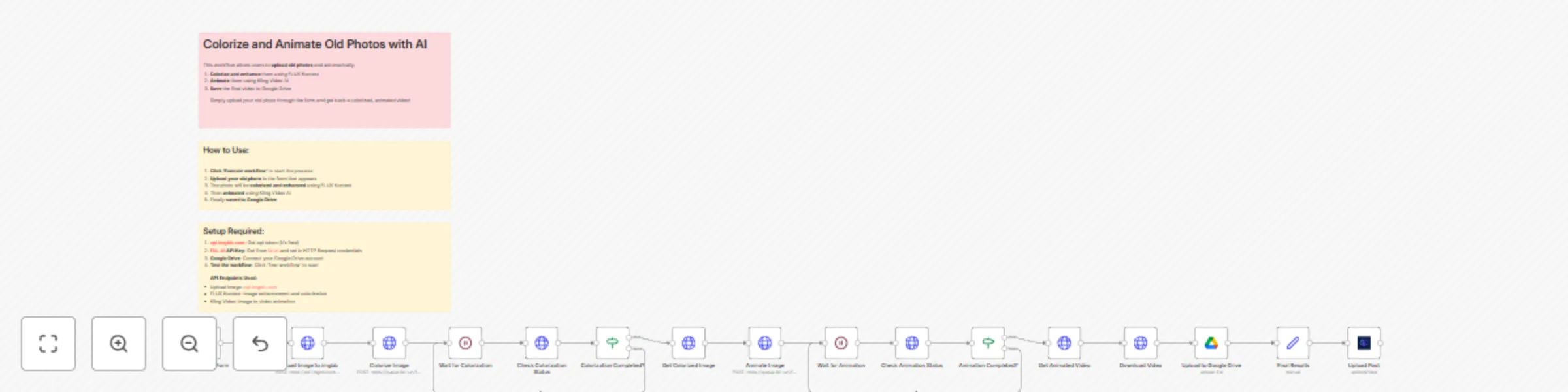
*This workflow contains community nodes that are only compatible with the self-hosted version of n8n.* ## Description See the transformation in action! Here's an example of what this workflow can achieve:   This automation template is designed for content creators, social media managers, and anyone looking to breathe new life into old family photos and historical images. It transforms any old black and white or sepia photograph into a colorized, animated video using cutting-edge AI technology, then automatically publishes the results across multiple social media platforms including Facebook, Instagram, YouTube, and X (Twitter). The workflow combines powerful AI services to create engaging content from vintage photographs: first enhancing and colorizing the image using FLUX Kontext, then bringing it to life with realistic animations using Kling Video AI, and finally distributing the results across your social media channels automatically.  ***Note: The estimated cost per workflow execution is approximately $0.29 USD, covering the AI processing for both image colorization and video animation. The upload-post node only works for self-hosted n8n instances, but you can use the standard HTTP request node for uploading content on n8n Cloud.*** ## Who Is This For? - **Content Creators & Social Media Managers:** Transform historical content into engaging videos that capture audience attention and drive engagement across platforms. - **Family History Enthusiasts:** Bring old family photos to life by adding color and motion, creating emotional connections with your audience. - **Marketing Professionals:** Leverage nostalgic content for brand storytelling, using vintage aesthetics to create compelling social media campaigns. - **Digital Artists & Photo Restorers:** Streamline the process of enhancing and sharing restored vintage photographs with automated AI enhancement. - **Social Media Influencers:** Create unique, eye-catching content from historical images that stands out in crowded social feeds. ## What Problem Does This Workflow Solve? Creating engaging social media content from old photos typically requires multiple manual steps: photo restoration, colorization, animation, and then individual posting to each platform. This workflow addresses these challenges by: - **Automating Photo Enhancement:** Uses advanced AI (FLUX Kontext) to automatically colorize and enhance old photographs, removing artifacts and improving quality. - **Creating Dynamic Content:** Transforms static images into animated videos using Kling Video AI, making historical photos come alive with natural movements. - **Streamlining Multi-Platform Publishing:** Automatically distributes the final animated videos across Facebook, Instagram, YouTube, and X with a single workflow execution. - **Saving Time & Effort:** Eliminates the need for manual photo editing, video creation, and individual social media posting. ## How It Works 1. **Photo Upload:** Users submit old photographs through a simple web form, with optional custom animation descriptions. 2. **Image Enhancement:** The workflow uploads the photo to imgbb, then sends it to FLUX Kontext AI for colorization and quality enhancement. 3. **Animation Creation:** The colorized image is processed by Kling Video AI to create a 5-second animated video with natural movements. 4. **Cloud Storage:** The final video is automatically saved to Google Drive for backup and easy access. 5. **Multi-Platform Publishing:** The animated video is simultaneously posted to Facebook, Instagram, YouTube, and X using the upload-post service. ## Setup 1. **FAL.AI API Key:** Sign up at fal.ai and add your API key to the HTTP Request nodes for both FLUX Kontext and Kling Video AI services. 2. **ImgBB API Token:** Create a free account at api.imgbb.com to get an API token for image hosting, then update the "Upload Image to imgbb" node. 3. **Google Drive Connection:** Connect your Google Drive account to enable automatic video storage and backup. 4. **Upload-Post Service:** Create an account at upload-post.com to get your API credentials for multi-platform social media posting. - **Important:** The upload-post node currently only works with self-hosted n8n instances. For n8n Cloud users, replace the upload-post node with standard HTTP request nodes to publish to each social media platform individually. 5. **Form Customization:** (Optional) Modify the form fields in the "Photo Upload Form" node to collect additional information or customize the user experience. ## Requirements - **Accounts:** n8n, FAL.AI, ImgBB, Google Drive, upload-post.com - **API Keys & Credentials:** FAL.AI API Key, ImgBB API Token, Google Drive OAuth2, Upload-post.com API Token & User ID - **File Types:** Supports JPG, PNG image formats for photo uploads - **Cost:** Approximately $0.29 USD per workflow execution for AI processing Transform your old photographs into viral social media content with this powerful AI-driven workflow that handles everything from restoration to distribution automatically.
Auto-publish web articles as social posts for X, LinkedIn, Reddit & Threads with Gemini AI
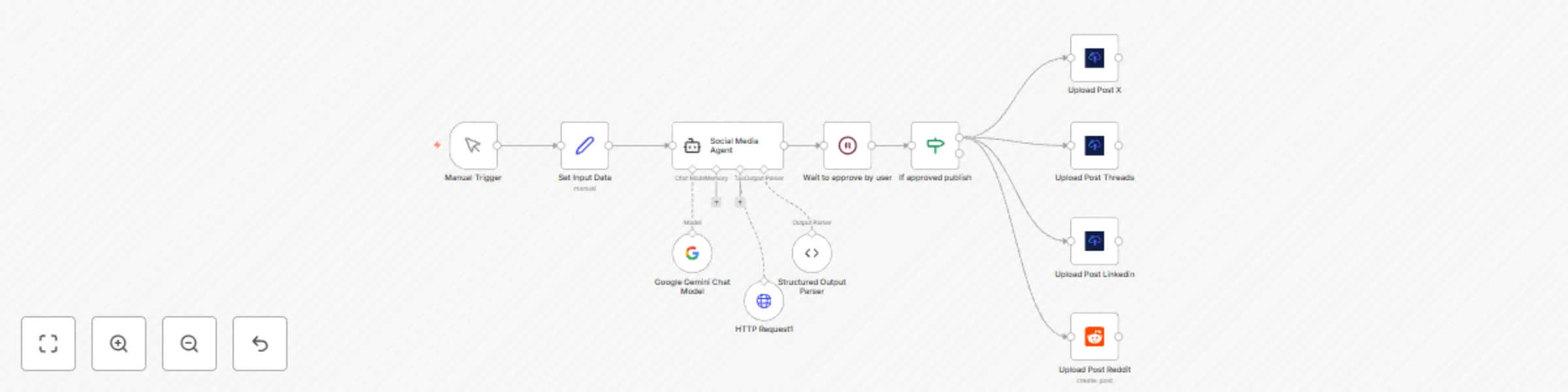
*This workflow contains community nodes that are only compatible with the self-hosted version of n8n.* ## Description This automation template is designed for content curators, marketers, and anyone looking to supercharge their content sharing strategy. It transforms any web article, blog post, or news link into a series of platform-specific social media posts, generated by AI. It also captures a live screenshot of the webpage to use as the post image, automating the entire process of publishing them across X (Twitter), LinkedIn, Threads, and Reddit. ***Note: The default example is configured to share n8n templates, but this workflow can promote any web page, article, or news story. Just change the URL! The upload-post node only works for self-hosted n8n instances, but you can use the standard http node for uploading the content***  ## Who Is This For? - **Content Curators & Marketers:** Effortlessly share valuable industry news and articles with tailored messages and visuals for each audience. - **Social Media Managers:** Keep your social feeds consistently active with relevant, high-quality content without the manual overhead. - **Community Builders & Brand Evangelists:** Quickly disseminate product updates, tutorials, and blog posts to your community on all relevant platforms. - **Professionals & Thought Leaders:** Build your personal brand by easily sharing insightful articles with automated visuals, adding your unique perspective. ## What Problem Does This Workflow Solve? Sharing a single piece of content across multiple social platforms is tedious. You need to manually write unique posts, create visuals, and then publish everything. This workflow addresses these challenges by: - **Automating Content Creation:** Uses a powerful AI agent (Google Gemini) to read any URL and write compelling, unique posts for each social network. - **Generating Visuals Automatically:** Captures a high-quality screenshot of the source webpage to use as a visually appealing image in your posts, increasing engagement. - **Ensuring Platform-Specific Tone:** The AI is instructed to generate professional posts for LinkedIn, concise threads for X, conversational updates for Threads, and community-focused posts for Reddit. - **One-Click Distribution:** Takes a single URL as input and handles the entire content creation and sharing process across multiple platforms automatically. ## How It Works 1. **Input a URL:** In the "Set Input Data" node, simply paste the URL of the article or page you want to share. 2. **AI Analysis & Generation:** The workflow sends the URL to the AI agent, which scrapes the content and generates four distinct, ready-to-publish posts. 3. **Screenshot Generation:** At the same time, it uses the ScreenshotOne service to capture a high-quality image of the provided URL. 4. **Cross-Platform Publishing:** The generated content and the screenshot are automatically sent to the corresponding nodes to be posted on X, LinkedIn, and Threads, while the text-only version is sent to Reddit. ## Setup 1. **AI Model Credentials:** Add your Google Gemini API key to the **Google Gemini Chat Model** node to power the AI agent. 2. **Screenshot Service (ScreenshotOne):** The workflow uses ScreenshotOne to generate images for your posts. - Create a free account at [screenshotone.com](https://screenshotone.com) to get your own API key. **The free plan includes 100 screenshots per month.** - In the **Upload Post X**, **Upload Post LinkedIn**, and **Upload Post Threads** nodes, go to the `Photos` parameter (under *Additional Fields*) and replace the existing `access_key` in the URL with your own. 3. **Upload-Post Account:** This workflow uses `upload-post.com` for multi-platform posting. - Create a free account at [upload-post.com](https://upload-post.com) to get your API Token and User ID. - Add the credentials in the **Upload Post X**, **Upload Post LinkedIn**, and **Upload Post Threads** nodes. 4. **Reddit Credentials:** Connect your Reddit account using OAuth2 in the **Reddit** node to enable posting. 5. **Customize the AI:** (Optional) Edit the prompt in the **Social Media Agent** node to match your content. The default prompt is optimized for sharing n8n templates, but you can easily adapt it for any topic to fit your brand's voice and style. ## Requirements - **Accounts:** n8n, Google (for Gemini API), ScreenshotOne, upload-post.com, Reddit. - **API Keys & Credentials:** Google Gemini API Key, ScreenshotOne API Key, Upload-post.com API Token & User ID, Reddit OAuth2 credentials. Use this template to become a content-sharing powerhouse, saving hours of work while increasing your reach and engagement across the web.
Generate and publish carousels for TikTok and Instagram with GPT-Image-1
## Description This n8n automation template provides an end-to-end solution for generating a series of themed images for Instagram and TikTok carousels using OpenAI's GPT Image (via the image generation API) and automatically publishing them to both platforms. It uses a sequence of prompts to create a narrative or themed carousel, generating each image based on the previous one, and then posts them with an AI-generated caption. ### Who Is This For? * **Social Media Managers:** Quickly create and schedule engaging image carousels for Instagram and TikTok. * **Content Creators:** Automate the visual content creation process for thematic posts or storytelling carousels. * **Digital Marketers:** Efficiently produce visual assets for campaigns that require sequential imagery. * **Small Businesses:** Generate unique promotional content for social media without needing advanced design skills. ### What Problem Does This Workflow Solve? Manually creating a series of related images for a carousel and then publishing them across multiple platforms can be repetitive and time-consuming. This workflow addresses these issues by: * **Automating Image Generation:** Uses OpenAI to generate a sequence of 5 images, where each new image is an evolution based on the previous one and a new prompt. * **Automating Caption Generation:** Leverages OpenAI (GPT) to create a suitable description/caption for the carousel based on the image prompts. * **Streamlining Multi-Platform Publishing:** Automatically uploads the generated image carousel and caption to both Instagram and TikTok. * **Reducing Manual Effort:** Significantly cuts down the time spent on designing individual images and manually uploading them. * **Ensuring Visual Cohesion:** The sequential image generation method (editing the previous image) helps maintain a consistent style or narrative across the carousel. ### How It Works 1. **Trigger:** The workflow is initiated manually (can be adapted to a schedule or webhook). 2. **Define Prompts:** Five distinct prompts are pre-set within the workflow to guide the generation of each image in the carousel. 3. **AI Caption Generation:** OpenAI (GPT-4.1) generates a concise (≤ 90 characters for TikTok) description for the social media posts based on all five image prompts. 4. **Sequential AI Image Generation:** * **Image 1:** OpenAI's image generation API (specified as `gpt-image-1`) creates the first image based on `prompt1`. * **Image 2-5:** For each subsequent image, the workflow uses the OpenAI image *edits* API. It takes the previously generated image and a new prompt (`prompt2` for image 2, `prompt3` for image 3, and so on) to create the next image in the sequence. * Images are converted from base64 JSON to binary format. 5. **Content Aggregation:** The five generated binary image files (named `photo1` through `photo5`) are merged. 6. **Multi-Platform Distribution:** * The merged images and the AI-generated description are sent to `api.upload-post.com` for publishing as a carousel to Instagram. * The same content is sent to `api.upload-post.com` for publishing as a carousel to TikTok, with an option to automatically add music. * The TikTok description is truncated if it exceeds 90 characters. ### Setup 1. **Accounts & API Keys:** You will need: * An n8n instance. * An OpenAI API key. * A key for [social media API](https://www.upload-post.com) upload-post. 2. **Configure Credentials:** * Add your OpenAI API key to the "OpenAI" credentials in n8n. This will be used by the "Generate Description for Tiktok and Instagram" node and the HTTP Request nodes calling the OpenAI image generation/edit APIs. * In the "POST TO INSTAGRAM" and "POST TO TIKTOK" nodes, replace `"Apikey add_api_key_here"` with your actual `upload-post.com` API key. * Update the `user` field in the "POST TO INSTAGRAM" and "POST TO TIKTOK" nodes if `"upload_post"` is not your user identifier for that service. 3. **Customize Prompts:** Modify the five prompts (`prompt1` to `prompt5`) in the "Set All Prompts" node to define the story or theme of your image carousel. 4. **Review Image Generation Parameters:** In the "Set API Variables" node, you can adjust: * `size_of_image` (e.g., "1024x1536" for vertical carousels). * `openai_image_model` (ensure this matches a valid OpenAI model identifier for image generation/edits, like `dall-e-2` or `dall-e-3` if `gpt-image-1` is a placeholder). * `response_format_image` (should generally remain `b64_json` for this workflow). 5. **(Optional) TikTok Auto Music:** The "POST TO TIKTOK" node has an `auto_add_music` parameter set to `true`. Change this to `false` if you prefer to add music manually or not at all. ### Requirements * **Accounts:** n8n, OpenAI, upload-post.com. * **API Keys & Credentials:** API Keys for OpenAI and https://upload-post.com. * **(Potentially) Paid Plans:** OpenAI and upload-post.com usage may incur costs depending on your volume and their respective pricing models. This template empowers you to automate the creation and distribution of visually consistent image carousels, saving time and enhancing your social media presence.
Upload carousel of images to Tiktok and Instagram with upload-post.com
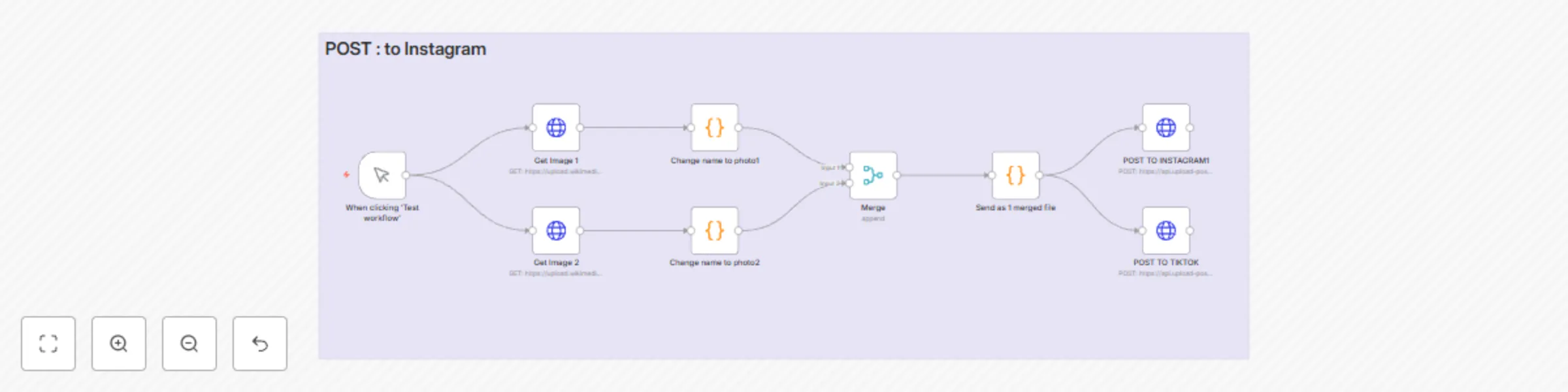
# Image Carousel Publisher for Instagram and TikTok ## Description This automation template is designed for content creators, digital marketers, and social media managers looking to streamline their image carousel posting workflow. It automates the process of uploading multiple images as carousels to Instagram and slideshows to TikTok, making your visual content management more efficient across platforms. ### Who Is This For? - **Content Creators & Influencers:** Simplify posting image collections and focus more on creating visual content. - **Digital Marketers:** Ensure consistent carousel posts across multiple platforms with minimal manual effort. - **Social Media Managers:** Automate repetitive image uploading tasks and maintain visual engagement. ### What Problem Does This Workflow Solve? Manually uploading image carousels to different platforms can be time-consuming and inconsistent. This workflow addresses these challenges by: - **Automating Multi-Image Uploads:** Processes multiple images and prepares them for platform-specific formats. - **Supporting Cross-Platform Publishing:** Simultaneously posts your image carousels to Instagram and TikTok slideshows. - **Maintaining Visual Consistency:** Ensures your visual stories remain consistent across platforms. - **Streamlining Batch Processing:** Handles the technical complexity of multi-image uploads with a single workflow trigger. ### How It Works 1. **Image Selection:** Trigger the workflow with your selected images. 2. **Image Processing:** The workflow automatically processes and prepares your images for both platforms. 3. **Content Distribution:** Uploads the images as a carousel to Instagram and as a slideshow to TikTok. 4. **Platform Optimization:** Formats the uploads according to each platform's requirements. ### Setup 1. **API Token Generation:** - Visit [upload-post.com](https://upload-post.com) and create an account - Navigate to the API settings section - Generate a new API token - Copy the token for use in the next steps 2. **Platform Configuration:** - In the "Upload to Instagram" node: - Paste your API token in the designated field - Configure your Instagram account settings - Set your preferred posting parameters - In the "Upload to TikTok" node: - Add the same API token - Set up your TikTok account credentials - Adjust posting preferences 3. **Content Parameters Setup:** - Rename the "HTTP Request" node to "Social Media Upload Request" - Configure your account information: - Username - Account ID - Content title format - Posting schedule (if applicable) 4. **Image Source Configuration:** - Set up your image source directory - Configure image format requirements - Test with sample images before going live ### About upload-post.com Upload-post.com is a third-party service that acts as a bridge between your workflow and social media platforms. It provides: - Secure API endpoints for multi-platform posting - Image format validation and optimization - Queue management for scheduled posts - Analytics and posting status tracking - Cross-platform compatibility handling ### Requirements - **Accounts:** upload-post.com account with access to Instagram and TikTok publishing. - **API Keys:** Upload-post.com API token. - **Images:** Properly formatted images that meet Instagram and TikTok specifications: - Instagram: Up to 10 images per carousel, 1:1 to 4:5 aspect ratio - TikTok: Compatible with slideshow format, 9:16 aspect ratio recommended Use this template to enhance your visual storytelling, maintain consistency across social platforms, and engage your audience with compelling image carousels and slideshows.
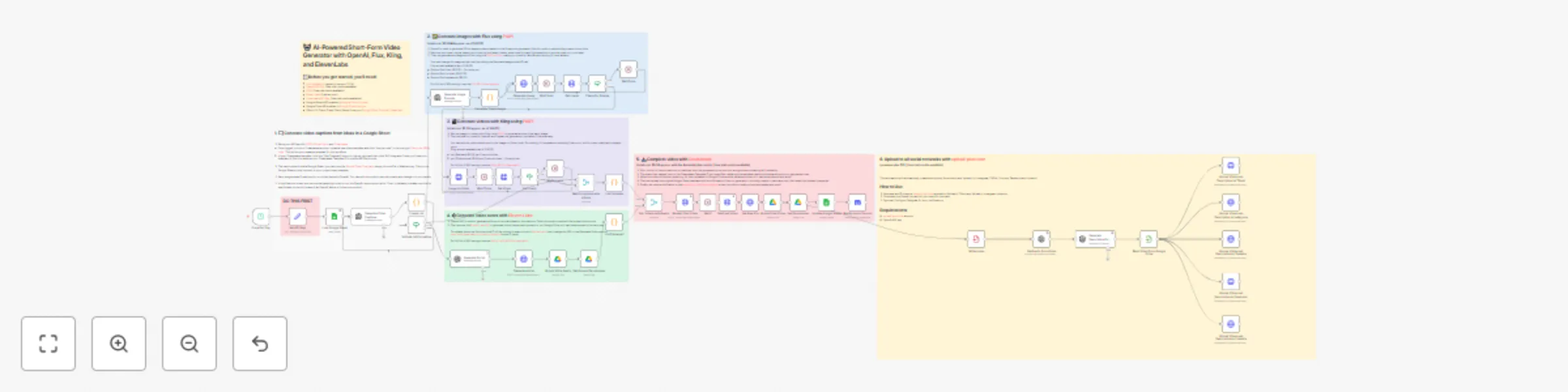
Fully automated AI video generation & multi-platform publishing
## Description This comprehensive n8n automation template orchestrates a complete end-to-end workflow for generating engaging short-form Point-of-View (POV) style videos using multiple AI services and automatically publishing them across major social media platforms. It takes ideas from a Google Sheet and transforms them into finished videos with captions, voiceovers, and platform-specific descriptions, ready for distribution. ### Who Is This For? * **Content Creators & Agencies:** Mass-produce unique short-form video content for various clients or channels with minimal manual effort. * **Digital Marketers:** Automate video content pipelines to boost online presence and engagement across multiple platforms simultaneously. * **Social Media Managers:** Schedule and distribute consistent video content efficiently without juggling multiple tools and manual uploads. * **Businesses:** Leverage AI to create branded video content for marketing, reducing production time and costs. ### What Problem Does This Workflow Solve? Creating and distributing high-quality short-form video content consistently across multiple social networks is incredibly time-consuming and resource-intensive. This workflow tackles these challenges by: * **Automating Idea-to-Video Pipeline:** Generates video concepts, image prompts, scripts, images, video clips, and voiceovers using AI. * **Streamlining Video Assembly:** Automatically combines generated assets into a final video using a template. * **Generating Platform-Optimized Descriptions:** Creates relevant descriptions for posts by transcribing the final video audio. * **Automating Multi-Platform Publishing:** Uploads the final video and description to TikTok, Instagram, YouTube, Facebook, and LinkedIn simultaneously. * **Reducing Manual Workload:** Drastically cuts down the time and effort required for video production and distribution. * **Centralized Tracking:** Updates a Google Sheet with results, costs, and status for easy monitoring. ### How It Works 1. **Trigger & Input:** Runs on a daily schedule (configurable) and fetches new video ideas from a designated Google Sheet. 2. **AI Content Generation:** * Uses OpenAI to generate video captions and image prompts based on the idea. * Uses PiAPI (Flux) to generate images from prompts. * Uses PiAPI (Kling) to generate video clips from the images (Image-to-Video). * Uses OpenAI to generate a voiceover script based on the captions. * Uses ElevenLabs to generate voiceover audio from the script and uploads it to Google Drive. 3. **Video Assembly:** Combines the generated video clips, captions, and voiceover audio using a Creatomate template to render the final video. 4. **Description Generation:** Uploads the final video to Google Drive, extracts the audio using OpenAI (Whisper), and generates a social media description using OpenAI (GPT). 5. **Multi-Platform Distribution:** Uses upload-post.com to upload the final video and generated description to TikTok, Instagram, YouTube, Facebook, and LinkedIn. 6. **Tracking & Notification:** Updates the original Google Sheet row with output details (video link, costs, tokens used) and sends a completion notification via Discord. ### Setup 1. **Accounts & API Keys:** Obtain accounts and generate API keys/credentials for: * n8n * Google Cloud Platform (for Google Sheets & Google Drive APIs + OAuth Credentials) * OpenAI * PiAPI * ElevenLabs * Creatomate * upload-post.com * Discord (Webhook URL) 2. **Google Sheet:** Make a copy of the provided [Google Sheet Template](https://docs.google.com/spreadsheets/d/1cjd8p_yx-M-3gWLEd5TargtoB35cW-3y66AOTNMQrrM/edit?usp=sharing) and connect it in the `Load Google Sheet` node. 3. **Creatomate Template:** Set up a video template in Creatomate (use the [provided JSON source code](https://pastebin.com/c7aMTeLK) as a base) and note its Template ID. 4. **Configure Nodes:** * Enter all API Keys/Credentials in the `Set API Keys` node and other relevant credential sections (Google nodes, upload-post nodes, etc.). * Configure Google Drive nodes (Folder IDs, Permissions). * Configure the `upload-post.com` nodes with your user identifier and necessary platform details (e.g., Facebook Page ID). * Customize AI prompts within the OpenAI nodes (`Generate Video Captions`, `Generate Image Prompts`, `Generate Script`, `Generate Description...`) if desired. * Set the Discord Webhook URL in the `Notify me on Discord` node. 5. **Enable Google APIs:** Ensure Google Drive API and Google Sheets API are enabled in your Google Cloud Project. ### Requirements * **Accounts:** n8n, Google (Sheets, Drive, Cloud Platform), OpenAI, PiAPI, ElevenLabs, Creatomate, [The social media api Upload-Post](https://www.upload-post.com), Discord. * **API Keys & Credentials:** API Keys for OpenAI, PiAPI, ElevenLabs, Creatomate, upload-post.com. Google Cloud OAuth 2.0 Credentials. Discord Webhook URL. * **Templates:** A configured Google Sheet based on the template, a configured Creatomate video template. * **(Potentially) Paid Plans:** Some services (OpenAI, PiAPI, Creatomate, upload-post.com) may require paid plans depending on usage volume after free trials/credits are exhausted. Use this template to build a powerful, automated video content factory, scaling your production and distribution efforts across the social media landscape.
Invoices from Gmail to Drive and Google Sheets
# Attachments Gmail to Drive and Google Sheets ## Description Automatically process invoice emails by saving attachments to Google Drive and extracting key invoice data to Google Sheets using AI. This workflow monitors your Gmail for unread emails with attachments, saves PDFs to a specified Google Drive folder, and uses OpenAI's GPT-4o to extract invoice details (date, description, amount) into a structured spreadsheet. ## Use cases - **Invoice Management**: Automatically organize and track invoices received via email - **Financial Record Keeping**: Maintain a structured database of all invoice information - **Document Organization**: Keep digital copies of invoices organized in Google Drive - **Automated Data Entry**: Eliminate manual data entry for invoice processing ## Resources - Gmail account - Google Drive account - Google Sheets account - OpenAI API key ## Setup instructions ### Prerequisites 1. Active Gmail, Google Drive, and Google Sheets accounts 2. OpenAI API key (GPT-4o model access) 3. n8n instance with credentials manager ### Steps 1. **Gmail and Google Drive Setup**: - Connect your Gmail account in n8n credentials - Connect your Google Drive account with appropriate permissions - Create a destination folder in Google Drive for invoice storage 2. **Google Sheets Setup**: - Connect your Google Sheets account - Create a spreadsheet with columns: Invoice date, Invoice Description, Total price, and Fichero - Copy your spreadsheet ID for configuration 3. **OpenAI Setup**: - Add your OpenAI API key to n8n credentials 4. **Configure Email Filter**: - Update the email filter node to match your specific sender requirements ## Benefits - **Time Saving**: Eliminates manual downloading, filing, and data entry - **Accuracy**: AI-powered data extraction reduces human error - **Organization**: Consistent file naming and storage structure - **Searchability**: Creates a searchable database of all invoice information - **Automation**: Runs every minute to process new emails as they arrive ## Related templates - Email Parser to CRM - Document Processing Workflow - Financial Data Automation
Upload to Instagram, TikTok & YouTube from Google Drive
## Description This automation template is designed for content creators, digital marketers, and social media managers looking to simplify their video posting workflow. It automates the process of generating engaging video descriptions and uploading content to both Instagram and TikTok, making your social media management more efficient and error-free. ### Who Is This For? - **Content Creators & Influencers:** Streamline your video uploads and focus more on creating content. - **Digital Marketers:** Ensure consistent posting across multiple platforms with minimal manual intervention. - **Social Media Managers:** Automate repetitive tasks and maintain a steady online presence. ### What Problem Does This Workflow Solve? Manually creating descriptions and uploading videos to different platforms can be time-consuming and error-prone. This workflow addresses these challenges by: - **Automating Video Uploads:** Monitors a designated Google Drive folder for new videos. - **Generating Descriptions:** Uses OpenAI to transcribe video audio and generate engaging, customized social media descriptions. - **Ensuring Multi-Platform Consistency:** Simultaneously posts your video with the generated description to Instagram and TikTok. - **Error Notifications:** Optional Telegram integration sends alerts in case of issues, ensuring smooth operations. ### How It Works 1. **Video Upload:** Place your video in the designated Google Drive folder. 2. **Description Generation:** The automation triggers OpenAI to transcribe your video’s audio and generate a captivating description. 3. **Content Distribution:** Automatically uploads the video and description to both Instagram and TikTok. 4. **Error Handling:** Sends Telegram notifications if any issues arise during the process. ### Setup 1. Generate an API token at [social media API upload-post](https://upload-post.com) and configure it in both the Upload to TikTok and Upload to Instagram nodes. 2. **Google Cloud Project:** Create a project in Google Cloud Platform, enable the Google Drive API, and generate the necessary OAuth credentials to connect to your Google Drive account. 3. Set up your Google Drive folder in the Google Drive Trigger node. 4. Customize the OpenAI prompt in the Generate Social Description node to match your brand’s tone. 5. (Optional) Configure Telegram credentials for error notifications. ### Requirements - **Accounts:** upload-post.com, Google Drive, and (optionally) Telegram. - **API Keys & Credentials:** Upload-post.com API token, OpenAI API key, and (optional) Telegram bot token. - **Google Cloud:** A project with the Google Drive API enabled and valid OAuth credentials. Use this template to enhance your productivity, maintain consistency across your social media channels, and engage your audience with high-quality video content.