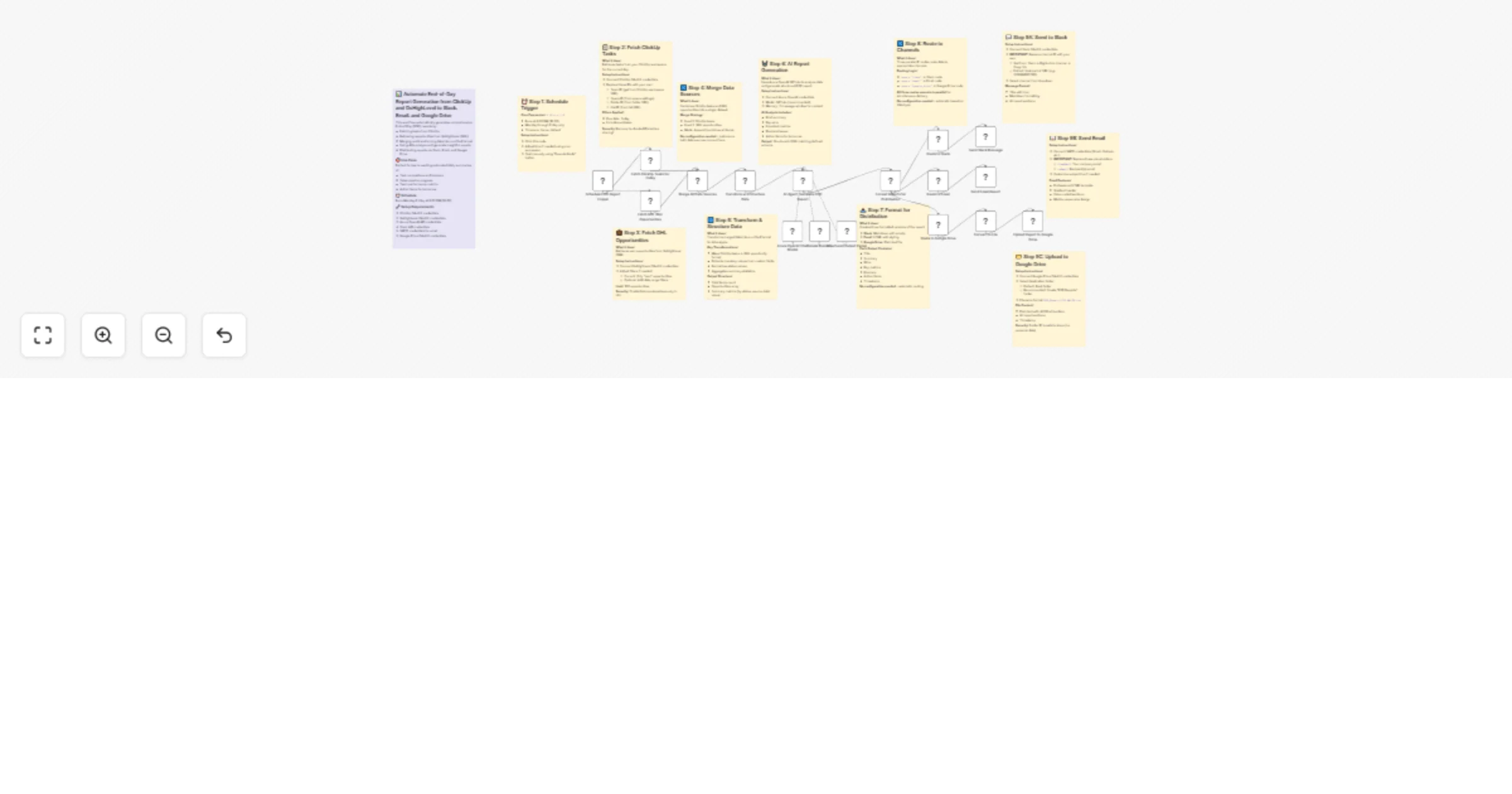
Generate AI-powered end-of-day reports from ClickUp & GoHighLevel to multi-channel

Workflow preview

Workflow preview
100%
Generate AI-powered end-of-day reports from ClickUp & GoHighLevel to multi-channel preview
Open on n8n.io

Important notice

This workflow is provided as-is. Please review and test before using in production.

1. Workflow Overview

Description Automatically generate and distribute detailed End of Day (EOD) reports combining task progress from ClickUp and opportunity data from GoHighLevel. This workflow uses AI to analyze dail...

Best for

  • Document Extraction automation workflows
  • AI Summarization automation workflows
  • advanced n8n builders looking for reusable templates

Tools used

n8n-nodes-base.stickynote, n8n-nodes-base.scheduletrigger, n8n-nodes-base.merge, n8n-nodes-base.code, n8n-nodes-base.if, n8n-nodes-base.slack, n8n-nodes-base.emailsend, n8n-nodes-base.googledrive

Source and attribution

This workflow is cataloged by N8N Workflows and links back to its original n8n.io source page by Rahul Joshi.

Original n8n.io source

1.1 Workflow description

Title
Generate AI-powered end-of-day reports from ClickUp & GoHighLevel to multi-channel
Workflow name
Generate AI-powered end-of-day reports from ClickUp & GoHighLevel to multi-channel

Description

Automatically generate and distribute detailed End-of-Day (EOD) reports combining task progress from ClickUp and opportunity data from GoHighLevel. This workflow uses AI to analyze daily performance, summarize key metrics, identify blockers, and deliver polished reports directly to Slack, Email, and Google Drive. βš™οΈπŸ“ŠπŸ’¬

What This Template Does

  • Triggers automatically every weekday at 6:00 PM (Mon–Fri). ⏰
  • Fetches all completed ClickUp tasks and won GoHighLevel opportunities for the day. πŸ“₯
  • Merges and transforms both datasets into a unified structure. πŸ”„
  • Uses Azure OpenAI GPT-4 to analyze performance and generate structured summaries. πŸ€–
  • Formats three output versions β€” Slack (Markdown), Email (HTML), and Google Drive (Text). 🧾
  • Routes and sends reports automatically to connected channels. πŸ“€
  • Uploads the generated text report to Google Drive with timestamped filenames. ☁️

Key Benefits

βœ… Saves time by automating daily performance reporting. βœ… Unifies task and deal data into a single AI-generated summary. βœ… Provides real-time visibility into productivity and outcomes. βœ… Delivers beautifully formatted, channel-specific reports. βœ… Maintains historical reports in Google Drive for reference. βœ… Helps managers identify wins, blockers, and next steps quickly.

Features

  • Automated scheduling via cron (Mon–Fri, 6 PM).
  • ClickUp task and GHL opportunity integration for daily data sync.
  • AI-powered analysis for contextual, actionable summaries.
  • Dynamic formatting for Slack, Email, and Drive outputs.
  • Parallel routing for simultaneous delivery across platforms.
  • No manual steps β€” runs fully hands-free after setup.

Requirements

  • ClickUp OAuth2 credentials for task retrieval.
  • GoHighLevel OAuth2 credentials for deal data.
  • Azure OpenAI GPT-4 API credentials.
  • Slack Bot credentials for message posting.
  • SMTP (Gmail/Outlook) credentials for email reports.
  • Google Drive OAuth2 credentials for report upload.

Target Audience

🎯 Sales, marketing, and operations teams tracking daily performance. πŸ“ˆ Project managers monitoring team productivity and blockers. 🀝 Client success teams summarizing EOD outcomes for leadership. 🧠 Business automation teams seeking end-of-day visibility.

Step-by-Step Setup Instructions

  • Connect ClickUp, GoHighLevel, Slack, Gmail/SMTP, and Google Drive credentials. πŸ”‘
  • Set your team, space, folder, and list IDs in the ClickUp node. πŸ“‹
  • Update your Slack channel ID in the Slack node configuration. πŸ’¬
  • Configure your email sender and recipients in the email node. πŸ“§
  • (Optional) Modify the cron expression for different reporting times. ⏰
  • Test the workflow manually once, then activate for automated EOD execution. βœ…

1.2 Logical Blocks

This catalog entry is organized from the workflow JSON. The node-level section below shows the executable blocks available for review before importing the template.

2. Block-by-Block Analysis

Block 1 - Sticky Note

Type / Role
n8n-nodes-base.stickyNote - stickyNote
Config choices
Version 1

Block 2 - Sticky Note1

Type / Role
n8n-nodes-base.stickyNote - stickyNote
Config choices
Version 1

Block 3 - Sticky Note2

Type / Role
n8n-nodes-base.stickyNote - stickyNote
Config choices
Version 1

Block 4 - Sticky Note3

Type / Role
n8n-nodes-base.stickyNote - stickyNote
Config choices
Version 1

Block 5 - Sticky Note4

Type / Role
n8n-nodes-base.stickyNote - stickyNote
Config choices
Version 1

Block 6 - Sticky Note5

Type / Role
n8n-nodes-base.stickyNote - stickyNote
Config choices
Version 1

Block 7 - Sticky Note6

Type / Role
n8n-nodes-base.stickyNote - stickyNote
Config choices
Version 1

Block 8 - Sticky Note7

Type / Role
n8n-nodes-base.stickyNote - stickyNote
Config choices
Version 1

Block 9 - Sticky Note8

Type / Role
n8n-nodes-base.stickyNote - stickyNote
Config choices
Version 1

Block 10 - Sticky Note9

Type / Role
n8n-nodes-base.stickyNote - stickyNote
Config choices
Version 1

Block 11 - Sticky Note10

Type / Role
n8n-nodes-base.stickyNote - stickyNote
Config choices
Version 1

Block 12 - Sticky Note11

Type / Role
n8n-nodes-base.stickyNote - stickyNote
Config choices
Version 1

Block 13 - Schedule EOD Report Trigger

Type / Role
n8n-nodes-base.scheduleTrigger - scheduleTrigger
Config choices
Version 1.1

Block 14 - Merge All Data Sources

Type / Role
n8n-nodes-base.merge - merge
Config choices
Version 2.1

Block 15 - Transform and Structure Data

Type / Role
n8n-nodes-base.code - code
Config choices
Version 2

Block 16 - Format Reports for Distribution

Type / Role
n8n-nodes-base.code - code
Config choices
Version 2

Block 17 - Route to Slack

Type / Role
n8n-nodes-base.if - if
Config choices
Version 2

Block 18 - Route to Email

Type / Role
n8n-nodes-base.if - if
Config choices
Version 2

Block 19 - Route to Google Drive

Type / Role
n8n-nodes-base.if - if
Config choices
Version 2

Block 20 - Send Slack Message

Type / Role
n8n-nodes-base.slack - slack
Config choices
Version 2.1

Block 21 - Send Email Report

Type / Role
n8n-nodes-base.emailSend - emailSend
Config choices
Version 2.1

Block 22 - Upload Report to Google Drive

Type / Role
n8n-nodes-base.googleDrive - googleDrive
Config choices
Version 3

Block 23 - Fetch GHL Won Opportunities

Type / Role
n8n-nodes-base.highLevel - highLevel
Config choices
Version 2

Block 24 - Structured Output Parser

Type / Role
@n8n/n8n-nodes-langchain.outputParserStructured - outputParserStructured
Config choices
Version 1.3

Showing the first 24 of 29 workflow blocks. Download the JSON for the full node graph.

3. Summary Table

Workflow Generate AI-powered end-of-day reports from ClickUp & GoHighLevel to multi-channel
Complexity advanced
Nodes 29
Categories Document Extraction, AI Summarization
Author Rahul Joshi
Published 10 Oct 2025

4. Reproducing the Workflow from Scratch

  1. 1. Download the workflow JSON

    Use the JSON export at /data/workflows/9463/9463.json as the source template for this automation.

  2. 2. Import the template into n8n

    Open n8n, import the downloaded JSON, and review each node before activating the workflow.

  3. 3. Configure credentials and variables

    Replace placeholder credentials, API keys, webhook URLs, account IDs, and environment-specific values with your own settings.

  4. 4. Test with sample data

    Run the workflow manually or in a staging workspace, inspect node output, and confirm downstream systems receive the expected data.

  5. 5. Activate and monitor

    Enable the workflow only after testing, then monitor executions, errors, and rate limits during the first production runs.

5. General Notes & Resources

Review imported nodes carefully before activation. This catalog entry is intended to help you inspect the workflow structure, understand required services, and find related templates faster.

Node names, credentials, schedules, webhook paths, and external service limits may need adjustment for your workspace.

Frequently asked questions

What does Generate AI-powered end-of-day reports from ClickUp & GoHighLevel to multi-channel do?

Description Automatically generate and distribute detailed End of Day (EOD) reports combining task progress from ClickUp and opportunity data from GoHighLevel. This workflow uses AI to analyze dail...

What do I need before importing this workflow?

Review the workflow JSON, configure any required credentials in n8n, and test the automation in a safe workspace before using it in production.

Can I customize this workflow?

Yes. Use the block-by-block analysis and the downloadable JSON to inspect each node, then adjust credentials, prompts, schedules, filters, or destinations for your Document Extraction, AI Summarization use case.