Block 1 - AI Agent
- Type / Role
- @n8n/n8n-nodes-langchain.agent - agent
- Config choices
- Version 3


 Early Deal
This workflow is provided as-is. Please review and test before using in production.
Social Media Foto Creation Bot with Approval Loop Create & Share AI Photos with Telegram, Gemini & Post to Facebook, Instagram & X Description This n8n workflow turns your Telegram messenger into a...
@n8n/n8n-nodes-langchain.agent, @n8n/n8n-nodes-langchain.lmchatopenai, n8n-nodes-base.telegramtrigger, @n8n/n8n-nodes-langchain.openai, n8n-nodes-base.set, n8n-nodes-base.telegram, n8n-nodes-base.code, @n8n/n8n-nodes-langchain.memorybufferwindow
This workflow is cataloged by N8N Workflows and links back to its original n8n.io source page by Feras Dabour.
Original n8n.io sourceCreate & Share AI Photos with Telegram, Gemini & Post to Facebook, Instagram & X
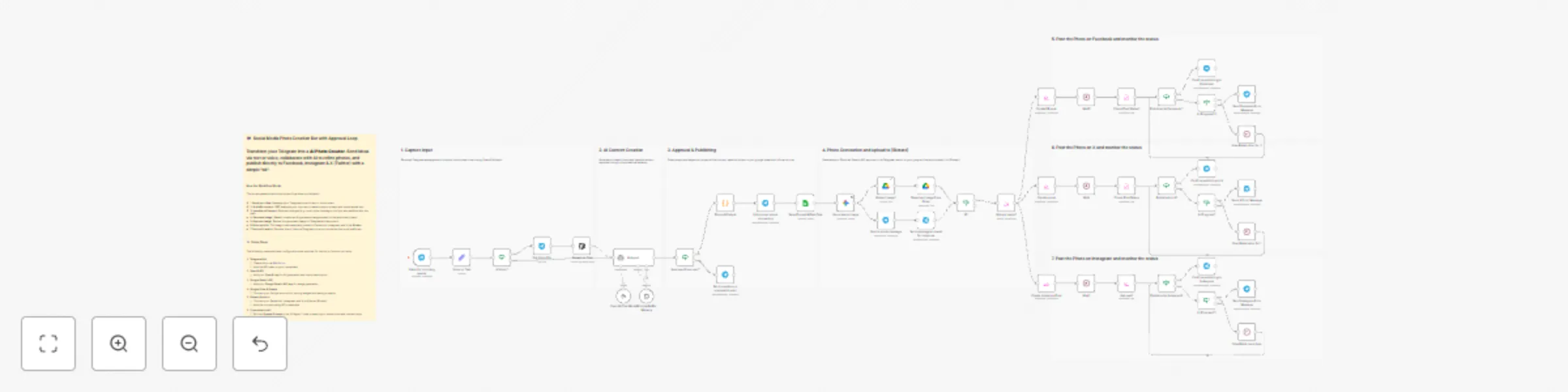
Description This n8n workflow turns your Telegram messenger into a complete AI Photo Content Pipeline. You send your photo idea as a text or voice message to a Telegram bot, collaborate with an AI to refine the prompt and social media caption, let Gemini generate the image, and then automatically publish it after your approval to Facebook, Instagram, and X (Twitter) – including status tracking and Telegram confirmations.
This workflow connects several external services. You will need the following credentials:
Listen for incoming events and other Telegram nodes.OpenAI Chat Model) for prompt creation.Generate an image node (model: models/gemini-2.5-flash-image) to create the AI image.Upload image1) and later retrieved by Blotato.Save Prompt & Post-Text) for tracking.Upload media1) and creates posts for Facebook, Instagram, and X.This phase receives your messages and prepares the input for the AI.
| Node Name | Role in Workflow |
|---|---|
Listen for incoming events |
Telegram Trigger node that starts the workflow on any incoming message. |
Voice or Text |
Set node that structures the incoming message into a unified text field. |
A Voice? |
IF node that checks if the message is a voice note. |
Get Voice File |
If voice is detected, this downloads the audio file from Telegram. |
Speech to Text |
Uses OpenAI Whisper to convert the voice note into a text transcript. |
The output of this stage is always a clean text string containing your image idea.
Here, the AI drafts the image prompt (for Gemini) and the social media caption (for all platforms) and enters an approval loop with you.
| Node Name | Role in Workflow |
|---|---|
AI Agent |
Central logic agent. Creates a videoPrompt (used for image generation) and socialMediaText based on your idea, and asks for feedback. |
OpenAI Chat Model |
The LLM backing the agent (e.g., GPT-4.1-mini). |
Window Buffer Memory |
Stores recent turns, allowing the agent to maintain context during revisions. |
Send questions or proposal to user |
Sends the AI's suggestion for review back to you. |
Approved from user? |
IF node that checks if the output is the approved JSON (meaning you replied with "ok" or "approved"). |
Parse AI Output |
Code node that extracts the videoPrompt and socialMediaText fields from the agent’s final JSON output. |
Once the prompt and caption are set, the image is created and sent to you for final approval before publishing.
| Node Name | Role in Workflow |
|---|---|
Inform user about processing |
Telegram node to confirm: "Okay. Your image is being prepared now..." |
Save Prompt & Post-Text |
Google Sheets node that logs the videoPrompt and socialMediaText. |
Generate an image |
Gemini node that creates the image based on the videoPrompt. |
Send a photo message |
Sends the generated image to Telegram for review. |
Send message and wait for response |
Telegram node that waits for your response to the image (e.g., "Good?" / "Approve"). |
Upload image1 |
Temporarily saves the generated image to Google Drive. |
Download image from Drive |
Downloads the image back from Drive. |
If1 |
IF node that checks if the image was approved in the previous step (approved == true). |
After final approval, the image is uploaded to Blotato, and post submissions for the social media platforms are created.
| Node Name | Role in Workflow |
|---|---|
Upload media1 |
Blotato Media node. Uploads the approved image as a media asset and returns a public url. |
Create instagram Post |
Creates an Instagram post using the media URL and socialMediaText. |
Create x post |
Creates an X (Twitter) post using the media URL and socialMediaText. |
Create FB post |
Creates a Facebook post using the media URL and socialMediaText. |
An independent loop runs for each platform, polling Blotato until the post is either published or failed.
| Node Name | Role in Workflow |
|---|---|
Wait, Wait1, Wait2 |
Initial pauses after post creation. |
Check Post Status, Get post1, Check Post Status1 |
Blotato Get operations to fetch the current status of the post. |
Published to X?, Published to Facebook?, Published to Instagram? |
IF nodes checking for the "published" status. |
Confirm publishing to X, Confirm publishing to Facebook, Confirm publishing to Instagram |
Telegram nodes that notify you of successful publication (often including the post link). |
In Progress?, In Progress?1, In Progress?2 |
IF nodes that check for "in-progress" status and loop back to the Wait nodes (Give Blotat other 5s). |
Send X Error Message, Send Facebook Error Message, Send Instagram Error Message |
Telegram nodes that notify you if a failure occurs. |
The workflow is highly adaptable to your personal brand and platform preferences:
AI Agent node, within the System Message.Generate an image node.Create instagram Post, Create x post, Create FB post.This catalog entry is organized from the workflow JSON. The node-level section below shows the executable blocks available for review before importing the template.
Showing the first 24 of 52 workflow blocks. Download the JSON for the full node graph.
| Workflow | Generate AI photos with Gemini & auto-post to FB, Instagram & X with approval |
|---|---|
| Complexity | advanced |
| Nodes | 52 |
| Categories | Social Media, AI Chatbot |
| Author | Feras Dabour |
| Published | 22 Nov 2025 |
Use the JSON export at /data/workflows/11138/11138.json as the source template for this automation.
Open n8n, import the downloaded JSON, and review each node before activating the workflow.
Replace placeholder credentials, API keys, webhook URLs, account IDs, and environment-specific values with your own settings.
Run the workflow manually or in a staging workspace, inspect node output, and confirm downstream systems receive the expected data.
Enable the workflow only after testing, then monitor executions, errors, and rate limits during the first production runs.
Review imported nodes carefully before activation. This catalog entry is intended to help you inspect the workflow structure, understand required services, and find related templates faster.
Node names, credentials, schedules, webhook paths, and external service limits may need adjustment for your workspace.
Social Media Foto Creation Bot with Approval Loop Create & Share AI Photos with Telegram, Gemini & Post to Facebook, Instagram & X Description This n8n workflow turns your Telegram messenger into a...
Review the workflow JSON, configure any required credentials in n8n, and test the automation in a safe workspace before using it in production.
Yes. Use the block-by-block analysis and the downloadable JSON to inspect each node, then adjust credentials, prompts, schedules, filters, or destinations for your Social Media, AI Chatbot use case.