Generate AI document titles for Paperless-ngx with GPT-4o Mini
Workflow preview

$20/month : Unlimited workflows
2500 executions/month

THE #1 IN WEB SCRAPING
Scrape any website without limits
HOSTINGER  Early Deal
DISCOUNT 20% Try free
Early DealDISCOUNT 20%
Self-hosted n8n
Unlimited workflows - from $4.99/mo

#1 hub for scraping, AI & automation
6000+ actors - $5 credits/mo
Overview
What it does
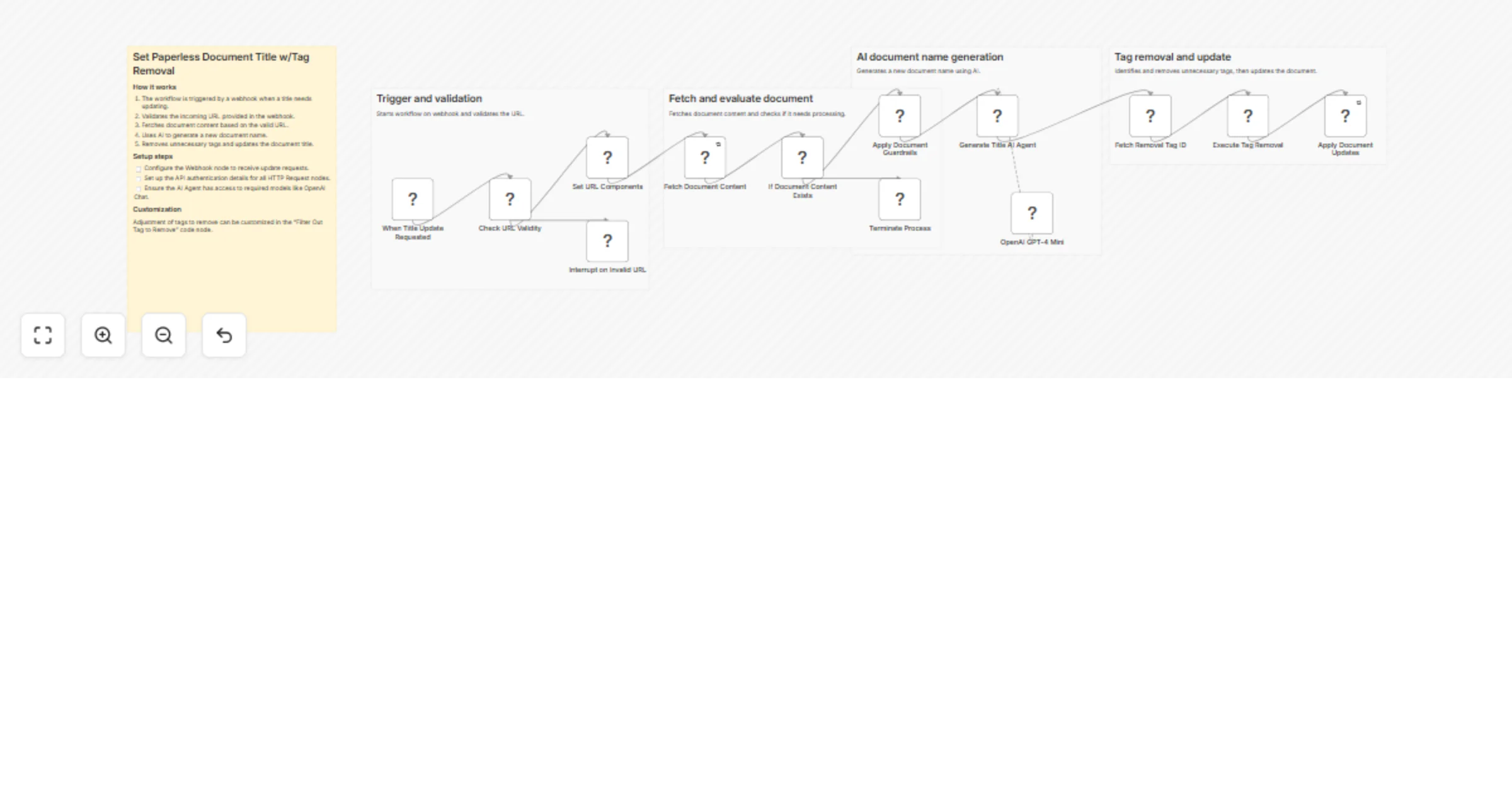
This template automatically generates a professional, structured title for newly-ingested Paperless-ngx documents using AI (OpenAI GPT), then removes a processing tag to mark the document as handled.
How it works
- A webhook fires when a document needs titling (e.g., from a Paperless post-consumption script)
- The document URL is validated, then the OCR text is fetched from the Paperless API
- All PII is scrubbed from the text using n8n's Guardrails node before sending to AI
- GPT generates a title using the format:
[YYYY-MM-DD] - [Document Type] - [Subject] - The specified processing tag is looked up and removed, then the document is updated
Requirements
- An AI provider account, such as OpenAI, Anthropic, Gemini. As configured the template uses OpenAI, but any model should work.
- A running Paperless-ngx instance that has network accessibility to your n8n server
How to use
Needs to be set up in conjunction with a running Paperless-ngx instance. See Paperless-ngx instructions here
Customization
- Edit the system message in the AI Agent node (Generate Document Name) to change the document naming convention and other guidelines
- Change the workflows on your Paperless-ngx instance to suit different needs.