Generate a social hub link-in-bio page with FireCrawl AI and Apify

Workflow preview

Workflow preview
100%
Generate a social hub link-in-bio page with FireCrawl AI and Apify preview
Open on n8n.io

1. Workflow Overview

Generate Social Hub (link in bio) page with FireCrawl AI and Apify This n8n template demonstrates how to create a link in bio style landing page (similar to Linktree or Beacons.ai) that automatical...

Best for

  • Content Creation automation workflows
  • AI Summarization automation workflows
  • advanced n8n builders looking for reusable templates

Tools used

n8n-nodes-base.formtrigger, n8n-nodes-base.httprequest, n8n-nodes-base.wait, n8n-nodes-base.respondtowebhook, n8n-nodes-base.merge, n8n-nodes-base.code, n8n-nodes-base.stickynote, n8n-nodes-base.html

Source and attribution

This workflow is cataloged by N8N Workflows and links back to its original n8n.io source page by Wan Dinie.

Original n8n.io source

1.1 Workflow description

Title
Generate a social hub link-in-bio page with FireCrawl AI and Apify
Workflow name
Generate a social hub link-in-bio page with FireCrawl AI and Apify

Generate Social Hub (link-in-bio) page with FireCrawl AI and Apify

This n8n template demonstrates how to create a link-in-bio style landing page (similar to Linktree or Beacons.ai) that automatically aggregates all social media links from any website.

Author's Note: I built this because I was tired of manually inserting my social media links and copying business descriptions from my website one by one into the link-in-bio platform. What used to take me 10-15 minutes now happens automatically in under a minute. Hope it saves you time too.

Use cases are many: Try creating instant social hubs for sales leads or generating quick bio pages for directory listings.

Good to know

  • At time of writing, FireCrawl offers free tier with 500 credits per month. See FireCrawl pricing for updated info.
  • Apify offers a free tier with enough credits for testing and small projects. Actor usage costs vary based on compute time.
  • The generated HTML is fully responsive and can be embedded directly or saved as a standalone page.
  • Average processing time is 30-45 seconds per website depending on the size and complexity.

How it works

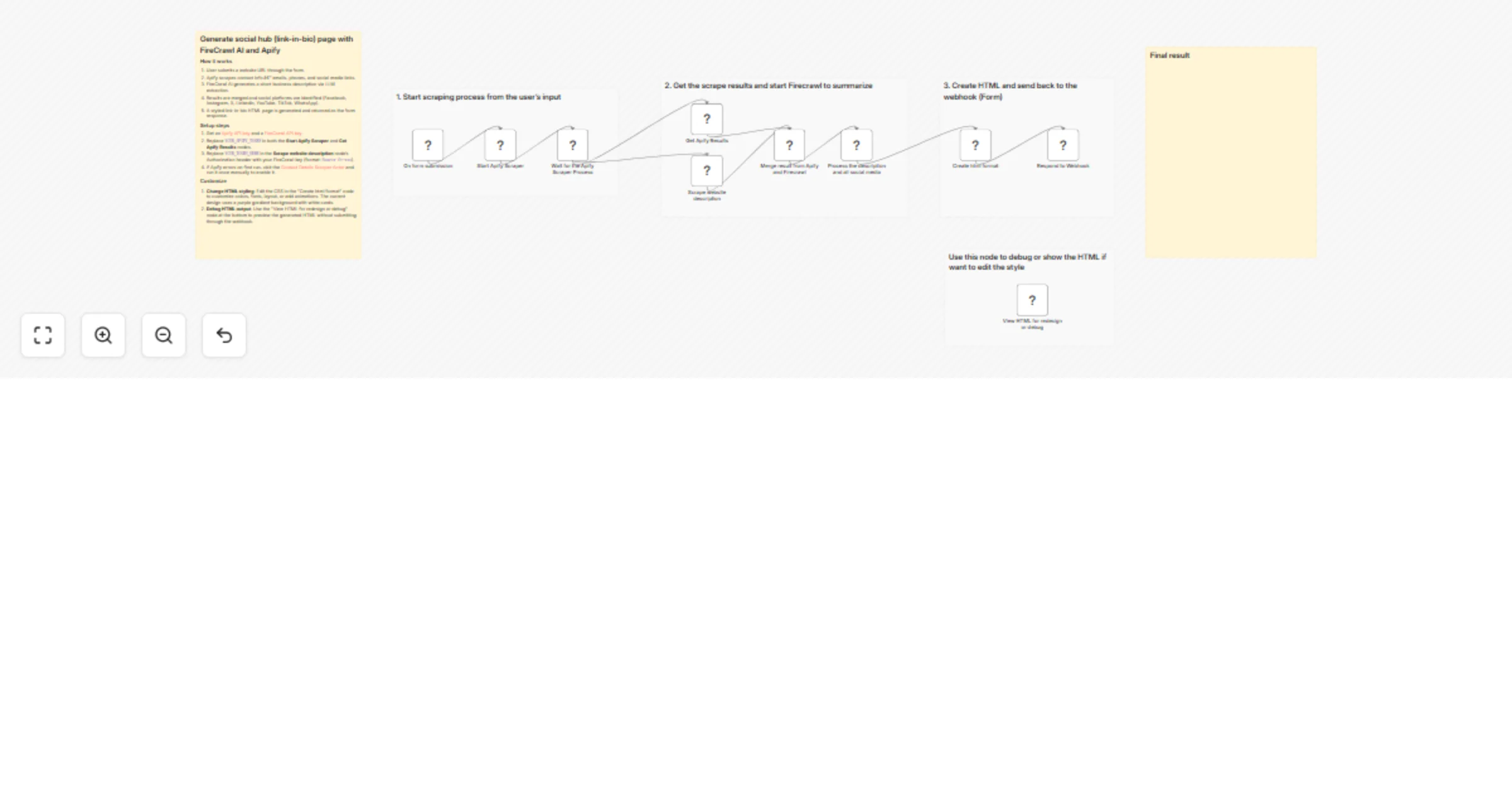
  1. We'll collect a website URL via a form trigger (accessible through webhook).
  2. Apify's Contact Details Scraper Actor extracts emails, phone numbers, and social media links from the submitted website.
  3. FireCrawl AI analyzes the website content and generates a short, compelling business description (1-2 sentences, under 150 characters).
  4. Both results are merged and processed to identify specific social platforms (Facebook, Instagram, Twitter/X, LinkedIn, YouTube, TikTok, WhatsApp).
  5. The system generates a HTML page with link-in-bio style layout, featuring brand colors, social icons, and the business description.
  6. The result is displayed as a formatted HTML response directly in the form - ready to share, embed, or save.

How to use

  • The form trigger is used as the entry point, but you can replace this with other triggers such as a webhook, schedule, or manual trigger for batch processing.
  • You can process multiple websites by looping through a list, though processing will take longer (approximately 30-45 seconds per site).
  • The debug node at the bottom lets you preview and edit the HTML styling before deployment.

Requirements

Customizing this workflow

  1. Adjust wait time: The default wait time is 30 seconds in the "Wait for the Apify Scraper Process" node. Increase this if your scraper needs more time for larger websites.
  2. Modify description extraction: Edit the extraction prompt in the "Scrape website description" node to change the description length or style. FireCrawl's /extract endpoint supports natural language prompts for structured data extraction.
  3. Change HTML styling: Edit the CSS in the "Create html format" node to customize colors, fonts, layout, or add animations. The current design uses a purple gradient background with white cards.
  4. Debug HTML output: Use the "View HTML for redesign or debug" node at the bottom to preview the generated HTML without submitting through the webhook.

1.2 Logical Blocks

This catalog entry is organized from the workflow JSON. The node-level section below shows the executable blocks available for review before importing the template.

2. Block-by-Block Analysis

Block 1 - On form submission

Type / Role
n8n-nodes-base.formTrigger - formTrigger
Config choices
Version 2.1

Block 2 - Start Apify Scraper

Type / Role
n8n-nodes-base.httpRequest - httpRequest
Config choices
Version 4.2

Block 3 - Wait for the Apify Scraper Process

Type / Role
n8n-nodes-base.wait - wait
Config choices
Version 1.1

Block 4 - Get Apify Results

Type / Role
n8n-nodes-base.httpRequest - httpRequest
Config choices
Version 4.2

Block 5 - Scrape website description

Type / Role
n8n-nodes-base.httpRequest - httpRequest
Config choices
Version 4.2

Block 6 - Respond to Webhook

Type / Role
n8n-nodes-base.respondToWebhook - respondToWebhook
Config choices
Version 1.1

Block 7 - Merge result from Apify and Firecrawl

Type / Role
n8n-nodes-base.merge - merge
Config choices
Version 3

Block 8 - Create html format

Type / Role
n8n-nodes-base.code - code
Config choices
Version 2

Block 9 - Sticky Note1

Type / Role
n8n-nodes-base.stickyNote - stickyNote
Config choices
Version 1

Block 10 - Sticky Note2

Type / Role
n8n-nodes-base.stickyNote - stickyNote
Config choices
Version 1

Block 11 - Process the description and all social media

Type / Role
n8n-nodes-base.code - code
Config choices
Version 2

Block 12 - Sticky Note4

Type / Role
n8n-nodes-base.stickyNote - stickyNote
Config choices
Version 1

Block 13 - View HTML for redesign or debug

Type / Role
n8n-nodes-base.html - html
Config choices
Version 1.2

Block 14 - Sticky Note5

Type / Role
n8n-nodes-base.stickyNote - stickyNote
Config choices
Version 1

Block 15 - Sticky Note12

Type / Role
n8n-nodes-base.stickyNote - stickyNote
Config choices
Version 1

Block 16 - Sticky Note13

Type / Role
n8n-nodes-base.stickyNote - stickyNote
Config choices
Version 1

3. Summary Table

Workflow Generate a social hub link-in-bio page with FireCrawl AI and Apify
Complexity advanced
Nodes 16
Categories Content Creation, AI Summarization
Author Wan Dinie
Published 29 Dec 2025

4. Reproducing the Workflow from Scratch

  1. 1. Download the workflow JSON

    Use the JSON export at /data/workflows/12259/12259.json as the source template for this automation.

  2. 2. Import the template into n8n

    Open n8n, import the downloaded JSON, and review each node before activating the workflow.

  3. 3. Configure credentials and variables

    Replace placeholder credentials, API keys, webhook URLs, account IDs, and environment-specific values with your own settings.

  4. 4. Test with sample data

    Run the workflow manually or in a staging workspace, inspect node output, and confirm downstream systems receive the expected data.

  5. 5. Activate and monitor

    Enable the workflow only after testing, then monitor executions, errors, and rate limits during the first production runs.

5. General Notes & Resources

Review imported nodes carefully before activation. This catalog entry is intended to help you inspect the workflow structure, understand required services, and find related templates faster.

Node names, credentials, schedules, webhook paths, and external service limits may need adjustment for your workspace.

Frequently asked questions

What does Generate a social hub link-in-bio page with FireCrawl AI and Apify do?

Generate Social Hub (link in bio) page with FireCrawl AI and Apify This n8n template demonstrates how to create a link in bio style landing page (similar to Linktree or Beacons.ai) that automatical...

What do I need before importing this workflow?

Review the workflow JSON, configure any required credentials in n8n, and test the automation in a safe workspace before using it in production.

Can I customize this workflow?

Yes. Use the block-by-block analysis and the downloadable JSON to inspect each node, then adjust credentials, prompts, schedules, filters, or destinations for your Content Creation, AI Summarization use case.