Block 1 - Get Website HTML
- Type / Role
- n8n-nodes-base.httpRequest - httpRequest
- Config choices
- Version 4.2


 Early Deal
This workflow is provided as-is. Please review and test before using in production.
Who is this for? This template is for any website owner, digital agency, or compliance officer operating within the European Union . It's designed for users who need to comply with the upcoming Eur...
n8n-nodes-base.httprequest, @n8n/n8n-nodes-langchain.outputparserstructured, @n8n/n8n-nodes-langchain.agent, @n8n/n8n-nodes-langchain.lmchatgooglegemini, n8n-nodes-base.html, n8n-nodes-base.movebinarydata, n8n-nodes-base.code, n8n-nodes-base.set
This workflow is cataloged by N8N Workflows and links back to its original n8n.io source page by Lukas Kunhardt.
Original n8n.io sourceThis template is for any website owner, digital agency, or compliance officer operating within the European Union. It's designed for users who need to comply with the upcoming European Accessibility Act (EAA) but may not have deep technical or legal expertise.
This workflow uses an npm package called "cheerio" to work with the specified URLs HTML code. Installing packages is only possible in self hosting.
Starting June 28, 2025, the European Accessibility Act (EAA) mandates that most websites offering products or services in the EU must be accessible and publish a formal Accessibility Statement. Manually creating this legal document is complex, requiring both a technical site analysis and knowledge of specific legal requirements. This workflow automates the generation of a compliant first draft, saving significant time and effort.
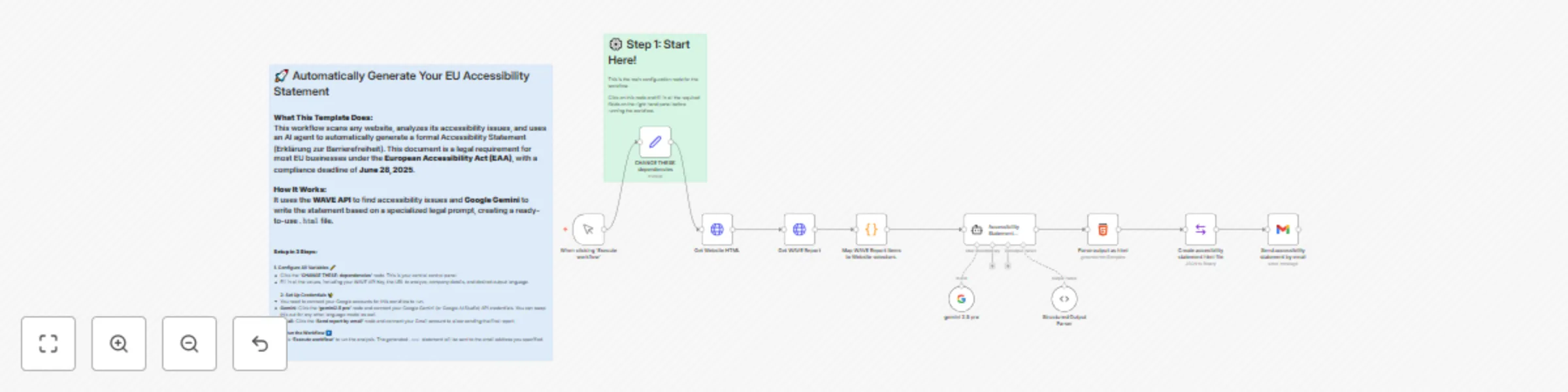
After you input your details (like website URL and API key) in a central configuration node, this workflow automatically:
.html file and sends it to you as an email attachment.This workflow is designed for a quick setup:
This template is a great starting point for any EU country. Here's how to adapt it:
This catalog entry is organized from the workflow JSON. The node-level section below shows the executable blocks available for review before importing the template.
| Workflow | Generate a legal website accessibility statement with AI and WAVE |
|---|---|
| Complexity | intermediate |
| Nodes | 13 |
| Categories | Document Extraction, Multimodal AI |
| Author | Lukas Kunhardt |
| Published | 06 Jun 2025 |
Use the JSON export at /data/workflows/4738/4738.json as the source template for this automation.
Open n8n, import the downloaded JSON, and review each node before activating the workflow.
Replace placeholder credentials, API keys, webhook URLs, account IDs, and environment-specific values with your own settings.
Run the workflow manually or in a staging workspace, inspect node output, and confirm downstream systems receive the expected data.
Enable the workflow only after testing, then monitor executions, errors, and rate limits during the first production runs.
Review imported nodes carefully before activation. This catalog entry is intended to help you inspect the workflow structure, understand required services, and find related templates faster.
Node names, credentials, schedules, webhook paths, and external service limits may need adjustment for your workspace.
Who is this for? This template is for any website owner, digital agency, or compliance officer operating within the European Union . It's designed for users who need to comply with the upcoming Eur...
Review the workflow JSON, configure any required credentials in n8n, and test the automation in a safe workspace before using it in production.
Yes. Use the block-by-block analysis and the downloadable JSON to inspect each node, then adjust credentials, prompts, schedules, filters, or destinations for your Document Extraction, Multimodal AI use case.