L

Lukas Kunhardt

2
Workflows

Workflows by Lukas Kunhardt
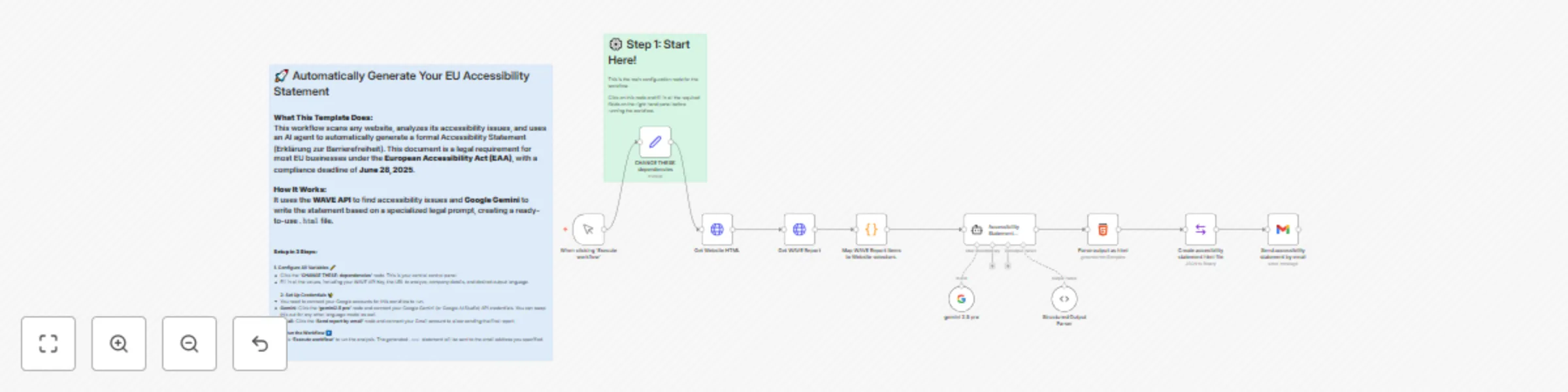
Workflow preview: Generate a legal website accessibility statement with AI and WAVE
Free intermediate

Generate a legal website accessibility statement with AI and WAVE

## Who is this for? This template is for any website owner, digital agency, or compliance officer operating within the **European Union**. It's designed for users who need to comply with the upcoming **European Accessibility Act (EAA)** but may not have deep technical or legal expertise. ## Disclaimer This workflow uses an npm package called "cheerio" to work with the specified URLs HTML code. Installing packages is only possible in self hosting. ## What problem is this workflow solving? / Use Case Starting **June 28, 2025**, the European Accessibility Act (EAA) mandates that most websites offering products or services in the EU must be accessible and publish a formal Accessibility Statement. Manually creating this legal document is complex, requiring both a technical site analysis and knowledge of specific legal requirements. This workflow automates the generation of a compliant first draft, saving significant time and effort. ## What this workflow does After you input your details (like website URL and API key) in a central configuration node, this workflow automatically: 1. Scans your live website for accessibility issues using the powerful **WAVE API**. 2. Processes the scan results to identify the main problem areas. 3. Instructs a **Google Gemini AI agent** with a specialized legal prompt based on the European Accessibility Act. 4. Generates a formal Accessibility Statement in your desired language. 5. Saves the statement as an `.html` file and **sends it to you as an email attachment**. ## Setup This workflow is designed for a quick setup: 1. **Configure All Variables:** Click the **'CHANGE THESE: dependencies'** node. This is your central control panel. Fill in all the values, including your WAVE API Key, the URL to analyze, company details, and desired output language. 2. **Set Up Credentials:** You will need to connect your Google accounts for the workflow to run. * **Gemini:** Click the **'gemini 2.5 pro'** node, click the gear icon (⚙️) next to the "Credential" field, and connect your Google Gemini API credentials. * **Gmail:** Click the **'Send report by email'** node and connect your Gmail account to allow sending the final report. 3. **Activate & Execute:** Make sure the workflow is **active** in the top-right corner, then click **'Execute Workflow'** to run your first analysis. ## How to customize this workflow to your needs This template is a great starting point for any EU country. Here's how to adapt it: * **Localize for Your Country (Important!):** The generated statement contains a placeholder for the "Enforcement Procedure". You **must** edit the prompt in the **'Accessibility Statement Generator'** node to replace this placeholder with the name and link to your specific country's official enforcement body. * **Change the AI:** Swap the Google Gemini node for any other AI model, like OpenAI or Anthropic Claude, by replacing the node and connecting it to the agent. * **Change the Trigger:** Replace the **'When clicking ‘Execute workflow’'** node with a Form Trigger or Webhook Trigger to run this workflow based on external inputs, for example, to offer this analysis as a service to your clients.

L
Lukas Kunhardt
Document Extraction
7 Jun 2025
658
0

Workflow preview: Segment PDFs by table of contents with Gemini AI and Chunkr.ai
Free advanced

Segment PDFs by table of contents with Gemini AI and Chunkr.ai

## Intelligently Segment PDFs by Table of Contents This workflow empowers you to automatically process PDF documents, intelligently identify or generate a hierarchical Table of Contents (ToC), and then segment the entire document's content based on these ToC headings. It effectively breaks down a large PDF into its constituent sections, each paired with its corresponding heading and hierarchical level. ### Why It's Useful Unlock the true structure of your PDFs for granular access and advanced processing: * **AI Agent Tool:** A key use case is to provide this workflow as a tool to an AI agent. The agent can then use the segmented output to "read" and navigate to specific sections of a document to answer questions, extract information, or perform tasks with much greater accuracy and efficiency. * **Targeted Content Extraction:** Programmatically pull out specific chapters or subsections for focused analysis, summarization, reporting, or repurposing content. * **Enhanced RAG Systems:** Improve your Retrieval Augmented Generation (RAG) pipelines by feeding them well-defined, contextually relevant document sections instead of entire, monolithic PDFs. This leads to more precise AI-generated responses. * **Modular Document Processing:** Process different parts of a document using distinct logic in subsequent n8n workflows by acting on individual sections. * **Data Preparation:** Seamlessly convert lengthy PDFs into a structured format where each section (including its heading, level, and content in multiple formats) becomes a distinct, manageable item. ### How It Works 1. **Ingestion & Advanced Parsing:** The workflow ingests a PDF (via a provided URL or a pre-set one for manual runs). It then utilizes **Chunkr.ai** to perform Optical Character Recognition (OCR) and parse the document into detailed structural elements, extracting text, HTML, and Markdown for each segment. 2. **AI-Powered Table of Contents Generation:** A **Google Gemini** AI model analyzes the initial pages of the document (where a ToC often resides) along with section headers extracted by Chunkr as a fallback. This allows it to construct an accurate, hierarchical Table of Contents in a structured JSON format, even if the PDF lacks an explicit ToC or if it's poorly formatted. 3. **Precise Content Segmentation:** Sophisticated custom code then meticulously maps the AI-generated ToC headings to their corresponding content within the parsed document from Chunkr. It intelligently determines the precise start and end of each section. 4. **Structured & Flexible Output:** * The primary output provides each identified section as an individual n8n item. Each item includes the heading text, its hierarchical level (e.g., 1, 1.1, 2), and the full content of that section in Text, HTML, and Markdown formats. * Optionally, the workflow can also reconstruct the entire document into a single, navigable HTML file or a clean Markdown file. ### What You Need To run this workflow, you'll need: * **Input PDF:** * When triggered by another workflow: A `URL` pointing to the PDF document. * When triggered manually: The workflow uses a pre-configured sample PDF from Google Drive for demonstration (this can be customized). * **Chunkr.ai API Key:** Required for the initial parsing and OCR of the PDF document. You'll need to insert this into the relevant HTTP Request nodes. * **Google Gemini API Credentials:** Necessary for the AI model to intelligently generate the Table of Contents. This should be configured in the Google Gemini Chat Model nodes. ### Outputs The workflow primarily generates: * **Individual Document Sections:** A series of n8n items. Each item represents a distinct section of the PDF and contains: * `heading`: The text of the section heading. * `headingLevel`: The hierarchical level of the heading (e.g., 1 for H1, 2 for H2). * `sectionText`: The plain text content of the section. * `sectionHTML`: The HTML content of the section. * `sectionMarkdown`: The Markdown content of the section. Alternatively, you can configure the workflow to output: * **Full Reconstructed Document:** * A single HTML file representing the entire processed document. * A single Markdown file representing the entire processed document. This workflow is ideal for anyone looking to deconstruct PDFs into meaningful, manageable parts for advanced automation, AI integration, or detailed content analysis.

L
Lukas Kunhardt
Document Extraction
5 Jun 2025
590
0