Block 1 - Google Drive Trigger
- Type / Role
- n8n-nodes-base.googleDriveTrigger - googleDriveTrigger
- Config choices
- Version 1


 Early Deal
This workflow is provided as-is. Please review and test before using in production.
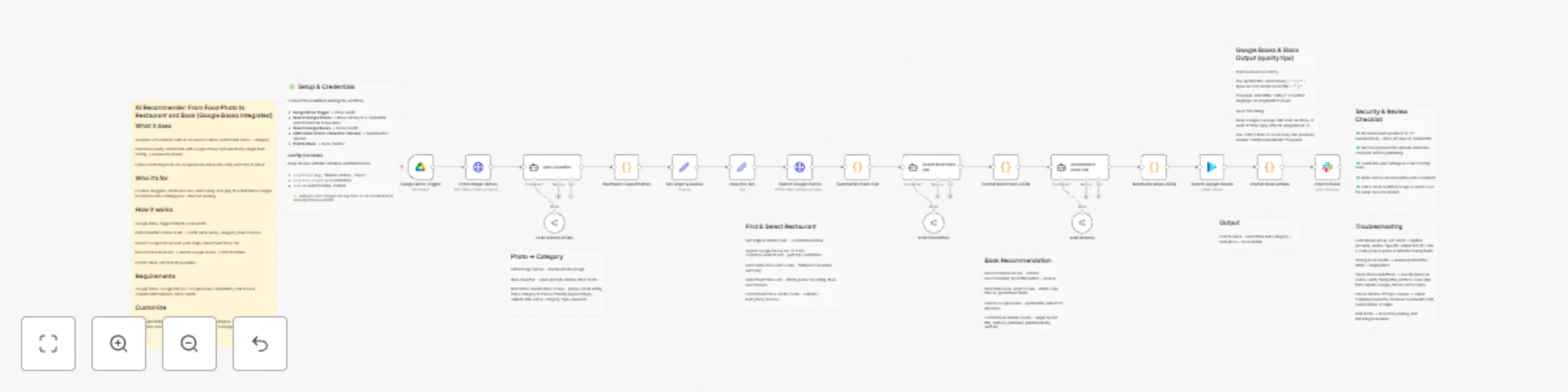
AI Recommender: From Food Photo to Restaurant and Book (Google Books Integrated) What it does Analyzes a food photo with an AI vision model to extract dish name + category Searches nearby restauran...
n8n-nodes-base.googledrivetrigger, @n8n/n8n-nodes-langchain.agent, n8n-nodes-base.httprequest, @n8n/n8n-nodes-langchain.lmchatopenrouter, n8n-nodes-base.code, n8n-nodes-base.set, n8n-nodes-base.googlebooks, n8n-nodes-base.slack
This workflow is cataloged by N8N Workflows and links back to its original n8n.io source page by noda.
Original n8n.io sourceAnalyzes a food photo with an AI vision model to extract dish name + category
Searches nearby restaurants with Google Places and selects the single best (rating → reviews tie-break)
Finds a matching book via Google Books and posts a tidy summary to Slack
Foodies, bloggers, and teams who want a plug-and-play flow that turns a single food photo into a dining pick + themed reading.
Google Drive Trigger detects a new photo
Dish Classifier (Vision LLM) → JSON (dish_name, category, basic macros)
Search Google Places near your origin; Select Best Place (AI)
Recommend Book (AI) → Search Google Books → format details
Post to Slack (JP/EN both possible)
Google Drive / Google Places / Google Books credentials, LLM access (OpenRouter/OpenAI), Slack OAuth.
Edit origin/radius in Set Origin & Radius, tweak category→keyword mapping in Normalize Classification, adjust Slack channel & message in Post to Slack.
This catalog entry is organized from the workflow JSON. The node-level section below shows the executable blocks available for review before importing the template.
Showing the first 24 of 27 workflow blocks. Download the JSON for the full node graph.
| Workflow | Food Photo Analysis to Restaurant & Book Recommendations with GPT Vision and Google APIs |
|---|---|
| Complexity | advanced |
| Nodes | 27 |
| Categories | Personal Productivity, Multimodal AI |
| Author | noda |
| Published | 27 Oct 2025 |
Use the JSON export at /data/workflows/10211/10211.json as the source template for this automation.
Open n8n, import the downloaded JSON, and review each node before activating the workflow.
Replace placeholder credentials, API keys, webhook URLs, account IDs, and environment-specific values with your own settings.
Run the workflow manually or in a staging workspace, inspect node output, and confirm downstream systems receive the expected data.
Enable the workflow only after testing, then monitor executions, errors, and rate limits during the first production runs.
Review imported nodes carefully before activation. This catalog entry is intended to help you inspect the workflow structure, understand required services, and find related templates faster.
Node names, credentials, schedules, webhook paths, and external service limits may need adjustment for your workspace.
AI Recommender: From Food Photo to Restaurant and Book (Google Books Integrated) What it does Analyzes a food photo with an AI vision model to extract dish name + category Searches nearby restauran...
Review the workflow JSON, configure any required credentials in n8n, and test the automation in a safe workspace before using it in production.
Yes. Use the block-by-block analysis and the downloadable JSON to inspect each node, then adjust credentials, prompts, schedules, filters, or destinations for your Personal Productivity, Multimodal AI use case.