noda
Workflows by noda
Detect stock price anomalies & send news alerts with Marketstack, HackerNews & DeepL
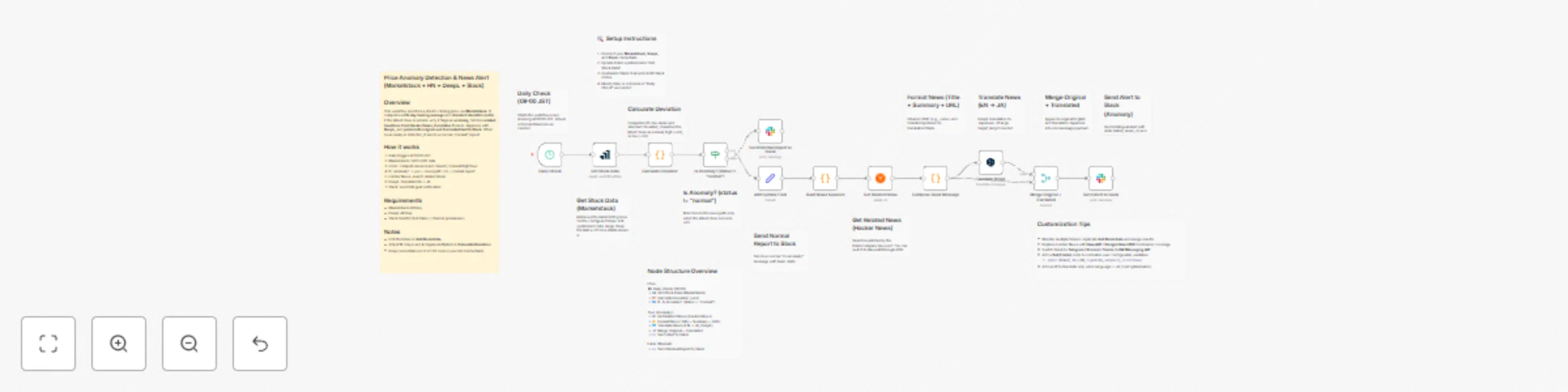
## Price Anomaly Detection & News Alert (Marketstack + HN + DeepL + Slack) ## Overview This workflow monitors a stock’s closing price via **Marketstack**. It computes a **20-day moving average** and **standard deviation (±2σ)**. If the latest close is outside ±2σ, it flags an **anomaly**, fetches **related headlines from Hacker News**, **translates** them to Japanese with **DeepL**, and **posts both original and translated text to Slack**. When no anomaly is detected, it sends a concise “normal” report. ## How it works 1) Daily trigger at 09:00 JST 2) Marketstack: fetch EOD data 3) Code: compute mean/σ and classify (normal/high/low) 4) IF: anomaly? → yes = news path / no = normal report 5) Hacker News: search related items 6) DeepL: translate EN → JA 7) Slack: send bilingual notification ## Requirements - Marketstack API key - DeepL API key - Slack OAuth2 (bot token / channel permission) ## Notes - Edit the ticker in **Get Stock Data**. - Adjust **N** (days) and **k** (sigma multiplier) in **Calculate Deviation**. - Keep credentials out of HTTP nodes (use n8n Credentials).
Auto-translate YouTube videos to Japanese with DeepL and post to Slack
## Overview Auto-translate YouTube uploads to Japanese and post to Slack (DeepL + Slack) ## Who’s it for Marketing or community teams that follow English-speaking creators but share updates with Japanese audiences; language learners who want JP summaries of newly released videos; internal comms teams curating industry channels for a JP workspace. ## What it does This workflow detects new YouTube uploads, retrieves full metadata, translates the title and description into Japanese using DeepL, and posts a formatted message to a Slack channel. It also skips non-English titles to avoid unnecessary translation. ## How it works ・RSS watches a channel for new items. ・YouTube API fetches the full snippet (title/description). ・Text is combined into a single payload and sent to DeepL. ・The translated result + original metadata is merged and posted to Slack. ## Requirements ・YouTube OAuth (for reliable snippet retrieval) ・DeepL API key (Free or Pro) ・Slack OAuth ## How to set up ・Duplicate this template. ・Open the Config (Set) node and fill in YT_CHANNEL_ID, TARGET_LANG, SLACK_CHANNEL. ・Connect credentials for YouTube, DeepL, and Slack (don’t hardcode API keys in HTTP nodes). ・Click Execute workflow and verify one sample post. ## How to customize ・Change TARGET_LANG to any language supported by DeepL. ・Add filters (exclude Shorts, skip videos under N characters). ・Switch to Slack Blocks for richer formatting or thread replies. ・Add a fallback translator or retry logic on HTTP errors. ## Notes & limits DeepL Free/Pro have different endpoints/quotas and monthly character limits. YouTube and Slack also enforce rate limits. Keep credentials in n8n’s credential store; do not commit keys into templates. Rotate keys if you accidentally exposed them.
Generate news cards from Spotify emotions with LLM, Google News and APITemplate.io
## 📄 Workflow Overview Title: Spotify Emotion-to-News Card Generator (APITemplate.io + Slack) ## What it does: This workflow analyzes the emotion of your recently played Spotify track using OpenRouter (LLM), fetches a related trending Google News article, generates a visual news card with APITemplate.io, and posts it to Slack. ## 👥 Who’s it for Music lovers, marketers, and developers who want to automatically turn their listening mood into a visual daily digest or Slack update. ## ⚙️ How it works Spotify Trigger — Fetch your recently played tracks. LLM (Emotion Analyzer) — Infer the main emotion from the track title and artist. Google News Query — Build an RSS URL based on the emotion keyword. RSS Reader — Retrieve trending news headlines. APITemplate.io — Render the top article into an image card. Slack — Post title, link, and card image into your channel. ## 🧰 Requirements Spotify API credentials OpenRouter API key APITemplate.io account (with template ID) Slack OAuth2 connection ## 🪄 How to customize Replace the APITemplate.io template ID with your own. Adjust the RSS URL language (hl=en-US → hl=ja-JP for Japanese news). Modify the Slack message text for your preferred channel tone. ## ⚠️ Disclaimer If you use community nodes (LangChain), this template is for self-hosted n8n only.
Generate Weather-Based Date Itineraries with Google Places, OpenRouter AI, and Slack
🧩 What this template does This workflow builds a 120-minute local date course around your starting point by querying Google Places for nearby spots, selecting the top candidates, fetching real-time weather data, letting an AI generate a matching emoji, and drafting a friendly itinerary summary with an LLM in both English and Japanese. It then posts the full bilingual plan with a walking route link and weather emoji to Slack. 👥 Who it’s for Makers and teams who want a plug-and-play bilingual local itinerary generator with weather awareness — no custom code required. ⚙️ How it works Trigger – Manual (or schedule/webhook). Discovery – Google Places nearby search within a configurable radius. Selection – Rank by rating and pick the top 3. Weather – Fetch current weather (via OpenWeatherMap). Emoji – Use an AI model to match the weather with an emoji 🌤️. Planning – An LLM writes the itinerary in Markdown (JP + EN). Route – Compose a Google Maps walking route URL. Share – Post the bilingual itinerary, route link, and weather emoji to Slack. 🧰 Requirements n8n (Cloud or self-hosted) Google Maps Platform (Places API) OpenWeatherMap API key Slack Bot (chat:write) LLM provider (e.g., OpenRouter or DeepL for translation) 🚀 Setup (quick) Open Set → Fields: Config and fill in coords/radius/time limit. Connect Credentials for Google, OpenWeatherMap, Slack, and your LLM. Test the workflow and confirm the bilingual plan + weather emoji appear in Slack. 🛠 Customize Adjust ranking filters (type, min rating). Modify translation settings (target language or tone). Change output layout (side-by-side vs separated). Tune emoji logic or travel mode. Add error handling, retries, or logging for production use.
Food Photo Analysis to Restaurant & Book Recommendations with GPT Vision and Google APIs
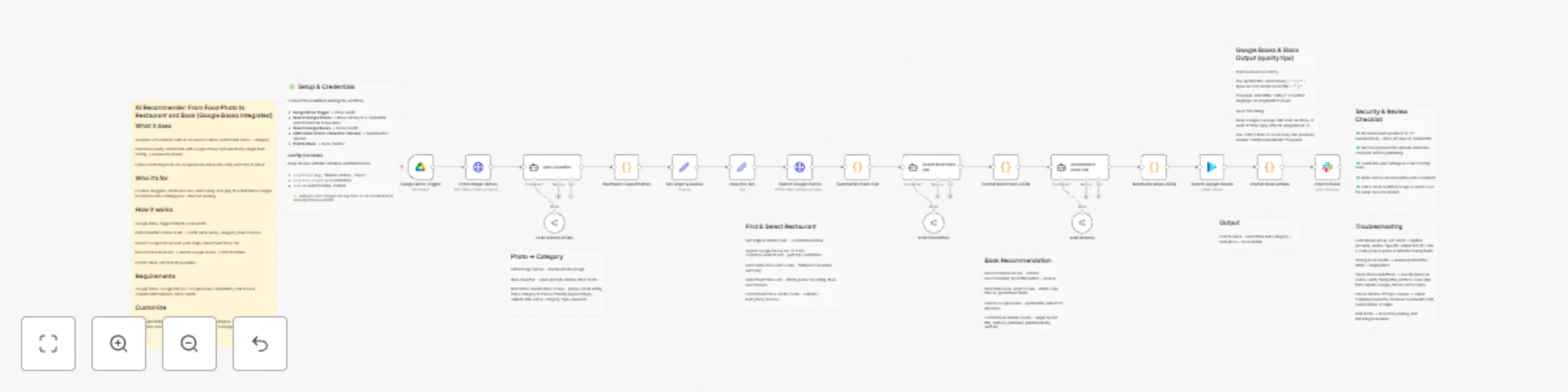
## AI Recommender: From Food Photo to Restaurant and Book (Google Books Integrated) ## What it does Analyzes a food photo with an AI vision model to extract dish name + category Searches nearby restaurants with Google Places and selects the single best (rating → reviews tie-break) Finds a matching book via Google Books and posts a tidy summary to Slack ## Who it’s for Foodies, bloggers, and teams who want a plug-and-play flow that turns a single food photo into a dining pick + themed reading. ## How it works Google Drive Trigger detects a new photo Dish Classifier (Vision LLM) → JSON (dish_name, category, basic macros) Search Google Places near your origin; Select Best Place (AI) Recommend Book (AI) → Search Google Books → format details Post to Slack (JP/EN both possible) ## Requirements Google Drive / Google Places / Google Books credentials, LLM access (OpenRouter/OpenAI), Slack OAuth. ## Customize Edit origin/radius in Set Origin & Radius, tweak category→keyword mapping in Normalize Classification, adjust Slack channel & message in Post to Slack.