Block 1 - When clicking ‘Execute workflow’
- Type / Role
- n8n-nodes-base.manualTrigger - manualTrigger
- Config choices
- Version 1


 Early Deal
This workflow helps you discover new SEO content opportunities by automatically identifying keyword gaps between your website and a competing domain. On each manual...
n8n-nodes-base.manualtrigger, n8n-nodes-base.notion, n8n-nodes-base.stickynote, n8n-nodes-base.splitout, n8n-nodes-base.filter, n8n-nodes-dataforseo.dataforseolabsapi, n8n-nodes-base.set
This workflow is cataloged by N8N Workflows and links back to its original n8n.io source page by DataForSEO.
Original n8n.io sourceThis workflow helps you discover new SEO content opportunities by automatically identifying keyword gaps between your website and a competing domain.
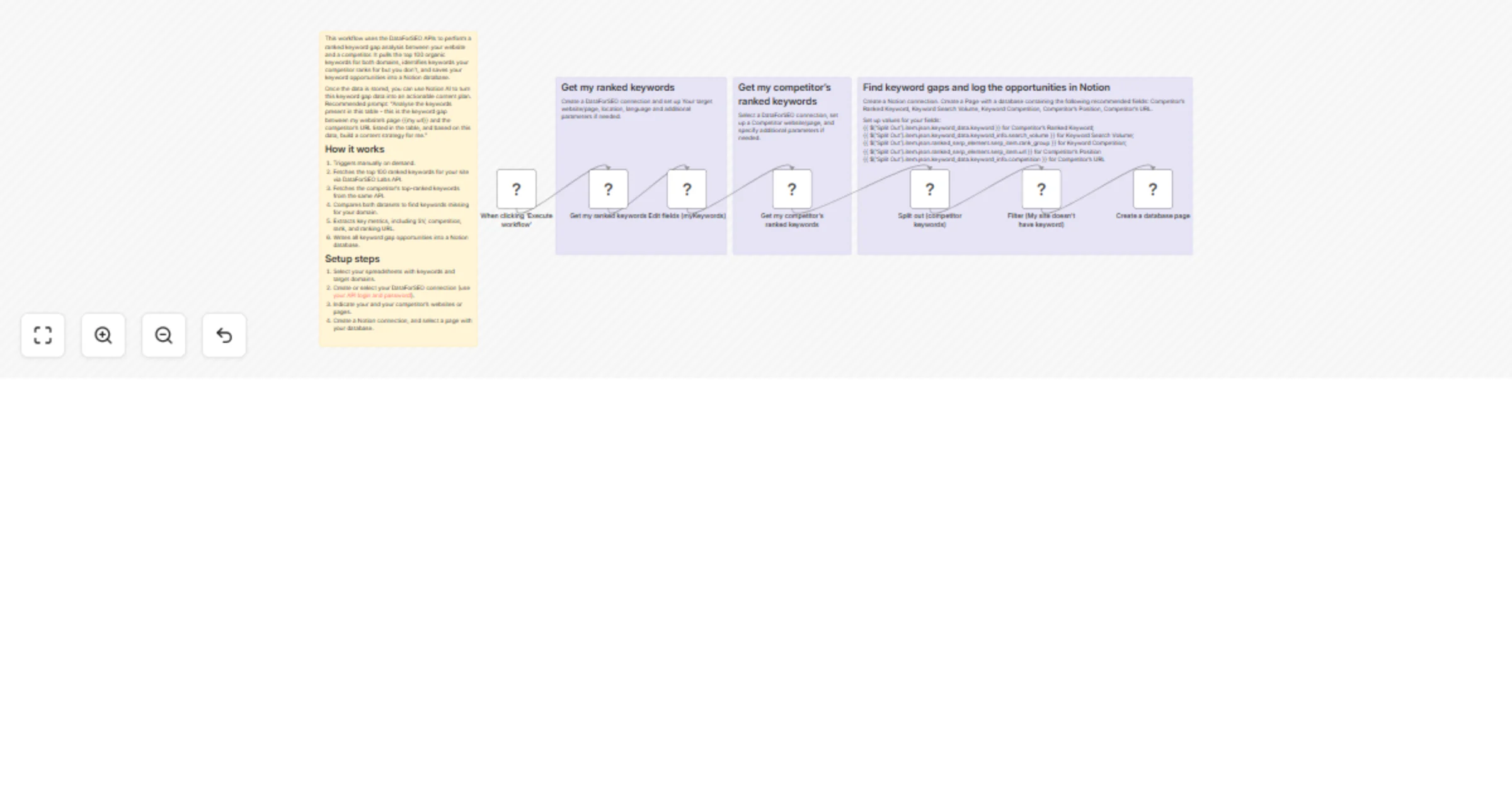
On each manual run, the workflow retrieves the top 100 organically ranked keywords for your domain and for a selected competitor using the DataForSEO Labs API. It then compares both keyword lists to find valuable search terms where your competitor already has visibility on Google, but your website doesn’t.
For every missing keyword, the workflow adds useful SEO metrics, including search volume, competition level, competitor ranking position, and the competitor’s exact URL that ranks on Google. All identified keywords are stored in a structured Notion database, making it easy to review, prioritize, and turn them into actionable content ideas.
Once the keywords are saved, you can use Notion AI to instantly generate a content plan based on these opportunities. Recommended prompt: “Analyse the keywords present in this table - this is the keyword gap between my website’s page {{my url}} and the competitor’s URL listed in the table, and based on this data, build a content strategy for me.”
This workflow is ideal for SEO specialists, content marketers, and website owners who want to discover new content ideas, improve organic visibility, and systematically close the keyword gap with competitors.
This workflow automatically identifies keywords that your competitor ranks for on Google, but your domain does not, and saves them in Notion with key SEO context for content planning.
Triggers manually whenever you want to perform the research. Fetches the top 100 organically ranked keywords for your website via DataForSEO Labs API. Fetches the competitor’s top-ranked organic keywords from the same source. Compares both datasets to find keywords missing for your domain. Extracts key metrics, including search volume, competition, ranking position, and ranking URL. Writes all keyword gap opportunities into a Notion database for review and planning. Allows you to generate a content roadmap using Notion AI.
You can easily customize this workflow by increasing the number of keywords analyzed, filtering by specific countries or languages, adding wider SEO context (CPC, keyword difficulty, SERP features), exporting results to other tools, or automating content brief creation rather than storing keywords only.
This catalog entry is organized from the workflow JSON. The node-level section below shows the executable blocks available for review before importing the template.
| Workflow | Find competitor keyword gaps and log opportunities to Notion with DataForSEO |
|---|---|
| Complexity | intermediate |
| Nodes | 11 |
| Categories | Market Research |
| Author | DataForSEO |
| Published | 19 Feb 2026 |
Use the JSON export at /data/workflows/13508/13508.json as the source template for this automation.
Open n8n, import the downloaded JSON, and review each node before activating the workflow.
Replace placeholder credentials, API keys, webhook URLs, account IDs, and environment-specific values with your own settings.
Run the workflow manually or in a staging workspace, inspect node output, and confirm downstream systems receive the expected data.
Enable the workflow only after testing, then monitor executions, errors, and rate limits during the first production runs.
Review imported nodes carefully before activation. This catalog entry is intended to help you inspect the workflow structure, understand required services, and find related templates faster.
Node names, credentials, schedules, webhook paths, and external service limits may need adjustment for your workspace.
This workflow helps you discover new SEO content opportunities by automatically identifying keyword gaps between your website and a competing domain. On each manual...
Review the workflow JSON, configure any required credentials in n8n, and test the automation in a safe workspace before using it in production.
Yes. Use the block-by-block analysis and the downloadable JSON to inspect each node, then adjust credentials, prompts, schedules, filters, or destinations for your Market Research use case.