Filter fraudulent leads with GPT-4o-mini, AbstractAPI, Google Sheets and Slack

Workflow preview

Workflow preview
100%
Filter fraudulent leads with GPT-4o-mini, AbstractAPI, Google Sheets and Slack preview
Open on n8n.io

1. Workflow Overview

This n8n template serves as a security layer for your marketing efforts, ensuring that only high quality, human verified leads reach your CRM while automatically blacklisting bots and VPN based sub...

Best for

  • SecOps automation workflows
  • AI Summarization automation workflows
  • advanced n8n builders looking for reusable templates

Tools used

n8n-nodes-base.webhook, n8n-nodes-base.httprequest, @n8n/n8n-nodes-langchain.openai, n8n-nodes-base.merge, n8n-nodes-base.if, n8n-nodes-base.googlesheets, n8n-nodes-base.slack, n8n-nodes-base.stickynote

Source and attribution

This workflow is cataloged by N8N Workflows and links back to its original n8n.io source page by Nithish R..

Original n8n.io source

1.1 Workflow description

Title
Filter fraudulent leads with GPT-4o-mini, AbstractAPI, Google Sheets and Slack
Workflow name
Filter fraudulent leads with GPT-4o-mini, AbstractAPI, Google Sheets and Slack

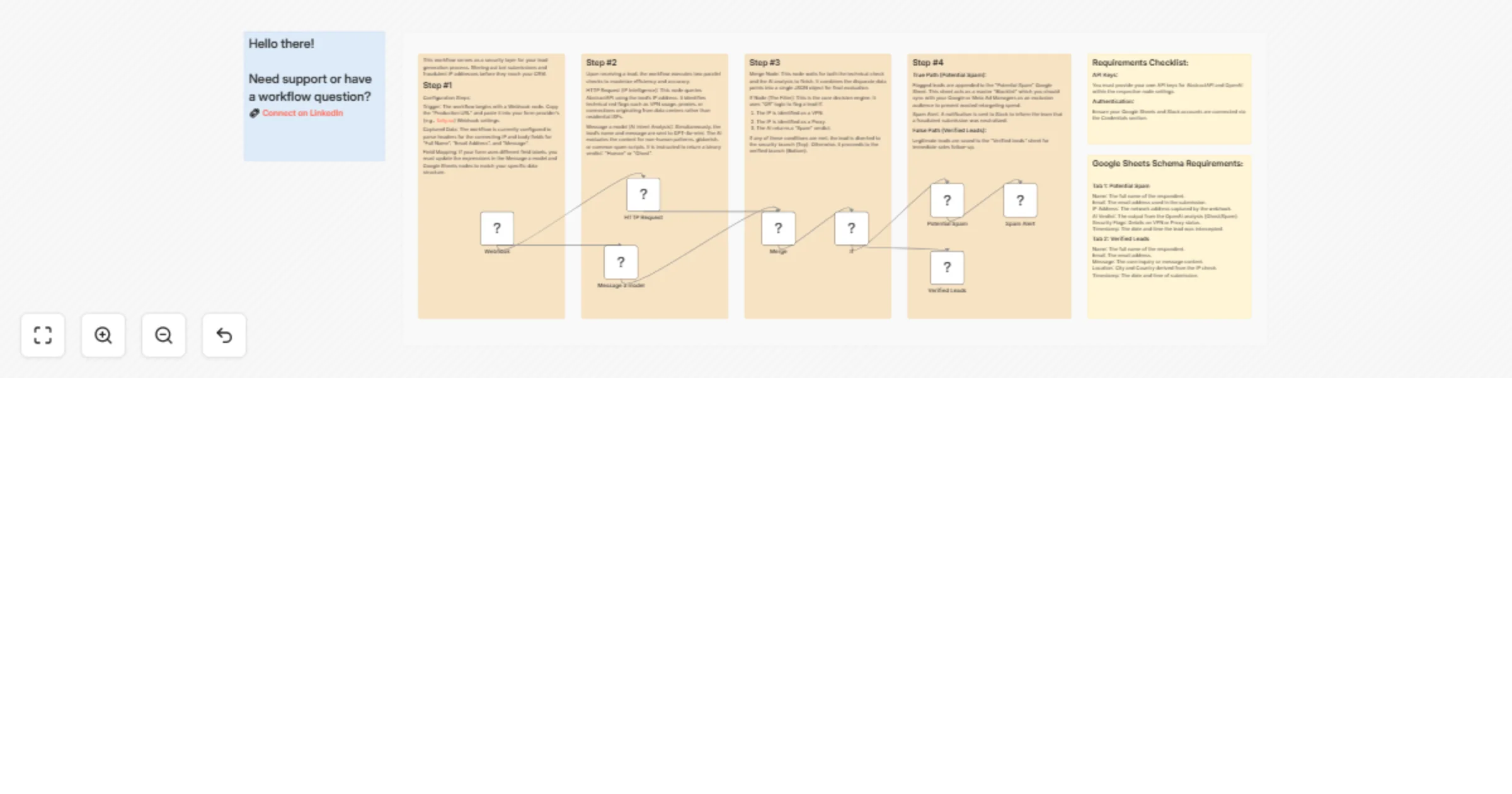
This n8n template serves as a security layer for your marketing efforts, ensuring that only high-quality, human-verified leads reach your CRM while automatically blacklisting bots and VPN-based submissions.

How it works

Lead Intake: The workflow triggers via a Webhook (e.g., from Tally.so or other form builders) when a new lead is submitted.

Dual-Layer Analysis:

  • IP Intelligence: It queries AbstractAPI to check the lead's IP address for red flags like VPNs, proxies, or data centre origins.
  • AI Intent Analysis: Simultaneously, it sends the name and message to GPT-4o-mini to analyse the content for non-human patterns, gibberish, or spam scripts.
  • Smart Filtering: A Merge node combines these data points, and an If Node applies "OR" logic: if the IP is a VPN/Proxy OR the AI detects spam, the lead is flagged.

Automated Action:

  • Verified Leads: Legitimate submissions are saved to a "Verified" Google Sheet for sales follow-up.
  • Fraud Prevention: Flagged leads are moved to a "Potential Spam" sheet. This list can be synced as an exclusion audience in Google or Meta Ads to prevent wasting budget on retargeting bots.

Instant Alerts: The team is notified immediately via Slack whenever a fraudulent submission is neutralized.

Requirements

  • OpenAI API Key: For lead content analysis.
  • AbstractAPI Key: For IP intelligence & security flags.
  • Google Sheets: To store verified and blacklisted lead data.
  • Slack: For real-time fraud alerts.

Customising this workflow

  • Field Mapping: If your form uses different labels (e.g., "Comments" instead of "Message"), update the expressions in the Message model and Google Sheets nodes.
  • Exclusion Logic: You can tighten the filter by adding more conditions to the If Node, such as specific country blocking or email domain validation.

1.2 Logical Blocks

This catalog entry is organized from the workflow JSON. The node-level section below shows the executable blocks available for review before importing the template.

2. Block-by-Block Analysis

Block 1 - Webhook

Type / Role
n8n-nodes-base.webhook - webhook
Config choices
Version 2.1

Block 2 - HTTP Request

Type / Role
n8n-nodes-base.httpRequest - httpRequest
Config choices
Version 4.4

Block 3 - Message a model

Type / Role
@n8n/n8n-nodes-langchain.openAi - openAi
Config choices
Version 2.1

Block 4 - Merge

Type / Role
n8n-nodes-base.merge - merge
Config choices
Version 3.2

Block 5 - If

Type / Role
n8n-nodes-base.if - if
Config choices
Version 2.3

Block 6 - Verified Leads

Type / Role
n8n-nodes-base.googleSheets - googleSheets
Config choices
Version 4.7

Block 7 - Potential Spam

Type / Role
n8n-nodes-base.googleSheets - googleSheets
Config choices
Version 4.7

Block 8 - Spam Alert

Type / Role
n8n-nodes-base.slack - slack
Config choices
Version 2.4

Block 9 - Sticky Note2

Type / Role
n8n-nodes-base.stickyNote - stickyNote
Config choices
Version 1

Block 10 - Sticky Note3

Type / Role
n8n-nodes-base.stickyNote - stickyNote
Config choices
Version 1

Block 11 - Sticky Note4

Type / Role
n8n-nodes-base.stickyNote - stickyNote
Config choices
Version 1

Block 12 - Sticky Note5

Type / Role
n8n-nodes-base.stickyNote - stickyNote
Config choices
Version 1

Block 13 - Sticky Note6

Type / Role
n8n-nodes-base.stickyNote - stickyNote
Config choices
Version 1

Block 14 - Sticky Note7

Type / Role
n8n-nodes-base.stickyNote - stickyNote
Config choices
Version 1

Block 15 - Sticky Note12

Type / Role
n8n-nodes-base.stickyNote - stickyNote
Config choices
Version 1

Block 16 - Sticky Note

Type / Role
n8n-nodes-base.stickyNote - stickyNote
Config choices
Version 1

3. Summary Table

Workflow Filter fraudulent leads with GPT-4o-mini, AbstractAPI, Google Sheets and Slack
Complexity advanced
Nodes 16
Categories SecOps, AI Summarization
Author Nithish R.
Published 28 Feb 2026

4. Reproducing the Workflow from Scratch

  1. 1. Download the workflow JSON

    Use the JSON export at /data/workflows/13774/13774.json as the source template for this automation.

  2. 2. Import the template into n8n

    Open n8n, import the downloaded JSON, and review each node before activating the workflow.

  3. 3. Configure credentials and variables

    Replace placeholder credentials, API keys, webhook URLs, account IDs, and environment-specific values with your own settings.

  4. 4. Test with sample data

    Run the workflow manually or in a staging workspace, inspect node output, and confirm downstream systems receive the expected data.

  5. 5. Activate and monitor

    Enable the workflow only after testing, then monitor executions, errors, and rate limits during the first production runs.

5. General Notes & Resources

Review imported nodes carefully before activation. This catalog entry is intended to help you inspect the workflow structure, understand required services, and find related templates faster.

Node names, credentials, schedules, webhook paths, and external service limits may need adjustment for your workspace.

Frequently asked questions

What does Filter fraudulent leads with GPT-4o-mini, AbstractAPI, Google Sheets and Slack do?

This n8n template serves as a security layer for your marketing efforts, ensuring that only high quality, human verified leads reach your CRM while automatically blacklisting bots and VPN based sub...

What do I need before importing this workflow?

Review the workflow JSON, configure any required credentials in n8n, and test the automation in a safe workspace before using it in production.

Can I customize this workflow?

Yes. Use the block-by-block analysis and the downloadable JSON to inspect each node, then adjust credentials, prompts, schedules, filters, or destinations for your SecOps, AI Summarization use case.