Block 1 - YouTube Clip Request Form
- Type / Role
- n8n-nodes-base.formTrigger - formTrigger
- Config choices
- Version 2.3


 Early Deal
Who is this for? Content creators, marketers, and video editors who want to automatically extract highlight clips from YouTube videos using natural language descriptions—no manual timestamp hunting...
n8n-nodes-base.formtrigger, n8n-nodes-base.set, n8n-nodes-base.httprequest, @n8n/n8n-nodes-langchain.agent, n8n-nodes-base.googlesheets, @n8n/n8n-nodes-langchain.lmchatanthropic, @n8n/n8n-nodes-langchain.outputparserstructured, n8n-nodes-base.stickynote
This workflow is cataloged by N8N Workflows and links back to its original n8n.io source page by Matty Reed.
Original n8n.io sourceContent creators, marketers, and video editors who want to automatically extract highlight clips from YouTube videos using natural language descriptions—no manual timestamp hunting required.
Manually scrubbing through long videos to find specific moments is time-consuming and tedious. This workflow automates the entire process: describe what clips you want in plain English, and AI analyzes the transcript to find and extract them automatically.
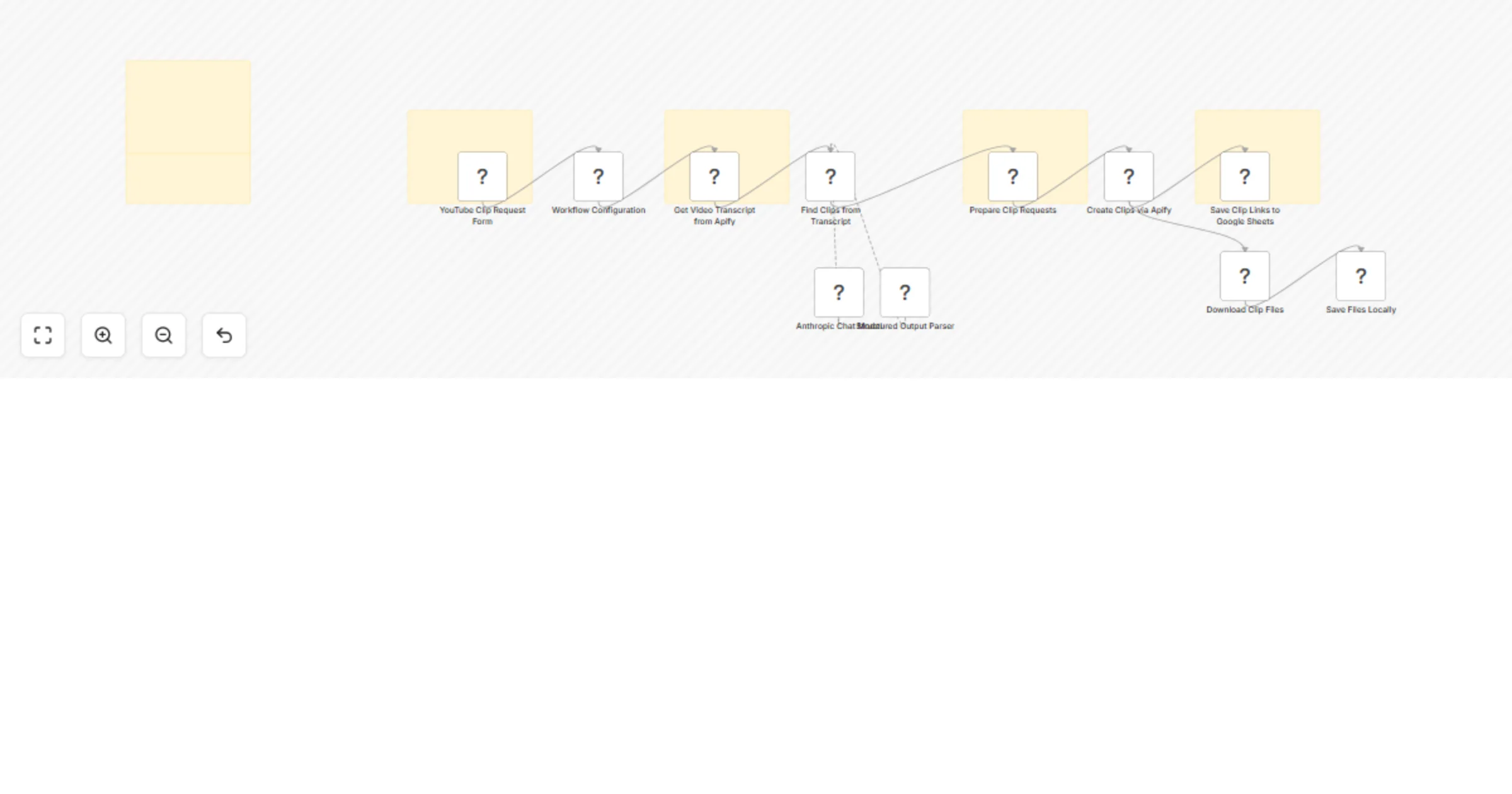
| # | Node | Purpose |
|---|---|---|
| 1 | YouTube Clip Request Form | Web form to submit YouTube URL, clip description, count, and max duration. |
| 2 | Workflow Configuration | Centralizes Apify credentials and user inputs. |
| 3 | Get Video Transcript from Apify | Fetches the full video transcript via Apify Actor. |
| 4 | Find Clips from Transcript | AI Agent (Claude) analyzes transcript and identifies clip timestamps based on your description. |
| 5 | Prepare Clip Requests | Formats the AI-identified clips for the clipping service. |
| 6 | Create Clips via Apify | Sends clip requests to Apify Actor to extract video segments. |
| 7a | Save Clip Links to Google Sheets | Logs clip URLs to a spreadsheet for easy access. |
| 7b | Download Clip Files (optional) | Downloads clips locally to your specified directory. |
Url, Mp4 360p, Mp4 720, Mp4 1080, Mp3localSavePath in Workflow ConfigurationDescribe what you want, let AI find it, get clips—zero manual scrubbing.
This catalog entry is organized from the workflow JSON. The node-level section below shows the executable blocks available for review before importing the template.
| Workflow | Extract YouTube video clips with Claude and Apify from natural language prompts |
|---|---|
| Complexity | advanced |
| Nodes | 17 |
| Categories | Content Creation, Multimodal AI |
| Author | Matty Reed |
| Published | 02 Feb 2026 |
Use the JSON export at /data/workflows/13169/13169.json as the source template for this automation.
Open n8n, import the downloaded JSON, and review each node before activating the workflow.
Replace placeholder credentials, API keys, webhook URLs, account IDs, and environment-specific values with your own settings.
Run the workflow manually or in a staging workspace, inspect node output, and confirm downstream systems receive the expected data.
Enable the workflow only after testing, then monitor executions, errors, and rate limits during the first production runs.
Review imported nodes carefully before activation. This catalog entry is intended to help you inspect the workflow structure, understand required services, and find related templates faster.
Node names, credentials, schedules, webhook paths, and external service limits may need adjustment for your workspace.
Who is this for? Content creators, marketers, and video editors who want to automatically extract highlight clips from YouTube videos using natural language descriptions—no manual timestamp hunting...
Review the workflow JSON, configure any required credentials in n8n, and test the automation in a safe workspace before using it in production.
Yes. Use the block-by-block analysis and the downloadable JSON to inspect each node, then adjust credentials, prompts, schedules, filters, or destinations for your Content Creation, Multimodal AI use case.