Block 1 - Sticky Note
- Type / Role
- n8n-nodes-base.stickyNote - stickyNote
- Config choices
- Version 1


 Early Deal
This workflow is provided as-is. Please review and test before using in production.
Detailed Technical Description This n8n workflow automates Yape payment receipt processing, integrating Telegram bot, AI powered OCR, a...
n8n-nodes-base.stickynote, n8n-nodes-base.telegramtrigger, n8n-nodes-base.switch, n8n-nodes-base.telegram, n8n-nodes-base.code, @n8n/n8n-nodes-langchain.openai, @n8n/n8n-nodes-langchain.agent, @n8n/n8n-nodes-langchain.lmchatdeepseek
This workflow is cataloged by N8N Workflows and links back to its original n8n.io source page by Jesús Pérez .
Original n8n.io sourceThis n8n workflow automates Yape payment receipt processing, integrating Telegram bot, AI-powered OCR, and Google Sheets automation. By leveraging ChatGPT Vision Computing, it extracts and structures transaction details, eliminating the need for manual entry. Ideal for freelancers, businesses, and finance teams, this workflow ensures error-free, real-time financial tracking. The AI agent powered by DeepSeek refines and formats the extracted text, storing it in Google Sheets for easy accessibility and reporting. Users can track payments, monitor cash flow, and generate financial reports without any manual work. This seamless integration boosts efficiency, reduces errors, and automates financial record-keeping with 100% accuracy.
✅n8n – Workflow orchestrator. ✅Telegram – Handles image reception and notifications. ✅Google Drive – Manages file creation and storage. ✅Google Sheets – Automatically logs extracted data into spreadsheets.
✅ChatGPT Vision Computing – Performs OCR on payment receipts. ✅DeepSeek AI – Organizes and converts extracted data into a structured format.
📩 A Telegram Bot – Must be created to receive images. Setup Guide
🔑 Google Sheets API Key – Required to store extracted data. Setup Guide
⚛️ ChatGPT API Key – Used for OCR and AI text extraction. Get it here
🐋 DeepSeek API Key – Processes extracted text into structured data. Get it here
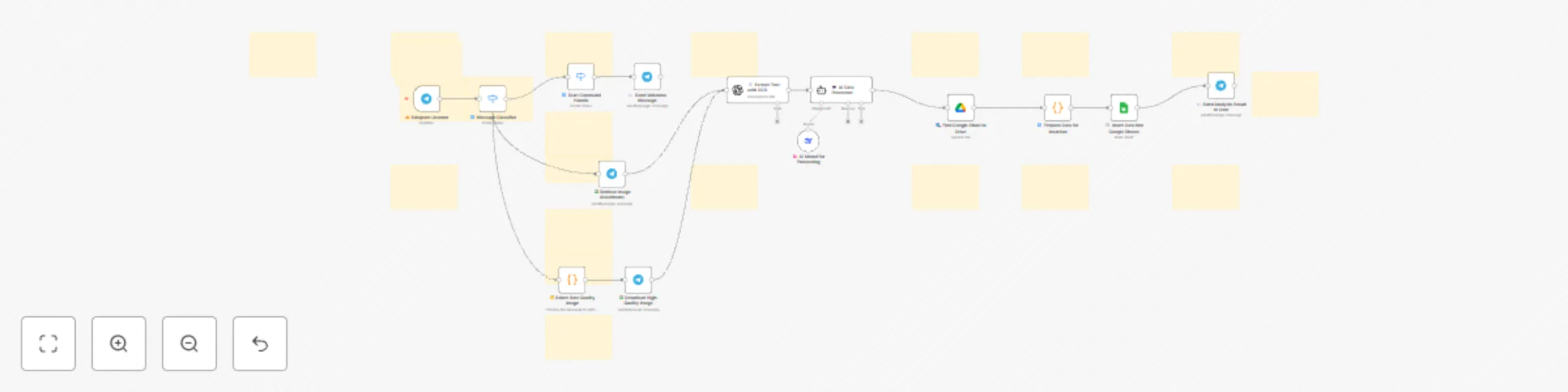
The user attaches a Yape payment receipt image to the Telegram bot conversation. 🤳🏻
A ⚛️ChatGPT Vision Computing model processes the image and extracts all visible text, ensuring high-accuracy OCR for structured data extraction.
Intelligent Data Processing with AI 🤖 The extracted text is sent to a 🐋DeepSeek-based AI agent that: Identifies and structures key transaction details (amount, date, sender, transaction ID, etc.). Converts the data into a structured JSON format.
Google Drive integration is established. If the Google Sheets file does not exist, it is automatically created.
Extracted data is automatically recorded in the corresponding spreadsheet, enabling effortless tracking and streamlined financial organization.
✅ Time-saving – Eliminates manual payment processing. ✅ Error-free data entry – Reduces human mistakes in record-keeping. ✅ 100% automation – No manual intervention required. ✅ Seamless integration – Easily connects with other workflows.
💡NOTE: The extracted transaction data will be stored in a Google Sheets file with the following columns:
| Column Name | Description |
|---|---|
| id | Unique identifier for each transaction. |
| beneficiaryName | Name of the recipient of the payment. |
| amount | Payment amount in the specified currency. |
| currency | Currency used for the transaction (e.g., PEN, USD). |
| company | The entity or service handling the transaction. |
| date | Date of the transaction in a human-readable format. |
| hour | Time of the transaction. |
| originalDate | The exact date extracted from the receipt. |
| dateToISO | Standardized ISO 8601 date format. |
| operation | Type of financial operation (e.g., deposit, transfer). |
| operationNumber | Unique operation number provided by the payment system. |
| beneficiaryNumber | Account or phone number of the recipient. |
| commission | Any commission or fee charged for the transaction. |
| account | Account number or reference used for the payment. |
| channel | Payment method used (e.g., app, POS, bank transfer). |
| agentCode | Identifier of the agent or entity processing the payment. |
This workflow is perfect for businesses, freelancers, and individuals who need a fully automated solution to process Yape payment receipts efficiently. By leveraging AI-powered OCR and structured data extraction, it eliminates manual effort, reduces errors, and ensures that all transactions are accurately logged in Google Sheets. Whether you're managing personal finances, freelance payments, or business transactions, this system provides a seamless, hands-free approach to financial tracking, allowing you to focus on what truly matters.
This catalog entry is organized from the workflow JSON. The node-level section below shows the executable blocks available for review before importing the template.
Showing the first 24 of 35 workflow blocks. Download the JSON for the full node graph.
| Workflow | ⚛️🐋🤖 Extract data from YAPE receipts via Telegram OCR and store in Google Sheets |
|---|---|
| Complexity | advanced |
| Nodes | 35 |
| Categories | Invoice Processing, AI Summarization |
| Author | Jesús Pérez |
| Published | 03 Mar 2025 |
Use the JSON export at /data/workflows/3073/3073.json as the source template for this automation.
Open n8n, import the downloaded JSON, and review each node before activating the workflow.
Replace placeholder credentials, API keys, webhook URLs, account IDs, and environment-specific values with your own settings.
Run the workflow manually or in a staging workspace, inspect node output, and confirm downstream systems receive the expected data.
Enable the workflow only after testing, then monitor executions, errors, and rate limits during the first production runs.
Review imported nodes carefully before activation. This catalog entry is intended to help you inspect the workflow structure, understand required services, and find related templates faster.
Node names, credentials, schedules, webhook paths, and external service limits may need adjustment for your workspace.
Detailed Technical Description This n8n workflow automates Yape payment receipt processing, integrating Telegram bot, AI powered OCR, a...
Review the workflow JSON, configure any required credentials in n8n, and test the automation in a safe workspace before using it in production.
Yes. Use the block-by-block analysis and the downloadable JSON to inspect each node, then adjust credentials, prompts, schedules, filters, or destinations for your Invoice Processing, AI Summarization use case.