Block 1 - On form submission
- Type / Role
- n8n-nodes-base.formTrigger - formTrigger
- Config choices
- Version 2.2


 Early Deal
This workflow is provided as-is. Please review and test before using in production.
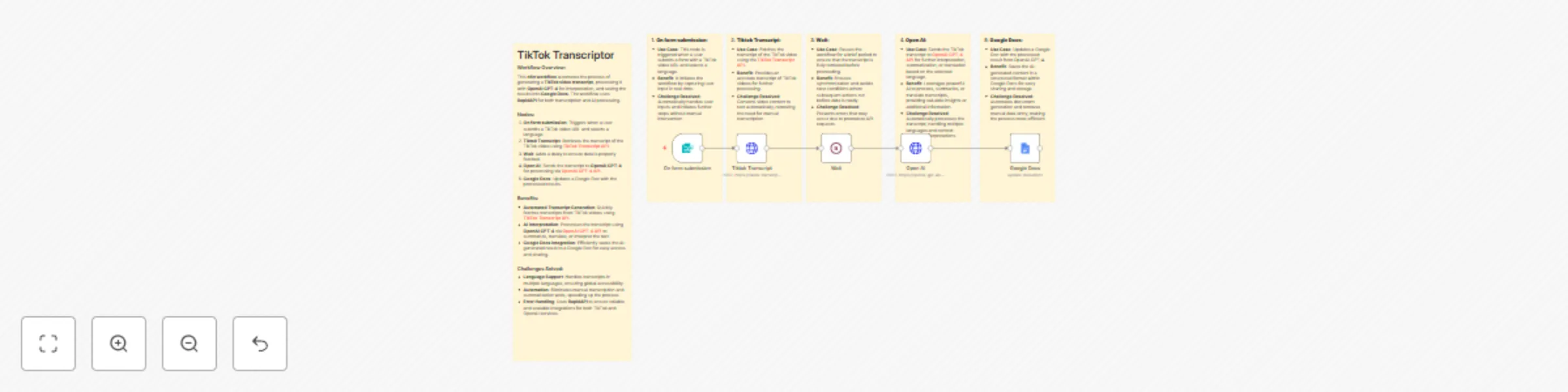
TikTok Transcript to OpenAI GPT 4 This automation workflow provides a seamless, efficient, and AI powered solution for extracting, processing, and storing TikTok video subtitles . By combining [Tik...
n8n-nodes-base.formtrigger, n8n-nodes-base.wait, n8n-nodes-base.googledocs, n8n-nodes-base.httprequest, n8n-nodes-base.stickynote
This workflow is cataloged by N8N Workflows and links back to its original n8n.io source page by Sk developer .
Original n8n.io sourceThis automation workflow provides a seamless, efficient, and AI-powered solution for extracting, processing, and storing TikTok video subtitles. By combining TikTok Transcript API, OpenAI GPT-4 API, and Google Docs, this workflow transforms the process of transcription and text analysis into a smooth, automated experience. It's perfect for content creators, marketers, and businesses who need to process large volumes of TikTok videos and want to leverage AI for language processing and summarization.
User Form Submission:
Fetching Subtitles from TikTok:
Advanced Processing with OpenAI GPT-4:
Storing the Results in Google Docs:
Workflow Automation:
Efficient TikTok Subtitle Extraction: Automatically fetch TikTok video subtitles using the TikTok Transcript API, eliminating the need for manual transcription.
AI-Driven Text Processing: Use the power of OpenAI GPT-4 API to process the extracted text. GPT-4 API can translate, summarize, or analyze the subtitles for advanced insights, making it far more than just a transcription tool.
Seamless Multi-Language Support: OpenAI GPT-4 API handles multiple languages, translating or summarizing the content based on the user’s input. This makes the workflow versatile for global content creators and marketers.
Google Docs Integration: After processing the subtitles, the results are saved directly into Google Docs for easy access, editing, and sharing. This ensures that all processed data is stored in an organized manner and ready for use in various projects.
Time & Effort Savings: The entire process is automated from start to finish, allowing users to bypass manual transcription and processing tasks. You can focus on creating content while the workflow handles all the repetitive tasks.
Advanced Text Insights: By using OpenAI’s GPT-4 API, you not only get the raw transcript, but you also get insights, summaries, translations, and other interpretations that enhance your content’s value.
Manual Transcription: This workflow eliminates the need for manual transcription by automatically fetching subtitles from TikTok using the TikTok Transcript API.
Language Barriers: With OpenAI GPT-4, users can translate TikTok video subtitles into any language, ensuring the content is accessible to a global audience.
Content Management: By storing processed content in Google Docs, this workflow makes it easier to manage and collaborate on transcriptions and analysis, providing a central hub for your data.
Automation for Productivity: This workflow automates every step of the process, from fetching subtitles to analyzing and storing them, freeing up time for higher-value tasks like content creation, strategy planning, or marketing.
TikTok Transcript API: Retrieves subtitles directly from TikTok videos, providing the base for further processing.
OpenAI GPT-4 API: Handles advanced text processing, including translation, summarization, and analysis of the TikTok video subtitles.
Google Docs API: Stores processed content into Google Docs, providing a clean, accessible format for viewing and collaboration.
This TikTok Transcript to OpenAI GPT-4 + Google Docs Automation workflow saves time, enhances content processing with AI, and organizes results into easily accessible documents. By integrating the TikTok Transcript API and OpenAI GPT-4 API, it provides a smart, automated solution for anyone working with TikTok content. Whether you're a content creator, researcher, or marketer, this workflow can help you streamline and optimize your content processing tasks.
This catalog entry is organized from the workflow JSON. The node-level section below shows the executable blocks available for review before importing the template.
| Workflow | Extract and translate TikTok video transcripts with OpenAI GPT-4 to Google Docs |
|---|---|
| Complexity | intermediate |
| Nodes | 11 |
| Categories | Content Creation, AI Summarization |
| Author | Sk developer |
| Published | 13 Jul 2025 |
Use the JSON export at /data/workflows/5930/5930.json as the source template for this automation.
Open n8n, import the downloaded JSON, and review each node before activating the workflow.
Replace placeholder credentials, API keys, webhook URLs, account IDs, and environment-specific values with your own settings.
Run the workflow manually or in a staging workspace, inspect node output, and confirm downstream systems receive the expected data.
Enable the workflow only after testing, then monitor executions, errors, and rate limits during the first production runs.
Review imported nodes carefully before activation. This catalog entry is intended to help you inspect the workflow structure, understand required services, and find related templates faster.
Node names, credentials, schedules, webhook paths, and external service limits may need adjustment for your workspace.
TikTok Transcript to OpenAI GPT 4 This automation workflow provides a seamless, efficient, and AI powered solution for extracting, processing, and storing TikTok video subtitles . By combining [Tik...
Review the workflow JSON, configure any required credentials in n8n, and test the automation in a safe workspace before using it in production.
Yes. Use the block-by-block analysis and the downloadable JSON to inspect each node, then adjust credentials, prompts, schedules, filters, or destinations for your Content Creation, AI Summarization use case.