Block 1 - Jira Webhook - Detect Issue Changes
- Type / Role
- n8n-nodes-base.jiraTrigger - jiraTrigger
- Config choices
- Version 1


 Early Deal
This workflow is provided as-is. Please review and test before using in production.
Description: Guarantee that only fully compliant stories and tasks make it into your release with this n8n automation template. The workflow monitors Jira for issue updates and link changes, valida...
n8n-nodes-base.jiratrigger, n8n-nodes-base.stickynote, n8n-nodes-base.splitinbatches, n8n-nodes-base.if, n8n-nodes-base.set, n8n-nodes-base.slack, n8n-nodes-base.jira, n8n-nodes-base.mondaycom
This workflow is cataloged by N8N Workflows and links back to its original n8n.io source page by Rahul Joshi.
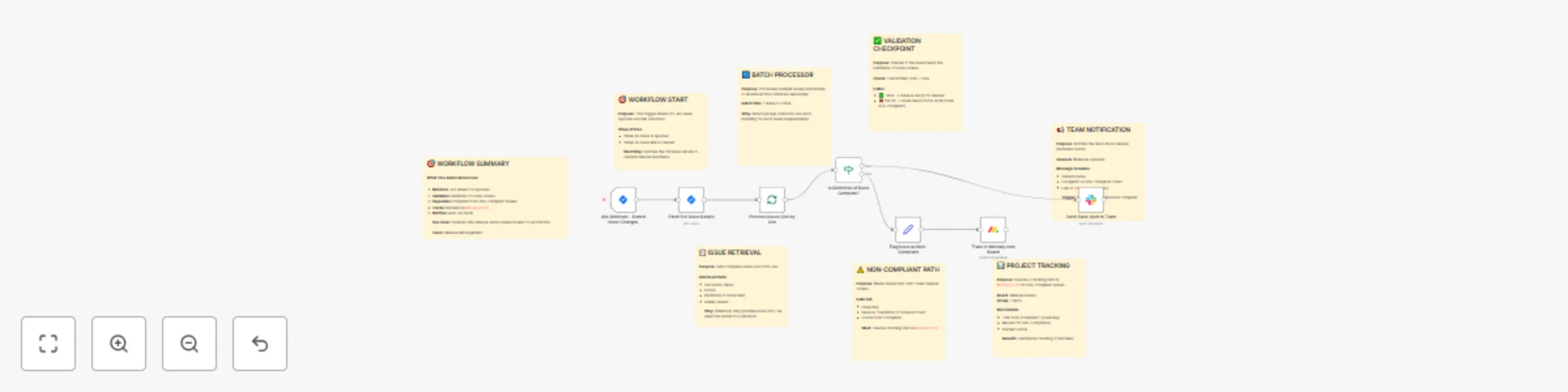
Original n8n.io sourceDescription: Guarantee that only fully compliant stories and tasks make it into your release with this n8n automation template. The workflow monitors Jira for issue updates and link changes, validates whether each story meets the Definition of Done (DoD), and automatically flags non-compliant items. It also creates a tracking record in Monday.com for unresolved blockers and sends Slack alerts summarizing readiness status for every version. Perfect for release managers, QA leads, and engineering teams who need an automated guardrail for production readiness.
🚦 Real-time Jira readiness validation ✅ Automated DoD enforcement before release
📊 Monday.com tracker for all non-compliant issues 📢 Slack summary notifications for release teams ⚙️ Batch-wise validation for scalable QA
🚀 Enforce Definition of Done across linked Jira stories 📦 Automate pre-release checks for every version increment 🧩 Provide visibility into blockers via Monday.com dashboard 📢 Keep engineering and QA teams aligned on release status
Jira Software Cloud API – to monitor issue updates and retrieve details Monday.com API – to log and track non-compliant items Slack API – for real-time release alerts
✅ Eliminates manual pre-release validation ✅ Reduces release delays due to missed criteria ✅ Keeps all stakeholders aligned on readiness status ✅ Creates a transparent audit trail of compliance
This catalog entry is organized from the workflow JSON. The node-level section below shows the executable blocks available for review before importing the template.
| Workflow | Enforce pre-release compliance with Jira, Monday.com, and Slack alerts |
|---|---|
| Complexity | advanced |
| Nodes | 15 |
| Categories | Engineering |
| Author | Rahul Joshi |
| Published | 17 Oct 2025 |
Use the JSON export at /data/workflows/9838/9838.json as the source template for this automation.
Open n8n, import the downloaded JSON, and review each node before activating the workflow.
Replace placeholder credentials, API keys, webhook URLs, account IDs, and environment-specific values with your own settings.
Run the workflow manually or in a staging workspace, inspect node output, and confirm downstream systems receive the expected data.
Enable the workflow only after testing, then monitor executions, errors, and rate limits during the first production runs.
Review imported nodes carefully before activation. This catalog entry is intended to help you inspect the workflow structure, understand required services, and find related templates faster.
Node names, credentials, schedules, webhook paths, and external service limits may need adjustment for your workspace.
Description: Guarantee that only fully compliant stories and tasks make it into your release with this n8n automation template. The workflow monitors Jira for issue updates and link changes, valida...
Review the workflow JSON, configure any required credentials in n8n, and test the automation in a safe workspace before using it in production.
Yes. Use the block-by-block analysis and the downloadable JSON to inspect each node, then adjust credentials, prompts, schedules, filters, or destinations for your Engineering use case.