Detect misinformation and manipulation risks with GPT-4o agents and Google Sheets

Workflow preview

Workflow preview
100%
Detect misinformation and manipulation risks with GPT-4o agents and Google Sheets preview
Open on n8n.io

1. Workflow Overview

How It Works This workflow automates misinformation and information manipulation detection using a coordinated multi agent AI architecture. It is designed for trust and safety teams, media analysts...

Best for

  • Market Research automation workflows
  • AI RAG automation workflows
  • advanced n8n builders looking for reusable templates

Tools used

n8n-nodes-base.manualtrigger, @n8n/n8n-nodes-langchain.agent, @n8n/n8n-nodes-langchain.lmchatopenai, @n8n/n8n-nodes-langchain.outputparserstructured, @n8n/n8n-nodes-langchain.agenttool, @n8n/n8n-nodes-langchain.toolcode, n8n-nodes-base.set, n8n-nodes-base.googlesheets

Source and attribution

This workflow is cataloged by N8N Workflows and links back to its original n8n.io source page by Cheng Siong Chin.

Original n8n.io source

1.1 Workflow description

Title
Detect misinformation and manipulation risks with GPT-4o agents and Google Sheets
Workflow name
Detect misinformation and manipulation risks with GPT-4o agents and Google Sheets

How It Works

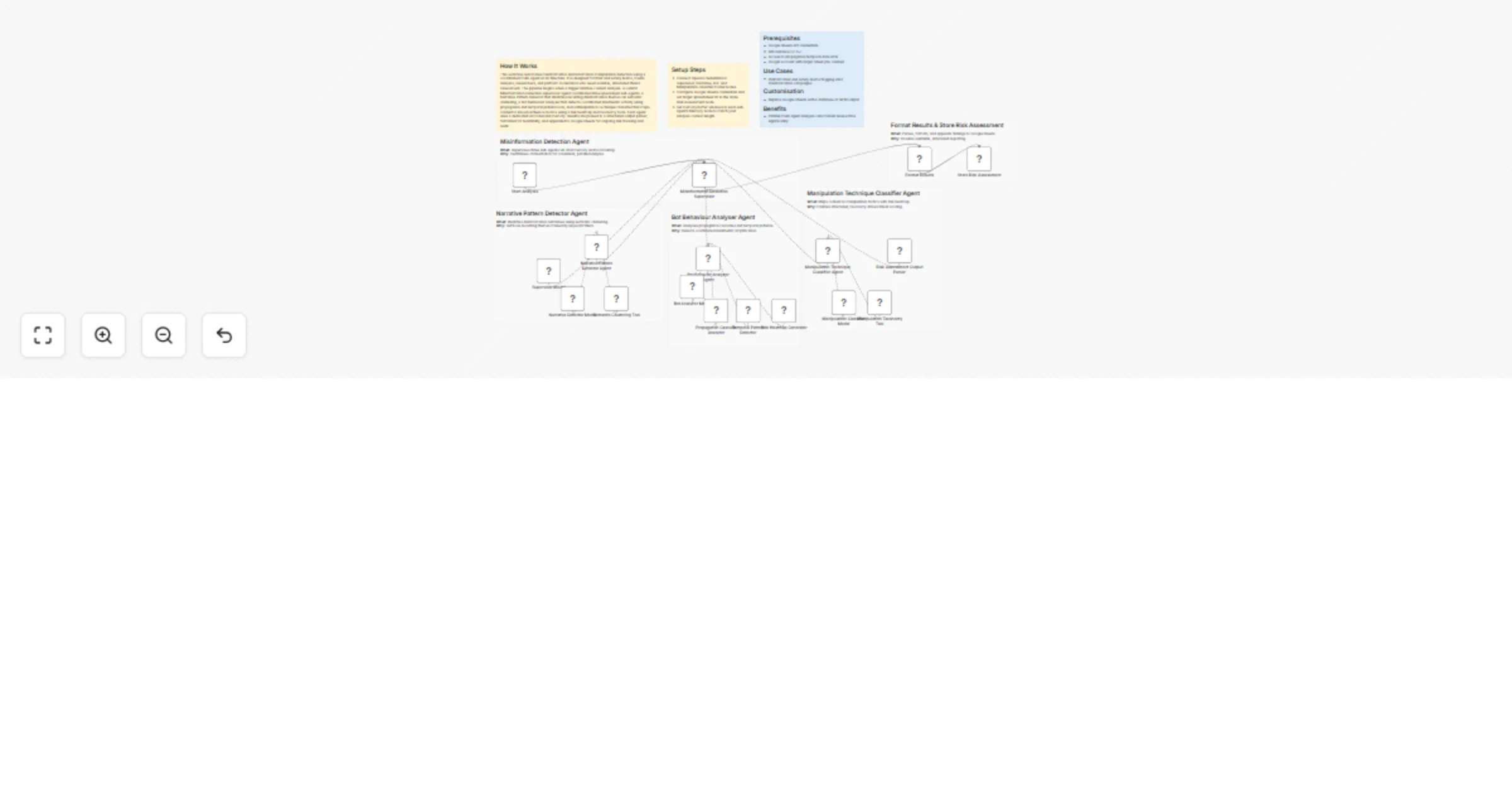
This workflow automates misinformation and information manipulation detection using a coordinated multi-agent AI architecture. It is designed for trust and safety teams, media analysts, researchers, and platform moderators who need scalable, structured threat assessment. The pipeline begins when a trigger initiates content analysis. A central Misinformation Detection supervisor agent coordinates three specialised sub-agents: a Narrative Pattern Detector that identifies recurring disinformation themes via semantic clustering, a Bot Behaviour Analyser that detects coordinated inauthentic activity using propagation and temporal pattern tools, and a Manipulation Technique Classifier that maps content to known influence tactics using a risk heatmap and taxonomy tools. Each agent uses a dedicated AI model and memory. Results are passed to a structured output parser, formatted for readability, and appended to Google Sheets for ongoing risk tracking and audit.

Setup Steps

  1. Connect OpenAI credentials to Supervisor, Narrative, Bot, and Manipulation classifier model nodes.
  2. Configure Google Sheets credentials and set target spreadsheet ID in the Store Risk Assessment node.
  3. Set memory buffer windows in each sub-agent's Memory node to match your analysis context length.

Prerequisites

  • Google Sheets API credentials
  • n8n instance (v1.0+)
  • Access to propagation/temporal data APIs
  • Google account with target Sheet pre-created

Use Cases

  • Platform trust and safety teams flagging viral misinformation campaigns

Customisation

  • Replace Google Sheets with a database or SIEM output

Benefits

  • Parallel multi-agent analysis cuts manual review time significantly

1.2 Logical Blocks

This catalog entry is organized from the workflow JSON. The node-level section below shows the executable blocks available for review before importing the template.

2. Block-by-Block Analysis

Block 1 - Start Analysis

Type / Role
n8n-nodes-base.manualTrigger - manualTrigger
Config choices
Version 1

Block 2 - Misinformation Detection Supervisor

Type / Role
@n8n/n8n-nodes-langchain.agent - agent
Config choices
Version 3.1

Block 3 - Supervisor Model

Type / Role
@n8n/n8n-nodes-langchain.lmChatOpenAi - lmChatOpenAi
Config choices
Version 1.3

Block 4 - Risk Assessment Output Parser

Type / Role
@n8n/n8n-nodes-langchain.outputParserStructured - outputParserStructured
Config choices
Version 1.3

Block 5 - Narrative Pattern Detector Agent

Type / Role
@n8n/n8n-nodes-langchain.agentTool - agentTool
Config choices
Version 3

Block 6 - Narrative Detector Model

Type / Role
@n8n/n8n-nodes-langchain.lmChatOpenAi - lmChatOpenAi
Config choices
Version 1.3

Block 7 - Bot Behavior Analyzer Agent

Type / Role
@n8n/n8n-nodes-langchain.agentTool - agentTool
Config choices
Version 3

Block 8 - Bot Analyzer Model

Type / Role
@n8n/n8n-nodes-langchain.lmChatOpenAi - lmChatOpenAi
Config choices
Version 1.3

Block 9 - Semantic Clustering Tool

Type / Role
@n8n/n8n-nodes-langchain.toolCode - toolCode
Config choices
Version 1.3

Block 10 - Propagation Cascade Analyzer

Type / Role
@n8n/n8n-nodes-langchain.toolCode - toolCode
Config choices
Version 1.3

Block 11 - Temporal Pattern Detector

Type / Role
@n8n/n8n-nodes-langchain.toolCode - toolCode
Config choices
Version 1.3

Block 12 - Risk Heatmap Generator

Type / Role
@n8n/n8n-nodes-langchain.toolCode - toolCode
Config choices
Version 1.3

Block 13 - Format Results

Type / Role
n8n-nodes-base.set - set
Config choices
Version 3.4

Block 14 - Store Risk Assessment

Type / Role
n8n-nodes-base.googleSheets - googleSheets
Config choices
Version 4.7

Block 15 - Manipulation Technique Classifier Agent

Type / Role
@n8n/n8n-nodes-langchain.agentTool - agentTool
Config choices
Version 3

Block 16 - Manipulation Classifier Model

Type / Role
@n8n/n8n-nodes-langchain.lmChatOpenAi - lmChatOpenAi
Config choices
Version 1.3

Block 17 - Manipulation Taxonomy Tool

Type / Role
@n8n/n8n-nodes-langchain.toolCode - toolCode
Config choices
Version 1.3

Block 18 - Sticky Note

Type / Role
n8n-nodes-base.stickyNote - stickyNote
Config choices
Version 1

Block 19 - Sticky Note1

Type / Role
n8n-nodes-base.stickyNote - stickyNote
Config choices
Version 1

Block 20 - Sticky Note2

Type / Role
n8n-nodes-base.stickyNote - stickyNote
Config choices
Version 1

Block 21 - Sticky Note3

Type / Role
n8n-nodes-base.stickyNote - stickyNote
Config choices
Version 1

Block 22 - Sticky Note4

Type / Role
n8n-nodes-base.stickyNote - stickyNote
Config choices
Version 1

Block 23 - Sticky Note5

Type / Role
n8n-nodes-base.stickyNote - stickyNote
Config choices
Version 1

Block 24 - Sticky Note6

Type / Role
n8n-nodes-base.stickyNote - stickyNote
Config choices
Version 1

Showing the first 24 of 25 workflow blocks. Download the JSON for the full node graph.

3. Summary Table

Workflow Detect misinformation and manipulation risks with GPT-4o agents and Google Sheets
Complexity advanced
Nodes 25
Categories Market Research, AI RAG
Author Cheng Siong Chin
Published 11 Mar 2026

4. Reproducing the Workflow from Scratch

  1. 1. Download the workflow JSON

    Use the JSON export at /data/workflows/14002/14002.json as the source template for this automation.

  2. 2. Import the template into n8n

    Open n8n, import the downloaded JSON, and review each node before activating the workflow.

  3. 3. Configure credentials and variables

    Replace placeholder credentials, API keys, webhook URLs, account IDs, and environment-specific values with your own settings.

  4. 4. Test with sample data

    Run the workflow manually or in a staging workspace, inspect node output, and confirm downstream systems receive the expected data.

  5. 5. Activate and monitor

    Enable the workflow only after testing, then monitor executions, errors, and rate limits during the first production runs.

5. General Notes & Resources

Review imported nodes carefully before activation. This catalog entry is intended to help you inspect the workflow structure, understand required services, and find related templates faster.

Node names, credentials, schedules, webhook paths, and external service limits may need adjustment for your workspace.

Frequently asked questions

What does Detect misinformation and manipulation risks with GPT-4o agents and Google Sheets do?

How It Works This workflow automates misinformation and information manipulation detection using a coordinated multi agent AI architecture. It is designed for trust and safety teams, media analysts...

What do I need before importing this workflow?

Review the workflow JSON, configure any required credentials in n8n, and test the automation in a safe workspace before using it in production.

Can I customize this workflow?

Yes. Use the block-by-block analysis and the downloadable JSON to inspect each node, then adjust credentials, prompts, schedules, filters, or destinations for your Market Research, AI RAG use case.