Detect and route gameplay security anomalies with GPT-4o, Slack and Sheets

Workflow preview

Workflow preview
100%
Detect and route gameplay security anomalies with GPT-4o, Slack and Sheets preview
Open on n8n.io

1. Workflow Overview

How It Works This workflow automates cybersecurity incident detection and response for security operations centers (SOCs) managing constant threat landscapes. Designed for security analysts, IT ope...

Best for

  • SecOps automation workflows
  • AI Summarization automation workflows
  • advanced n8n builders looking for reusable templates

Tools used

n8n-nodes-base.scheduletrigger, n8n-nodes-base.set, n8n-nodes-base.code, @n8n/n8n-nodes-langchain.lmchatopenai, @n8n/n8n-nodes-langchain.outputparserstructured, @n8n/n8n-nodes-langchain.agent, n8n-nodes-base.switch, n8n-nodes-base.slacktool

Source and attribution

This workflow is cataloged by N8N Workflows and links back to its original n8n.io source page by Cheng Siong Chin.

Original n8n.io source

1.1 Workflow description

Title
Detect and route gameplay security anomalies with GPT-4o, Slack and Sheets
Workflow name
Detect and route gameplay security anomalies with GPT-4o, Slack and Sheets

How It Works

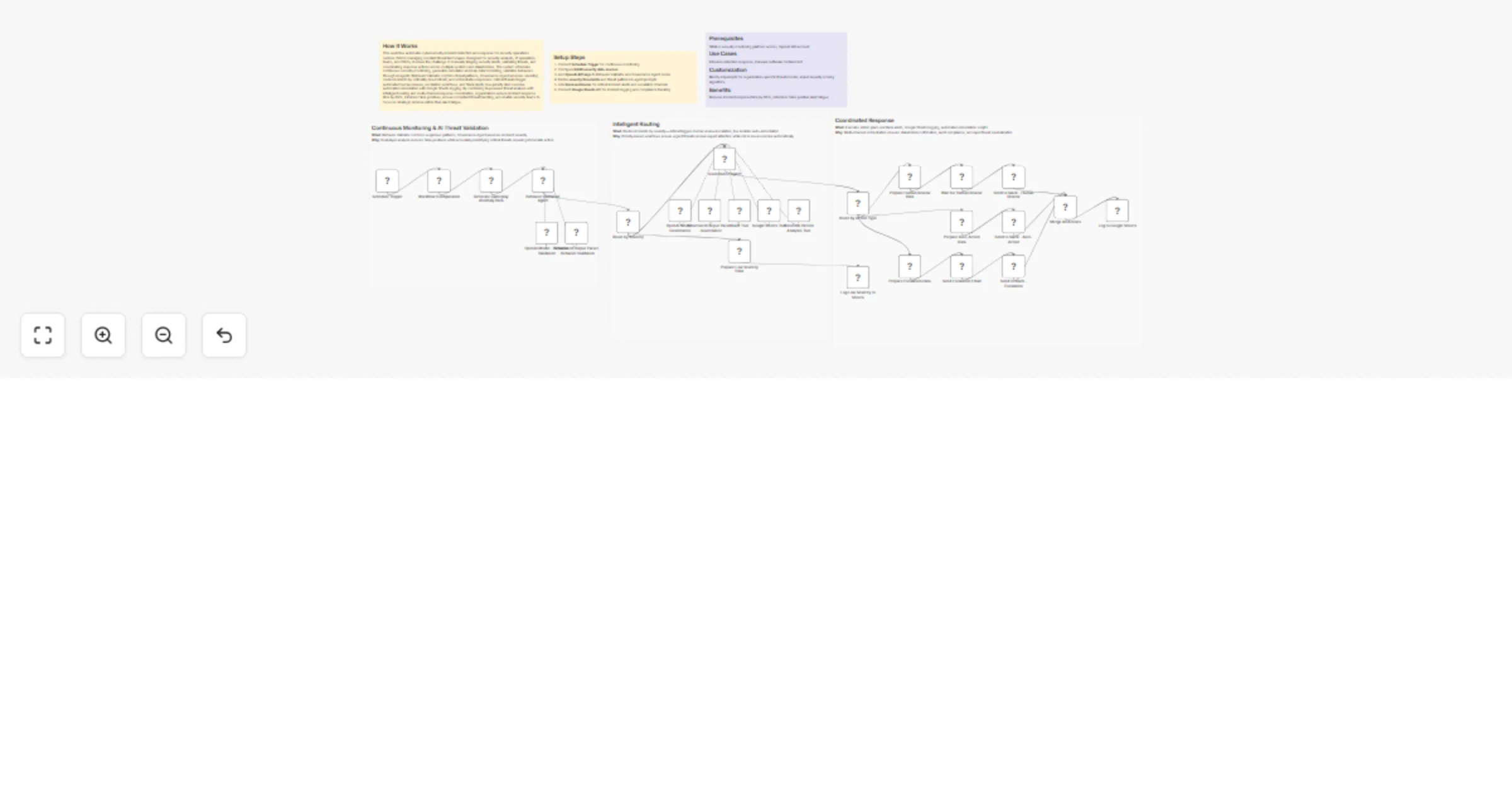
This workflow automates cybersecurity incident detection and response for security operations centers (SOCs) managing constant threat landscapes. Designed for security analysts, IT operations teams, and CISOs, it solves the challenge of manually triaging security alerts, validating threats, and coordinating response actions across multiple systems and stakeholders. The system schedules continuous security monitoring, generates simulated anomaly data for testing, validates behaviors through AI agents (Behavior Validator confirms threat patterns, Governance Agent assesses severity), routes incidents by criticality (low/critical), and orchestrates responses: critical threats trigger automated human reviews, escalation workflows, and Slack alerts; low-priority items receive automated remediation with Google Sheets logging. By combining AI-powered threat analysis with intelligent routing and multi-channel response coordination, organizations reduce incident response time by 80%, minimize false positives, ensure consistent threat handling, and enable security teams to focus on strategic defense rather than alert fatigue.

Setup Steps

  1. Connect Schedule Trigger for continuous monitoring
  2. Configure SIEM/security data sources
  3. Add OpenAI API keys to Behavior Validator and Governance Agent nodes
  4. Define severity thresholds and threat patterns in agent prompts
  5. Link Slack webhooks for critical incident alerts and escalation channels
  6. Connect Google Sheets API for incident logging and compliance tracking

Prerequisites

SIEM or security monitoring platform access, OpenAI API account

Use Cases

Intrusion detection response, malware outbreak containment

Customization

Modify AI prompts for organization-specific threat models, adjust severity scoring algorithms

Benefits

Reduces incident response time by 80%, minimizes false positive alert fatigue

1.2 Logical Blocks

This catalog entry is organized from the workflow JSON. The node-level section below shows the executable blocks available for review before importing the template.

2. Block-by-Block Analysis

Block 1 - Schedule Trigger

Type / Role
n8n-nodes-base.scheduleTrigger - scheduleTrigger
Config choices
Version 1.3

Block 2 - Workflow Configuration

Type / Role
n8n-nodes-base.set - set
Config choices
Version 3.4

Block 3 - Generate Gameplay Anomaly Data

Type / Role
n8n-nodes-base.code - code
Config choices
Version 2

Block 4 - OpenAI Model - Behavior Validation

Type / Role
@n8n/n8n-nodes-langchain.lmChatOpenAi - lmChatOpenAi
Config choices
Version 1.3

Block 5 - Structured Output Parser - Behavior Validation

Type / Role
@n8n/n8n-nodes-langchain.outputParserStructured - outputParserStructured
Config choices
Version 1.3

Block 6 - Behavior Validation Agent

Type / Role
@n8n/n8n-nodes-langchain.agent - agent
Config choices
Version 3.1

Block 7 - Route by Severity

Type / Role
n8n-nodes-base.switch - switch
Config choices
Version 3.4

Block 8 - OpenAI Model - Governance

Type / Role
@n8n/n8n-nodes-langchain.lmChatOpenAi - lmChatOpenAi
Config choices
Version 1.3

Block 9 - Structured Output Parser - Governance

Type / Role
@n8n/n8n-nodes-langchain.outputParserStructured - outputParserStructured
Config choices
Version 1.3

Block 10 - Slack Tool

Type / Role
n8n-nodes-base.slackTool - slackTool
Config choices
Version 2.4

Block 11 - Google Sheets Tool

Type / Role
n8n-nodes-base.googleSheetsTool - googleSheetsTool
Config choices
Version 4.7

Block 12 - Historical Pattern Analysis Tool

Type / Role
@n8n/n8n-nodes-langchain.toolCode - toolCode
Config choices
Version 1.3

Block 13 - Governance Agent

Type / Role
@n8n/n8n-nodes-langchain.agent - agent
Config choices
Version 3.1

Block 14 - Route by Action Type

Type / Role
n8n-nodes-base.switch - switch
Config choices
Version 3.4

Block 15 - Wait for Human Review

Type / Role
n8n-nodes-base.wait - wait
Config choices
Version 1.1

Block 16 - Prepare Human Review Data

Type / Role
n8n-nodes-base.set - set
Config choices
Version 3.4

Block 17 - Send to Slack - Human Review

Type / Role
n8n-nodes-base.slack - slack
Config choices
Version 2.4

Block 18 - Prepare Auto-Action Data

Type / Role
n8n-nodes-base.set - set
Config choices
Version 3.4

Block 19 - Send to Slack - Auto-Action

Type / Role
n8n-nodes-base.slack - slack
Config choices
Version 2.4

Block 20 - Prepare Escalation Data

Type / Role
n8n-nodes-base.set - set
Config choices
Version 3.4

Block 21 - Send Escalation Email

Type / Role
n8n-nodes-base.emailSend - emailSend
Config choices
Version 2.1

Block 22 - Send to Slack - Escalation

Type / Role
n8n-nodes-base.slack - slack
Config choices
Version 2.4

Block 23 - Merge All Actions

Type / Role
n8n-nodes-base.merge - merge
Config choices
Version 3.2

Block 24 - Log to Google Sheets

Type / Role
n8n-nodes-base.googleSheets - googleSheets
Config choices
Version 4.7

Showing the first 24 of 32 workflow blocks. Download the JSON for the full node graph.

3. Summary Table

Workflow Detect and route gameplay security anomalies with GPT-4o, Slack and Sheets
Complexity advanced
Nodes 32
Categories SecOps, AI Summarization
Author Cheng Siong Chin
Published 12 Feb 2026

4. Reproducing the Workflow from Scratch

  1. 1. Download the workflow JSON

    Use the JSON export at /data/workflows/13322/13322.json as the source template for this automation.

  2. 2. Import the template into n8n

    Open n8n, import the downloaded JSON, and review each node before activating the workflow.

  3. 3. Configure credentials and variables

    Replace placeholder credentials, API keys, webhook URLs, account IDs, and environment-specific values with your own settings.

  4. 4. Test with sample data

    Run the workflow manually or in a staging workspace, inspect node output, and confirm downstream systems receive the expected data.

  5. 5. Activate and monitor

    Enable the workflow only after testing, then monitor executions, errors, and rate limits during the first production runs.

5. General Notes & Resources

Review imported nodes carefully before activation. This catalog entry is intended to help you inspect the workflow structure, understand required services, and find related templates faster.

Node names, credentials, schedules, webhook paths, and external service limits may need adjustment for your workspace.

Frequently asked questions

What does Detect and route gameplay security anomalies with GPT-4o, Slack and Sheets do?

How It Works This workflow automates cybersecurity incident detection and response for security operations centers (SOCs) managing constant threat landscapes. Designed for security analysts, IT ope...

What do I need before importing this workflow?

Review the workflow JSON, configure any required credentials in n8n, and test the automation in a safe workspace before using it in production.

Can I customize this workflow?

Yes. Use the block-by-block analysis and the downloadable JSON to inspect each node, then adjust credentials, prompts, schedules, filters, or destinations for your SecOps, AI Summarization use case.