Detect and mask PII for GDPR-safe AI document analysis with Anthropic and PostgreSQL

Workflow preview

Workflow preview
100%
Detect and mask PII for GDPR-safe AI document analysis with Anthropic and PostgreSQL preview
Open on n8n.io

1. Workflow Overview

Overview This workflow enables GDPR compliant document processing by detecting, masking, and securely handling personally identifiable information (PII) before AI analysis. It ensures that sensitiv...

Best for

  • Document Extraction automation workflows
  • AI Summarization automation workflows
  • advanced n8n builders looking for reusable templates

Tools used

n8n-nodes-base.webhook, n8n-nodes-base.set, n8n-nodes-base.code, @n8n/n8n-nodes-langchain.agent, @n8n/n8n-nodes-langchain.lmchatanthropic, @n8n/n8n-nodes-langchain.outputparserstructured, n8n-nodes-base.merge, n8n-nodes-base.postgres

Source and attribution

This workflow is cataloged by N8N Workflows and links back to its original n8n.io source page by ResilNext.

Original n8n.io source

1.1 Workflow description

Title
Detect and mask PII for GDPR-safe AI document analysis with Anthropic and PostgreSQL
Workflow name
Detect and mask PII for GDPR-safe AI document analysis with Anthropic and PostgreSQL

Overview

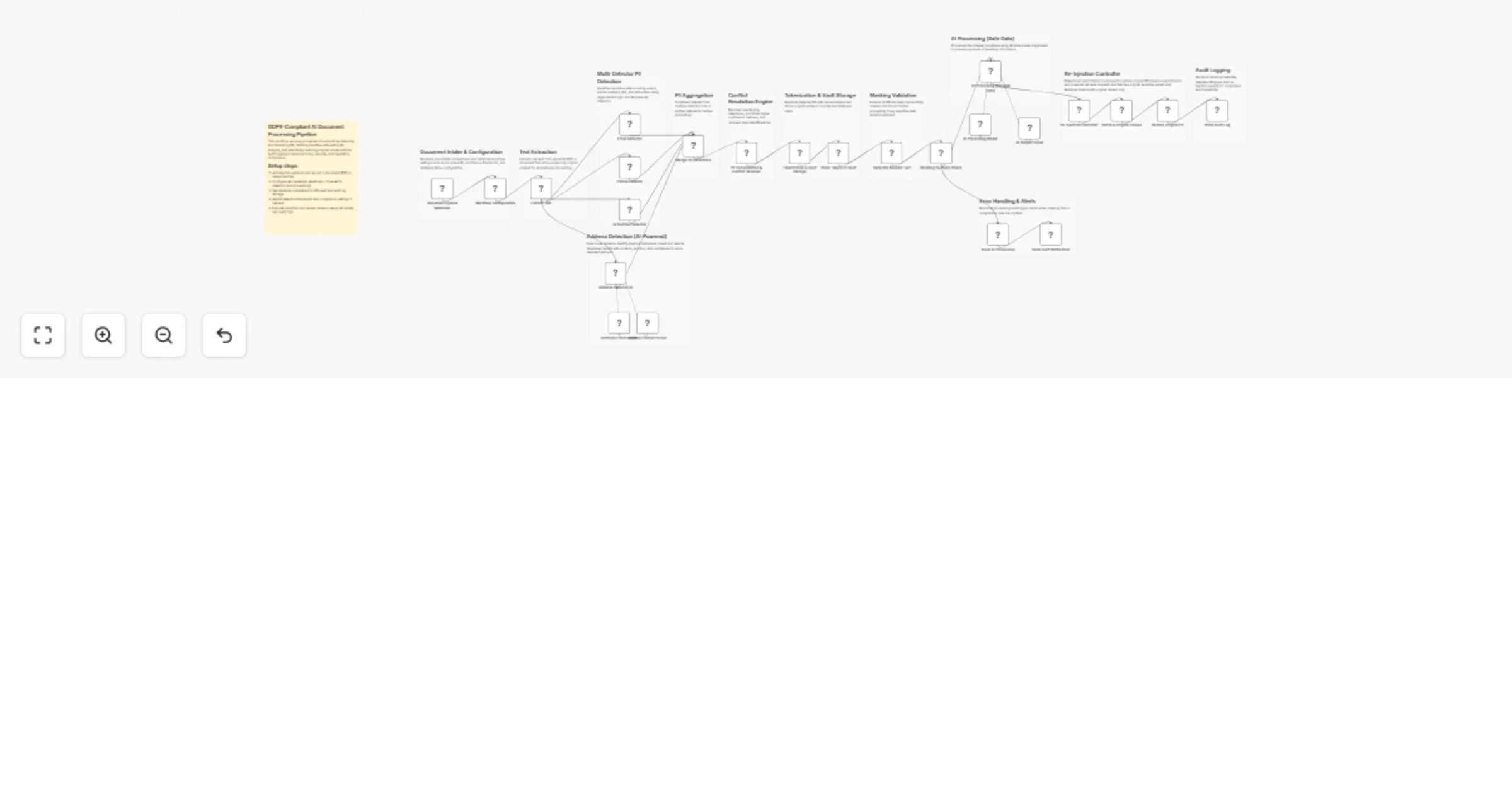
This workflow enables GDPR-compliant document processing by detecting, masking, and securely handling personally identifiable information (PII) before AI analysis.

It ensures that sensitive data is never exposed to AI systems by replacing it with tokens, while still allowing controlled re-injection of original values when permitted. The workflow also maintains full audit logs for compliance and traceability.


How It Works

  1. Document Upload & Configuration Receives documents via webhook and initializes configuration such as document ID, thresholds, and database tables.

  2. Text Extraction Extracts raw text from uploaded documents for processing.

  3. Multi-Detector PII Detection Detects emails, phone numbers, ID numbers, and addresses using regex and AI-based detection.

  4. PII Aggregation & Conflict Resolution Merges detections, resolves overlaps, removes duplicates, and builds a unified PII map.

  5. Tokenization & Vault Storage Replaces sensitive data with secure tokens and stores original values in a database vault.

  6. Masking & Validation Generates masked text and verifies that all PII has been successfully removed before AI processing.

  7. AI Processing (Masked Data) Processes the document using AI while preserving tokens to prevent exposure of sensitive information.

  8. Re-Injection Controller Determines which fields are allowed to restore original PII based on permissions.

  9. Secure Retrieval & Restoration Retrieves original values from the vault and restores them only where permitted.

  10. Audit Logging Stores metadata, detected PII types, and re-injection events for compliance tracking.

  11. Error Handling & Alerts Blocks processing and triggers alerts if masking fails or compliance rules are violated.


Setup Instructions

  1. Activate the webhook and upload a document (PDF or supported file)
  2. Configure AI credentials (Anthropic / OpenAI)
  3. Set database credentials for PII vault and audit logs
  4. Adjust detection thresholds and compliance settings if needed
  5. Execute the workflow and review outputs and logs

Use Cases

  • GDPR-compliant document processing pipelines
  • Secure AI document analysis with PII protection
  • Automated redaction and tokenization systems
  • Financial, legal, or healthcare document processing
  • Privacy-first AI workflows for sensitive data

Requirements

  • n8n (latest version recommended)
  • Anthropic or OpenAI API credentials
  • PostgreSQL (or compatible database) for vault and audit logs
  • Input documents (PDF or text-based files)

1.2 Logical Blocks

This catalog entry is organized from the workflow JSON. The node-level section below shows the executable blocks available for review before importing the template.

2. Block-by-Block Analysis

Block 1 - Document Upload Webhook

Type / Role
n8n-nodes-base.webhook - webhook
Config choices
Version 2.1

Block 2 - Workflow Configuration

Type / Role
n8n-nodes-base.set - set
Config choices
Version 3.4

Block 3 - Email Detector

Type / Role
n8n-nodes-base.code - code
Config choices
Version 2

Block 4 - Phone Detector

Type / Role
n8n-nodes-base.code - code
Config choices
Version 2

Block 5 - ID Number Detector

Type / Role
n8n-nodes-base.code - code
Config choices
Version 2

Block 6 - Address Detector AI

Type / Role
@n8n/n8n-nodes-langchain.agent - agent
Config choices
Version 3

Block 7 - Anthropic Chat Model

Type / Role
@n8n/n8n-nodes-langchain.lmChatAnthropic - lmChatAnthropic
Config choices
Version 1.3

Block 8 - Address Output Parser

Type / Role
@n8n/n8n-nodes-langchain.outputParserStructured - outputParserStructured
Config choices
Version 1.3

Block 9 - Merge PII Detections

Type / Role
n8n-nodes-base.merge - merge
Config choices
Version 3.2

Block 10 - PII Consolidation & Conflict Resolver

Type / Role
n8n-nodes-base.code - code
Config choices
Version 2

Block 11 - Tokenization & Vault Storage

Type / Role
n8n-nodes-base.code - code
Config choices
Version 2

Block 12 - Store Tokens in Vault

Type / Role
n8n-nodes-base.postgres - postgres
Config choices
Version 2.6

Block 13 - Generate Masked Text

Type / Role
n8n-nodes-base.code - code
Config choices
Version 2

Block 14 - AI Processing (Masked Data)

Type / Role
@n8n/n8n-nodes-langchain.agent - agent
Config choices
Version 3

Block 15 - AI Processing Model

Type / Role
@n8n/n8n-nodes-langchain.lmChatAnthropic - lmChatAnthropic
Config choices
Version 1.3

Block 16 - AI Output Parser

Type / Role
@n8n/n8n-nodes-langchain.outputParserStructured - outputParserStructured
Config choices
Version 1.3

Block 17 - Re-Injection Controller

Type / Role
n8n-nodes-base.code - code
Config choices
Version 2

Block 18 - Retrieve Original Values

Type / Role
n8n-nodes-base.postgres - postgres
Config choices
Version 2.6

Block 19 - Restore Original PII

Type / Role
n8n-nodes-base.code - code
Config choices
Version 2

Block 20 - Store Audit Log

Type / Role
n8n-nodes-base.postgres - postgres
Config choices
Version 2.6

Block 21 - Masking Success Check

Type / Role
n8n-nodes-base.if - if
Config choices
Version 2.3

Block 22 - Block AI Processing

Type / Role
n8n-nodes-base.set - set
Config choices
Version 3.4

Block 23 - Send Alert Notification

Type / Role
n8n-nodes-base.httpRequest - httpRequest
Config choices
Version 4.3

Block 24 - Sticky Note1

Type / Role
n8n-nodes-base.stickyNote - stickyNote
Config choices
Version 1

Showing the first 24 of 37 workflow blocks. Download the JSON for the full node graph.

3. Summary Table

Workflow Detect and mask PII for GDPR-safe AI document analysis with Anthropic and PostgreSQL
Complexity advanced
Nodes 37
Categories Document Extraction, AI Summarization
Author ResilNext
Published 25 Mar 2026

4. Reproducing the Workflow from Scratch

  1. 1. Download the workflow JSON

    Use the JSON export at /data/workflows/14320/14320.json as the source template for this automation.

  2. 2. Import the template into n8n

    Open n8n, import the downloaded JSON, and review each node before activating the workflow.

  3. 3. Configure credentials and variables

    Replace placeholder credentials, API keys, webhook URLs, account IDs, and environment-specific values with your own settings.

  4. 4. Test with sample data

    Run the workflow manually or in a staging workspace, inspect node output, and confirm downstream systems receive the expected data.

  5. 5. Activate and monitor

    Enable the workflow only after testing, then monitor executions, errors, and rate limits during the first production runs.

5. General Notes & Resources

Review imported nodes carefully before activation. This catalog entry is intended to help you inspect the workflow structure, understand required services, and find related templates faster.

Node names, credentials, schedules, webhook paths, and external service limits may need adjustment for your workspace.

Frequently asked questions

What does Detect and mask PII for GDPR-safe AI document analysis with Anthropic and PostgreSQL do?

Overview This workflow enables GDPR compliant document processing by detecting, masking, and securely handling personally identifiable information (PII) before AI analysis. It ensures that sensitiv...

What do I need before importing this workflow?

Review the workflow JSON, configure any required credentials in n8n, and test the automation in a safe workspace before using it in production.

Can I customize this workflow?

Yes. Use the block-by-block analysis and the downloadable JSON to inspect each node, then adjust credentials, prompts, schedules, filters, or destinations for your Document Extraction, AI Summarization use case.