Block 1 - When clicking ‘Execute workflow’
- Type / Role
- n8n-nodes-base.manualTrigger - manualTrigger
- Config choices
- Version 1


 Early Deal
This workflow is designed to analyze and humanize AI generated text automatically using Rephrasy AI. The workflow then sends this text to an AI detection service to evaluate how “AI like” it is. Th...
n8n-nodes-base.manualtrigger, n8n-nodes-base.stickynote, n8n-nodes-base.splitout, n8n-nodes-base.splitinbatches, n8n-nodes-base.set, n8n-nodes-base.httprequest, n8n-nodes-base.code, n8n-nodes-base.if
This workflow is cataloged by N8N Workflows and links back to its original n8n.io source page by Davide Boizza.
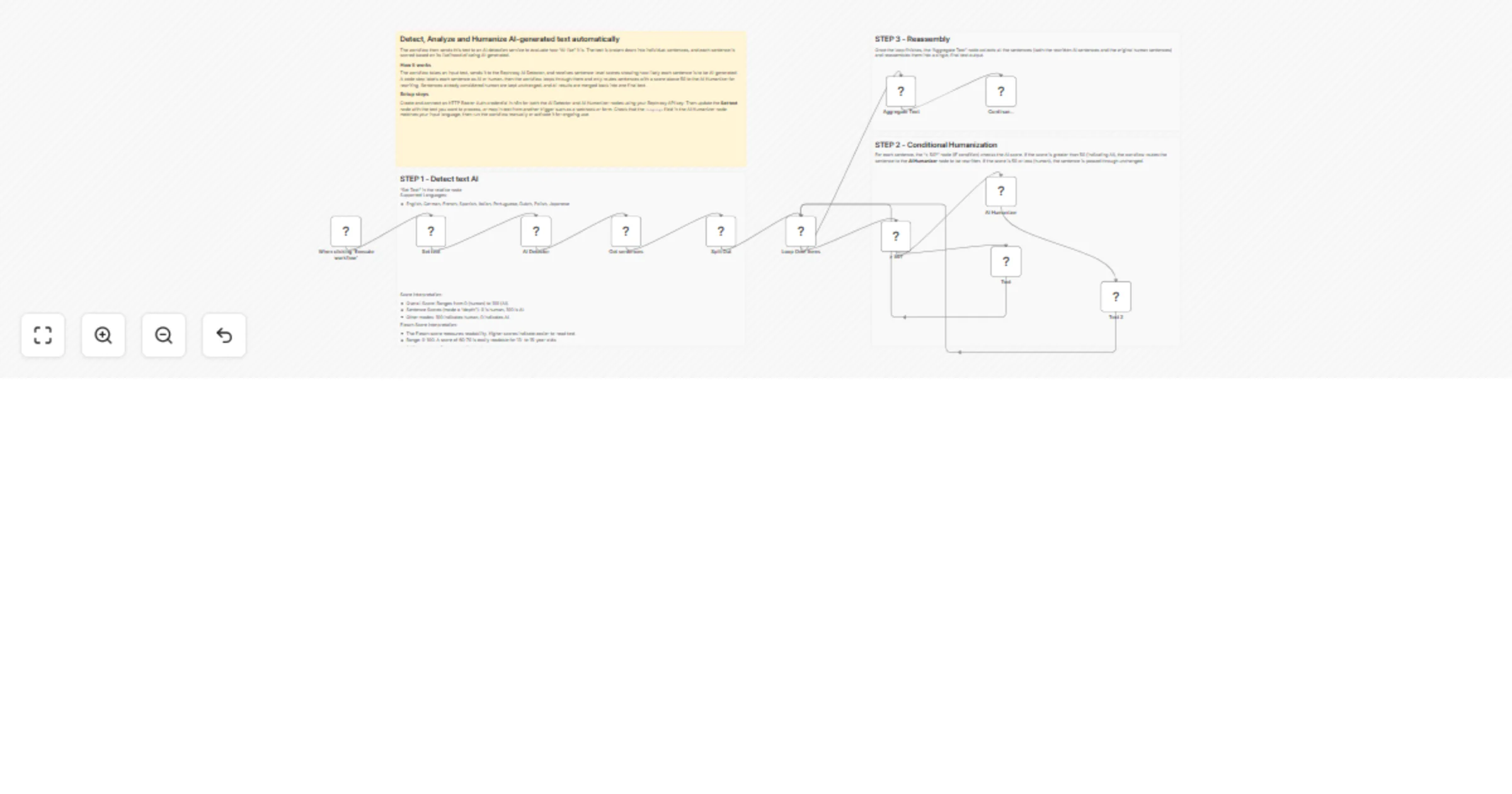
Original n8n.io sourceThis workflow is designed to analyze and humanize AI-generated text automatically using Rephrasy AI.
The workflow then sends this text to an AI detection service to evaluate how “AI-like” it is. The text is broken down into individual sentences, and each sentence is scored based on its likelihood of being AI-generated.
Using a conditional logic step, the workflow identifies sentences with a high AI probability (score > 50). Only those sentences are sent to a humanization API, which rewrites them in a more natural, human-like style. Meanwhile, sentences that are already considered human are left unchanged.
Finally, all processed sentences are recombined into a single output text.
👉 In short, the workflow:
Instead of rewriting the entire text, the workflow only modifies sentences that are likely AI-generated. This preserves natural content and reduces unnecessary changes.
By processing only flagged sentences through the humanizer API, it minimizes API usage and costs.
The final output sounds more natural and less robotic, improving readability and engagement.
The workflow analyzes text at a granular level, allowing highly targeted improvements rather than bulk rewriting.
Once set up, the process is fully automated and can handle large volumes of text without manual intervention.
The workflow supports multiple languages (even though the humanization step is set to English), making it adaptable to different use cases.
Since only specific sentences are modified, the original structure and intent of the text remain intact.
This workflow is designed to process a block of text, detect which sentences are likely AI-generated, and rewrite only those sentences to sound more human-like.
text field).sentences) with individual scores for each sentence.To get this workflow running, you need to configure the connections to the Rephrasy API and define the input text.
text assignment value. Currently, it contains a placeholder (XXX). Replace this with the text you wish to humanize, or configure it to reference data from a previous trigger (e.g., from a webhook or form).language parameter inside the JSON body. It is currently set to "English". Ensure this matches the language of the text you are processing.👉 Subscribe to my new YouTube channel. Here I’ll share videos and Shorts with practical tutorials and FREE templates for n8n.
Contact me for consulting and support or add me on Linkedin.
This catalog entry is organized from the workflow JSON. The node-level section below shows the executable blocks available for review before importing the template.
| Workflow | Detect, Analyze and Humanize 🕵️♂️🔎 AI-generated text using Rephrasy |
|---|---|
| Complexity | advanced |
| Nodes | 16 |
| Categories | Content Creation, AI Summarization |
| Author | Davide Boizza |
| Published | 01 Apr 2026 |
Use the JSON export at /data/workflows/14545/14545.json as the source template for this automation.
Open n8n, import the downloaded JSON, and review each node before activating the workflow.
Replace placeholder credentials, API keys, webhook URLs, account IDs, and environment-specific values with your own settings.
Run the workflow manually or in a staging workspace, inspect node output, and confirm downstream systems receive the expected data.
Enable the workflow only after testing, then monitor executions, errors, and rate limits during the first production runs.
Review imported nodes carefully before activation. This catalog entry is intended to help you inspect the workflow structure, understand required services, and find related templates faster.
Node names, credentials, schedules, webhook paths, and external service limits may need adjustment for your workspace.
This workflow is designed to analyze and humanize AI generated text automatically using Rephrasy AI. The workflow then sends this text to an AI detection service to evaluate how “AI like” it is. Th...
Review the workflow JSON, configure any required credentials in n8n, and test the automation in a safe workspace before using it in production.
Yes. Use the block-by-block analysis and the downloadable JSON to inspect each node, then adjust credentials, prompts, schedules, filters, or destinations for your Content Creation, AI Summarization use case.