Block 1 - Code (Build LLM Prompt)
- Type / Role
- n8n-nodes-base.code - code
- Config choices
- Version 2


 Early Deal
This workflow is provided as-is. Please review and test before using in production.
Tasks Briefing This template posts a clean, Slack ready morning summary of your Google Tasks due today . It fetches tasks, filters only those due “today” in your timezone, asks a local LLM (via Lan...
n8n-nodes-base.code, n8n-nodes-base.googletasks, n8n-nodes-base.if, @n8n/n8n-nodes-langchain.chainllm, @n8n/n8n-nodes-langchain.lmollama, n8n-nodes-base.slack, n8n-nodes-base.stickynote, n8n-nodes-base.cron
This workflow is cataloged by N8N Workflows and links back to its original n8n.io source page by Axiomlab.dev.
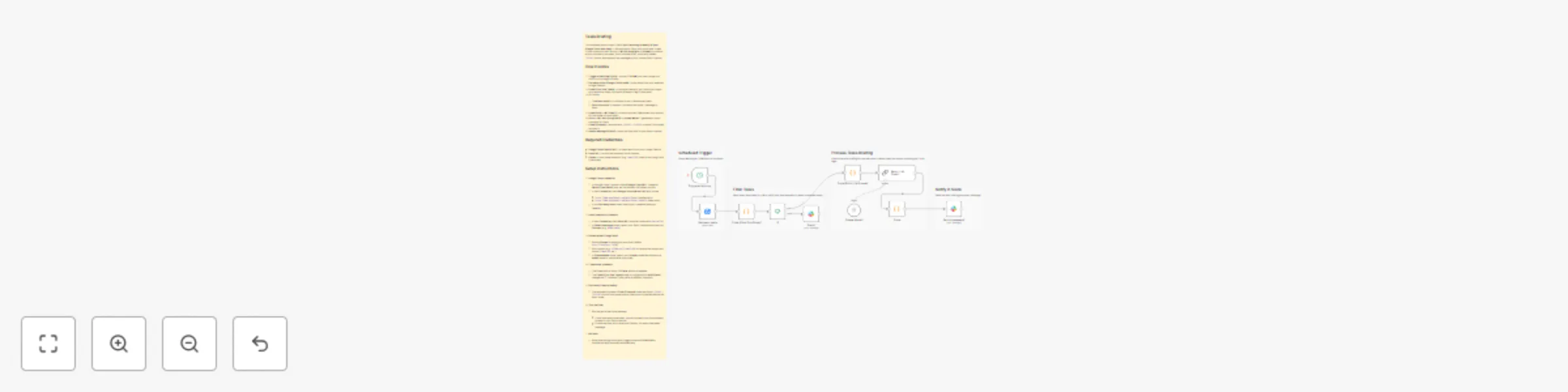
Original n8n.io sourceThis template posts a clean, Slack-ready morning summary of your Google Tasks due today. It fetches tasks, filters only those due “today” in your timezone, asks a local LLM (via LangChain + Ollama) to produce a short summary (no steps, just a concise brief), strips any hidden <think> blocks, and delivers the message to your chosen Slack channel.
Trigger at Morning (Cron) – runs at 7:00 AM (you can change the hour) to kick things off daily.
Get many tasks (Google Tasks node) – pulls tasks from your selected Google Tasklist.
Code (Filter Due Today) – normalizes dates to your timezone, keeps only tasks due today, and emits a fallback flag if none exist.
If – routes:
Code (Build LLM Prompt) – builds a compact, Markdown-only prompt for the model (no tool calls).
Basic LLM Chain (LangChain) + Ollama Model – generates a short summary for Slack.
Code (Cleanup) – removes any <think>…</think> content if the model includes it.
Send a message (Slack) – posts the final brief to your Slack channel.
qwen3:4b); used by the LangChain LLM nodes.Google Tasks credential
In Google Cloud Console: enable Google Tasks API, create an OAuth Client (Web), and set the redirect URI shown by n8n.
In n8n Credentials, add Google Tasks OAuth2 API with scope:
https://www.googleapis.com/auth/tasks (read/write) orhttps://www.googleapis.com/auth/tasks.readonly (read-only).In the Get many tasks node, select your credential and your Tasklist.
Slack credential & channel
chat:write).#new-leads).Ollama model (LangChain)
http://localhost:11434).ollama pull qwen3:4b) or use another supported model (llama3:8b, etc.).Timezone & schedule
TZ constant if you prefer a different timezone.(Optional) Cleanup safety
<think>…</think> blocks from model output. Keep this connected before the Slack node.Test the flow
Run the workflow once manually:
Activate
This catalog entry is organized from the workflow JSON. The node-level section below shows the executable blocks available for review before importing the template.
| Workflow | Daily Google Tasks briefing in Slack with Ollama-powered summaries |
|---|---|
| Complexity | advanced |
| Nodes | 15 |
| Categories | Personal Productivity, AI Chatbot |
| Author | Axiomlab.dev |
| Published | 07 Sept 2025 |
Use the JSON export at /data/workflows/8354/8354.json as the source template for this automation.
Open n8n, import the downloaded JSON, and review each node before activating the workflow.
Replace placeholder credentials, API keys, webhook URLs, account IDs, and environment-specific values with your own settings.
Run the workflow manually or in a staging workspace, inspect node output, and confirm downstream systems receive the expected data.
Enable the workflow only after testing, then monitor executions, errors, and rate limits during the first production runs.
Review imported nodes carefully before activation. This catalog entry is intended to help you inspect the workflow structure, understand required services, and find related templates faster.
Node names, credentials, schedules, webhook paths, and external service limits may need adjustment for your workspace.
Tasks Briefing This template posts a clean, Slack ready morning summary of your Google Tasks due today . It fetches tasks, filters only those due “today” in your timezone, asks a local LLM (via Lan...
Review the workflow JSON, configure any required credentials in n8n, and test the automation in a safe workspace before using it in production.
Yes. Use the block-by-block analysis and the downloadable JSON to inspect each node, then adjust credentials, prompts, schedules, filters, or destinations for your Personal Productivity, AI Chatbot use case.