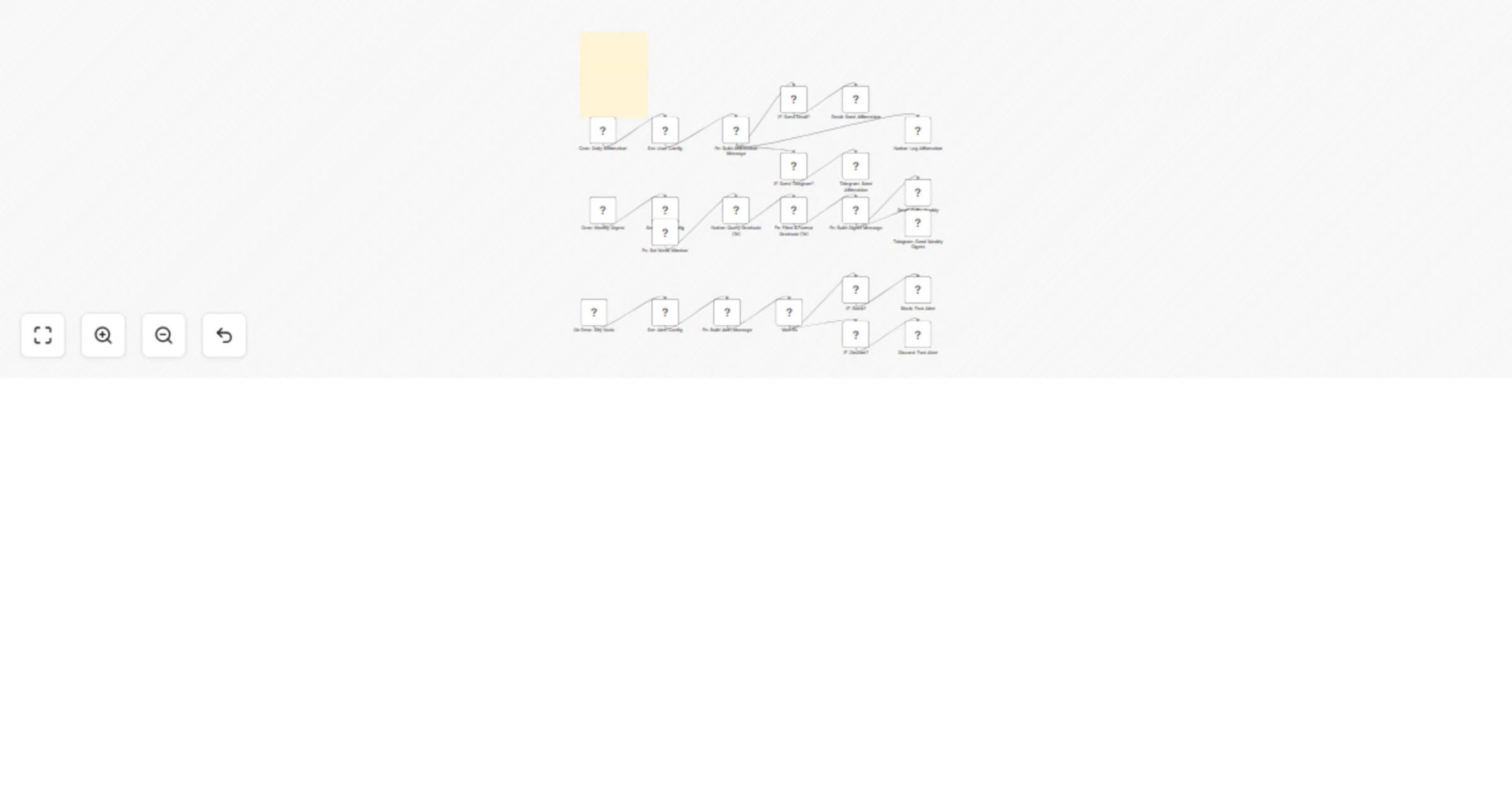
Daily affirmations & weekly gratitude digest with Notion, Email & Telegram

Workflow preview

Workflow preview
100%
Daily affirmations & weekly gratitude digest with Notion, Email & Telegram preview
Open on n8n.io

Important notice

This workflow is provided as-is. Please review and test before using in production.

1. Workflow Overview

Affirmation Sender + Weekly Gratitude Digest v2 A gentle, automated wellness ritual for high impact women who scale with grace. What it does Every morning at 7 a.m. (your timezone) → a fresh ...

Best for

  • Personal Productivity automation workflows
  • Multimodal AI automation workflows
  • advanced n8n builders looking for reusable templates

Tools used

n8n-nodes-base.stickynote, n8n-nodes-base.cron, n8n-nodes-base.set, n8n-nodes-base.function, n8n-nodes-base.if, n8n-nodes-base.emailsend, n8n-nodes-base.telegram, n8n-nodes-base.notion

Source and attribution

This workflow is cataloged by N8N Workflows and links back to its original n8n.io source page by Shelly-Ann Davy.

Original n8n.io source

1.1 Workflow description

Title
Daily affirmations & weekly gratitude digest with Notion, Email & Telegram
Workflow name
Daily affirmations & weekly gratitude digest with Notion, Email & Telegram

🌸 Affirmation Sender + Weekly Gratitude Digest v2

A gentle, automated wellness ritual for high-impact women who scale with grace.

📌 What it does

  • Every morning at 7 a.m. (your timezone) → a fresh affirmation lands in Email, Telegram, or both.
  • Every Sunday at 6 p.m. → a beautiful recap of your last-7-day gratitude notes is delivered.
  • Logs everything to a simple Notion hub so you can revisit, review, or share.

Out-of-the-box experience

Channel Morning Affirmation Sunday Digest
Email Styled HTML + tasteful Unsplash hero image Scroll-ready digest with blush-gold imagery
Telegram Minimal text + emoji sparkle Same digest, perfectly mobile-formatted

🛠️ 30-second setup

  1. Fork the template in n8n.
  2. Fill four fields in Set: User Config (email, Telegram chat ID, Notion DB ID, channel).
  3. Connect credentials (Email SMTP, Telegram Bot, Notion, optional Slack/Discord).
  4. Activate — your future self will thank you.

🧩 Notion schema you’ll create (copy-paste once)

Property Type Example
Name Title “I choose grace and ease today.”
Type Select Affirmation or Gratitude
Date Date 2025-08-19
Channel Multi-select email, telegram
Message Rich text Full text or note

🆕 v2 upgrades

  • Timezone-aware – respects the workflow’s TZ setting.
  • Filtered queries – digest only fetches Type = Gratitude from the last 7 days (faster, lighter).
  • Rich media – every email includes an Unsplash banner (keywords you choose, no API key).
  • Observability – global error handler pings Slack or Discord within 5 seconds if anything breaks.

No hidden data, no secrets

  • Zero hard-coded keys.
  • Test with a sandbox Notion DB first.
  • Ready for solo founders, coaches, or community managers who want to gift their members a daily dose of calm.

🚀 One-click install
Clone → configure → activate.
Your gentlest growth system is now on autopilot.

1.2 Logical Blocks

This catalog entry is organized from the workflow JSON. The node-level section below shows the executable blocks available for review before importing the template.

2. Block-by-Block Analysis

Block 1 - README

Type / Role
n8n-nodes-base.stickyNote - stickyNote
Config choices
Version 1

Block 2 - Cron: Daily Affirmation

Type / Role
n8n-nodes-base.cron - cron
Config choices
Version 1

Block 3 - Cron: Weekly Digest

Type / Role
n8n-nodes-base.cron - cron
Config choices
Version 1

Block 4 - Sticky: Setup

Type / Role
n8n-nodes-base.stickyNote - stickyNote
Config choices
Version 1

Block 5 - Set: User Config

Type / Role
n8n-nodes-base.set - set
Config choices
Version 2

Block 6 - Set: Digest Config

Type / Role
n8n-nodes-base.set - set
Config choices
Version 2

Block 7 - Fn: Build Affirmation Message

Type / Role
n8n-nodes-base.function - function
Config choices
Version 2

Block 8 - IF: Send Email?

Type / Role
n8n-nodes-base.if - if
Config choices
Version 1

Block 9 - IF: Send Telegram?

Type / Role
n8n-nodes-base.if - if
Config choices
Version 1

Block 10 - Email: Send Affirmation

Type / Role
n8n-nodes-base.emailSend - emailSend
Config choices
Version 2

Block 11 - Telegram: Send Affirmation

Type / Role
n8n-nodes-base.telegram - telegram
Config choices
Version 1

Block 12 - Notion: Log Affirmation

Type / Role
n8n-nodes-base.notion - notion
Config choices
Version 1

Block 13 - Fn: Set Week Window

Type / Role
n8n-nodes-base.function - function
Config choices
Version 2

Block 14 - Notion: Query Gratitude (7d)

Type / Role
n8n-nodes-base.notion - notion
Config choices
Version 1

Block 15 - Fn: Filter & Format Gratitude (7d)

Type / Role
n8n-nodes-base.function - function
Config choices
Version 2

Block 16 - Fn: Build Digest Message

Type / Role
n8n-nodes-base.function - function
Config choices
Version 2

Block 17 - Email: Send Weekly Digest

Type / Role
n8n-nodes-base.emailSend - emailSend
Config choices
Version 2

Block 18 - Telegram: Send Weekly Digest

Type / Role
n8n-nodes-base.telegram - telegram
Config choices
Version 1

Block 19 - On Error: Any Node

Type / Role
n8n-nodes-base.errorTrigger - errorTrigger
Config choices
Version 1

Block 20 - Set: Alert Config

Type / Role
n8n-nodes-base.set - set
Config choices
Version 2

Block 21 - Fn: Build Alert Message

Type / Role
n8n-nodes-base.function - function
Config choices
Version 2

Block 22 - Wait 5s

Type / Role
n8n-nodes-base.wait - wait
Config choices
Version 1

Block 23 - IF: Slack?

Type / Role
n8n-nodes-base.if - if
Config choices
Version 1

Block 24 - IF: Discord?

Type / Role
n8n-nodes-base.if - if
Config choices
Version 1

Showing the first 24 of 26 workflow blocks. Download the JSON for the full node graph.

3. Summary Table

Workflow Daily affirmations & weekly gratitude digest with Notion, Email & Telegram
Complexity advanced
Nodes 26
Categories Personal Productivity, Multimodal AI
Author Shelly-Ann Davy
Published 18 Aug 2025

4. Reproducing the Workflow from Scratch

  1. 1. Download the workflow JSON

    Use the JSON export at /data/workflows/7555/7555.json as the source template for this automation.

  2. 2. Import the template into n8n

    Open n8n, import the downloaded JSON, and review each node before activating the workflow.

  3. 3. Configure credentials and variables

    Replace placeholder credentials, API keys, webhook URLs, account IDs, and environment-specific values with your own settings.

  4. 4. Test with sample data

    Run the workflow manually or in a staging workspace, inspect node output, and confirm downstream systems receive the expected data.

  5. 5. Activate and monitor

    Enable the workflow only after testing, then monitor executions, errors, and rate limits during the first production runs.

5. General Notes & Resources

Review imported nodes carefully before activation. This catalog entry is intended to help you inspect the workflow structure, understand required services, and find related templates faster.

Node names, credentials, schedules, webhook paths, and external service limits may need adjustment for your workspace.

Frequently asked questions

What does Daily affirmations & weekly gratitude digest with Notion, Email & Telegram do?

Affirmation Sender + Weekly Gratitude Digest v2 A gentle, automated wellness ritual for high impact women who scale with grace. What it does Every morning at 7 a.m. (your timezone) → a fresh ...

What do I need before importing this workflow?

Review the workflow JSON, configure any required credentials in n8n, and test the automation in a safe workspace before using it in production.

Can I customize this workflow?

Yes. Use the block-by-block analysis and the downloadable JSON to inspect each node, then adjust credentials, prompts, schedules, filters, or destinations for your Personal Productivity, Multimodal AI use case.