Block 1 - Sticky: README
- Type / Role
- n8n-nodes-base.stickyNote - stickyNote
- Config choices
- Version 1


 Early Deal
This workflow is provided as-is. Please review and test before using in production.
Graceful Content Sparks — RSS → Notion (n8n) Curate RSS Feeds into Daily Content Ideas via Email with Optional Notion Storage Wake up to a burst of inspiration every morning! What it does ...
n8n-nodes-base.stickynote, n8n-nodes-base.cron, n8n-nodes-base.manualtrigger, n8n-nodes-base.set, n8n-nodes-base.function, n8n-nodes-base.rssfeedread, n8n-nodes-base.if, n8n-nodes-base.notion
This workflow is cataloged by N8N Workflows and links back to its original n8n.io source page by Shelly-Ann Davy.
Original n8n.io sourceGraceful Content Sparks — RSS → Notion (n8n)
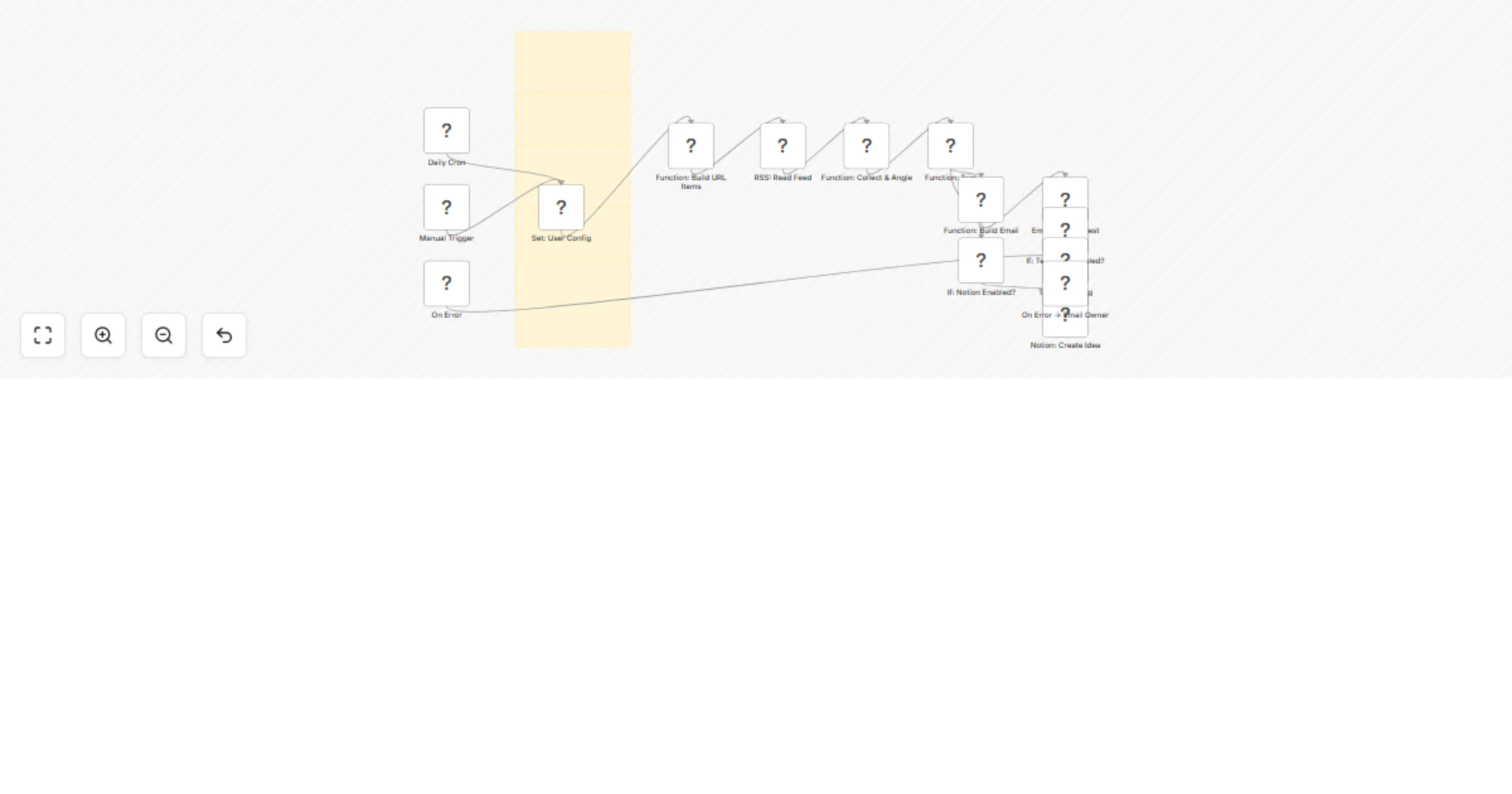
📰 Curate RSS Feeds into Daily Content Ideas via Email with Optional Notion Storage Wake up to a burst of inspiration every morning! 🌞 🚀 What it does 🔄 Polls unlimited RSS feeds (blogs, YouTube, Substack, podcasts, you name it) ✍️ Re-writes each new headline into 5–10 scroll-stopping content angles 📧 Delivers a tidy email digest at 9 AM sharp (or whenever you choose) 🗂️ Auto-saves every idea into a Notion database (toggle on/off) 🛟 Self-healing error alerts keep the pipeline bullet-proof 📐 Angles? Think “ready-made tweets” An angle is a bite-sized spin on the original post. Example: Original RSS headline: “TikTok Rolls Out 15-Minute Videos” Angle: “3 product-demo formats you can finally fit into TikTok’s new 15-min limit (+ templates)” 🎯 Use-cases 🧑💻 Social media managers who need fresh posts daily 🖋️ Newsletter writers hunting for curated news blurbs 📈 Growth teams mining competitor blogs for campaign sparks 🏝️ Solopreneurs who’d rather sip coffee than scroll feeds ⚙️ 30-second setup Drop your RSS URLs into the list node 🪄 Add SMTP or Gmail creds 📧 (Optional) Flip on Notion mode → paste your Ideas DB ID Hit Manual Trigger to test → switch to daily cron when you’re happy 🎉 ✅ Compliance checklist ✅ Stickies ✅ Manual trigger path ✅ Zero secrets in JSON ✅ Timezone-aware cron
This catalog entry is organized from the workflow JSON. The node-level section below shows the executable blocks available for review before importing the template.
| Workflow | Curate RSS feeds into daily content ideas via email with Notion & Telegram options |
|---|---|
| Complexity | advanced |
| Nodes | 20 |
| Categories | Content Creation, Multimodal AI |
| Author | Shelly-Ann Davy |
| Published | 24 Aug 2025 |
Use the JSON export at /data/workflows/7791/7791.json as the source template for this automation.
Open n8n, import the downloaded JSON, and review each node before activating the workflow.
Replace placeholder credentials, API keys, webhook URLs, account IDs, and environment-specific values with your own settings.
Run the workflow manually or in a staging workspace, inspect node output, and confirm downstream systems receive the expected data.
Enable the workflow only after testing, then monitor executions, errors, and rate limits during the first production runs.
Review imported nodes carefully before activation. This catalog entry is intended to help you inspect the workflow structure, understand required services, and find related templates faster.
Node names, credentials, schedules, webhook paths, and external service limits may need adjustment for your workspace.
Graceful Content Sparks — RSS → Notion (n8n) Curate RSS Feeds into Daily Content Ideas via Email with Optional Notion Storage Wake up to a burst of inspiration every morning! What it does ...
Review the workflow JSON, configure any required credentials in n8n, and test the automation in a safe workspace before using it in production.
Yes. Use the block-by-block analysis and the downloadable JSON to inspect each node, then adjust credentials, prompts, schedules, filters, or destinations for your Content Creation, Multimodal AI use case.