Block 1 - Code1
- Type / Role
- n8n-nodes-base.code - code
- Config choices
- Version 2


 Early Deal
This workflow is provided as-is. Please review and test before using in production.
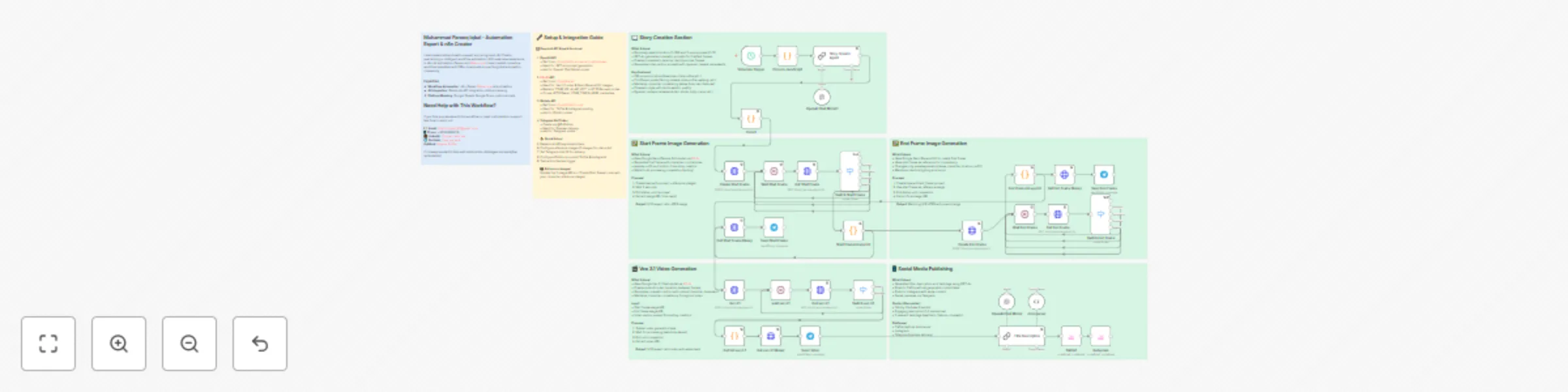
This n8n template demonstrates how to create consistent character videos using AI image and video generation. The workflow generates photorealistic videos featuring the same character across differ...
n8n-nodes-base.code, @n8n/n8n-nodes-langchain.chainllm, n8n-nodes-base.stickynote, @n8n/n8n-nodes-langchain.lmchatopenai, n8n-nodes-base.scheduletrigger, @n8n/n8n-nodes-langchain.outputparserstructured, @blotato/n8n-nodes-blotato.blotato, n8n-nodes-base.httprequest
This workflow is cataloged by N8N Workflows and links back to its original n8n.io source page by Muhammad Farooq Iqbal.
Original n8n.io sourceThis n8n template demonstrates how to create consistent character videos using AI image and video generation. The workflow generates photorealistic videos featuring the same character across different poses, locations, and outfits, maintaining perfect character consistency throughout cinematic transitions.
Use cases are many: Create consistent character content for social media, generate cinematic videos for brand campaigns, produce lifestyle content with the same character, automate video content creation for TikTok/Instagram, create character-based storytelling videos, or scale video production with consistent visual identity!
The workflow ensures the same character appears in both frames with identical facial features, hair, skin tone, and overall appearance, while only pose and expression change. The video features dynamic camera movements (arc shots, dolly pushes, crane rises, etc.) for cinematic quality.
YOUR_TELEGRAM_CHAT_ID with your Telegram chat ID for previewsPro tip: The workflow uses 5 reference images to maintain character consistency. For best results, use clear, high-quality photos of your character from different angles. The workflow automatically handles character identity preservation across all generated content.
Character Variations: Modify the reference images to create videos with different characters while maintaining the same workflow structure.
Location Customization: Edit the location pool in the "Code in JavaScript" node to add or modify locations (currently 100 options).
Pose Library: Expand or customize the pose library in the JavaScript code node (currently 15 poses with detailed guidance).
Social Media Platforms: Add more platforms by duplicating the Blotato nodes and configuring additional accounts (YouTube, Facebook, etc.).
Content Style: Adjust GPT-4o prompts in "Story Creator Agent" and "Title Description" nodes to change content tone, style, or language.
Scheduling: Replace the schedule trigger with webhook, form, or manual trigger based on your needs.
Video Settings: Modify Veo 3.1 parameters (aspect ratio, watermark, seeds) in the "Veo 3.1" node for different output formats.
Batch Processing: Add loops to generate multiple videos with different location/pose combinations automatically.
This catalog entry is organized from the workflow JSON. The node-level section below shows the executable blocks available for review before importing the template.
Showing the first 24 of 38 workflow blocks. Download the JSON for the full node graph.
| Workflow | Creating consistent character videos with Veo 3.1, GPT-4o, and Google NanoBanana |
|---|---|
| Complexity | advanced |
| Nodes | 38 |
| Categories | Content Creation, Multimodal AI |
| Author | Muhammad Farooq Iqbal |
| Published | 08 Dec 2025 |
Use the JSON export at /data/workflows/11594/11594.json as the source template for this automation.
Open n8n, import the downloaded JSON, and review each node before activating the workflow.
Replace placeholder credentials, API keys, webhook URLs, account IDs, and environment-specific values with your own settings.
Run the workflow manually or in a staging workspace, inspect node output, and confirm downstream systems receive the expected data.
Enable the workflow only after testing, then monitor executions, errors, and rate limits during the first production runs.
Review imported nodes carefully before activation. This catalog entry is intended to help you inspect the workflow structure, understand required services, and find related templates faster.
Node names, credentials, schedules, webhook paths, and external service limits may need adjustment for your workspace.
This n8n template demonstrates how to create consistent character videos using AI image and video generation. The workflow generates photorealistic videos featuring the same character across differ...
Review the workflow JSON, configure any required credentials in n8n, and test the automation in a safe workspace before using it in production.
Yes. Use the block-by-block analysis and the downloadable JSON to inspect each node, then adjust credentials, prompts, schedules, filters, or destinations for your Content Creation, Multimodal AI use case.