Create WooCommerce products and WordPress posts from product links via Telegram and BrowserAct

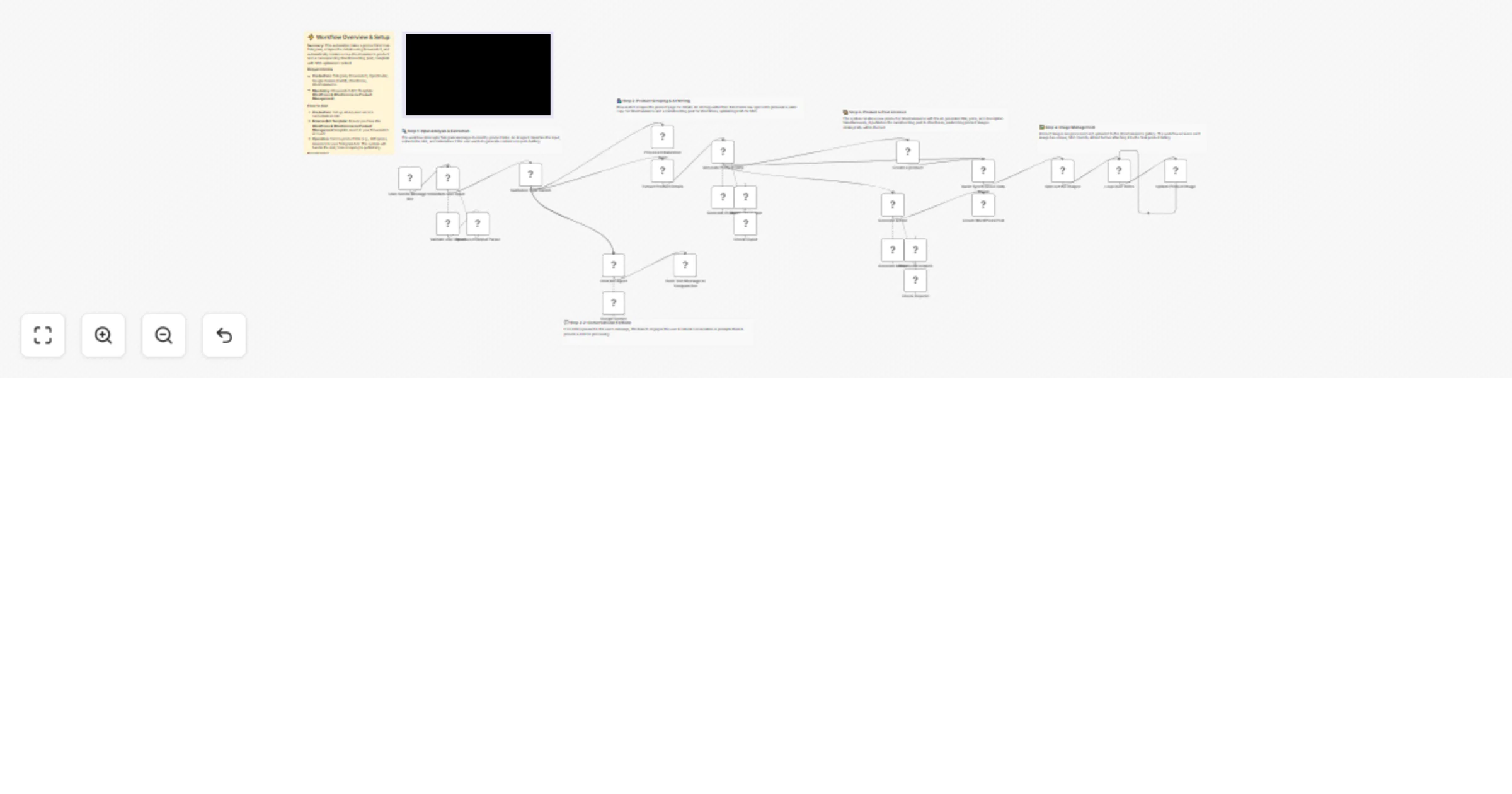
Workflow preview

Workflow preview
100%
Create WooCommerce products and WordPress posts from product links via Telegram and BrowserAct preview
Open on n8n.io

1. Workflow Overview

Automate product creation from links to WordPress & WooCommerce using Telegram & BrowserAct This workflow is a powerful e commerce assistant that takes a raw product link (from any online store) an...

Best for

  • Content Creation automation workflows
  • Multimodal AI automation workflows
  • advanced n8n builders looking for reusable templates

Tools used

@n8n/n8n-nodes-langchain.outputparserstructured, @n8n/n8n-nodes-langchain.lmchatgooglegemini, @n8n/n8n-nodes-langchain.agent, n8n-nodes-base.woocommerce, n8n-nodes-base.splitinbatches, n8n-nodes-base.switch, n8n-nodes-base.telegramtrigger, n8n-nodes-base.telegram

Source and attribution

This workflow is cataloged by N8N Workflows and links back to its original n8n.io source page by Madame AI Team | Kai.

Original n8n.io source

1.1 Workflow description

Title
Create WooCommerce products and WordPress posts from product links via Telegram and BrowserAct
Workflow name
Create WooCommerce products and WordPress posts from product links via Telegram and BrowserAct

Automate product creation from links to WordPress & WooCommerce using Telegram & BrowserAct

This workflow is a powerful e-commerce assistant that takes a raw product link (from any online store) and automatically creates optimized listings for your own platforms. It uses AI to write persuasive sales copy and blog articles, generates SEO-friendly image metadata, and syncs everything directly to WooCommerce and WordPress.

Target Audience

Dropshippers, affiliate marketers, and e-commerce store owners who want to scale their product catalog and content marketing effortlessly.

How it works

  1. Analyze Intent: The workflow receives a message via Telegram. An AI Agent classifies it to see if it's a product link or a casual chat.
  2. Scrape Details: If a link is detected, BrowserAct executes a background task to scrape the product's title, price, description, images, and reviews.
  3. AI Strategy: A "Senior Copywriter" AI (using OpenAI/Gemini) processes the raw data. It writes a high-converting WooCommerce description (with HTML formatting), drafts an engaging blog post review, and generates SEO filenames/alt-text for all images.
  4. Sync to Store:
  • WooCommerce: Creates the product, sets the price, and updates the description.
  • WordPress: Publishes the AI-written blog article reviewing the product.
  1. Optimize Images: The workflow loops through every product image, updating them in WooCommerce with the new SEO-friendly metadata.

How to set up

  1. Configure Credentials: Connect your Telegram, WooCommerce, WordPress, BrowserAct, Google Gemini, and OpenRouter accounts in n8n.
  2. Prepare BrowserAct: Ensure the WordPress & WooCommerce Product Management template is saved in your BrowserAct account.
  3. Configure Telegram: Create a bot via BotFather and add the API token to your Telegram credentials.
  4. Activate: Turn on the workflow.
  5. Test: Send a product link (e.g., from AliExpress or Amazon) to your bot to see it magically appear in your store and blog.

Requirements

  • BrowserAct account with the WordPress & WooCommerce Product Management template.
  • WooCommerce account (Consumer Key/Secret).
  • WordPress account (Application Password).
  • Telegram account (Bot Token).
  • Google Gemini & OpenRouter accounts.

How to customize the workflow

  1. Change Blog Tone: Modify the system prompt in the Generate response agent to change the writing style (e.g., "Professional Reviewer" vs. "Hypebeast").
  2. Add Social Media: Add a Twitter or LinkedIn node at the end to automatically tweet the new blog post link.
  3. Price Markup: Add a Code node before the WooCommerce step to automatically increase the scraped price by a percentage (margin).

Need Help?


Workflow Guidance and Showcase Video

1.2 Logical Blocks

This catalog entry is organized from the workflow JSON. The node-level section below shows the executable blocks available for review before importing the template.

2. Block-by-Block Analysis

Block 1 - Structured Output

Type / Role
@n8n/n8n-nodes-langchain.outputParserStructured - outputParserStructured
Config choices
Version 1.3

Block 2 - Check Ouput

Type / Role
@n8n/n8n-nodes-langchain.lmChatGoogleGemini - lmChatGoogleGemini
Config choices
Version 1

Block 3 - Check Ouputs1

Type / Role
@n8n/n8n-nodes-langchain.lmChatGoogleGemini - lmChatGoogleGemini
Config choices
Version 1

Block 4 - Structured Output3

Type / Role
@n8n/n8n-nodes-langchain.outputParserStructured - outputParserStructured
Config choices
Version 1.3

Block 5 - Generate Article

Type / Role
@n8n/n8n-nodes-langchain.agent - agent
Config choices
Version 3

Block 6 - Create a product

Type / Role
n8n-nodes-base.wooCommerce - wooCommerce
Config choices
Version 1

Block 7 - Loop Over Items

Type / Role
n8n-nodes-base.splitInBatches - splitInBatches
Config choices
Version 3

Block 8 - Structured Output Parser

Type / Role
@n8n/n8n-nodes-langchain.outputParserStructured - outputParserStructured
Config choices
Version 1.3

Block 9 - Validate user Input

Type / Role
@n8n/n8n-nodes-langchain.agent - agent
Config choices
Version 3

Block 10 - Google Gemini

Type / Role
@n8n/n8n-nodes-langchain.lmChatGoogleGemini - lmChatGoogleGemini
Config choices
Version 1

Block 11 - Validate user Inputs

Type / Role
@n8n/n8n-nodes-langchain.lmChatGoogleGemini - lmChatGoogleGemini
Config choices
Version 1

Block 12 - Validation Type Switch

Type / Role
n8n-nodes-base.switch - switch
Config choices
Version 3.4

Block 13 - User Sends Message to Bot

Type / Role
n8n-nodes-base.telegramTrigger - telegramTrigger
Config choices
Version 1.2

Block 14 - Send Text Message to Telegram Bot

Type / Role
n8n-nodes-base.telegram - telegram
Config choices
Version 1.2

Block 15 - Process Initialization Alert

Type / Role
n8n-nodes-base.telegram - telegram
Config choices
Version 1.2

Block 16 - Extract Product Details

Type / Role
n8n-nodes-browseract.browserAct - browserAct
Config choices
Version 1

Block 17 - Chat bot Agent

Type / Role
@n8n/n8n-nodes-langchain.agent - agent
Config choices
Version 3

Block 18 - Generate Product Data

Type / Role
@n8n/n8n-nodes-langchain.agent - agent
Config choices
Version 3

Block 19 - Create WordPress Post

Type / Role
n8n-nodes-base.wordpress - wordpress
Config choices
Version 1

Block 20 - Split out the images

Type / Role
n8n-nodes-base.splitOut - splitOut
Config choices
Version 1

Block 21 - Update Product Image

Type / Role
n8n-nodes-base.wooCommerce - wooCommerce
Config choices
Version 1

Block 22 - Generate Product

Type / Role
@n8n/n8n-nodes-langchain.lmChatOpenRouter - lmChatOpenRouter
Config choices
Version 1

Block 23 - Generate Article

Type / Role
@n8n/n8n-nodes-langchain.lmChatOpenRouter - lmChatOpenRouter
Config choices
Version 1

Block 24 - Documentation

Type / Role
n8n-nodes-base.stickyNote - stickyNote
Config choices
Version 1

Showing the first 24 of 31 workflow blocks. Download the JSON for the full node graph.

3. Summary Table

Workflow Create WooCommerce products and WordPress posts from product links via Telegram and BrowserAct
Complexity advanced
Nodes 31
Categories Content Creation, Multimodal AI
Author Madame AI Team | Kai
Published 01 Jan 2026

4. Reproducing the Workflow from Scratch

  1. 1. Download the workflow JSON

    Use the JSON export at /data/workflows/12360/12360.json as the source template for this automation.

  2. 2. Import the template into n8n

    Open n8n, import the downloaded JSON, and review each node before activating the workflow.

  3. 3. Configure credentials and variables

    Replace placeholder credentials, API keys, webhook URLs, account IDs, and environment-specific values with your own settings.

  4. 4. Test with sample data

    Run the workflow manually or in a staging workspace, inspect node output, and confirm downstream systems receive the expected data.

  5. 5. Activate and monitor

    Enable the workflow only after testing, then monitor executions, errors, and rate limits during the first production runs.

5. General Notes & Resources

Review imported nodes carefully before activation. This catalog entry is intended to help you inspect the workflow structure, understand required services, and find related templates faster.

Node names, credentials, schedules, webhook paths, and external service limits may need adjustment for your workspace.

Frequently asked questions

What does Create WooCommerce products and WordPress posts from product links via Telegram and BrowserAct do?

Automate product creation from links to WordPress & WooCommerce using Telegram & BrowserAct This workflow is a powerful e commerce assistant that takes a raw product link (from any online store) an...

What do I need before importing this workflow?

Review the workflow JSON, configure any required credentials in n8n, and test the automation in a safe workspace before using it in production.

Can I customize this workflow?

Yes. Use the block-by-block analysis and the downloadable JSON to inspect each node, then adjust credentials, prompts, schedules, filters, or destinations for your Content Creation, Multimodal AI use case.