Block 1 - Sticky Note
- Type / Role
- n8n-nodes-base.stickyNote - stickyNote
- Config choices
- Version 1


 Early Deal
This workflow is provided as-is. Please review and test before using in production.
AI Powered Viral Video Factory This workflow automates the entire process of creating short, cinematic, fact based videos ready for social media. It takes a single concept, generates a script an...
n8n-nodes-base.stickynote, n8n-nodes-base.googledrive, n8n-nodes-base.httprequest, n8n-nodes-base.code, n8n-nodes-base.wait, n8n-nodes-base.merge, @n8n/n8n-nodes-langchain.openai, n8n-nodes-base.googlesheets
This workflow is cataloged by N8N Workflows and links back to its original n8n.io source page by Matthew.
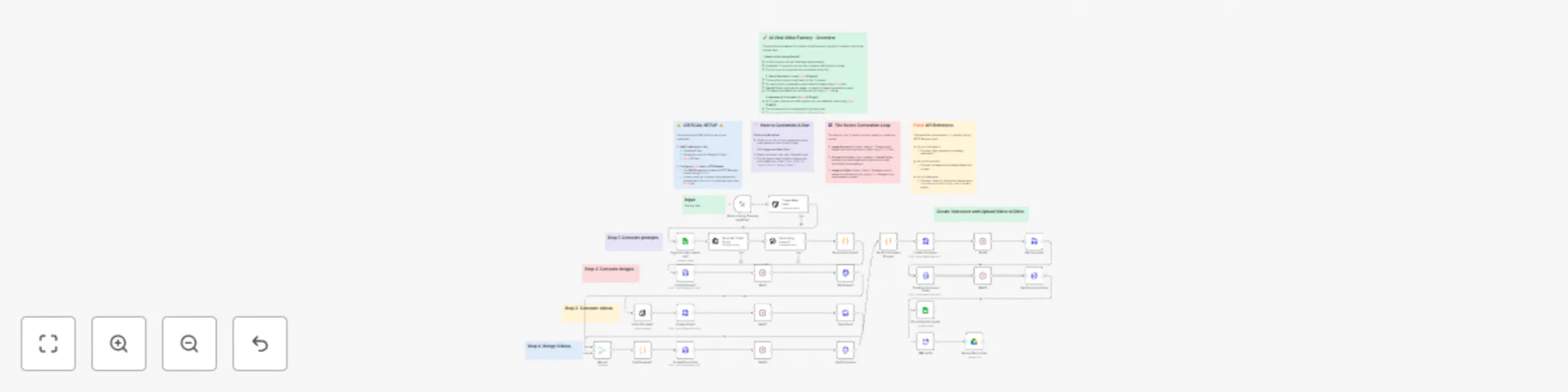
Original n8n.io sourceThis workflow automates the entire process of creating short, cinematic, fact-based videos ready for social media. It takes a single concept, generates a script and visuals, creates video clips, adds a voiceover, and assembles a final video, which is then uploaded directly to your Google Drive. It's perfect for content creators and marketing agencies looking to scale video production with minimal manual effort.
Generate a Viral Idea 💡: The workflow begins with the Create New Idea1 (OpenAI) node, which generates a viral-ready video concept, including a punchy title, hashtags, and a brief description based on a core theme (e.g., space, black holes). This idea is then logged in a Google Sheet.
Create a Cinematic Script & Voiceover 📜:
Generating scenes1) creates a detailed 12-scene script, outlining the visuals for a 60-second video.Generate Voiceover).Generate Scene-by-Scene Visuals ✨: The workflow loops through each of the 12 scenes to create an animated clip:
fal-ai/flux model to create a photorealistic still image.Video Prompts1 (OpenAI Vision) node analyzes the generated image and creates a new, specific prompt to animate it cinematically.fal-ai/kling-video model to turn the still image into a 5-second animated video clip based on the new animation prompt.Assemble the Final Video 🎞️:
Merge Clips node uses the fal-ai/ffmpeg-api to concatenate them into a single, seamless 60-second video.Combine Voice and Video node then layers the AI-generated voiceover onto the stitched video.Deliver to Google Drive 📂: Finally, the completed video is converted from a URL to a file and automatically uploaded to your specified Google Drive folder for easy access and publishing.
Flux), video animation (Kling), and video processing (FFMPEG API).Add Credentials:
Configure Fal.ai API Key:
fal.run URL.Authorization header in each of these nodes and replace the existing key with your own Key YOUR_FAL_AI_KEY_HERE.Create Images1, Get Images1, Create Video1, Get Video1, Merge Clips, Get Final video, Combine Voice and Video.Configure OpenAI Nodes:
Create New Idea1, Generating scenes1) and choose your OpenAI credential.Create New Idea1 node to change the theme of the videos you want to generate.Configure Google Sheets & Drive:
Organise idea, caption etc1 node, select your Google Sheets credential and specify the Spreadsheet and Sheet ID you want to use for logging ideas.Upload file to drive node, select your Google Drive credential and choose the destination folder for your final videos.This catalog entry is organized from the workflow JSON. The node-level section below shows the executable blocks available for review before importing the template.
Showing the first 24 of 39 workflow blocks. Download the JSON for the full node graph.
| Workflow | Create viral social media videos with FalAI Flux/Kling and GPT-4 automation |
|---|---|
| Complexity | advanced |
| Nodes | 39 |
| Categories | Content Creation, Multimodal AI |
| Author | Matthew |
| Published | 02 Aug 2025 |
Use the JSON export at /data/workflows/6918/6918.json as the source template for this automation.
Open n8n, import the downloaded JSON, and review each node before activating the workflow.
Replace placeholder credentials, API keys, webhook URLs, account IDs, and environment-specific values with your own settings.
Run the workflow manually or in a staging workspace, inspect node output, and confirm downstream systems receive the expected data.
Enable the workflow only after testing, then monitor executions, errors, and rate limits during the first production runs.
Review imported nodes carefully before activation. This catalog entry is intended to help you inspect the workflow structure, understand required services, and find related templates faster.
Node names, credentials, schedules, webhook paths, and external service limits may need adjustment for your workspace.
AI Powered Viral Video Factory This workflow automates the entire process of creating short, cinematic, fact based videos ready for social media. It takes a single concept, generates a script an...
Review the workflow JSON, configure any required credentials in n8n, and test the automation in a safe workspace before using it in production.
Yes. Use the block-by-block analysis and the downloadable JSON to inspect each node, then adjust credentials, prompts, schedules, filters, or destinations for your Content Creation, Multimodal AI use case.