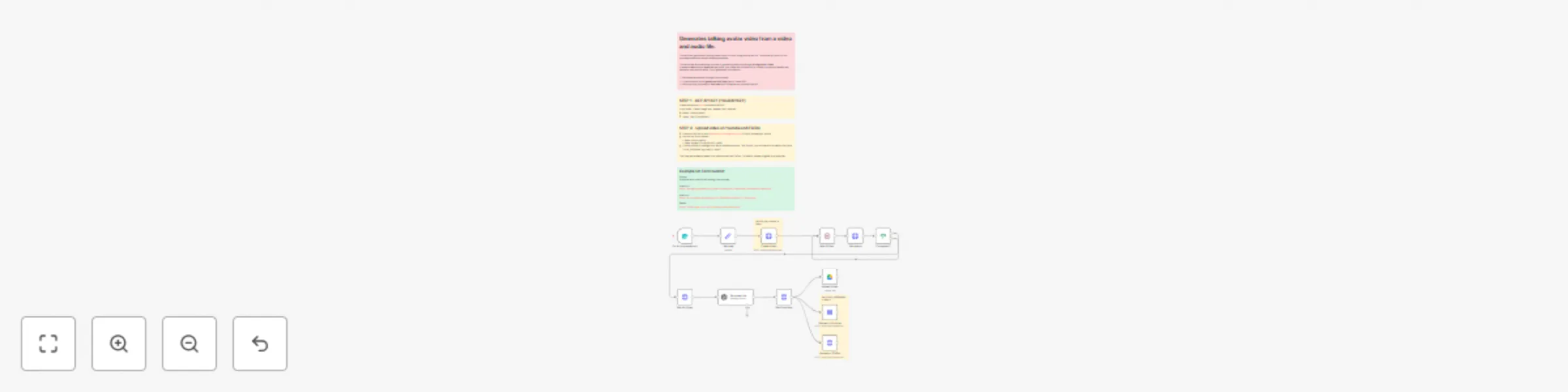
Create & share lip-synced avatar videos with Infinitalk AI & upload to TikTok/YouTube

Workflow preview

Workflow preview
100%
Create & share lip-synced avatar videos with Infinitalk AI & upload to TikTok/YouTube preview
Open on n8n.io

Important notice

This workflow is provided as-is. Please review and test before using in production.

1. Workflow Overview

This workflow automates the process of generating and publishing a talking avatar video . It takes a video and an audio file as inputs, then uses the Infinitalk API to create a lip synced avatar th...

Best for

  • Content Creation automation workflows
  • Multimodal AI automation workflows
  • advanced n8n builders looking for reusable templates

Tools used

n8n-nodes-base.httprequest, n8n-nodes-base.wait, n8n-nodes-base.stickynote, n8n-nodes-base.if, n8n-nodes-base.googledrive, @n8n/n8n-nodes-langchain.openai, n8n-nodes-base.formtrigger, n8n-nodes-base.set

Source and attribution

This workflow is cataloged by N8N Workflows and links back to its original n8n.io source page by Davide.

Original n8n.io source

1.1 Workflow description

Title
Create & share lip-synced avatar videos with Infinitalk AI & upload to TikTok/YouTube
Workflow name
Create & share lip-synced avatar videos with Infinitalk AI & upload to TikTok/YouTube

This workflow automates the process of generating and publishing a talking avatar video. It takes a video and an audio file as inputs, then uses the Infinitalk API to create a lip-synced avatar that naturally matches the audio. Once generated, the video is:

  1. Retrieved and stored (Google Drive upload).
  2. Optimized with an AI-generated YouTube title for better SEO.
  3. Automatically uploaded to YouTube and TikTok via the Upload-Post API.

Key Advantages

  • Full Automation: From video generation to social media publishing, everything is handled automatically.
  • AI-Powered Content Optimization: Uses GPT-based AI to create SEO-friendly and catchy YouTube titles, increasing reach and engagement.
  • Multi-Platform Publishing: Videos are instantly shared across YouTube and TikTok, saving time on manual uploads.
  • Seamless Storage Integration: Generated videos are saved to Google Drive for archiving or reuse.
  • Scalable Workflow: Can be reused for multiple videos, podcasts, tutorials, or marketing clips with minimal effort.
  • Natural Lip-Sync: Infinitalk API ensures avatars sync realistically with audio, creating professional-looking videos.
  • Customizable: Resolution, number of frames, and acceleration options can be adjusted for different needs (e.g., faster processing vs. higher quality).

How It Works

The process begins with a form submission where users provide a video URL (for the avatar), an audio URL (for lip-sync), and a text prompt describing the video content. The system then:

  1. Video Generation: Sends the inputs to Fal.ai's Infinitalk API which creates a talking avatar video where the character lip-syncs to the provided audio with natural facial expressions
  2. Status Monitoring: Continuously checks the processing status every 60 seconds until the video generation is completed
  3. Title Generation: Uses OpenAI's GPT model to create an SEO-optimized YouTube title based on the original prompt
  4. File Handling: Downloads the generated video and uploads it to Google Drive for storage
  5. Multi-Platform Distribution: Automatically publishes the video to both YouTube and TikTok using the Upload-Post service

The workflow includes conditional logic to ensure each step executes in the correct order and only proceeds when previous operations are successful.


Set Up Steps

Step 1: Configure Fal.ai API

  • Create an account at Fai AI and obtain your API key
  • In the "Create Video" node, set up Header Authentication with:
    • Name: "Authorization"
    • Value: "Key YOURAPIKEY"

Step 2: Configure Upload-Post Service

  • Get your API key from Upload-Post Manage Api Keys
  • Set up the authentication header in both upload nodes:
    • Name: Authorization
    • Value: Apikey YOUR_API_KEY_HERE
  • Create social media profiles in Upload-Post and replace "YOUR_USERNAME" in the upload nodes with your profile name
  • Note: Free plan supports all platforms except TikTok (requires paid upgrade)

Need help customizing?

Contact me for consulting and support or add me on Linkedin.

1.2 Logical Blocks

This catalog entry is organized from the workflow JSON. The node-level section below shows the executable blocks available for review before importing the template.

2. Block-by-Block Analysis

Block 1 - Get status

Type / Role
n8n-nodes-base.httpRequest - httpRequest
Config choices
Version 4.2

Block 2 - Wait 60 sec.

Type / Role
n8n-nodes-base.wait - wait
Config choices
Version 1.1

Block 3 - Sticky Note3

Type / Role
n8n-nodes-base.stickyNote - stickyNote
Config choices
Version 1

Block 4 - Completed?

Type / Role
n8n-nodes-base.if - if
Config choices
Version 2.2

Block 5 - Sticky Note6

Type / Role
n8n-nodes-base.stickyNote - stickyNote
Config choices
Version 1

Block 6 - Sticky Note7

Type / Role
n8n-nodes-base.stickyNote - stickyNote
Config choices
Version 1

Block 7 - Get Url Video

Type / Role
n8n-nodes-base.httpRequest - httpRequest
Config choices
Version 4.2

Block 8 - Get File Video

Type / Role
n8n-nodes-base.httpRequest - httpRequest
Config choices
Version 4.2

Block 9 - Upload Video

Type / Role
n8n-nodes-base.googleDrive - googleDrive
Config choices
Version 3

Block 10 - Generate title

Type / Role
@n8n/n8n-nodes-langchain.openAi - openAi
Config choices
Version 1.8

Block 11 - Sticky Note

Type / Role
n8n-nodes-base.stickyNote - stickyNote
Config choices
Version 1

Block 12 - Sticky Note8

Type / Role
n8n-nodes-base.stickyNote - stickyNote
Config choices
Version 1

Block 13 - Upload on TikTok

Type / Role
n8n-nodes-base.httpRequest - httpRequest
Config choices
Version 4.2

Block 14 - Sticky Note1

Type / Role
n8n-nodes-base.stickyNote - stickyNote
Config choices
Version 1

Block 15 - Upload to Youtube

Type / Role
n8n-nodes-base.httpRequest - httpRequest
Config choices
Version 4.2

Block 16 - On form submission1

Type / Role
n8n-nodes-base.formTrigger - formTrigger
Config choices
Version 2.2

Block 17 - Create Video

Type / Role
n8n-nodes-base.httpRequest - httpRequest
Config choices
Version 4.2

Block 18 - Set data

Type / Role
n8n-nodes-base.set - set
Config choices
Version 3.4

3. Summary Table

Workflow Create & share lip-synced avatar videos with Infinitalk AI & upload to TikTok/YouTube
Complexity advanced
Nodes 18
Categories Content Creation, Multimodal AI
Author Davide
Published 25 Sept 2025

4. Reproducing the Workflow from Scratch

  1. 1. Download the workflow JSON

    Use the JSON export at /data/workflows/8912/8912.json as the source template for this automation.

  2. 2. Import the template into n8n

    Open n8n, import the downloaded JSON, and review each node before activating the workflow.

  3. 3. Configure credentials and variables

    Replace placeholder credentials, API keys, webhook URLs, account IDs, and environment-specific values with your own settings.

  4. 4. Test with sample data

    Run the workflow manually or in a staging workspace, inspect node output, and confirm downstream systems receive the expected data.

  5. 5. Activate and monitor

    Enable the workflow only after testing, then monitor executions, errors, and rate limits during the first production runs.

5. General Notes & Resources

Review imported nodes carefully before activation. This catalog entry is intended to help you inspect the workflow structure, understand required services, and find related templates faster.

Node names, credentials, schedules, webhook paths, and external service limits may need adjustment for your workspace.

Frequently asked questions

What does Create & share lip-synced avatar videos with Infinitalk AI & upload to TikTok/YouTube do?

This workflow automates the process of generating and publishing a talking avatar video . It takes a video and an audio file as inputs, then uses the Infinitalk API to create a lip synced avatar th...

What do I need before importing this workflow?

Review the workflow JSON, configure any required credentials in n8n, and test the automation in a safe workspace before using it in production.

Can I customize this workflow?

Yes. Use the block-by-block analysis and the downloadable JSON to inspect each node, then adjust credentials, prompts, schedules, filters, or destinations for your Content Creation, Multimodal AI use case.