Create event recap Instagram carousels from photo dumps using Upload to URL

Workflow preview

Workflow preview
100%
Create event recap Instagram carousels from photo dumps using Upload to URL preview
Open on n8n.io

1. Workflow Overview

Automate your post event Instagram carousel using a fan out and merge pattern. One Code node splits the photos array into individual n8n items. Every photo then flows through HTTP Fetch, Upload to ...

Best for

  • Social Media automation workflows
  • Multimodal AI automation workflows
  • advanced n8n builders looking for reusable templates

Tools used

n8n-nodes-base.stickynote, n8n-nodes-base.webhook, n8n-nodes-base.code, n8n-nodes-base.httprequest, n8n-nodes-uploadtourl.uploadtourl, n8n-nodes-base.merge, n8n-nodes-base.wait, n8n-nodes-base.airtable

Source and attribution

This workflow is cataloged by N8N Workflows and links back to its original n8n.io source page by Jitesh Dugar.

Original n8n.io source

1.1 Workflow description

Title
Create event recap Instagram carousels from photo dumps using Upload to URL
Workflow name
Create event recap Instagram carousels from photo dumps using Upload to URL

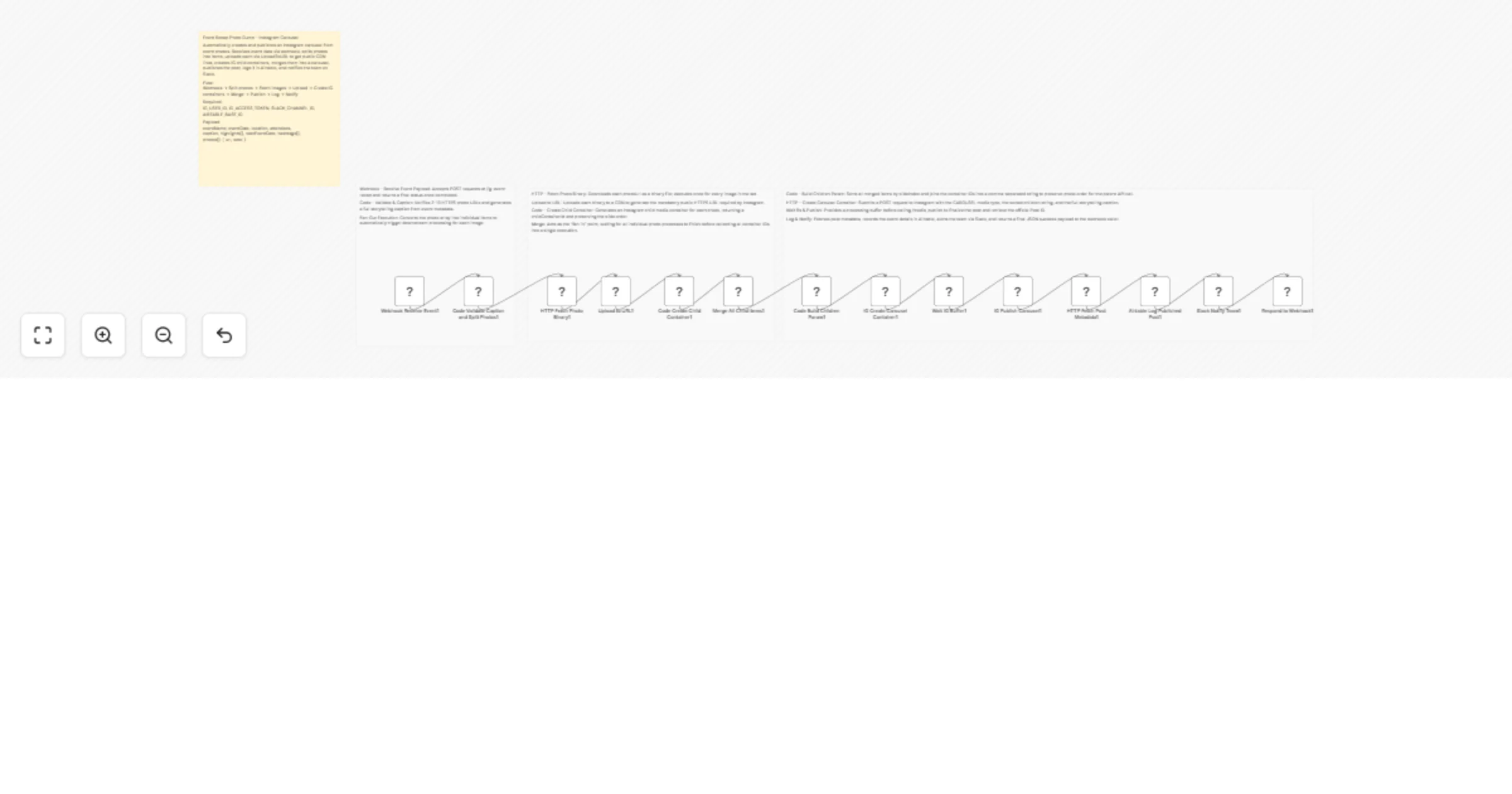
Automate your post-event Instagram carousel using a fan-out and merge pattern. One Code node splits the photos array into individual n8n items. Every photo then flows through HTTP Fetch, Upload to URL, and a child container Code node independently. A Merge node collects all completed items, a final Code node sorts them and builds the children parameter, then the carousel is assembled and published. Upload to URL is a real visible node on the canvas, running once per photo.


What This Workflow Does

Intake and Fan-Out

  • Webhook - Receive Event Payload -- accepts a POST to /ig-event-recap. Responds after the full workflow completes. Typically triggered by a photographer tool, event CMS, or manual call immediately after event photos are ready.
  • Code - Validate Caption and Split Photos -- validates the photos array (2-10 items, HTTPS URLs, deduplicated), builds a multi-block storytelling caption from all event metadata, then returns one item per photo. Each item carries the photo URL, slideIndex, fullCaption, eventName, and IG credentials. This fans the downstream nodes out to process all photos in parallel.

Per-Photo Pipeline (runs once per item)

  • HTTP - Fetch Photo Binary -- downloads each photoUrl as a binary file. Runs once per item. Works with any public HTTPS image source.
  • Upload to URL -- real node on the canvas, runs once per photo item. Uploads the binary and returns a stable public CDN URL. This step is mandatory because Instagram child container endpoints require a direct public HTTPS image URL and reject binary payloads.
  • Code - Create Child Container -- calls the Instagram Graph API per item with is_carousel_item set to true. Returns childContainerId and cdnUrl alongside the slideIndex for sort ordering downstream.

Fan-In and Carousel Assembly

  • Merge All Child Items -- waits for all per-photo items to complete and collects them into a single execution. This is the fan-in point. Mode: Merge by Position.
  • Code - Build Children Param -- receives all merged items, sorts by slideIndex to guarantee photo order is preserved, joins child container IDs as a comma-separated string, and re-attaches the caption and event metadata from the first item.
  • HTTP - Create Carousel Container -- POSTs to the Instagram Graph API /media endpoint with media_type CAROUSEL, the sorted children ID string, and the caption. Caption is set only on the parent container.
  • Wait 8s -- buffer before the publish call to allow Instagram to validate all child assets.
  • HTTP - Publish Carousel -- calls /media_publish. Returns the live Post ID.
  • HTTP - Fetch Post Metadata -- retrieves permalink and timestamp.

Logging and Notification

  • Airtable - Log Published Post -- creates a record with event name, Post ID, permalink, slide count, and publish timestamp. For client reporting and campaign tracking.
  • Slack - Notify Team -- sends event name, slide count, permalink, and publish timestamp.
  • Respond to Webhook -- returns a structured JSON payload with mediaId, permalink, slideCount, eventName, and publishedAt.

Key Features

  • Fan-out and merge pattern -- no Split In Batches loop. Photos are processed in parallel via item splitting, not serial iteration.
  • Upload to URL is a real canvas node -- runs once per photo item between HTTP Fetch and Code Create Child. Fully visible and configurable in the workflow editor.
  • SlideIndex sorting -- the final Code node sorts merged items by slideIndex before joining IDs, preserving the exact photo order from the original payload regardless of completion order.
  • Conditional caption blocks -- every metadata field is optional. Missing fields are skipped without errors. Caption auto-truncated to 2200 characters.
  • Airtable logging -- every published carousel is recorded for reporting without writing back to a source system.

What You Will Need

Credentials

  • Upload to URL -- configured in n8n
  • Instagram Graph API -- Business or Creator account access token
  • Airtable Personal Access Token -- for the event posts log base
  • Slack OAuth2 -- for team notifications

Perfect For

  • Nightlife venues and clubs -- post the recap carousel automatically after the photographer delivers the final selects
  • Music festivals and brand activations -- trigger from any webhook-capable CMS or content tool the moment photos are approved
  • Event photographers and agencies -- deliver the published carousel as part of the photo handoff, not as a separate manual step
  • Corporate events teams -- keep an Airtable log of every carousel post with full metadata for quarterly reporting

1.2 Logical Blocks

This catalog entry is organized from the workflow JSON. The node-level section below shows the executable blocks available for review before importing the template.

2. Block-by-Block Analysis

Block 1 - Template Overview1

Type / Role
n8n-nodes-base.stickyNote - stickyNote
Config choices
Version 1

Block 2 - Sticky Nodes 1-

Type / Role
n8n-nodes-base.stickyNote - stickyNote
Config choices
Version 1

Block 3 - Sticky Nodes 3-

Type / Role
n8n-nodes-base.stickyNote - stickyNote
Config choices
Version 1

Block 4 - Sticky Nodes 7-

Type / Role
n8n-nodes-base.stickyNote - stickyNote
Config choices
Version 1

Block 5 - Webhook Receive Event1

Type / Role
n8n-nodes-base.webhook - webhook
Config choices
Version 2

Block 6 - Code Validate Caption and Split Photos1

Type / Role
n8n-nodes-base.code - code
Config choices
Version 2

Block 7 - HTTP Fetch Photo Binary1

Type / Role
n8n-nodes-base.httpRequest - httpRequest
Config choices
Version 4.2

Block 8 - Upload to URL1

Type / Role
n8n-nodes-uploadtourl.uploadToUrl - uploadToUrl
Config choices
Version 1

Block 9 - Code Create Child Container1

Type / Role
n8n-nodes-base.code - code
Config choices
Version 2

Block 10 - Merge All Child Items1

Type / Role
n8n-nodes-base.merge - merge
Config choices
Version 3

Block 11 - Code Build Children Param1

Type / Role
n8n-nodes-base.code - code
Config choices
Version 2

Block 12 - IG Create Carousel Container1

Type / Role
n8n-nodes-base.httpRequest - httpRequest
Config choices
Version 4.2

Block 13 - Wait IG Buffer1

Type / Role
n8n-nodes-base.wait - wait
Config choices
Version 1

Block 14 - IG Publish Carousel1

Type / Role
n8n-nodes-base.httpRequest - httpRequest
Config choices
Version 4.2

Block 15 - HTTP Fetch Post Metadata1

Type / Role
n8n-nodes-base.httpRequest - httpRequest
Config choices
Version 4.2

Block 16 - Airtable Log Published Post1

Type / Role
n8n-nodes-base.airtable - airtable
Config choices
Version 2.1

Block 17 - Slack Notify Team1

Type / Role
n8n-nodes-base.slack - slack
Config choices
Version 2.3

Block 18 - Respond to Webhook1

Type / Role
n8n-nodes-base.respondToWebhook - respondToWebhook
Config choices
Version 1

3. Summary Table

Workflow Create event recap Instagram carousels from photo dumps using Upload to URL
Complexity advanced
Nodes 18
Categories Social Media, Multimodal AI
Author Jitesh Dugar
Published 02 Apr 2026

4. Reproducing the Workflow from Scratch

  1. 1. Download the workflow JSON

    Use the JSON export at /data/workflows/14656/14656.json as the source template for this automation.

  2. 2. Import the template into n8n

    Open n8n, import the downloaded JSON, and review each node before activating the workflow.

  3. 3. Configure credentials and variables

    Replace placeholder credentials, API keys, webhook URLs, account IDs, and environment-specific values with your own settings.

  4. 4. Test with sample data

    Run the workflow manually or in a staging workspace, inspect node output, and confirm downstream systems receive the expected data.

  5. 5. Activate and monitor

    Enable the workflow only after testing, then monitor executions, errors, and rate limits during the first production runs.

5. General Notes & Resources

Review imported nodes carefully before activation. This catalog entry is intended to help you inspect the workflow structure, understand required services, and find related templates faster.

Node names, credentials, schedules, webhook paths, and external service limits may need adjustment for your workspace.

Frequently asked questions

What does Create event recap Instagram carousels from photo dumps using Upload to URL do?

Automate your post event Instagram carousel using a fan out and merge pattern. One Code node splits the photos array into individual n8n items. Every photo then flows through HTTP Fetch, Upload to ...

What do I need before importing this workflow?

Review the workflow JSON, configure any required credentials in n8n, and test the automation in a safe workspace before using it in production.

Can I customize this workflow?

Yes. Use the block-by-block analysis and the downloadable JSON to inspect each node, then adjust credentials, prompts, schedules, filters, or destinations for your Social Media, Multimodal AI use case.