Block 1 - Google Gemini Chat Model
- Type / Role
- @n8n/n8n-nodes-langchain.lmChatGoogleGemini - lmChatGoogleGemini
- Config choices
- Version 1
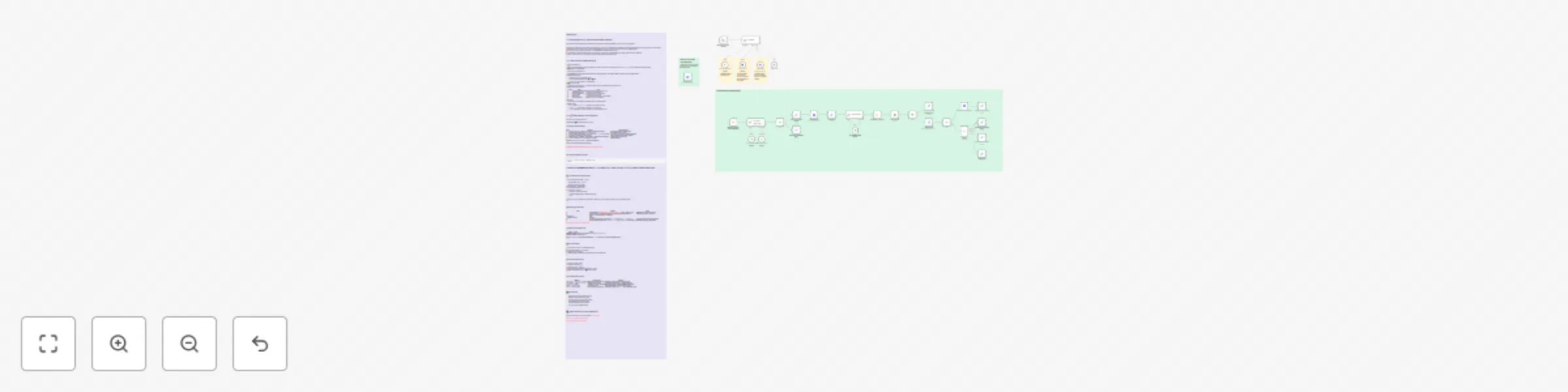


 Early Deal
This workflow is provided as-is. Please review and test before using in production.
This workflow contains community nodes that are only compatible with the self hosted version of n8n. 1 — What Does It Do / Which Problem Does It Solve? This workflow turns Google Docs based contrac...
@n8n/n8n-nodes-langchain.lmchatgooglegemini, n8n-nodes-base.httprequesttool, @n8n/n8n-nodes-langchain.chattrigger, @n8n/n8n-nodes-langchain.agent, @n8n/n8n-nodes-langchain.toolworkflow, @n8n/n8n-nodes-langchain.memorypostgreschat, n8n-nodes-base.httprequest, n8n-nodes-base.stickynote
This workflow is cataloged by N8N Workflows and links back to its original n8n.io source page by Ozgur Karateke.
Original n8n.io sourceThis workflow contains community nodes that are only compatible with the self-hosted version of n8n.
This workflow turns Google Docs-based contract & form templates into ready-to-sign PDFs in minutes—all from a single chat flow.
📝 Template Discovery
📂 The TemplateList node scans the Drive folder you specify via the ?mode=meta endpoint and returns an id / title / desc list. The bot shows this list in chat.
🎯 Selection & Metadata Fetch
The user types a template name.
🔍 GetMetaData opens the chosen Doc, extracts META_JSON, placeholders, and conditional blocks, then lists mandatory & optional fields.
🗣 Data-Collection Loop
The bot asks for every placeholder value.
For each conditional block it asks 🟢 Yes / 🔴 No.
Answers are accumulated in a data JSON object.
✅ Final Confirmation
The bot summarizes the inputs → when the user clicks Confirm, the DocProcess sub-workflow starts.
⚙️ DocProcess Sub-Workflow
| 🔧 Step | Node | Task |
|---|---|---|
| 1 | User Choice Match Check | Verifies name–ID match; throws if wrong |
| 2 | GetMetaData (renew) | Gets the latest placeholder list |
| 3 | Validate JSON Format | Checks for missing / unknown fields |
| 4 | CopyTemplate | Copies the Doc via Drive API |
| 5 | FillDocument | Apps Script fills placeholders & removes blocks |
| 6 | Generate PDF Link | Builds an export?format=pdf URL |
📎 Delivery
The master agent sends 🔗 Download PDF & ✏️ Open Google Doc links.
🚫 Error Paths
status:"ERROR", missing:[…] → bot lists missing fields and re-asks.unknown:[…] → template list is outdated; rerun TemplateList.message is shown verbatim in chat.> Goal: Get a flawless PDF on the first run. > > > Mentally tick the ☑️ in front of every line as you go. >
| Step | Do This | Watch Out For |
|---|---|---|
| 1 | Create a Templates/ folder → put every template Doc inside |
Exactly one folder; no sub-folders |
| 2 | Placeholders in every Doc are {{UPPER_CASE}} |
No Turkish chars or spaces |
| 3 | Wrap optional clauses with [[BLOCK_NAME:START]]…[[BLOCK_NAME:END]] |
The START tag must have a blank line above |
| 4 | Add a META_JSON block at the very end |
Script deletes it automatically after fill |
| 5 | Right-click Doc > Details ▸ Description = 1-line human description | Shown by the bot in the list |
| 6 | Create a second Generated/ folder (for copies) |
Keeps Drive tidy |
> 🔑 Folder ID (long alphanumerical) = <TEMPLATE_PARENT_ID> > > > We’ll paste this into the TemplateList node next. >
Simple sample template → Template Link
Settings ▸ Import Workflow ▸ DocAgent.json
If nodes look Broken afterwards → no community-node problem; you only need to select credentials.
Open Template List node ⚙️ → replace
'%3CYOUR_PARENT_ID%3E' in parents
with the real folder ID in the URL.
Right-click node > Execute Node.
Copy the entire JSON response.
In the editor paste it into:
DocAgent → System Prompt (top)
User Choice Match Check → System Prompt (top)
Save.
> ⚠️ Why manual? Caching the list saves LLM tokens. Whenever you add a template, rerun the node and update the prompts. >
| Step | Screen | Note |
|---|---|---|
| 1 | Open Gist files GetMetaData.gs + FillDocument.gs → File ▸ Make a copy | Both files may live in one project |
| 2 | Project Settings > enable Google Docs API ✔️ & Google Drive API ✔️ | Otherwise you’ll see 403 errors |
| 3 | Deploy ▸ New deployment ▸ Web app | |
| • Execute as | Me | |
| • Who has access | Anyone | |
| 4 | On the consent screen allow scopes:• …/auth/documents• …/auth/drive |
Click Advanced › Go if Google warns |
| 5 | Copy the Web App URL (e.g. https://script.google.com/macros/s/ABC123/exec) |
If this URL changes, update n8n |
Apps Script source code → Notion Link
| Node | Field | Action |
|---|---|---|
| GetMetaData | URL | <WEB_APP_URL>?mode=meta&id={{ $json["id"] }} |
| FillDocument | URL | <WEB_APP_URL> |
> 💡 Prefer using an .env file? Add GAS_WEBAPP_URL=… and reference it as {{ $env.GAS_WEBAPP_URL }}. >
/start.| 🆘 Error | Likely Cause | Remedy |
|---|---|---|
403: Apps Script permission denied |
Web app access set to User | Redeploy as Anyone, re-authorize scopes |
placeholder validation failed |
Missing required field | Provide the listed values → rerun DocProcess |
unknown placeholders: … |
Template vs. agent mismatch | Check placeholder spelling (UPPER_CASE ASCII) |
Template ID not found |
Prompt list is old | Rerun TemplateList → update both prompts |
Cannot find META_JSON |
No meta block / wrong tag | Add [[META_JSON_START]] … [[META_JSON_END]], retry |
/start test passes, PDF link receivedReach out for consulting & support on LinkedIn: Özgür Karateke
This catalog entry is organized from the workflow JSON. The node-level section below shows the executable blocks available for review before importing the template.
Showing the first 24 of 36 workflow blocks. Download the JSON for the full node graph.
| Workflow | Create custom PDF documents from templates with Gemini & Google Drive |
|---|---|
| Complexity | advanced |
| Nodes | 36 |
| Categories | Document Extraction, AI Chatbot |
| Author | Ozgur Karateke |
| Published | 09 Jul 2025 |
Use the JSON export at /data/workflows/5808/5808.json as the source template for this automation.
Open n8n, import the downloaded JSON, and review each node before activating the workflow.
Replace placeholder credentials, API keys, webhook URLs, account IDs, and environment-specific values with your own settings.
Run the workflow manually or in a staging workspace, inspect node output, and confirm downstream systems receive the expected data.
Enable the workflow only after testing, then monitor executions, errors, and rate limits during the first production runs.
Review imported nodes carefully before activation. This catalog entry is intended to help you inspect the workflow structure, understand required services, and find related templates faster.
Node names, credentials, schedules, webhook paths, and external service limits may need adjustment for your workspace.
This workflow contains community nodes that are only compatible with the self hosted version of n8n. 1 — What Does It Do / Which Problem Does It Solve? This workflow turns Google Docs based contrac...
Review the workflow JSON, configure any required credentials in n8n, and test the automation in a safe workspace before using it in production.
Yes. Use the block-by-block analysis and the downloadable JSON to inspect each node, then adjust credentials, prompts, schedules, filters, or destinations for your Document Extraction, AI Chatbot use case.