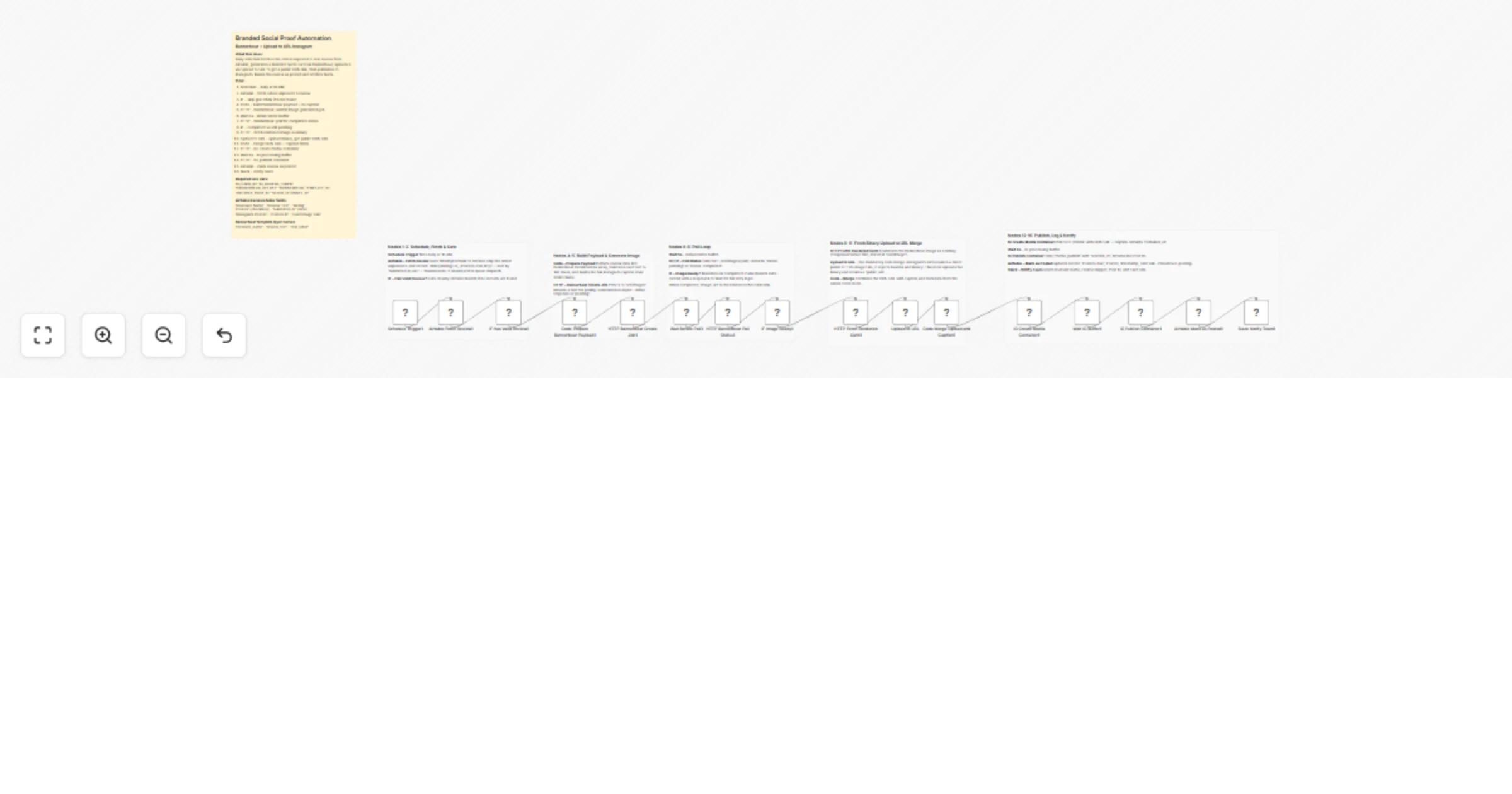
Create branded social proof Instagram posts from Airtable reviews with Bannerbear and UploadToURL

Workflow preview

Workflow preview
100%
Create branded social proof Instagram posts from Airtable reviews with Bannerbear and UploadToURL preview
Open on n8n.io

1. Workflow Overview

Branded Social Proof Automation via Bannerbear and uploadtourl Convert your customer satisfaction into high converting social media content with this fully automated social proof pipeline. This wor...

Best for

  • Social Media automation workflows
  • Multimodal AI automation workflows
  • advanced n8n builders looking for reusable templates

Tools used

n8n-nodes-uploadtourl.uploadtourl, n8n-nodes-base.stickynote, n8n-nodes-base.scheduletrigger, n8n-nodes-base.airtable, n8n-nodes-base.if, n8n-nodes-base.code, n8n-nodes-base.httprequest, n8n-nodes-base.wait

Source and attribution

This workflow is cataloged by N8N Workflows and links back to its original n8n.io source page by Jitesh Dugar.

Original n8n.io source

1.1 Workflow description

Title
Create branded social proof Instagram posts from Airtable reviews with Bannerbear and UploadToURL
Workflow name
Create branded social proof Instagram posts from Airtable reviews with Bannerbear and UploadToURL

Branded Social Proof Automation via Bannerbear and uploadtourl

Convert your customer satisfaction into high-converting social media content with this fully automated social proof pipeline. This workflow scans your database for top-tier reviews, generates a branded quote card, and publishes it directly to Instagram, ensuring a consistent stream of credibility for your brand.


๐ŸŽฏ What This Workflow Does

This template manages the entire lifecycle of a testimonial post, from data retrieval to final notification:


๐Ÿ”„ Review Dispatch Automation

  • Schedule Trigger: Automatically fires daily at 10:00 AM; cadence can be adjusted via cron expression.
  • Airtable โ€” Fetch Review: Retrieves the oldest 5-star, unposted record using a specific filter formula to prevent duplicates.
  • IF โ€” Has Valid Review?: Validates the data; the workflow exits gracefully if no new reviews are found and only proceeds when a 5-star review is ready.

โœ๏ธ๐ŸŽจ Dynamic Asset Generation

  • Code โ€” Prepare Payload: Formats review data into a JSON body, mapping fields like name and truncated text to Bannerbear layers while generating the final Instagram caption.
  • HTTP โ€” Create Image Job: Submits the request to the Bannerbear API and retrieves a unique job uid for asynchronous processing.

๐Ÿ” Status Verification & Media Hosting

  • HTTP โ€” Poll Status: Regularly checks the job status via the Bannerbear API to see if the rendering is finished.
  • IF โ€” Image Ready?: Confirms completion; if still processing, it triggers a "Wait 3s + re-poll" loop for up to 5 retries before passing the image_url forward.
  • uploadtourl Bridge: Mandatory CDN step that uploads the rendered image binary and returns a stable public URL, which is required for Instagram's API to access the file.

๐Ÿ“ธ Instagram Publishing & Tracking

  • IG โ€” Create & Publish: Executes the two-step Instagram Graph API flow to create a media container and publish it to your feed after a safe 6-second buffer.
  • Airtable โ€” Mark as Posted: Updates the original record with the Post ID and timestamp to prevent duplicate posting.
  • Slack Notification: Sends a final team alert with a preview of the card and the live link.

โœจ Key Features

  • Adaptive Polling: Instead of a static wait time, the workflow intelligently polls Bannerbear until the image is confirmed ready.
  • Automated CDN Bridge: Uses uploadtourl to bypass Instagram's rejection of base64/binary payloads by providing a direct public URL.
  • Intelligent Truncation: Automatically shortens long reviews to 180 characters to ensure perfect readability on your branded quote card.
  • Full Audit Trail: Every post is logged back to Airtable with its live Instagram ID and CDN URL for easy reporting.

๐Ÿ’ผ Perfect For

  • SaaS Companies: Showcasing user feedback and "Love letters" from customers.
  • E-commerce Brands: Sharing 5-star product reviews to build buyer confidence.
  • Service Providers: Highlighting client testimonials on a regular schedule.
  • Digital Marketers: Automating the "Social Proof" pillar of a social media strategy.

๐Ÿ”ง What You'll Need

Required Integrations

  • Bannerbear: API key and a Template ID with layers named reviewer_name, review_text, and star_label.
  • Instagram Graph API: A Business or Creator account access token.
  • uploadtourl: Credentials configured in n8n for mandatory media hosting.
  • Airtable: A base with a Reviews table containing fields for the name, text, and rating.

1.2 Logical Blocks

This catalog entry is organized from the workflow JSON. The node-level section below shows the executable blocks available for review before importing the template.

2. Block-by-Block Analysis

Block 1 - Upload to URL

Type / Role
n8n-nodes-uploadtourl.uploadToUrl - uploadToUrl
Config choices
Version 1

Block 2 - Template Overview1

Type / Role
n8n-nodes-base.stickyNote - stickyNote
Config choices
Version 1

Block 3 - Sticky Nodes 1-

Type / Role
n8n-nodes-base.stickyNote - stickyNote
Config choices
Version 1

Block 4 - Sticky Nodes 4-

Type / Role
n8n-nodes-base.stickyNote - stickyNote
Config choices
Version 1

Block 5 - Sticky Nodes 6-

Type / Role
n8n-nodes-base.stickyNote - stickyNote
Config choices
Version 1

Block 6 - Sticky Nodes 9-

Type / Role
n8n-nodes-base.stickyNote - stickyNote
Config choices
Version 1

Block 7 - Sticky Nodes 12-

Type / Role
n8n-nodes-base.stickyNote - stickyNote
Config choices
Version 1

Block 8 - Schedule Trigger1

Type / Role
n8n-nodes-base.scheduleTrigger - scheduleTrigger
Config choices
Version 1.1

Block 9 - Airtable Fetch Review1

Type / Role
n8n-nodes-base.airtable - airtable
Config choices
Version 2

Block 10 - IF Has Valid Review1

Type / Role
n8n-nodes-base.if - if
Config choices
Version 2

Block 11 - Code Prepare Bannerbear Payload1

Type / Role
n8n-nodes-base.code - code
Config choices
Version 2

Block 12 - HTTP Bannerbear Create Job1

Type / Role
n8n-nodes-base.httpRequest - httpRequest
Config choices
Version 4.1

Block 13 - Wait Before Poll1

Type / Role
n8n-nodes-base.wait - wait
Config choices
Version 1

Block 14 - HTTP Bannerbear Poll Status1

Type / Role
n8n-nodes-base.httpRequest - httpRequest
Config choices
Version 4.1

Block 15 - IF Image Ready1

Type / Role
n8n-nodes-base.if - if
Config choices
Version 2

Block 16 - HTTP Fetch Rendered Card1

Type / Role
n8n-nodes-base.httpRequest - httpRequest
Config choices
Version 4.1

Block 17 - Code Merge Upload and Caption1

Type / Role
n8n-nodes-base.code - code
Config choices
Version 2

Block 18 - IG Create Media Container1

Type / Role
n8n-nodes-base.httpRequest - httpRequest
Config choices
Version 4.1

Block 19 - Wait IG Buffer1

Type / Role
n8n-nodes-base.wait - wait
Config choices
Version 1

Block 20 - IG Publish Container1

Type / Role
n8n-nodes-base.httpRequest - httpRequest
Config choices
Version 4.1

Block 21 - Airtable Mark as Posted1

Type / Role
n8n-nodes-base.airtable - airtable
Config choices
Version 2

Block 22 - Slack Notify Team1

Type / Role
n8n-nodes-base.slack - slack
Config choices
Version 2.2

3. Summary Table

Workflow Create branded social proof Instagram posts from Airtable reviews with Bannerbear and UploadToURL
Complexity advanced
Nodes 22
Categories Social Media, Multimodal AI
Author Jitesh Dugar
Published 02 Apr 2026

4. Reproducing the Workflow from Scratch

  1. 1. Download the workflow JSON

    Use the JSON export at /data/workflows/14629/14629.json as the source template for this automation.

  2. 2. Import the template into n8n

    Open n8n, import the downloaded JSON, and review each node before activating the workflow.

  3. 3. Configure credentials and variables

    Replace placeholder credentials, API keys, webhook URLs, account IDs, and environment-specific values with your own settings.

  4. 4. Test with sample data

    Run the workflow manually or in a staging workspace, inspect node output, and confirm downstream systems receive the expected data.

  5. 5. Activate and monitor

    Enable the workflow only after testing, then monitor executions, errors, and rate limits during the first production runs.

5. General Notes & Resources

Review imported nodes carefully before activation. This catalog entry is intended to help you inspect the workflow structure, understand required services, and find related templates faster.

Node names, credentials, schedules, webhook paths, and external service limits may need adjustment for your workspace.

Frequently asked questions

What does Create branded social proof Instagram posts from Airtable reviews with Bannerbear and UploadToURL do?

Branded Social Proof Automation via Bannerbear and uploadtourl Convert your customer satisfaction into high converting social media content with this fully automated social proof pipeline. This wor...

What do I need before importing this workflow?

Review the workflow JSON, configure any required credentials in n8n, and test the automation in a safe workspace before using it in production.

Can I customize this workflow?

Yes. Use the block-by-block analysis and the downloadable JSON to inspect each node, then adjust credentials, prompts, schedules, filters, or destinations for your Social Media, Multimodal AI use case.