Block 1 - Sticky Note10
- Type / Role
- n8n-nodes-base.stickyNote - stickyNote
- Config choices
- Version 1


 Early Deal
This workflow is provided as-is. Please review and test before using in production.
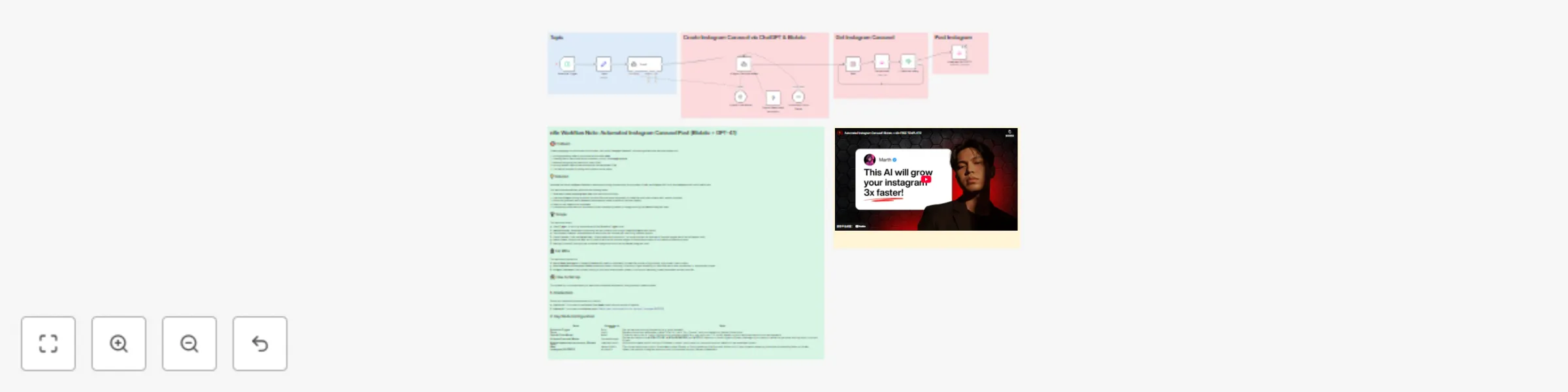
Automated Instagram Carousel Post (Blotato + GPT 4.1) This workflow is an end to end solution for automating the creation and publishing of highly engaging Instagram Carousel content on a recurring...
n8n-nodes-base.stickynote, @blotato/n8n-nodes-blotato.blotato, n8n-nodes-base.wait, @n8n/n8n-nodes-langchain.agent, @blotato/n8n-nodes-blotato.blotatotool, n8n-nodes-base.if, @n8n/n8n-nodes-langchain.outputparserstructured, n8n-nodes-base.set
This workflow is cataloged by N8N Workflows and links back to its original n8n.io source page by Marth.
Original n8n.io sourceThis workflow is an end-to-end solution for automating the creation and publishing of highly engaging Instagram Carousel content on a recurring schedule. It leverages the intelligence of an AI Agent (GPT-4.1) for idea generation and sharp copywriting, combined with the visual rendering capabilities of Blotato, all orchestrated by the n8n automation platform. The core objective is to drastically cut content production time, enabling creators and marketing teams to consistently generate high-impact, scroll-stopping educational or inspirational content without manual intervention.
The workflow executes in five automated phases:
The workflow starts with the Schedule Trigger node, running at your specified time interval (e.g., daily). It takes the initial subject from the Topic node and feeds it to the Topic1 AI Agent. This agent is specifically prompted to create a short, viral hook/title (max. 6 words) in the style of confident, tactical copywriters (like Alex Hormozi), maximizing the content's initial draw.
The viral hook is then passed to the AI Agent Carousel Maker. This agent uses the GPT-4.1 model, following strict system instructions, to generate all necessary content elements in a structured JSON format:
The slide text output is sent to the Simple tweet cards monocolor (Blotato Tool) node. Blotato acts as a graphic generation API, rendering the text onto a chosen template to create a series of Carousel images (using the 4:5 aspect ratio). This replaces the need for manual design work in tools like Canva.
Visual rendering takes time, so the workflow pauses:
done. If not, the flow is routed back to the Wait node, implementing a built-in simple retry mechanism until the visuals are complete.Once the status is confirmed as done, the workflow proceeds to the final step:
To successfully activate and personalize this n8n workflow, follow these steps:
Automated Instagram Carousel Post with Blotato + Gpt 4.1.json) into your n8n instance.Simple tweet cards monocolor, Get carousel, and Instagram [BLOTATO]).=Top ai tools for finance to any general subject matter you want your Carousels to cover.Rule to define how often you want the content to be created and posted (e.g., set it to run Every Day at a specific time).System Message to refine the AI's output:# ROLE and # STYLE sections to match your brand's voice (e.g., change the Alex Hormozi style to a more formal, academic tone if needed).# OUTPUT as this JSON format is essential for downstream nodes.templateInputs, customize fields like authorName, handle, and profileImage URLs to ensure the generated visuals are consistent with your personal or brand identity.accountId parameter, use the dropdown list to select the specific Instagram account that is connected via your Blotato service.This catalog entry is organized from the workflow JSON. The node-level section below shows the executable blocks available for review before importing the template.
| Workflow | Create and publish Instagram carousels automatically with GPT-4.1 and Blotato |
|---|---|
| Complexity | advanced |
| Nodes | 17 |
| Categories | Content Creation, Multimodal AI |
| Author | Marth |
| Published | 14 Oct 2025 |
Use the JSON export at /data/workflows/9597/9597.json as the source template for this automation.
Open n8n, import the downloaded JSON, and review each node before activating the workflow.
Replace placeholder credentials, API keys, webhook URLs, account IDs, and environment-specific values with your own settings.
Run the workflow manually or in a staging workspace, inspect node output, and confirm downstream systems receive the expected data.
Enable the workflow only after testing, then monitor executions, errors, and rate limits during the first production runs.
Review imported nodes carefully before activation. This catalog entry is intended to help you inspect the workflow structure, understand required services, and find related templates faster.
Node names, credentials, schedules, webhook paths, and external service limits may need adjustment for your workspace.
Automated Instagram Carousel Post (Blotato + GPT 4.1) This workflow is an end to end solution for automating the creation and publishing of highly engaging Instagram Carousel content on a recurring...
Review the workflow JSON, configure any required credentials in n8n, and test the automation in a safe workspace before using it in production.
Yes. Use the block-by-block analysis and the downloadable JSON to inspect each node, then adjust credentials, prompts, schedules, filters, or destinations for your Content Creation, Multimodal AI use case.