Create and publish AI videos from Telegram with VEED and Blotato
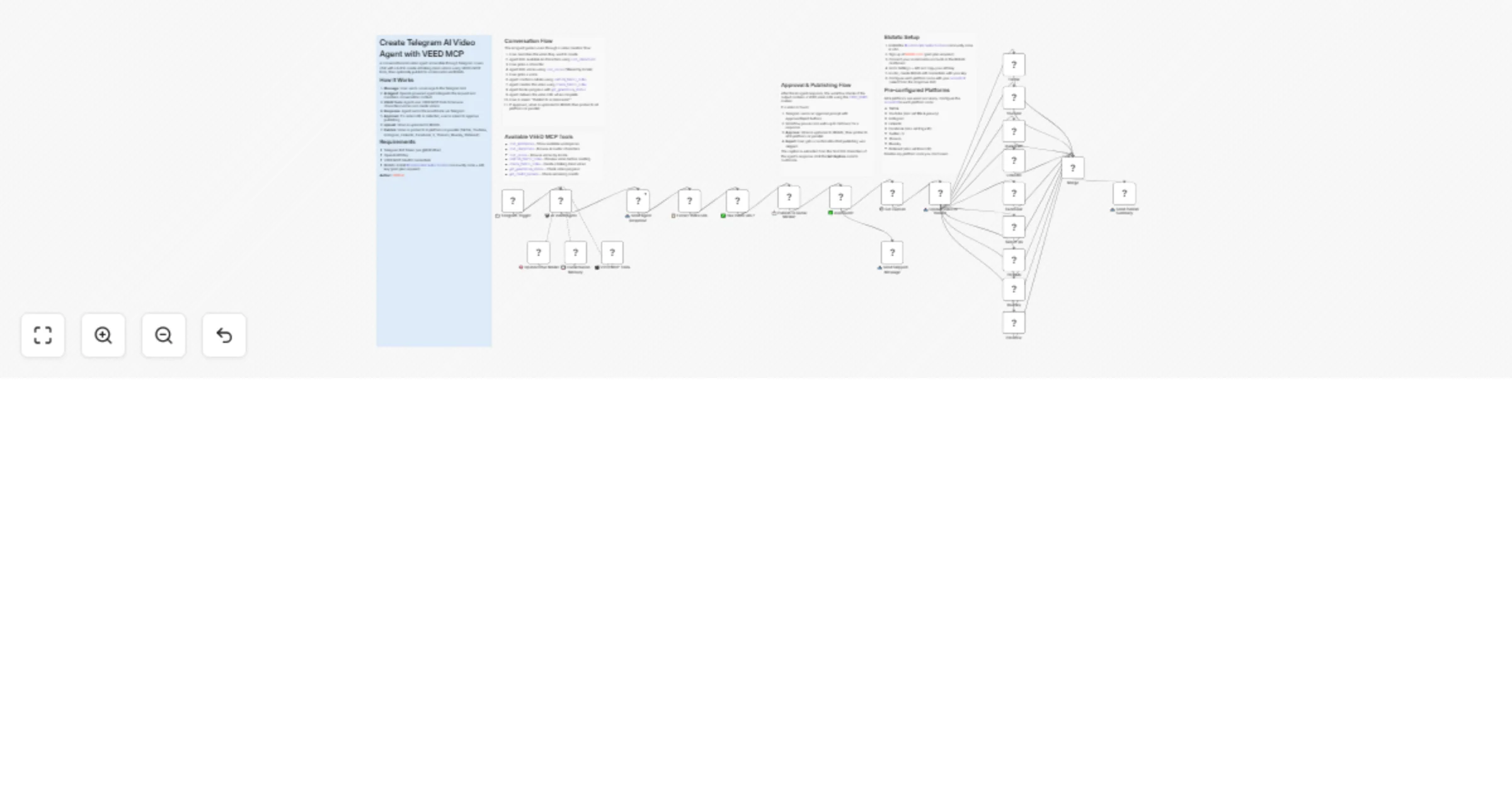
Workflow preview


 Early Deal
DISCOUNT 20%

Overview
Create & Publish AI Videos from Telegram Chat with VEED and Blotato
Overview
This n8n workflow creates a conversational AI video agent accessible through Telegram. Users chat with a bot to request AI-generated talking-head videos using VEED's MCP tools, then optionally publish to 9 social media platforms via Blotato with a single approval tap.
Output: AI-generated talking-head videos delivered in Telegram and published to TikTok, YouTube, Instagram, LinkedIn, Facebook, X, Threads, Bluesky, and Pinterest.
What It Does
User Message (Telegram) → AI Agent → VEED MCP tools create video → Response sent via Telegram
 ↕ Memory ↓ (if video URL detected)
 Approval prompt (Approve/Reject)
 ↓ Approved
 Upload to Blotato → Publish to 9 platforms in parallel
 ↓
 Merge results → Summary sent via Telegram
Flow Breakdown
| Step | Component | What Happens |
|---|---|---|
| 1. Message Received | 📩 Telegram Trigger | User sends a text message to the bot |
| 2. AI Processing | 🤖 AI Video Agent (gpt-5-nano) | Interprets request, decides which VEED tools to use |
| 3. Context Retention | 💾 Conversation Memory | Maintains conversation history per chat (20-message window) |
| 4. Video Creation | 🎬 VEED MCP Tools | Lists characters/voices, confirms details, creates video via VEED Fabric |
| 5. Response Delivery | 📤 Send Agent Response | Sends agent text back to user in Telegram |
| 6. URL Extraction | 📋 Extract Video URL | Detects the VIDEO_READY: marker in agent output |
| 7. Approval Prompt | 📩 Publish to Social Media? | Telegram sendAndWait with Approve/Reject buttons (24h timeout) |
| 8. Upload | 📤 Upload Video to Blotato | Uploads video file to Blotato CDN, returns hosted URL |
| 9. Publish | TikTok, YouTube, Instagram, LinkedIn, Facebook, X, Threads, Bluesky, Pinterest | All 9 platform nodes post in parallel using the Blotato URL |
| 10. Summary | 📤 Send Publish Summary | Confirms publication back to user in Telegram |
Required Connections
n8n Credentials
| Node | Credential Type | Where to Get |
|---|---|---|
| 📩 Telegram Trigger | Telegram Bot API | Create bot via @BotFather in Telegram |
| 🧠 OpenAI Chat Model | OpenAI API Key | https://platform.openai.com/api-keys |
| 🎬 VEED MCP Tools | MCP OAuth2 | Your VEED OAuth2 client credentials |
| 📤 Send Agent Response | Telegram Bot API | Same bot token as trigger |
| 📩 Publish to Social Media? | Telegram Bot API | Same bot token as trigger |
| 📤 Upload Video to Blotato | Blotato API | https://my.blotato.com/settings → API |
| TikTok / YouTube / Instagram / ... | Blotato API | Same Blotato credential as upload |
Community Node Required
Install @blotato/n8n-nodes-blotato via Settings → Community Nodes → Install in n8n.
Configuration Options
AI Agent System Prompt
The AI Agent's behavior is defined by its system prompt. Edit the 🤖 AI Video Agent node to customize:
You are a friendly AI video creation assistant powered by VEED.
You help users create professional talking-head videos with AI avatars through Telegram.

Video Creation Flow:
1. Understand their need - Ask what video they want
2. Choose a character - Show available AI avatars
3. Choose a voice - Ask preferred language/locale
4. Confirm details - Summarize before creating
5. Create the video - Generate with confirmed parameters
6. Track progress - Poll generation status
7. Deliver result - Share the video URL with VIDEO_READY: marker
Agent Configuration
| Field | Default | Description |
|---|---|---|
| Model | gpt-5-nano |
OpenAI model used for reasoning |
| Max Iterations | 15 |
Maximum tool-calling rounds per message |
| Memory Window | 20 messages |
How many past messages the agent remembers |
| Session Key | {{ $json.message.chat.id }} |
Isolates memory per Telegram chat |
Available VEED MCP Tools
| Tool | Required Parameters | Description |
|---|---|---|
list_workspaces |
— | Show available workspaces |
list_characters |
— (optional: gender) | Browse AI avatar characters |
list_voices |
locale (e.g. "en") |
Browse voices (optional: gender filter) |
confirm_fabric_video |
script, voiceId, characterId | Preview video details before creating |
create_fabric_video |
script, voiceId, characterId | Create a talking-head video (optional: aspectRatio) |
get_generation_status |
jobId | Check video generation progress |
get_credit_balance |
— | Check remaining VEED credits |
Blotato Platform Configuration
Each platform node needs its accountId configured (select from dropdown after connecting Blotato credentials):
| Platform | Extra Configuration |
|---|---|
| TikTok | — |
| YouTube | Title, privacy status (private by default), notify subscribers |
| — | |
| — | |
| Page ID (select from dropdown) | |
| Twitter / X | — |
| Threads | — |
| Bluesky | — |
| Board ID |
Disable any platform node you don't use.
Caption Configuration
Edit the ⚙️ Set Caption node to customize what gets posted:
caption: defaults to first 200 characters of the agent's responsevideo_url: automatically extracted from theVIDEO_READY:marker
Conversation Examples
| User Says | Agent Does |
|---|---|
| "Hi, what can you do?" | Introduces itself and explains video creation capabilities |
| "Create a video about AI trends" | Asks about character/voice preferences, then guides through creation flow |
| "Show me available characters" | Calls list_characters, formats results for easy selection |
| "Use a female English voice" | Calls list_voices with locale "en" and gender filter, shows options |
| "Yes, create it!" | Calls create_fabric_video, then immediately checks get_generation_status |
| "Is my video ready?" | Calls get_generation_status with the last jobId from memory |
| Taps "Approve" | Video uploads to Blotato, publishes to all 9 platforms, summary sent |
| Taps "Reject" | "No problem! Your video won't be published to social media." |
Output
Per Video Generated
| Asset | Format | Delivered Via |
|---|---|---|
| Video URL | VEED hosted MP4 link | Telegram message |
| Approval prompt | Approve/Reject buttons | Telegram sendAndWait |
| Social media posts | Video + caption | TikTok, YouTube, Instagram, LinkedIn, Facebook, X, Threads, Bluesky, Pinterest |
| Publish summary | Text confirmation | Telegram message |
Estimated Costs Per Video
| Service | Usage | Approximate Cost |
|---|---|---|
| OpenAI gpt-5-nano | ~1-3K tokens per conversation turn | ~$0.005-0.02 |
| VEED Fabric | 1 video render (~8 credits/sec) | ~$0.10-0.20 |
| Blotato | Media upload + 9 platform posts | Included in paid plan |
| Telegram Bot API | Messages | Free |
| Total | ~$0.10-0.25 per video |
> Costs vary based on conversation length, video duration, and current API pricing.
Setup Checklist
Step 1: Import Workflow
- Import
create-and-publish-ai-videos-from-telegram-chat-with-veed-and-blotato.jsoninto n8n
Step 2: Install Blotato Community Node
- Go to Settings → Community Nodes → Install
- Enter
@blotato/n8n-nodes-blotatoand install
Step 3: Create Telegram Bot
- Open Telegram and message @BotFather
- Send
/newbotand follow the prompts to create your bot - Copy the bot token provided by BotFather
Step 4: Configure n8n Credentials
- Click on 📩 Telegram Trigger node → Add Telegram Bot credential with your token
- Click on 🧠 OpenAI Chat Model node → Add OpenAI API Key credential
- Click on 🎬 VEED MCP Tools node → Add MCP OAuth2 credential with your VEED OAuth2 client credentials
- Click on 📤 Send Agent Response node → Select the same Telegram Bot credential
- Click on 📩 Publish to Social Media? node → Select the same Telegram Bot credential
- Click on 📤 Upload Video to Blotato node → Add Blotato API credential (from blotato.com settings)
Step 5: Configure Blotato Platforms
- Open each platform node (TikTok, YouTube, Instagram, etc.)
- Select your connected account from the
accountIddropdown - For YouTube: set title and privacy preferences
- For Facebook: select your Page from the dropdown
- For Pinterest: set Board ID
- Disable any platform nodes you don't need
Step 6: Activate & Test
- Activate the workflow by clicking Publish and toggling it active
- Send a test message to your bot in Telegram (e.g., "Hi, what can you do?")
- Verify the bot responds with its capabilities
- Create a video and test the full flow including the approval prompt
- Approve publishing and verify posts appear on your social accounts
Limitations & Notes
Technical Limitations
- Telegram activation: The workflow must be published and active — simply executing it is not enough for the Telegram trigger to receive messages.
- Memory window: Only the last 20 messages are retained per conversation. Older context is lost.
- VEED processing: Video generation takes 1-5 minutes. The agent reports status but the user must wait.
- Concurrent users: Multiple users are supported — each Telegram chat gets independent conversation memory keyed by
chat.id. - Approval timeout: The publish prompt expires after 24 hours if not answered.
- VIDEO_READY marker: The agent must include
VIDEO_READY: <url>in its response for the publishing flow to trigger. This is enforced via the system prompt. - Blotato paid plan: API access requires a paid Blotato subscription.
Content Considerations
- The AI agent autonomously decides which VEED tools to use based on the user's request
- Users can request specific characters, voices, and scripts through natural conversation
- The agent cannot edit or modify videos after creation
- Video output depends on available VEED characters and voices
- Each second of generated video costs approximately 8 VEED credits
- Published captions default to the first 200 characters of the agent's response — edit the ⚙️ Set Caption node to customize
Best Practices
- Set bot commands: Use @BotFather's
/setcommandsto add help commands for your users - Test with simple requests first: Start with "list available characters" before attempting full video creation
- Monitor token usage: Longer conversations consume more OpenAI tokens per turn
- Customize the system prompt: Tailor the agent's persona, default locale, and guidelines to your use case
- Disable unused platforms: Disable platform nodes you haven't connected to avoid errors
- YouTube defaults to private: Videos are published as private by default — change in the YouTube node if needed
Troubleshooting
| Issue | Solution |
|---|---|
| Bot not responding | Ensure workflow is published and active, not just executed manually |
| "Unauthorized" from Telegram | Verify bot token is correct in n8n Telegram credential |
| VEED MCP connection failed | Re-authorize the VEED OAuth2 credential in n8n |
| Agent doesn't use VEED tools | Verify 🎬 VEED MCP Tools node is connected to the AI Agent node |
| Memory not working across messages | Confirm session key expression {{ $('📩 Telegram Trigger').item.json.message.chat.id }} is correct |
| Video generation timeout | VEED processing can take up to 5 minutes — agent should poll get_generation_status |
| "Model not found" error | Verify OpenAI API key has access to gpt-5-nano model |
| No approval prompt after video | Check the agent includes VIDEO_READY: marker — verify system prompt is intact |
| Blotato upload fails | Verify Blotato API credential is valid and plan is active |
| Platform publish fails | Ensure accountId is configured in the failing platform node |
| "Can't parse entities" error | The Send Agent Response node should have no parse_mode set (plain text) |
| Blotato node not found | Install @blotato/n8n-nodes-blotato via Settings → Community Nodes |
Version History
| Version | Date | Changes |
|---|---|---|
| 1.0 | Mar 2026 | Initial release with Telegram bot, AI Agent, VEED MCP integration, conversation memory |
| 2.0 | Apr 2026 | Added Blotato multiplatform publishing (9 platforms), Telegram approval flow, video URL extraction, caption configuration |
Credits
Built with:
- n8n - Workflow automation
- OpenAI - AI agent reasoning (gpt-5-nano)
- VEED - AI video generation (via MCP)
- Blotato - Multiplatform social media publishing
- Telegram - Chat interface & approval flow
- LangChain - Agent framework and memory