Block 1 - Sticky Note - Setup
- Type / Role
- n8n-nodes-base.stickyNote - stickyNote
- Config choices
- Version 1


 Early Deal
Create & Publish AI Videos from Telegram Chat with VEED and Blotato Overview This n8n workflow creates a conversational AI video agent accessible through Telegram. Users chat with a bot to request ...
n8n-nodes-base.stickynote, n8n-nodes-base.telegramtrigger, @n8n/n8n-nodes-langchain.agent, @n8n/n8n-nodes-langchain.lmchatopenai, @n8n/n8n-nodes-langchain.memorybufferwindow, @n8n/n8n-nodes-langchain.mcpclienttool, n8n-nodes-base.telegram, n8n-nodes-base.code
This workflow is cataloged by N8N Workflows and links back to its original n8n.io source page by VEED.
Original n8n.io sourceThis n8n workflow creates a conversational AI video agent accessible through Telegram. Users chat with a bot to request AI-generated talking-head videos using VEED's MCP tools, then optionally publish to 9 social media platforms via Blotato with a single approval tap.
Output: AI-generated talking-head videos delivered in Telegram and published to TikTok, YouTube, Instagram, LinkedIn, Facebook, X, Threads, Bluesky, and Pinterest.
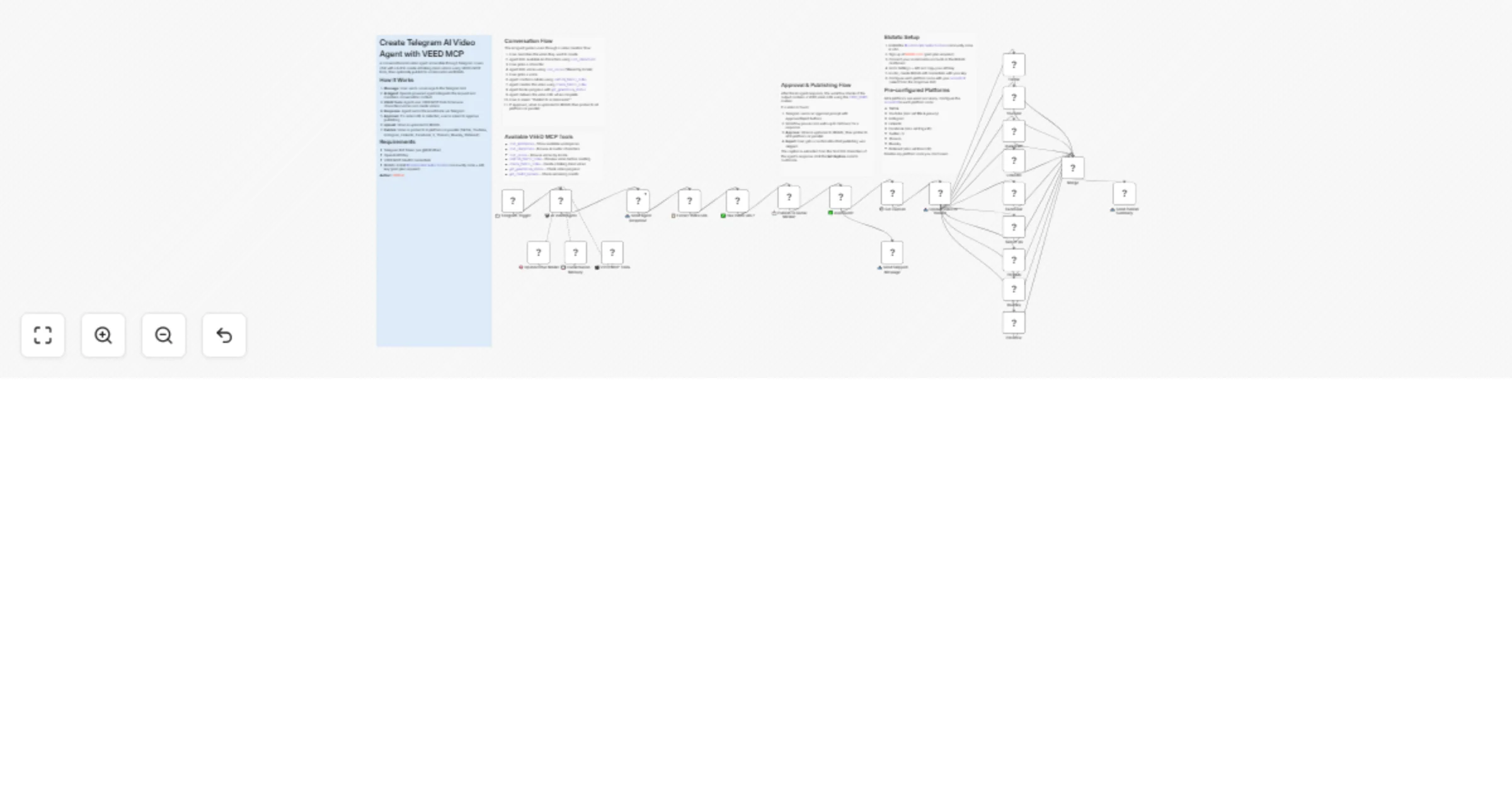
User Message (Telegram) → AI Agent → VEED MCP tools create video → Response sent via Telegram
 ↕ Memory ↓ (if video URL detected)
 Approval prompt (Approve/Reject)
 ↓ Approved
 Upload to Blotato → Publish to 9 platforms in parallel
 ↓
 Merge results → Summary sent via Telegram
| Step | Component | What Happens |
|---|---|---|
| 1. Message Received | 📩 Telegram Trigger | User sends a text message to the bot |
| 2. AI Processing | 🤖 AI Video Agent (gpt-5-nano) | Interprets request, decides which VEED tools to use |
| 3. Context Retention | 💾 Conversation Memory | Maintains conversation history per chat (20-message window) |
| 4. Video Creation | 🎬 VEED MCP Tools | Lists characters/voices, confirms details, creates video via VEED Fabric |
| 5. Response Delivery | 📤 Send Agent Response | Sends agent text back to user in Telegram |
| 6. URL Extraction | 📋 Extract Video URL | Detects the VIDEO_READY: marker in agent output |
| 7. Approval Prompt | 📩 Publish to Social Media? | Telegram sendAndWait with Approve/Reject buttons (24h timeout) |
| 8. Upload | 📤 Upload Video to Blotato | Uploads video file to Blotato CDN, returns hosted URL |
| 9. Publish | TikTok, YouTube, Instagram, LinkedIn, Facebook, X, Threads, Bluesky, Pinterest | All 9 platform nodes post in parallel using the Blotato URL |
| 10. Summary | 📤 Send Publish Summary | Confirms publication back to user in Telegram |
| Node | Credential Type | Where to Get |
|---|---|---|
| 📩 Telegram Trigger | Telegram Bot API | Create bot via @BotFather in Telegram |
| 🧠 OpenAI Chat Model | OpenAI API Key | https://platform.openai.com/api-keys |
| 🎬 VEED MCP Tools | MCP OAuth2 | Your VEED OAuth2 client credentials |
| 📤 Send Agent Response | Telegram Bot API | Same bot token as trigger |
| 📩 Publish to Social Media? | Telegram Bot API | Same bot token as trigger |
| 📤 Upload Video to Blotato | Blotato API | https://my.blotato.com/settings → API |
| TikTok / YouTube / Instagram / ... | Blotato API | Same Blotato credential as upload |
Install @blotato/n8n-nodes-blotato via Settings → Community Nodes → Install in n8n.
The AI Agent's behavior is defined by its system prompt. Edit the 🤖 AI Video Agent node to customize:
You are a friendly AI video creation assistant powered by VEED.
You help users create professional talking-head videos with AI avatars through Telegram.

Video Creation Flow:
1. Understand their need - Ask what video they want
2. Choose a character - Show available AI avatars
3. Choose a voice - Ask preferred language/locale
4. Confirm details - Summarize before creating
5. Create the video - Generate with confirmed parameters
6. Track progress - Poll generation status
7. Deliver result - Share the video URL with VIDEO_READY: marker
| Field | Default | Description |
|---|---|---|
| Model | gpt-5-nano |
OpenAI model used for reasoning |
| Max Iterations | 15 |
Maximum tool-calling rounds per message |
| Memory Window | 20 messages |
How many past messages the agent remembers |
| Session Key | {{ $json.message.chat.id }} |
Isolates memory per Telegram chat |
| Tool | Required Parameters | Description |
|---|---|---|
list_workspaces |
— | Show available workspaces |
list_characters |
— (optional: gender) | Browse AI avatar characters |
list_voices |
locale (e.g. "en") |
Browse voices (optional: gender filter) |
confirm_fabric_video |
script, voiceId, characterId | Preview video details before creating |
create_fabric_video |
script, voiceId, characterId | Create a talking-head video (optional: aspectRatio) |
get_generation_status |
jobId | Check video generation progress |
get_credit_balance |
— | Check remaining VEED credits |
Each platform node needs its accountId configured (select from dropdown after connecting Blotato credentials):
| Platform | Extra Configuration |
|---|---|
| TikTok | — |
| YouTube | Title, privacy status (private by default), notify subscribers |
| — | |
| — | |
| Page ID (select from dropdown) | |
| Twitter / X | — |
| Threads | — |
| Bluesky | — |
| Board ID |
Disable any platform node you don't use.
Edit the ⚙️ Set Caption node to customize what gets posted:
caption: defaults to first 200 characters of the agent's responsevideo_url: automatically extracted from the VIDEO_READY: marker| User Says | Agent Does |
|---|---|
| "Hi, what can you do?" | Introduces itself and explains video creation capabilities |
| "Create a video about AI trends" | Asks about character/voice preferences, then guides through creation flow |
| "Show me available characters" | Calls list_characters, formats results for easy selection |
| "Use a female English voice" | Calls list_voices with locale "en" and gender filter, shows options |
| "Yes, create it!" | Calls create_fabric_video, then immediately checks get_generation_status |
| "Is my video ready?" | Calls get_generation_status with the last jobId from memory |
| Taps "Approve" | Video uploads to Blotato, publishes to all 9 platforms, summary sent |
| Taps "Reject" | "No problem! Your video won't be published to social media." |
| Asset | Format | Delivered Via |
|---|---|---|
| Video URL | VEED hosted MP4 link | Telegram message |
| Approval prompt | Approve/Reject buttons | Telegram sendAndWait |
| Social media posts | Video + caption | TikTok, YouTube, Instagram, LinkedIn, Facebook, X, Threads, Bluesky, Pinterest |
| Publish summary | Text confirmation | Telegram message |
| Service | Usage | Approximate Cost |
|---|---|---|
| OpenAI gpt-5-nano | ~1-3K tokens per conversation turn | ~$0.005-0.02 |
| VEED Fabric | 1 video render (~8 credits/sec) | ~$0.10-0.20 |
| Blotato | Media upload + 9 platform posts | Included in paid plan |
| Telegram Bot API | Messages | Free |
| Total | ~$0.10-0.25 per video |
> Costs vary based on conversation length, video duration, and current API pricing.
create-and-publish-ai-videos-from-telegram-chat-with-veed-and-blotato.json into n8n@blotato/n8n-nodes-blotato and install/newbot and follow the prompts to create your botaccountId dropdownchat.id.VIDEO_READY: <url> in its response for the publishing flow to trigger. This is enforced via the system prompt./setcommands to add help commands for your users| Issue | Solution |
|---|---|
| Bot not responding | Ensure workflow is published and active, not just executed manually |
| "Unauthorized" from Telegram | Verify bot token is correct in n8n Telegram credential |
| VEED MCP connection failed | Re-authorize the VEED OAuth2 credential in n8n |
| Agent doesn't use VEED tools | Verify 🎬 VEED MCP Tools node is connected to the AI Agent node |
| Memory not working across messages | Confirm session key expression {{ $('📩 Telegram Trigger').item.json.message.chat.id }} is correct |
| Video generation timeout | VEED processing can take up to 5 minutes — agent should poll get_generation_status |
| "Model not found" error | Verify OpenAI API key has access to gpt-5-nano model |
| No approval prompt after video | Check the agent includes VIDEO_READY: marker — verify system prompt is intact |
| Blotato upload fails | Verify Blotato API credential is valid and plan is active |
| Platform publish fails | Ensure accountId is configured in the failing platform node |
| "Can't parse entities" error | The Send Agent Response node should have no parse_mode set (plain text) |
| Blotato node not found | Install @blotato/n8n-nodes-blotato via Settings → Community Nodes |
| Version | Date | Changes |
|---|---|---|
| 1.0 | Mar 2026 | Initial release with Telegram bot, AI Agent, VEED MCP integration, conversation memory |
| 2.0 | Apr 2026 | Added Blotato multiplatform publishing (9 platforms), Telegram approval flow, video URL extraction, caption configuration |
Built with:
This catalog entry is organized from the workflow JSON. The node-level section below shows the executable blocks available for review before importing the template.
Showing the first 24 of 29 workflow blocks. Download the JSON for the full node graph.
| Workflow | Create and publish AI videos from Telegram with VEED and Blotato |
|---|---|
| Complexity | advanced |
| Nodes | 29 |
| Categories | Content Creation, AI Chatbot |
| Author | VEED |
| Published | 24 Mar 2026 |
Use the JSON export at /data/workflows/14290/14290.json as the source template for this automation.
Open n8n, import the downloaded JSON, and review each node before activating the workflow.
Replace placeholder credentials, API keys, webhook URLs, account IDs, and environment-specific values with your own settings.
Run the workflow manually or in a staging workspace, inspect node output, and confirm downstream systems receive the expected data.
Enable the workflow only after testing, then monitor executions, errors, and rate limits during the first production runs.
Review imported nodes carefully before activation. This catalog entry is intended to help you inspect the workflow structure, understand required services, and find related templates faster.
Node names, credentials, schedules, webhook paths, and external service limits may need adjustment for your workspace.
Create & Publish AI Videos from Telegram Chat with VEED and Blotato Overview This n8n workflow creates a conversational AI video agent accessible through Telegram. Users chat with a bot to request ...
Review the workflow JSON, configure any required credentials in n8n, and test the automation in a safe workspace before using it in production.
Yes. Use the block-by-block analysis and the downloadable JSON to inspect each node, then adjust credentials, prompts, schedules, filters, or destinations for your Content Creation, AI Chatbot use case.