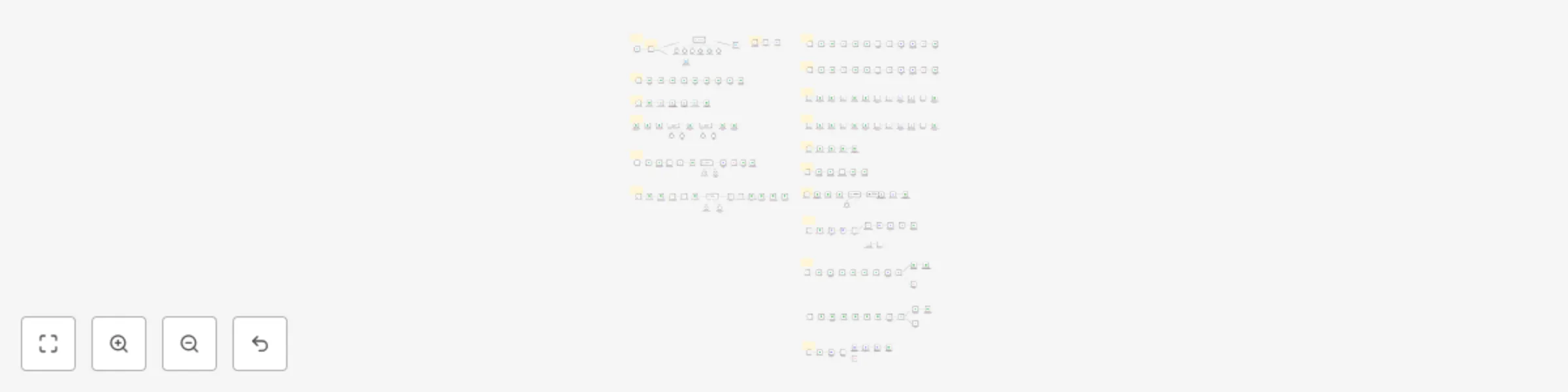
Create AI-generated music playlists for YouTube using Suno, GPT-4, Runway & Creatomate

Workflow preview

Workflow preview
100%
Create AI-generated music playlists for YouTube using Suno, GPT-4, Runway & Creatomate preview
Open on n8n.io

Important notice

This workflow is provided as-is. Please review and test before using in production.

1. Workflow Overview

Automated AI Playlist Creator Complete Music Production Pipeline Demo Youtube Video: https://www.youtube.com/watch?v=B RDqM0kcgc Overview Transform yo...

Best for

  • Content Creation automation workflows
  • Multimodal AI automation workflows
  • advanced n8n builders looking for reusable templates

Tools used

@n8n/n8n-nodes-langchain.agent, n8n-nodes-base.telegram, n8n-nodes-base.stickynote, @n8n/n8n-nodes-langchain.toolserpapi, @n8n/n8n-nodes-langchain.memorybufferwindow, n8n-nodes-base.if, n8n-nodes-base.telegramtrigger, @n8n/n8n-nodes-langchain.toolworkflow

Source and attribution

This workflow is cataloged by N8N Workflows and links back to its original n8n.io source page by Joseph.

Original n8n.io source

1.1 Workflow description

Title
Create AI-generated music playlists for YouTube using Suno, GPT-4, Runway & Creatomate
Workflow name
Create AI-generated music playlists for YouTube using Suno, GPT-4, Runway & Creatomate

Automated AI Playlist Creator - Complete Music Production Pipeline

Demo Youtube Video: https://www.youtube.com/watch?v=B_RDqM0kcgc

Overview

Transform your music creation process with this comprehensive 11-workflow automation system that generates complete music playlists from concept to YouTube publication. Using advanced AI services, this template creates original songs, lyrics, cover art, animated videos, and handles the entire publishing pipeline automatically.

What This Template Does

  • AI-Powered Song Creation: Generates 20 unique song ideas based on your specifications
  • Lyric Generation: Creates custom lyrics for each song using advanced AI
  • Music Production: Produces high-quality audio tracks with AI music generation
  • Visual Content: Creates cover art and animated cover videos
  • Video Compilation: Renders complete playlist videos with all songs
  • Auto-Publishing: Uploads finished videos directly to YouTube
  • Smart Selection: Allows manual curation from multiple AI-generated versions

Workflow Architecture

Core Workflows (11 Total)

  1. Playlist Details Setup - Telegram bot interface for configuration
  2. Database & Drive Configuration - Automated folder structure and data management
  3. Song Ideas Generator - AI-powered creative song concept generation
  4. Lyrics & Task Generation (Batch 1 & 2) - Parallel lyric creation and task management
  5. Audio Fetch & Drive Upload - Retrieves generated music and organizes files
  6. Song Selection Migration - Handles user curation of AI-generated alternatives
  7. Cover Image Generation - AI-powered visual artwork creation
  8. Cover Animation - Dynamic video cover creation
  9. Video Rendering (20 Songs) - Full playlist compilation
  10. Video Rendering (15 Songs) - Alternative stable rendering option
  11. YouTube Upload & Publishing - Automated social media publishing

APIs & Services Used

AI & Machine Learning

  • OpenAI GPT-4.1 - Conversational AI, lyrics generation, image creation
  • Suno API - High-quality AI music generation
  • Runway ML - AI-powered video animation and effects

Media & Storage

  • Google Sheets - Database and workflow management
  • Google Drive - File storage and organization via Google Apps Script
  • ImageBB - Image hosting and CDN services
  • Creatomate - Professional video rendering and compilation

Communication & Publishing

  • Telegram Bot API - User interface and workflow control
  • YouTube Data API - Automated video publishing
  • SerpAPI - Optional web search for creative inspiration

Key Features

Intelligent Automation

  • Conversational Setup: Natural language playlist configuration via Telegram
  • Batch Processing: Efficient handling of multiple songs simultaneously
  • Quality Control: Multiple AI-generated versions with manual selection
  • Error Recovery: Robust workflow design with alternative processing paths
  • Status Tracking: Real-time progress monitoring through Google Sheets

Professional Output

  • High-Quality Audio: Professional-grade AI music generation
  • Custom Visuals: Unique cover art and animated videos for each playlist
  • Optimized Rendering: Smart video compilation with duration management
  • Platform-Ready: Direct YouTube integration with metadata handling

Flexibility & Customization

  • Adjustable AI Prompts: Customize creativity and style parameters
  • Multiple Rendering Options: Choose between 15 or 20 song compilations
  • Genre Versatility: Works across all music genres and styles
  • Scalable Architecture: Easily handle multiple playlists simultaneously

Cost Breakdown (Per Playlist)

API Service Costs

  • Suno API: $2.40 (480 credits for 20 songs with 2 versions each)
  • OpenAI Services: $0.50-$2.00 (varies by conversation length and customizations)
  • Runway ML: $0.50 (10-second animated cover video)
  • Creatomate: $0.20-$0.27 (within monthly plan of $45-$54/month)
  • ImageBB: Free (within standard limits)

Total Estimated Cost: $3.60-$5.17 per complete playlist

Additional services (Google, YouTube, Telegram) operate within free tiers for normal usage

Technical Requirements

Platform Compatibility

  • N8N Instance: Self-hosted or cloud deployment
  • Google Workspace: Sheets and Drive integration
  • API Access: Valid keys for all integrated services

Setup Complexity

  • Beginner-Friendly: Detailed documentation with step-by-step instructions
  • Template Database: Pre-configured Google Sheets structure included
  • Guided Configuration: Clear setup process for all API integrations

Use Cases

Content Creators

  • Music channels and playlists
  • Background music for videos
  • Themed compilations and mixes

Business Applications

  • Brand-specific playlists
  • Marketing campaign soundtracks
  • Event and presentation music

Personal Projects

  • Custom playlists for special occasions
  • Experimental music creation
  • Learning AI music production

What's Included

Complete Workflow Package

  • 11 pre-configured N8N workflows
  • Google Sheets database template
  • Custom Google Apps Script for file management
  • Creatomate video template (JSON)
  • Comprehensive setup documentation

Support Resources

  • Step-by-step API configuration guides
  • Troubleshooting documentation
  • Customization instructions for AI prompts
  • Performance optimization guidelines

Performance & Reliability

Processing Capacity

  • Concurrent Processing: Multiple songs generated simultaneously
  • Batch Operations: Efficient API usage with rate limit management
  • Alternative Pathways: Backup workflows for enhanced reliability

Quality Assurance

  • Multi-Version Generation: Compare and select best AI outputs
  • Duration Management: Smart handling of video length limitations
  • Error Handling: Comprehensive workflow error recovery

This template represents a complete AI-powered music production pipeline, transforming simple text descriptions into professional playlist videos ready for publication. Perfect for content creators, musicians, and businesses looking to automate their music content creation workflow.

After the Purchase in Gumroad, you will have access to all the workflows JSON files, creatomate template, google script gs code and comprehensive documentation guide.

Reach out to me via email at [email protected] incase you want a custom workflow.

1.2 Logical Blocks

This catalog entry is organized from the workflow JSON. The node-level section below shows the executable blocks available for review before importing the template.

2. Block-by-Block Analysis

Block 1 - AI Music Agent

Type / Role
@n8n/n8n-nodes-langchain.agent - agent
Config choices
Version 1.8

Block 2 - Send Message to User

Type / Role
n8n-nodes-base.telegram - telegram
Config choices
Version 1.2

Block 3 - Sticky Note2

Type / Role
n8n-nodes-base.stickyNote - stickyNote
Config choices
Version 1

Block 4 - SerpAPItool

Type / Role
@n8n/n8n-nodes-langchain.toolSerpApi - toolSerpApi
Config choices
Version 1

Block 5 - Simple Memory

Type / Role
@n8n/n8n-nodes-langchain.memoryBufferWindow - memoryBufferWindow
Config choices
Version 1.3

Block 6 - Authorization Gate

Type / Role
n8n-nodes-base.if - if
Config choices
Version 2.2

Block 7 - Authentication Failed

Type / Role
n8n-nodes-base.telegram - telegram
Config choices
Version 1.2

Block 8 - Playlist Telegram Bot

Type / Role
n8n-nodes-base.telegramTrigger - telegramTrigger
Config choices
Version 1.2

Block 9 - Sticky Note

Type / Role
n8n-nodes-base.stickyNote - stickyNote
Config choices
Version 1

Block 10 - playlistidgen

Type / Role
@n8n/n8n-nodes-langchain.toolWorkflow - toolWorkflow
Config choices
Version 2.2

Block 11 - get_playlist_rows_tool

Type / Role
n8n-nodes-base.googleSheetsTool - googleSheetsTool
Config choices
Version 4.5

Block 12 - append_playlist_tool

Type / Role
n8n-nodes-base.googleSheetsTool - googleSheetsTool
Config choices
Version 4.5

Block 13 - OpenAI Chat Model

Type / Role
@n8n/n8n-nodes-langchain.lmChatOpenAi - lmChatOpenAi
Config choices
Version 1.2

Block 14 - Schedule Trigger1

Type / Role
n8n-nodes-base.scheduleTrigger - scheduleTrigger
Config choices
Version 1.2

Block 15 - Check Setup Pending Rows

Type / Role
n8n-nodes-base.googleSheets - googleSheets
Config choices
Version 4.6

Block 16 - Append in Drive Sheet

Type / Role
n8n-nodes-base.googleSheets - googleSheets
Config choices
Version 4.6

Block 17 - Append in playlist batch 1

Type / Role
n8n-nodes-base.googleSheets - googleSheets
Config choices
Version 4.6

Block 18 - Append in playlist batch 2

Type / Role
n8n-nodes-base.googleSheets - googleSheets
Config choices
Version 4.6

Block 19 - Append Suno Task ID Sheet

Type / Role
n8n-nodes-base.googleSheets - googleSheets
Config choices
Version 4.6

Block 20 - Append generated songs sheet

Type / Role
n8n-nodes-base.googleSheets - googleSheets
Config choices
Version 4.6

Block 21 - Append music selection sheet

Type / Role
n8n-nodes-base.googleSheets - googleSheets
Config choices
Version 4.6

Block 22 - Append final songs sheet

Type / Role
n8n-nodes-base.googleSheets - googleSheets
Config choices
Version 4.6

Block 23 - Sticky Note1

Type / Role
n8n-nodes-base.stickyNote - stickyNote
Config choices
Version 1

Block 24 - Schedule Trigger2

Type / Role
n8n-nodes-base.scheduleTrigger - scheduleTrigger
Config choices
Version 1.2

Showing the first 24 of 203 workflow blocks. Download the JSON for the full node graph.

3. Summary Table

Workflow Create AI-generated music playlists for YouTube using Suno, GPT-4, Runway & Creatomate
Complexity advanced
Nodes 203
Categories Content Creation, Multimodal AI
Author Joseph
Published 26 Jun 2025

4. Reproducing the Workflow from Scratch

  1. 1. Download the workflow JSON

    Use the JSON export at /data/workflows/5379/5379.json as the source template for this automation.

  2. 2. Import the template into n8n

    Open n8n, import the downloaded JSON, and review each node before activating the workflow.

  3. 3. Configure credentials and variables

    Replace placeholder credentials, API keys, webhook URLs, account IDs, and environment-specific values with your own settings.

  4. 4. Test with sample data

    Run the workflow manually or in a staging workspace, inspect node output, and confirm downstream systems receive the expected data.

  5. 5. Activate and monitor

    Enable the workflow only after testing, then monitor executions, errors, and rate limits during the first production runs.

5. General Notes & Resources

Review imported nodes carefully before activation. This catalog entry is intended to help you inspect the workflow structure, understand required services, and find related templates faster.

Node names, credentials, schedules, webhook paths, and external service limits may need adjustment for your workspace.

Frequently asked questions

What does Create AI-generated music playlists for YouTube using Suno, GPT-4, Runway & Creatomate do?

Automated AI Playlist Creator Complete Music Production Pipeline Demo Youtube Video: https://www.youtube.com/watch?v=B RDqM0kcgc Overview Transform yo...

What do I need before importing this workflow?

Review the workflow JSON, configure any required credentials in n8n, and test the automation in a safe workspace before using it in production.

Can I customize this workflow?

Yes. Use the block-by-block analysis and the downloadable JSON to inspect each node, then adjust credentials, prompts, schedules, filters, or destinations for your Content Creation, Multimodal AI use case.