Block 1 - Telegram Trigger
- Type / Role
- n8n-nodes-base.telegramTrigger - telegramTrigger
- Config choices
- Version 1.2


 Early Deal
Virtual Try On Telegram Bot — AI Outfit Try On via Telegram with Async Job Polling Try on any outfit virtually right inside Telegram. A user sends a person photo , then a garment photo (captione...
n8n-nodes-base.telegramtrigger, n8n-nodes-base.set, n8n-nodes-base.if, n8n-nodes-base.telegram, n8n-nodes-base.googlesheets, n8n-nodes-base.httprequest, n8n-nodes-base.wait, n8n-nodes-base.stickynote
This workflow is cataloged by N8N Workflows and links back to its original n8n.io source page by AppStoneLab Technologies LLP.
Original n8n.io sourceTry on any outfit virtually - right inside Telegram. A user sends a person photo, then a garment photo (captioned garment), and the bot replies with an AI-generated try-on result image using a dedicated Virtual Try-On API. No app. No frontend. Just a Telegram chat.
chat_id + file_id to Google Sheets as session stategarment) → looks up the saved person photo, resolves both Telegram file URLs, downloads both images, and submits a try-on job to the APIcompleted or failed| Service | Purpose | Where to Get It |
|---|---|---|
| Telegram Bot Token | Receive messages & send results | Create a bot via @BotFather on Telegram → /newbot |
| Virtual Try-On API Key | Submit and poll try-on jobs | Sign up at your Try-On API provider (e.g. try-on api or your own deployment) |
| Google Sheets OAuth2 | Store per-user session state between messages | Connect via n8n's built-in Google Sheets OAuth2 credential |
> 💡 Why Google Sheets for state? Each Telegram message triggers a separate workflow execution - there's no shared memory between runs. Google Sheets acts as a lightweight session store using chat_id as the unique key.
/newbot, follow the prompts, copy your Bot TokenbotTokentryon-statechat_id and person_file_iddocs.google.com/spreadsheets/d/**{THIS_PART}**/edit)sheetIdtryonApiKey in the ⚙️ Config nodetryonApiBasePOST /api/v1/tryon with multipart/form-data fields person_images and garment_images, and returns { jobId, statusUrl } - adjust the Submit Try-On Job and Check Job Status nodes if your provider's schema differsThe Try-On API is asynchronous - submitting a job returns a jobId, not the result immediately. The workflow:
jobIdGET /api/v1/tryon/status/{jobId}status === "completed" → downloads and sends the result imagestatus === "failed" → sends an error message to the userTypical total wait: 15–60 seconds depending on the API and queue load.
garment to anything you like (e.g. outfit, try, wear)top, dress, jacket and pass them as an extra field to your Try-On API if supportedchat_id has remaining credits| Node | Role |
|---|---|
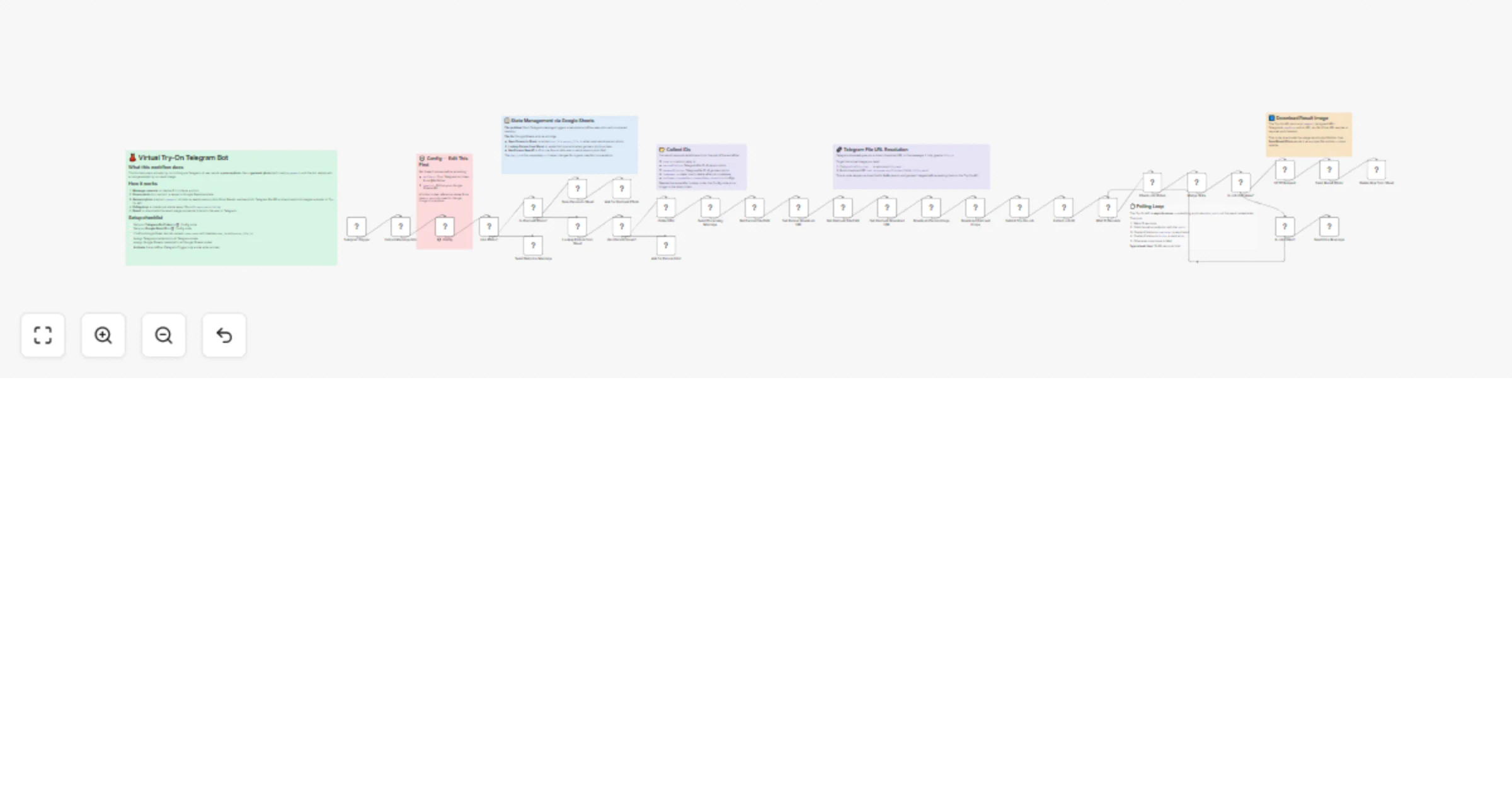
| Telegram Trigger | Listens for incoming messages |
| Extract Message Info | Pulls out chat_id, caption, hasPhoto, fileId |
| ⚙️ Config | Single place for all configurable values — edit this first |
| Has Photo? | Routes messages that contain a photo |
| Is Garment Photo? | Checks if caption equals garment |
| Save Person to Sheet | Stores person file_id keyed by chat_id |
| Lookup Person from Sheet | Retrieves saved person photo when garment arrives |
| Has Person Saved? | Guards against out-of-order photos |
| Collect IDs | Bundles all required IDs for downstream nodes |
| Get Person/Garment File Path | Resolves Telegram file_id → file_path via getFile API |
| Download Person/Garment Image | Downloads actual image binary from Telegram CDN |
| Submit Try-On Job | POSTs both images to the Try-On API |
| Wait 15 Seconds | Gives the API time before first status check |
| Check Job Status | Polls job status endpoint |
| Is Job Complete? / Is Job Failed? | Routes to success or error path |
| HTTP Request (result download) | Downloads the result image as binary |
| Send Result Photo | Sends the AI try-on image back to the user |
| Delete Row from Sheet | Cleans up session state after successful result |
chat_id as the matching key, so a user can retake their person photo any time and it will overwrite the old entrySubmit Try-On Job and Merge State nodes for local testing — remove or disable these pins before going liveThis catalog entry is organized from the workflow JSON. The node-level section below shows the executable blocks available for review before importing the template.
Showing the first 24 of 37 workflow blocks. Download the JSON for the full node graph.
| Workflow | Create a virtual outfit try-on Telegram bot with async polling and Google Sheets |
|---|---|
| Complexity | advanced |
| Nodes | 37 |
| Categories | Content Creation, AI Chatbot |
| Author | AppStoneLab Technologies LLP |
| Published | 11 Mar 2026 |
Use the JSON export at /data/workflows/14006/14006.json as the source template for this automation.
Open n8n, import the downloaded JSON, and review each node before activating the workflow.
Replace placeholder credentials, API keys, webhook URLs, account IDs, and environment-specific values with your own settings.
Run the workflow manually or in a staging workspace, inspect node output, and confirm downstream systems receive the expected data.
Enable the workflow only after testing, then monitor executions, errors, and rate limits during the first production runs.
Review imported nodes carefully before activation. This catalog entry is intended to help you inspect the workflow structure, understand required services, and find related templates faster.
Node names, credentials, schedules, webhook paths, and external service limits may need adjustment for your workspace.
Virtual Try On Telegram Bot — AI Outfit Try On via Telegram with Async Job Polling Try on any outfit virtually right inside Telegram. A user sends a person photo , then a garment photo (captione...
Review the workflow JSON, configure any required credentials in n8n, and test the automation in a safe workspace before using it in production.
Yes. Use the block-by-block analysis and the downloadable JSON to inspect each node, then adjust credentials, prompts, schedules, filters, or destinations for your Content Creation, AI Chatbot use case.