Convert Make.com blueprints to workflows with Azure OpenAI and Google Sheets

Workflow preview

Workflow preview
100%
Convert Make.com blueprints to workflows with Azure OpenAI and Google Sheets preview
Open on n8n.io

1. Workflow Overview

Description This workflow converts a Make.com blueprint JSON into a directly importable n8n workflow JSON. It searches a Google Drive folder for the target blueprint file, downloads it, extracts...

Best for

  • Engineering automation workflows
  • AI Summarization automation workflows
  • advanced n8n builders looking for reusable templates

Tools used

n8n-nodes-base.manualtrigger, n8n-nodes-base.stickynote, @n8n/n8n-nodes-langchain.agent, n8n-nodes-base.code, @n8n/n8n-nodes-langchain.lmchatazureopenai, n8n-nodes-base.googledrive, n8n-nodes-base.if, n8n-nodes-base.extractfromfile

Source and attribution

This workflow is cataloged by N8N Workflows and links back to its original n8n.io source page by Rahul Joshi.

Original n8n.io source

1.1 Workflow description

Title
Convert Make.com blueprints to workflows with Azure OpenAI and Google Sheets
Workflow name
Convert Make.com blueprints to workflows with Azure OpenAI and Google Sheets

📘 Description

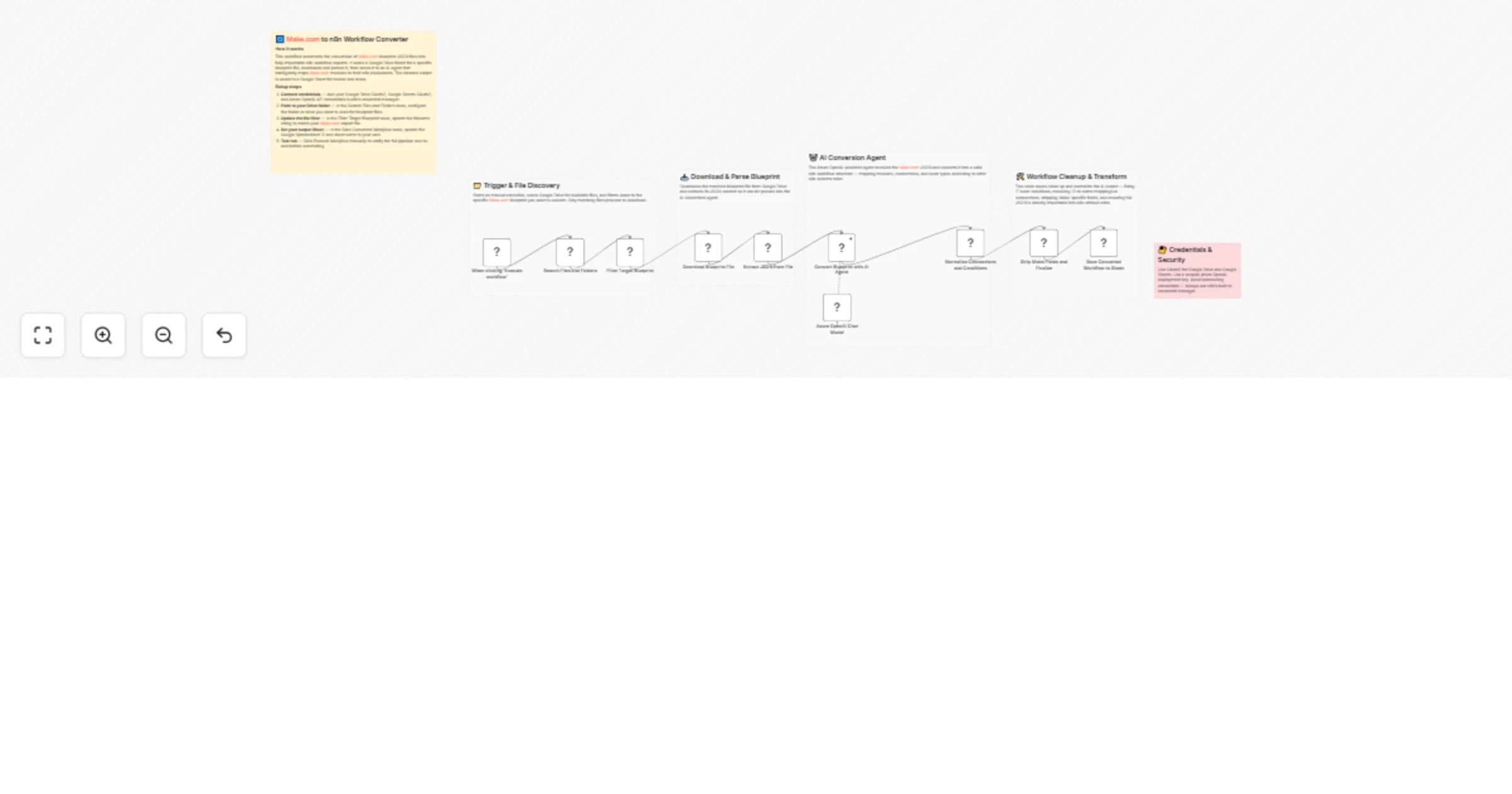
This workflow converts a Make.com blueprint JSON into a directly importable n8n workflow JSON. It searches a Google Drive folder for the target blueprint file, downloads it, extracts the JSON, and sends it to an Azure OpenAI (gpt-4o-mini) agent that maps Make modules to n8n nodes and connections. Two cleanup code steps then normalize IF conditions and fix connection structure so the output imports cleanly. The final converted workflow JSON is stored in Google Sheets for review and reuse.

⚙️ Step-by-Step Flow

  • When clicking ‘Execute workflow’ (Manual Trigger)
  • Starts the pipeline manually for controlled testing and repeatable runs.
  • Search Files and Folders (Google Drive)
  • Lists files/folders from the connected Drive scope.
  • Filter Target Blueprint (IF)
  • Keeps only files whose name contains "blueprint" to prevent converting the wrong file.
  • Download Blueprint File (Google Drive)
  • Downloads the selected blueprint file as binary.
  • Extract JSON from File (Extract From File)
  • Parses the downloaded file into a JSON object ($json.data) ready for AI conversion.
  • Convert Blueprint with AI Agent (LangChain Agent + Azure OpenAI)
  • Converts Make blueprint JSON → n8n workflow export JSON using strict rules:
  • Valid n8n nodes with required fields
  • Connections keyed by node names (not IDs)
  • IF node condition schema corrected for n8n
  • Left-to-right positions and end-to-end connectivity
  • Normalize Connections and Conditions (Code)
  • Hard-fixes common AI mistakes:
  • Converts boolean conditions → string conditions for IF nodes
  • Rebuilds connections using node names
  • Ensures connections[from].main is correctly structured (2D arrays for branches)
  • Strip Make Fields and Finalize (Code)
  • Removes import-breaking fields:
  • Deletes Make-only parameters (IMTCONN)
  • Drops unstable fields like typeVersion to reduce version mismatch issues
  • Removes root active/settings/versionId fields (keeps output minimal and import-safe)
  • Save Converted Workflow to Sheet (Google Sheets)
  • Appends the converted JSON output into a sheet column (json) for storage and reuse.

🧩 Prerequisites

• Google Drive OAuth2 credential (folder access) • Google Sheets OAuth2 credential (write access to target sheet) • Azure OpenAI credential with gpt-4o-mini deployment active • Blueprint file naming convention includes "blueprint" (or update the IF filter)

💡 Key Benefits

✔ Converts Make blueprints into importable n8n workflows with minimal manual edits ✔ Normalizes connections and IF logic (highest failure points in imports) ✔ Stores results in Sheets as a conversion log + library ✔ Manual trigger keeps runs deterministic during testing

👥 Perfect For

  • Teams migrating automation libraries from Make.com to n8n
  • Agencies converting client blueprints into reusable n8n templates
  • Building an internal “blueprint → n8n” conversion pipeline with audit history

1.2 Logical Blocks

This catalog entry is organized from the workflow JSON. The node-level section below shows the executable blocks available for review before importing the template.

2. Block-by-Block Analysis

Block 1 - When clicking ‘Execute workflow’

Type / Role
n8n-nodes-base.manualTrigger - manualTrigger
Config choices
Version 1

Block 2 - Overview

Type / Role
n8n-nodes-base.stickyNote - stickyNote
Config choices
Version 1

Block 3 - Trigger & File Discovery Section

Type / Role
n8n-nodes-base.stickyNote - stickyNote
Config choices
Version 1

Block 4 - Download & Parse Section

Type / Role
n8n-nodes-base.stickyNote - stickyNote
Config choices
Version 1

Block 5 - AI Conversion Section

Type / Role
n8n-nodes-base.stickyNote - stickyNote
Config choices
Version 1

Block 6 - Cleanup & Transform Section

Type / Role
n8n-nodes-base.stickyNote - stickyNote
Config choices
Version 1

Block 7 - Credentials & Security

Type / Role
n8n-nodes-base.stickyNote - stickyNote
Config choices
Version 1

Block 8 - Convert Blueprint with AI Agent

Type / Role
@n8n/n8n-nodes-langchain.agent - agent
Config choices
Version 3

Block 9 - Normalize Connections and Conditions

Type / Role
n8n-nodes-base.code - code
Config choices
Version 2

Block 10 - Strip Make Fields and Finalize

Type / Role
n8n-nodes-base.code - code
Config choices
Version 2

Block 11 - Azure OpenAI Chat Model

Type / Role
@n8n/n8n-nodes-langchain.lmChatAzureOpenAi - lmChatAzureOpenAi
Config choices
Version 1

Block 12 - Search Files and Folders

Type / Role
n8n-nodes-base.googleDrive - googleDrive
Config choices
Version 3

Block 13 - Download Blueprint File

Type / Role
n8n-nodes-base.googleDrive - googleDrive
Config choices
Version 3

Block 14 - Filter Target Blueprint

Type / Role
n8n-nodes-base.if - if
Config choices
Version 2.3

Block 15 - Extract JSON from File

Type / Role
n8n-nodes-base.extractFromFile - extractFromFile
Config choices
Version 1.1

Block 16 - Save Converted Workflow to Sheet

Type / Role
n8n-nodes-base.googleSheets - googleSheets
Config choices
Version 4.7

3. Summary Table

Workflow Convert Make.com blueprints to workflows with Azure OpenAI and Google Sheets
Complexity advanced
Nodes 16
Categories Engineering, AI Summarization
Author Rahul Joshi
Published 02 Mar 2026

4. Reproducing the Workflow from Scratch

  1. 1. Download the workflow JSON

    Use the JSON export at /data/workflows/13794/13794.json as the source template for this automation.

  2. 2. Import the template into n8n

    Open n8n, import the downloaded JSON, and review each node before activating the workflow.

  3. 3. Configure credentials and variables

    Replace placeholder credentials, API keys, webhook URLs, account IDs, and environment-specific values with your own settings.

  4. 4. Test with sample data

    Run the workflow manually or in a staging workspace, inspect node output, and confirm downstream systems receive the expected data.

  5. 5. Activate and monitor

    Enable the workflow only after testing, then monitor executions, errors, and rate limits during the first production runs.

5. General Notes & Resources

Review imported nodes carefully before activation. This catalog entry is intended to help you inspect the workflow structure, understand required services, and find related templates faster.

Node names, credentials, schedules, webhook paths, and external service limits may need adjustment for your workspace.

Frequently asked questions

What does Convert Make.com blueprints to workflows with Azure OpenAI and Google Sheets do?

Description This workflow converts a Make.com blueprint JSON into a directly importable n8n workflow JSON. It searches a Google Drive folder for the target blueprint file, downloads it, extracts...

What do I need before importing this workflow?

Review the workflow JSON, configure any required credentials in n8n, and test the automation in a safe workspace before using it in production.

Can I customize this workflow?

Yes. Use the block-by-block analysis and the downloadable JSON to inspect each node, then adjust credentials, prompts, schedules, filters, or destinations for your Engineering, AI Summarization use case.