Block 1 - Sticky Note2
- Type / Role
- n8n-nodes-base.stickyNote - stickyNote
- Config choices
- Version 1


 Early Deal
This workflow is provided as-is. Please review and test before using in production.
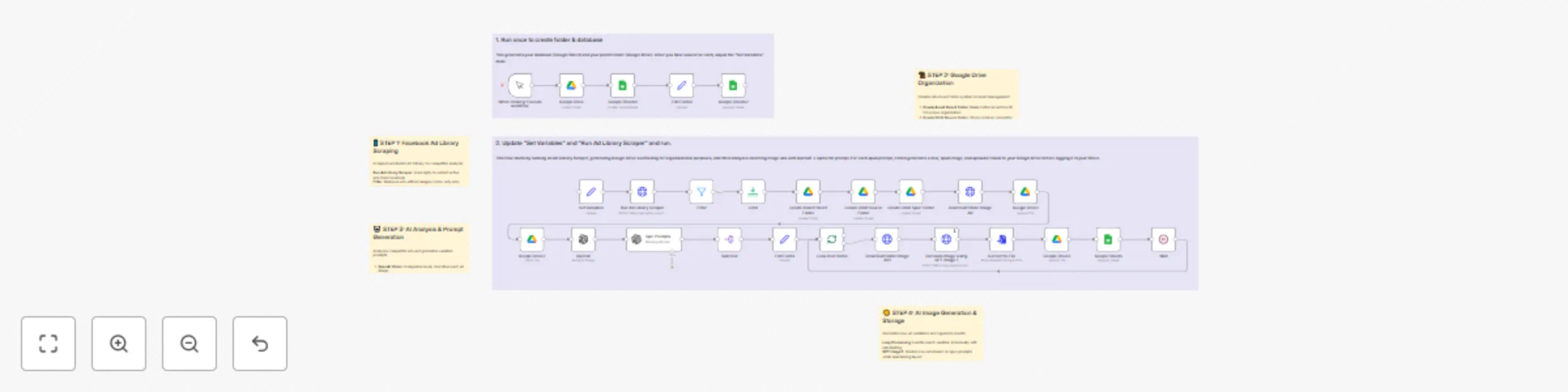
AI Ad Scraper & Image Generator with Facebook Ad Library Categories: PPC Automation, Creative Generation, Competitive Intelligence This workflow creates an end to end ad library scraper and AI imag...
n8n-nodes-base.stickynote, n8n-nodes-base.manualtrigger, n8n-nodes-base.googledrive, n8n-nodes-base.filter, n8n-nodes-base.httprequest, n8n-nodes-base.limit, @n8n/n8n-nodes-langchain.openai, n8n-nodes-base.set
This workflow is cataloged by N8N Workflows and links back to its original n8n.io source page by Nick Saraev.
Original n8n.io sourceCategories: PPC Automation, Creative Generation, Competitive Intelligence
This workflow creates an end-to-end ad library scraper and AI image spinner system that automatically discovers competitor ads, analyzes their design elements, and generates multiple unique variations ready for your own campaigns. Built to eliminate 60-70% of manual creative work for PPC agencies, this system transforms competitor research into actionable ad variants in minutes.
Facebook Ad Library Scraping:
Intelligent Asset Organization:
AI-Powered Creative Analysis:
Smart Image Variation System:
Campaign Database Integration:
Google Drive Structure: The workflow automatically creates this folder organization:
PPC Thievery (Parent Folder) ├── [Ad Archive ID] (Per Campaign) │ ├── 1. Source Assets (Original competitor ads) │ └── 2. Spun Assets (AI-generated variations)
Google Sheets Database Columns:
timestamp - Unique record identifierad_archive_id - Facebook's internal ad identifierpage_id - Advertiser's Facebook page IDoriginal_image_url - Direct link to source competitor adpage_name - Advertiser's business namead_body - Original ad copy textdate_scraped - When the ad was discoveredspun_prompts - AI-generated variation instructionsasset_folder - Link to campaign's Google Drive foldersource_folder - Link to original ads folderspun_folder - Link to generated variations folderdirect_spun_image_link - Direct link to generated ad imageSet Variables Configuration: Update these values in the "Set Variables" node:
googleDriveFolderId - Your parent Google Drive folder IDchangeRequest - Your brand-specific variation instructionsspreadsheetId - Your Google Sheets database IDApify API Setup:
<your-apify-api-key-here> with actual credentialsThis system revolutionizes PPC agency economics:
Difficulty Level: Advanced
Estimated Build Time: 2-3 hours
Monthly Operating Cost: ~$100 (Apify + OpenAI + Google APIs)
Want to see me build this entire system from scratch? I walk through every component live - including the ad library integration, AI analysis setup, image generation pipeline, and all the debugging that goes into creating a production-ready competitive intelligence system.
🎥 See My Live Build Process: "Ad Library Scraper & AI Image Spinner System (N8N Build)"
This comprehensive tutorial shows the real development process - including advanced AI prompting for image generation, competitive analysis strategies, and the organizational systems that make this scalable for agency use.
Initial Database Setup:
Apify Integration:
AI Service Configuration:
Google Services Setup:
Campaign Customization:
Production Optimization:
Scale the system with:
The competitive advantage lies in speed and scale:
For more advanced automation systems and proven agency-building strategies that generate real revenue, explore my YouTube channel where I share the exact methodologies used to scale automation agencies to $72K+ monthly revenue.
This catalog entry is organized from the workflow JSON. The node-level section below shows the executable blocks available for review before importing the template.
Showing the first 24 of 32 workflow blocks. Download the JSON for the full node graph.
| Workflow | Competitive ad research & image generator with Apify, GPT-4o & Facebook Ad Library |
|---|---|
| Complexity | advanced |
| Nodes | 32 |
| Categories | Content Creation, Multimodal AI |
| Author | Nick Saraev |
| Published | 19 Jul 2025 |
Use the JSON export at /data/workflows/6172/6172.json as the source template for this automation.
Open n8n, import the downloaded JSON, and review each node before activating the workflow.
Replace placeholder credentials, API keys, webhook URLs, account IDs, and environment-specific values with your own settings.
Run the workflow manually or in a staging workspace, inspect node output, and confirm downstream systems receive the expected data.
Enable the workflow only after testing, then monitor executions, errors, and rate limits during the first production runs.
Review imported nodes carefully before activation. This catalog entry is intended to help you inspect the workflow structure, understand required services, and find related templates faster.
Node names, credentials, schedules, webhook paths, and external service limits may need adjustment for your workspace.
AI Ad Scraper & Image Generator with Facebook Ad Library Categories: PPC Automation, Creative Generation, Competitive Intelligence This workflow creates an end to end ad library scraper and AI imag...
Review the workflow JSON, configure any required credentials in n8n, and test the automation in a safe workspace before using it in production.
Yes. Use the block-by-block analysis and the downloadable JSON to inspect each node, then adjust credentials, prompts, schedules, filters, or destinations for your Content Creation, Multimodal AI use case.