Block 1 - Sticky Note
- Type / Role
- n8n-nodes-base.stickyNote - stickyNote
- Config choices
- Version 1


 Early Deal
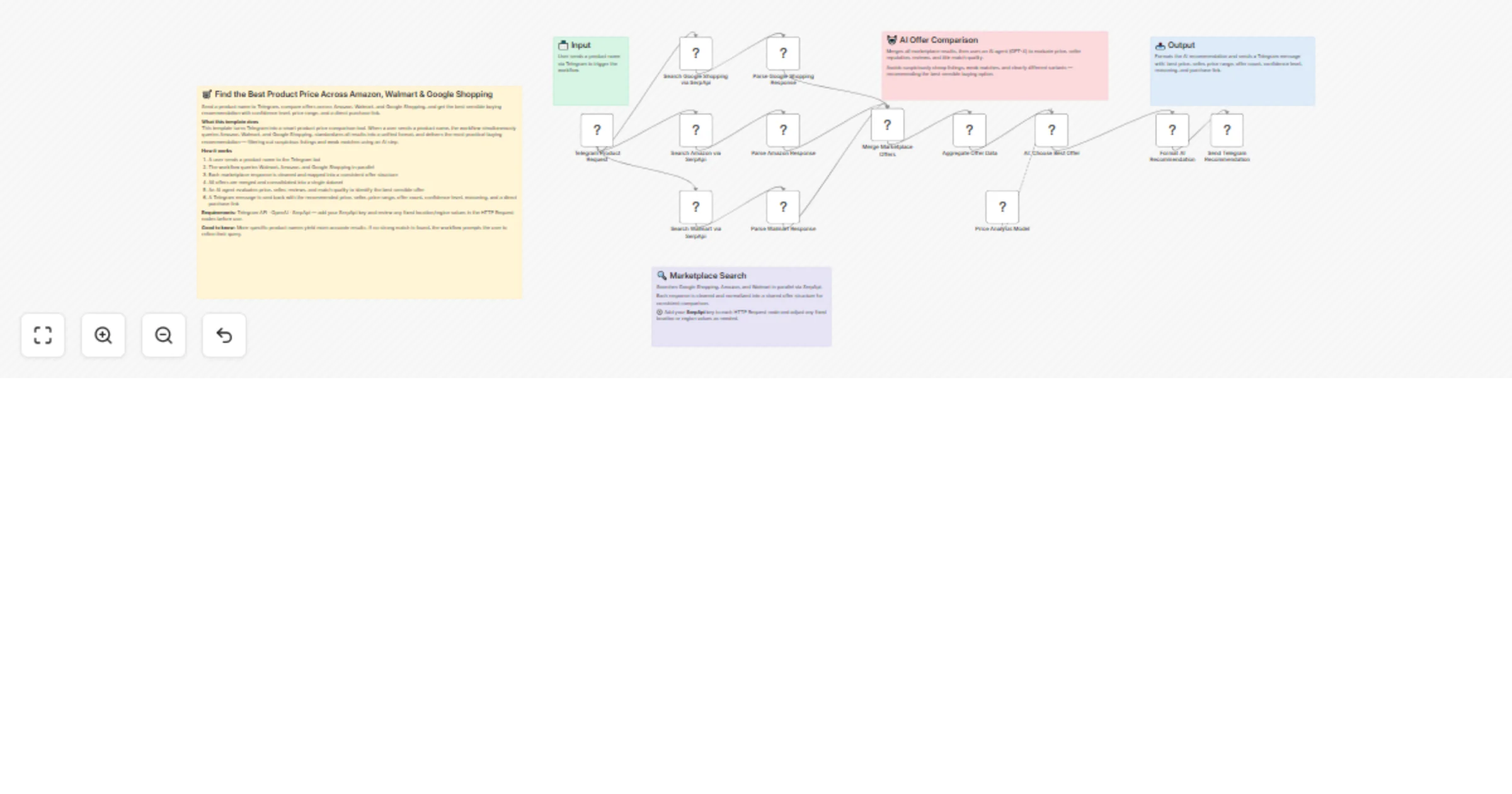
Send a product name to Telegram, compare offers across Amazon, Walmart, and Google Shopping, and get the best sensible buying recommendation with confidence level, price range, and a direct purchas...
n8n-nodes-base.stickynote, n8n-nodes-base.code, n8n-nodes-base.telegramtrigger, n8n-nodes-base.httprequest, n8n-nodes-base.merge, n8n-nodes-base.aggregate, @n8n/n8n-nodes-langchain.agent, @n8n/n8n-nodes-langchain.lmchatopenai
This workflow is cataloged by N8N Workflows and links back to its original n8n.io source page by Sankar Battula.
Original n8n.io sourceSend a product name to Telegram, compare offers across Amazon, Walmart, and Google Shopping, and get the best sensible buying recommendation with confidence level, price range, and a direct purchase link.
This template transforms Telegram into a smart product price comparison tool. Once a user sends a product name, the workflow simultaneously searches Amazon, Walmart, and Google Shopping, standardizes all results into a unified format, and delivers the most practical buying recommendation.
Rather than blindly picking the lowest price, an AI step filters out poor matches, suspiciously cheap listings, and mismatched product variants to ensure the recommendation is trustworthy.
Before using this template, connect the following credentials:
Telegram API OpenAI SerpApi
You'll also need to add your own SerpApi key, review the marketplace query settings, and adjust or remove any fixed search location values as needed.
DJI Osmo Pocket 3 Creator Combo [file:73]
🔎 DJI Osmo Pocket 3 (Creator Combo / Osmo Pocket 3 family) ✅ Best Price: $557.91 🏪 Seller: B&Z Legend 📊 Range: $6.85 - $1349.99 🧩 Comparable Offers: 69 🎯 Confidence: Medium 📝 Why this was chosen: Chosen the lowest sensible price among New/unspecified offers: B&Z Legend at $557.91. Much cheaper listings (< ~$200) appear anomalous or risky (very low prices, unclear sellers). There are lower open-box offers (e.g., $498.75) but they carry added risk; established retailers (Best Buy, Official DJI store, OE USA) list in the ~$569–$999 range if you prefer retailer security. 🔗 Link: https://www.walmart.com/ip/DJI-Osmo-Pocket-3-Creator-Combo-4K-120fps-Camera-1-CMOS-3-Axis-Stabilization-Face-Object-Tracking-Mic-Clear-Sound-Vlogging-Photography/10583721243?classType=VARIANT
If no strong match is found, the workflow prompts the user to try a more specific product name.
Results may vary depending on marketplace availability, search query quality, and regional settings. Using specific product names typically yields more accurate recommendations than broad or generic searches.
More specific product names usually produce better recommendations than broad searches.
This catalog entry is organized from the workflow JSON. The node-level section below shows the executable blocks available for review before importing the template.
| Workflow | Compare product prices from Amazon, Walmart and Google Shopping via Telegram using OpenAI |
|---|---|
| Complexity | advanced |
| Nodes | 18 |
| Categories | Market Research, AI Chatbot |
| Author | Sankar Battula |
| Published | 25 Mar 2026 |
Use the JSON export at /data/workflows/14330/14330.json as the source template for this automation.
Open n8n, import the downloaded JSON, and review each node before activating the workflow.
Replace placeholder credentials, API keys, webhook URLs, account IDs, and environment-specific values with your own settings.
Run the workflow manually or in a staging workspace, inspect node output, and confirm downstream systems receive the expected data.
Enable the workflow only after testing, then monitor executions, errors, and rate limits during the first production runs.
Review imported nodes carefully before activation. This catalog entry is intended to help you inspect the workflow structure, understand required services, and find related templates faster.
Node names, credentials, schedules, webhook paths, and external service limits may need adjustment for your workspace.
Send a product name to Telegram, compare offers across Amazon, Walmart, and Google Shopping, and get the best sensible buying recommendation with confidence level, price range, and a direct purchas...
Review the workflow JSON, configure any required credentials in n8n, and test the automation in a safe workspace before using it in production.
Yes. Use the block-by-block analysis and the downloadable JSON to inspect each node, then adjust credentials, prompts, schedules, filters, or destinations for your Market Research, AI Chatbot use case.