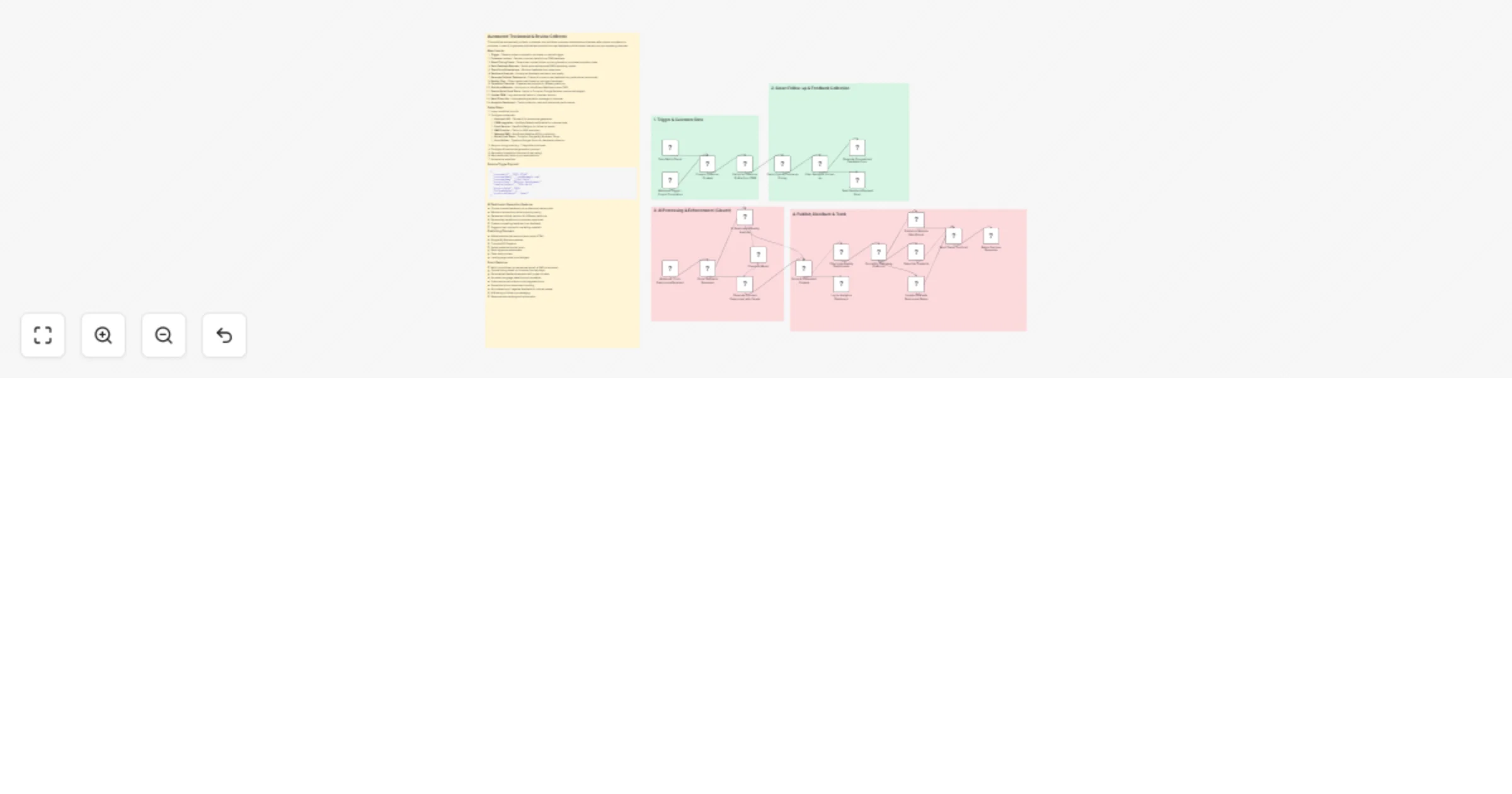
Collect and publish customer testimonials with Claude, email, CRM and review sites

Workflow preview

Workflow preview
100%
Collect and publish customer testimonials with Claude, email, CRM and review sites preview
Open on n8n.io

1. Workflow Overview

This workflow automatically collects, processes, and publishes customer testimonials and reviews after project completion or purchase. It uses AI to generate polished testimonials from raw feedback...

Best for

  • Social Media automation workflows
  • AI Summarization automation workflows
  • advanced n8n builders looking for reusable templates

Tools used

n8n-nodes-base.stickynote, n8n-nodes-base.webhook, n8n-nodes-base.scheduletrigger, n8n-nodes-base.set, n8n-nodes-base.httprequest, n8n-nodes-base.code, n8n-nodes-base.filter, @n8n/n8n-nodes-langchain.agent

Source and attribution

This workflow is cataloged by N8N Workflows and links back to its original n8n.io source page by Oneclick AI Squad.

Original n8n.io source

1.1 Workflow description

Title
Collect and publish customer testimonials with Claude, email, CRM and review sites
Workflow name
Collect and publish customer testimonials with Claude, email, CRM and review sites

This workflow automatically collects, processes, and publishes customer testimonials and reviews after project completion or purchase. It uses AI to generate polished testimonials from raw feedback and distributes them across your marketing channels.

How it works

  1. Trigger - Detects project completion, purchase, or manual trigger
  2. Customer Lookup - Fetches customer details from CRM/database
  3. Smart Timing Check - Determines optimal follow-up timing based on purchase/completion date
  4. Send Feedback Request - Sends personalized email/SMS requesting review
  5. Track Form Submissions - Monitors feedback form responses
  6. Sentiment Analysis - AI analyzes feedback sentiment and quality
  7. Generate Polished Testimonial - Claude AI converts raw feedback into professional testimonials
  8. Quality Filter - Filters testimonials based on rating and sentiment
  9. Format for Channels - Prepares testimonials for different platforms
  10. Publish to Website - Auto-posts to WordPress/Webflow/custom CMS
  11. Post to Social Proof Tools - Sends to Trustpilot, Google Reviews, testimonial widgets
  12. Update CRM - Logs testimonial status in customer records
  13. Send Thank You - Automated appreciation message to customer
  14. Analytics Dashboard - Tracks collection rates and testimonial performance

Setup Steps

  1. Import workflow into n8n
  2. Configure credentials:
  • Anthropic API - Claude AI for testimonial generation
  • CRM Integration - HubSpot/Salesforce/Airtable for customer data
  • Email Service - SendGrid/Mailgun for follow-up emails
  • SMS Provider - Twilio for SMS reminders
  • Website CMS - WordPress/Webflow API for publishing
  • Social Proof Tools - Trustpilot, Google My Business, Yotpo
  • Form Builder - Typeform/Google Forms for feedback collection
  1. Set your timing rules (e.g., 7 days after purchase)
  2. Configure AI testimonial generation prompts
  3. Set quality thresholds (minimum 4-star rating)
  4. Map testimonial fields to your website/tools
  5. Activate the workflow

Sample Trigger Payload

{
 "customerId": "CUST-12345",
 "customerEmail": "[email protected]",
 "customerName": "John Smith",
 "projectType": "Website Development",
 "completionDate": "2024-04-01",
 "projectValue": 5000,
 "followUpDelay": 7,
 "preferredChannel": "email"
}

AI Testimonial Generation Features

  • Converts casual feedback into professional testimonials
  • Maintains authenticity while improving clarity
  • Generates multiple versions for different platforms
  • Extracts key benefits and outcomes mentioned
  • Creates compelling headlines from feedback
  • Suggests best quotes for marketing materials

Publishing Channels

  • Website testimonial sections (auto-inject HTML)
  • Google My Business reviews
  • Trustpilot/G2/Capterra
  • Social media testimonial posts
  • Email signature testimonials
  • Case study content
  • Landing page social proof widgets

Smart Features

  • Multi-touch follow-up sequences (email → SMS → reminder)
  • Optimal timing based on customer journey stage
  • Personalized feedback requests with project context
  • Automatic language detection and translation
  • Video testimonial collection via integrated forms
  • Screenshot/photo attachment handling
  • Auto-detection of negative feedback for internal review
  • A/B testing of follow-up messaging
  • Response rate tracking and optimization

1.2 Logical Blocks

This catalog entry is organized from the workflow JSON. The node-level section below shows the executable blocks available for review before importing the template.

2. Block-by-Block Analysis

Block 1 - Sticky Note

Type / Role
n8n-nodes-base.stickyNote - stickyNote
Config choices
Version 1

Block 2 - Sticky Note1

Type / Role
n8n-nodes-base.stickyNote - stickyNote
Config choices
Version 1

Block 3 - Sticky Note2

Type / Role
n8n-nodes-base.stickyNote - stickyNote
Config choices
Version 1

Block 4 - Sticky Note3

Type / Role
n8n-nodes-base.stickyNote - stickyNote
Config choices
Version 1

Block 5 - Sticky Note4

Type / Role
n8n-nodes-base.stickyNote - stickyNote
Config choices
Version 1

Block 6 - Webhook Trigger - Project Completion

Type / Role
n8n-nodes-base.webhook - webhook
Config choices
Version 1.1

Block 7 - Daily Batch Check

Type / Role
n8n-nodes-base.scheduleTrigger - scheduleTrigger
Config choices
Version 1.2

Block 8 - Prepare Customer Context

Type / Role
n8n-nodes-base.set - set
Config choices
Version 3.4

Block 9 - Fetch Full Customer Profile from CRM

Type / Role
n8n-nodes-base.httpRequest - httpRequest
Config choices
Version 4.2

Block 10 - Check Optimal Follow-up Timing

Type / Role
n8n-nodes-base.code - code
Config choices
Version 2

Block 11 - Filter Ready for Follow-up

Type / Role
n8n-nodes-base.filter - filter
Config choices
Version 2.2

Block 12 - Generate Personalized Feedback Form

Type / Role
n8n-nodes-base.httpRequest - httpRequest
Config choices
Version 4.2

Block 13 - Send Feedback Request Email

Type / Role
n8n-nodes-base.httpRequest - httpRequest
Config choices
Version 4.2

Block 14 - Webhook - Form Submission Received

Type / Role
n8n-nodes-base.webhook - webhook
Config choices
Version 1.1

Block 15 - Parse Feedback Response

Type / Role
n8n-nodes-base.code - code
Config choices
Version 2

Block 16 - AI Sentiment & Quality Analysis

Type / Role
@n8n/n8n-nodes-langchain.agent - agent
Config choices
Version 1.6

Block 17 - Generate Polished Testimonial with Claude

Type / Role
@n8n/n8n-nodes-langchain.agent - agent
Config choices
Version 1.6

Block 18 - Claude AI Model

Type / Role
@n8n/n8n-nodes-langchain.lmChatAnthropic - lmChatAnthropic
Config choices
Version 1

Block 19 - Parse AI Generated Content

Type / Role
n8n-nodes-base.code - code
Config choices
Version 2

Block 20 - Filter High-Quality Testimonials

Type / Role
n8n-nodes-base.filter - filter
Config choices
Version 2.2

Block 21 - Format for Publishing Platforms

Type / Role
n8n-nodes-base.code - code
Config choices
Version 2

Block 22 - Publish to Website (WordPress)

Type / Role
n8n-nodes-base.httpRequest - httpRequest
Config choices
Version 4.2

Block 23 - Submit to Trustpilot

Type / Role
n8n-nodes-base.httpRequest - httpRequest
Config choices
Version 4.2

Block 24 - Update CRM with Testimonial Status

Type / Role
n8n-nodes-base.httpRequest - httpRequest
Config choices
Version 4.2

Showing the first 24 of 27 workflow blocks. Download the JSON for the full node graph.

3. Summary Table

Workflow Collect and publish customer testimonials with Claude, email, CRM and review sites
Complexity advanced
Nodes 27
Categories Social Media, AI Summarization
Author Oneclick AI Squad
Published 08 Apr 2026

4. Reproducing the Workflow from Scratch

  1. 1. Download the workflow JSON

    Use the JSON export at /data/workflows/14916/14916.json as the source template for this automation.

  2. 2. Import the template into n8n

    Open n8n, import the downloaded JSON, and review each node before activating the workflow.

  3. 3. Configure credentials and variables

    Replace placeholder credentials, API keys, webhook URLs, account IDs, and environment-specific values with your own settings.

  4. 4. Test with sample data

    Run the workflow manually or in a staging workspace, inspect node output, and confirm downstream systems receive the expected data.

  5. 5. Activate and monitor

    Enable the workflow only after testing, then monitor executions, errors, and rate limits during the first production runs.

5. General Notes & Resources

Review imported nodes carefully before activation. This catalog entry is intended to help you inspect the workflow structure, understand required services, and find related templates faster.

Node names, credentials, schedules, webhook paths, and external service limits may need adjustment for your workspace.

Frequently asked questions

What does Collect and publish customer testimonials with Claude, email, CRM and review sites do?

This workflow automatically collects, processes, and publishes customer testimonials and reviews after project completion or purchase. It uses AI to generate polished testimonials from raw feedback...

What do I need before importing this workflow?

Review the workflow JSON, configure any required credentials in n8n, and test the automation in a safe workspace before using it in production.

Can I customize this workflow?

Yes. Use the block-by-block analysis and the downloadable JSON to inspect each node, then adjust credentials, prompts, schedules, filters, or destinations for your Social Media, AI Summarization use case.