Check phishing URL reputation with VirusTotal and log to Google Sheets

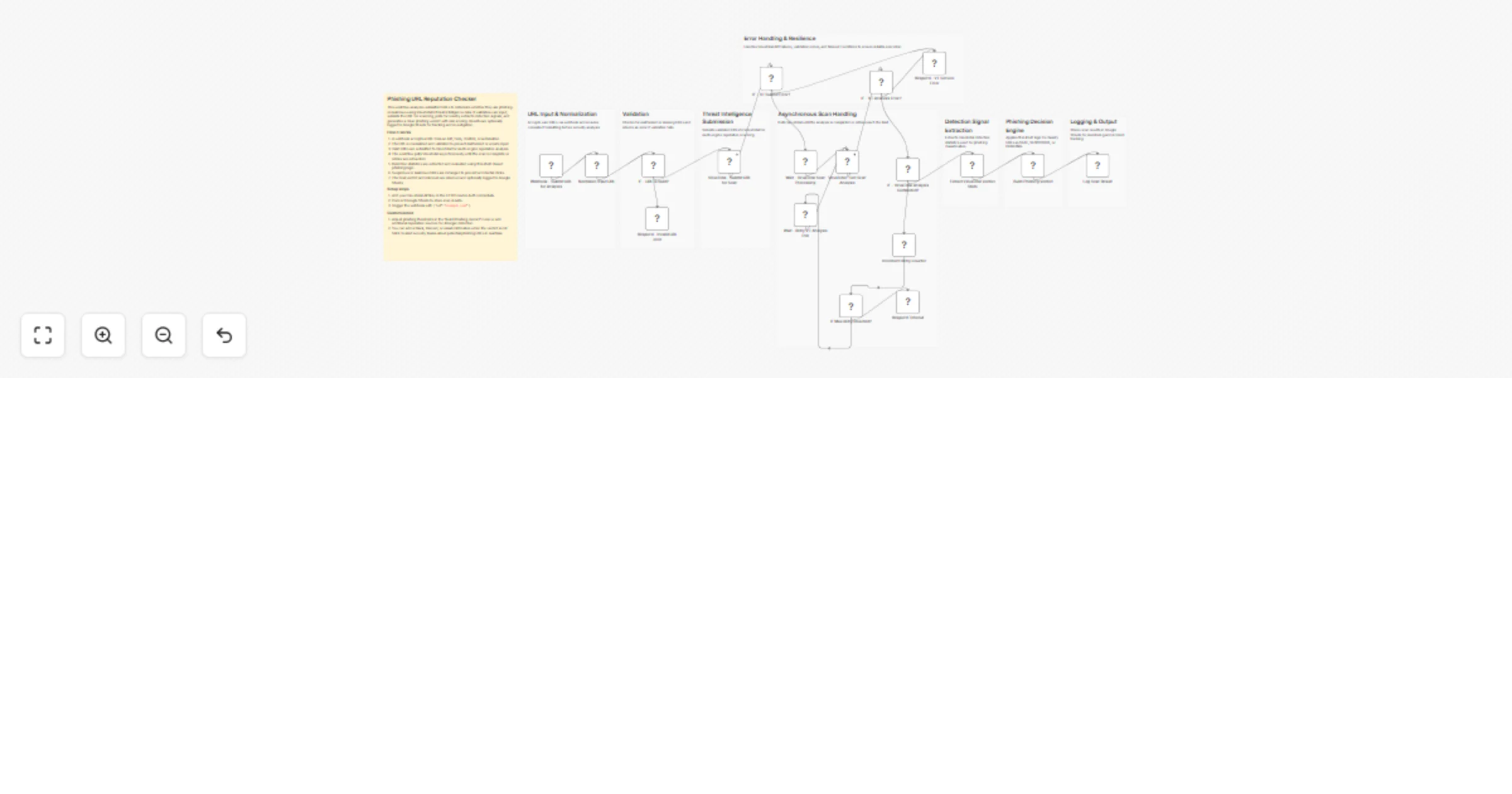
Workflow preview

Workflow preview
100%
Check phishing URL reputation with VirusTotal and log to Google Sheets preview
Open on n8n.io

1. Workflow Overview

Phishing URL Reputation Checker with VirusTotal This n8n template helps you automatically analyze URLs for phishing and malicious activity using VirusTotal’s multi engine threat intelligence pla...

Best for

  • SecOps automation workflows
  • AI Summarization automation workflows
  • advanced n8n builders looking for reusable templates

Tools used

n8n-nodes-base.webhook, n8n-nodes-base.code, n8n-nodes-base.if, n8n-nodes-base.respondtowebhook, n8n-nodes-base.httprequest, n8n-nodes-base.wait, n8n-nodes-base.stickynote, n8n-nodes-base.googlesheets

Source and attribution

This workflow is cataloged by N8N Workflows and links back to its original n8n.io source page by Edson Encinas.

Original n8n.io source

1.1 Workflow description

Title
Check phishing URL reputation with VirusTotal and log to Google Sheets
Workflow name
Check phishing URL reputation with VirusTotal and log to Google Sheets

🐟 Phishing URL Reputation Checker with VirusTotal

This n8n template helps you automatically analyze URLs for phishing and malicious activity using VirusTotal’s multi-engine threat intelligence platform. It validates incoming URLs, submits them for scanning, polls for results, classifies risk, and logs verdicts for monitoring and incident response workflows.

Use cases include security automation, SOC alerting, phishing triage pipelines, chatbot URL validation, and email security enrichment. This template is ideal for blue teams, security engineers, and automation builders who want real-time URL reputation checks without building a full security pipeline from scratch.

💡 Good to know

  • VirusTotal enforces API rate limits. For high-volume environments, consider increasing polling intervals or rotating API keys.

  • The workflow defangs suspicious and malicious URLs to prevent accidental clicks during investigation.

  • This template uses asynchronous polling because VirusTotal scans are not always immediately available.

⚙️ How it works

  1. A webhook receives a URL from an API, form, chatbot, or automation trigger.
  2. The URL is normalized and validated to ensure proper formatting.
  3. Valid URLs are submitted to VirusTotal for reputation scanning.
  4. The workflow polls VirusTotal until the analysis is completed or retries are exhausted.
  5. Detection statistics are extracted and evaluated using threshold-based phishing logic.
  6. URLs classified as suspicious or phishing are defanged for safe handling.
  7. Results are returned and optionally logged to Google Sheets for auditing and tracking.

🧑‍💻 How to use

  • Trigger the workflow using the webhook and send JSON like: { "url": "example.com" }

  • Replace the webhook with other triggers such as email ingestion, Slack bots, or security tooling.

  • Review the phishing verdict and risk level in the webhook response or Google Sheets log.

📋 Requirements

  • VirusTotal API key (configured using HTTP Header Auth credentials)

  • Google Sheets account for logging scan results

🧩 Customizing this workflow

  • Send Slack, Microsoft Teams, or email alerts when the verdict is not SAFE.
  • Extend the workflow with additional threat intelligence sources for stronger detection.
  • Store scan results in databases like Airtable, PostgreSQL, or MySQL instead of Google Sheets for scalable logging and analytics.

1.2 Logical Blocks

This catalog entry is organized from the workflow JSON. The node-level section below shows the executable blocks available for review before importing the template.

2. Block-by-Block Analysis

Block 1 - Webhook - Submit URL for Analysis

Type / Role
n8n-nodes-base.webhook - webhook
Config choices
Version 2.1

Block 2 - Normalize Input URL

Type / Role
n8n-nodes-base.code - code
Config choices
Version 2

Block 3 - IF - URL is Valid?

Type / Role
n8n-nodes-base.if - if
Config choices
Version 2.3

Block 4 - Respond - Invalid URL error

Type / Role
n8n-nodes-base.respondToWebhook - respondToWebhook
Config choices
Version 1.5

Block 5 - VirusTotal - Submit URL for Scan

Type / Role
n8n-nodes-base.httpRequest - httpRequest
Config choices
Version 4.3

Block 6 - Wait - VirusTotal Scan Processing

Type / Role
n8n-nodes-base.wait - wait
Config choices
Version 1.1

Block 7 - VirusTotal - Get Scan Analysis

Type / Role
n8n-nodes-base.httpRequest - httpRequest
Config choices
Version 4.3

Block 8 - IF - VirusTotal Analysis Completed?

Type / Role
n8n-nodes-base.if - if
Config choices
Version 2.3

Block 9 - Wait - Retry VT Analysis Poll

Type / Role
n8n-nodes-base.wait - wait
Config choices
Version 1.1

Block 10 - Extract VirusTotal Verdict Stats

Type / Role
n8n-nodes-base.code - code
Config choices
Version 2

Block 11 - Build Phishing Verdict

Type / Role
n8n-nodes-base.code - code
Config choices
Version 2

Block 12 - Sticky Note

Type / Role
n8n-nodes-base.stickyNote - stickyNote
Config choices
Version 1

Block 13 - Sticky Note1

Type / Role
n8n-nodes-base.stickyNote - stickyNote
Config choices
Version 1

Block 14 - Sticky Note2

Type / Role
n8n-nodes-base.stickyNote - stickyNote
Config choices
Version 1

Block 15 - Sticky Note3

Type / Role
n8n-nodes-base.stickyNote - stickyNote
Config choices
Version 1

Block 16 - Sticky Note4

Type / Role
n8n-nodes-base.stickyNote - stickyNote
Config choices
Version 1

Block 17 - Sticky Note5

Type / Role
n8n-nodes-base.stickyNote - stickyNote
Config choices
Version 1

Block 18 - Sticky Note6

Type / Role
n8n-nodes-base.stickyNote - stickyNote
Config choices
Version 1

Block 19 - Respond - VT Service Error

Type / Role
n8n-nodes-base.respondToWebhook - respondToWebhook
Config choices
Version 1.5

Block 20 - IF - VT Analysis Error?

Type / Role
n8n-nodes-base.if - if
Config choices
Version 2.3

Block 21 - IF - VT Submit Error?

Type / Role
n8n-nodes-base.if - if
Config choices
Version 2.3

Block 22 - Log Scan Result

Type / Role
n8n-nodes-base.googleSheets - googleSheets
Config choices
Version 4.7

Block 23 - Sticky Note7

Type / Role
n8n-nodes-base.stickyNote - stickyNote
Config choices
Version 1

Block 24 - Increment Retry Counter

Type / Role
n8n-nodes-base.code - code
Config choices
Version 2

Showing the first 24 of 27 workflow blocks. Download the JSON for the full node graph.

3. Summary Table

Workflow Check phishing URL reputation with VirusTotal and log to Google Sheets
Complexity advanced
Nodes 27
Categories SecOps, AI Summarization
Author Edson Encinas
Published 17 Feb 2026

4. Reproducing the Workflow from Scratch

  1. 1. Download the workflow JSON

    Use the JSON export at /data/workflows/13448/13448.json as the source template for this automation.

  2. 2. Import the template into n8n

    Open n8n, import the downloaded JSON, and review each node before activating the workflow.

  3. 3. Configure credentials and variables

    Replace placeholder credentials, API keys, webhook URLs, account IDs, and environment-specific values with your own settings.

  4. 4. Test with sample data

    Run the workflow manually or in a staging workspace, inspect node output, and confirm downstream systems receive the expected data.

  5. 5. Activate and monitor

    Enable the workflow only after testing, then monitor executions, errors, and rate limits during the first production runs.

5. General Notes & Resources

Review imported nodes carefully before activation. This catalog entry is intended to help you inspect the workflow structure, understand required services, and find related templates faster.

Node names, credentials, schedules, webhook paths, and external service limits may need adjustment for your workspace.

Frequently asked questions

What does Check phishing URL reputation with VirusTotal and log to Google Sheets do?

Phishing URL Reputation Checker with VirusTotal This n8n template helps you automatically analyze URLs for phishing and malicious activity using VirusTotal’s multi engine threat intelligence pla...

What do I need before importing this workflow?

Review the workflow JSON, configure any required credentials in n8n, and test the automation in a safe workspace before using it in production.

Can I customize this workflow?

Yes. Use the block-by-block analysis and the downloadable JSON to inspect each node, then adjust credentials, prompts, schedules, filters, or destinations for your SecOps, AI Summarization use case.