Block 1 - Parse Command
- Type / Role
- n8n-nodes-base.code - code
- Config choices
- Version 2


 Early Deal
This workflow is provided as-is. Please review and test before using in production.
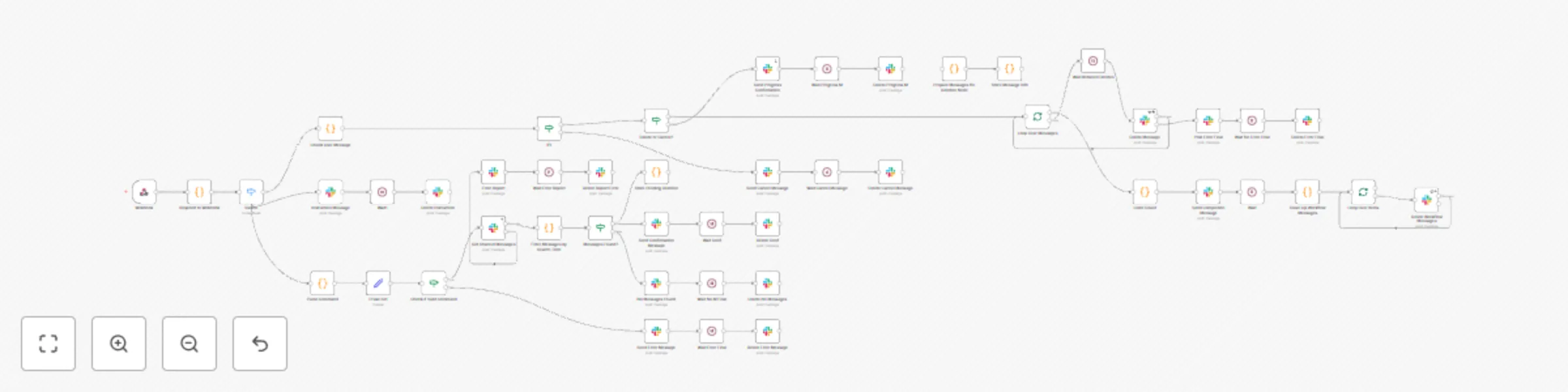
Jedi Cleaner for Slack Slack's Limitation Slack lacks a native bulk delete feature. Users must delete messages manually, which is time consuming and inefficient for large volumes. Our Soluti...
n8n-nodes-base.code, n8n-nodes-base.if, n8n-nodes-base.slack, n8n-nodes-base.splitinbatches, n8n-nodes-base.wait, n8n-nodes-base.webhook, n8n-nodes-base.set, n8n-nodes-base.switch
This workflow is cataloged by N8N Workflows and links back to its original n8n.io source page by Elie Kattar.
Original n8n.io sourceSlack lacks a native bulk delete feature. Users must delete messages manually, which is time-consuming and inefficient for large volumes.
Jedi Cleaner automates Slack message deletion using smart filters, safety confirmations, and enterprise-grade reliability.
User: /cleanup "error messages"
Bot Response:
🔍 Found 15 messages containing "error messages"
📊 Breakdown:
• Will be permanently deleted
• Cannot be undone
• Respond within 5 minutes

✅ Type: @cleaner_jedi yes
❌ Type: @cleaner_jedi cancel
User: @cleaner_jedi yes
Bot: 🗑️ Deleting 15 messages containing "error messages"
✅ Cleanup Complete
• 15 messages deleted
• Channel cleaned
• Auto-deletes this message in 5 seconds
| Command | Description | Example |
|---|---|---|
/cleanup [term] |
Search messages containing [term] |
/cleanup "webhook error" |
@cleaner_jedi yes |
Confirm deletion | After preview |
@cleaner_jedi cancel |
Cancel pending deletion | Cancels active request |
| Scenario | Bot Response |
|---|---|
| No messages found | "No messages found containing '[term]'" |
| Expired confirmation | "Request expired. Please run /cleanup again" |
| No pending request | "No pending cleanup found. Run /cleanup first" |
| Invalid search term | "Please provide a valid search term" |
OAuth Scopes:
✅ chat:write
✅ chat:write.public
✅ channels:history
✅ groups:history
✅ app_mentions:read
✅ commands
Event Subscriptions:
✅ app_mention
✅ message.channels
Slash Command:
Command: /cleanup
URL: https://your-n8n.app.cloud/webhook/cleanerjedi
Hint: [search term]
Required Nodes:
eventId = `cmd_${body.command}_${body.user_id}_${body.trigger_id}`;
if (staticData.recentEvents.includes(eventId)) {
  return []; // Skip duplicate
}
test"error message"webhook-failedsetTimeout(() => {
deleteMessage(completionMessage.ts);
deleteMessage(progressMessage.ts);
}, 5000);
❌ Invalid term
⏰ Expired request
🚫 Access denied
⚠️ Rate limit hit
/cleanup "error"
→ Bot: Found 23 messages
→ @cleaner_jedi yes
→ ✅ Deleted 23 messages
/cleanup "from:@john"
→ Bot: Found 8 messages
→ @cleaner_jedi cancel
→ ❌ Operation cancelled
/cleanup "2024-01-15"
→ Bot: Found 12 messages
→ @cleaner_jedi yes
→ ✅ 12 messages deleted
Memory Handling:
console.log('✅ SUCCESS:', operationDetails);
console.warn('⚠️ WARNING:', warningDetails);
console.error('❌ ERROR:', errorDetails);
console.info('ℹ️ INFO:', informationDetails);
PDF how to do Document Included
This catalog entry is organized from the workflow JSON. The node-level section below shows the executable blocks available for review before importing the template.
Showing the first 24 of 48 workflow blocks. Download the JSON for the full node graph.
| Workflow | Bulk delete Slack messages with smart filtering and confirmations |
|---|---|
| Complexity | advanced |
| Nodes | 48 |
| Categories | Miscellaneous |
| Author | Elie Kattar |
| Published | 15 Jun 2025 |
Use the JSON export at /data/workflows/4948/4948.json as the source template for this automation.
Open n8n, import the downloaded JSON, and review each node before activating the workflow.
Replace placeholder credentials, API keys, webhook URLs, account IDs, and environment-specific values with your own settings.
Run the workflow manually or in a staging workspace, inspect node output, and confirm downstream systems receive the expected data.
Enable the workflow only after testing, then monitor executions, errors, and rate limits during the first production runs.
Review imported nodes carefully before activation. This catalog entry is intended to help you inspect the workflow structure, understand required services, and find related templates faster.
Node names, credentials, schedules, webhook paths, and external service limits may need adjustment for your workspace.
Jedi Cleaner for Slack Slack's Limitation Slack lacks a native bulk delete feature. Users must delete messages manually, which is time consuming and inefficient for large volumes. Our Soluti...
Review the workflow JSON, configure any required credentials in n8n, and test the automation in a safe workspace before using it in production.
Yes. Use the block-by-block analysis and the downloadable JSON to inspect each node, then adjust credentials, prompts, schedules, filters, or destinations for your Miscellaneous use case.