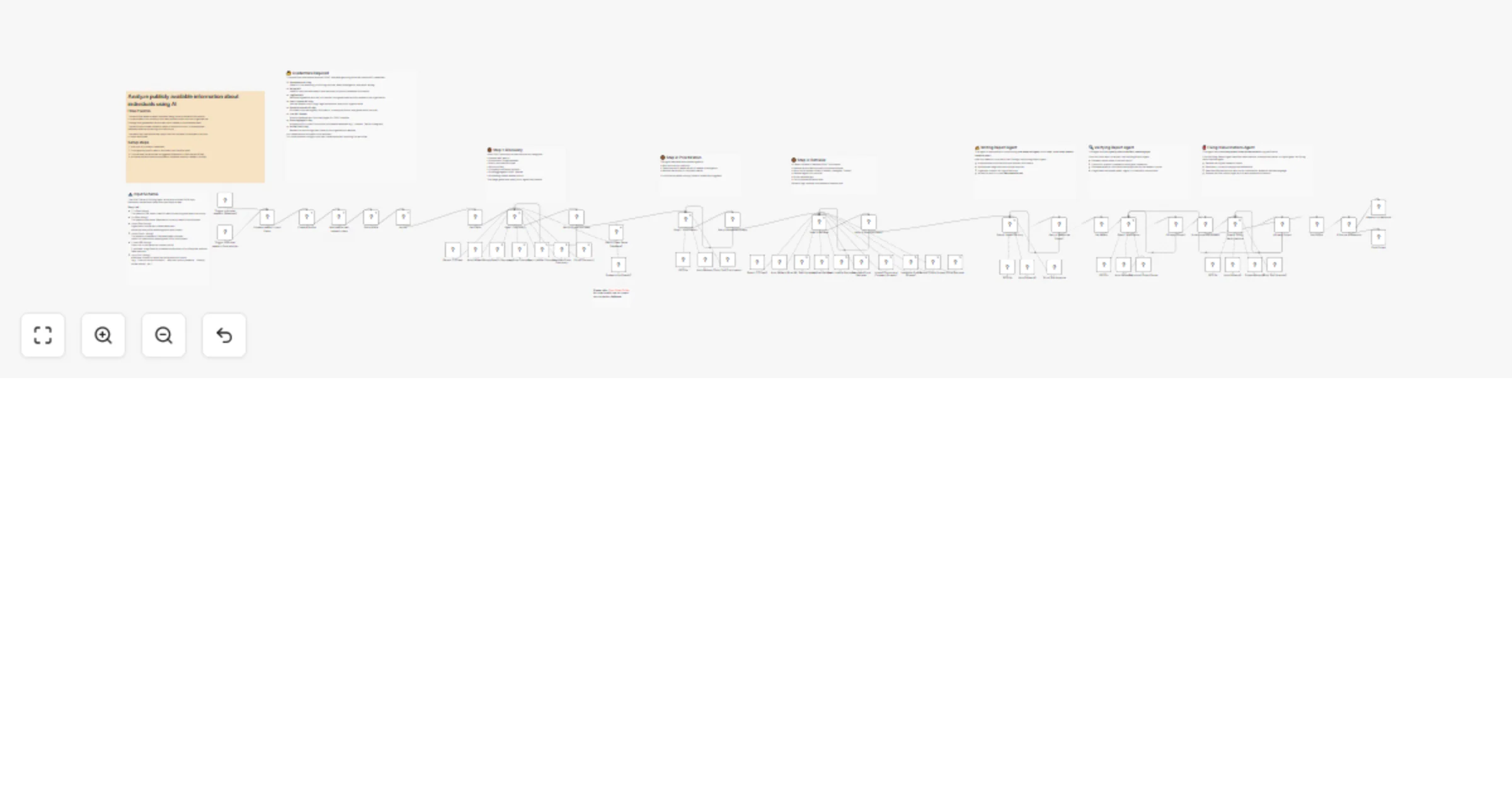
Build person OSINT profiles using Humantic AI, Hunter, CourtListener and GPT-5

Workflow preview

Workflow preview
100%
Build person OSINT profiles using Humantic AI, Hunter, CourtListener and GPT-5 preview
Open on n8n.io

1. Workflow Overview

Who is this for This workflow is designed for sales professionals, recruiters, and researchers who need to: Build comprehensive profiles of individuals from public sources Understand communication ...

Best for

  • Market Research automation workflows
  • AI RAG automation workflows
  • advanced n8n builders looking for reusable templates

Tools used

n8n-nodes-base.humanticai, n8n-nodes-base.hunter, n8n-nodes-base.set, n8n-nodes-base.httprequesttool, @n8n/n8n-nodes-langchain.toolhttprequest, @n8n/n8n-nodes-langchain.toolthink, n8n-nodes-base.jinaaitool, @n8n/n8n-nodes-langchain.chainllm

Source and attribution

This workflow is cataloged by N8N Workflows and links back to its original n8n.io source page by Open Paws.

Original n8n.io source

1.1 Workflow description

Title
Build person OSINT profiles using Humantic AI, Hunter, CourtListener and GPT-5
Workflow name
Build person OSINT profiles using Humantic AI, Hunter, CourtListener and GPT-5

Who is this for

This workflow is designed for sales professionals, recruiters, and researchers who need to:

  • Build comprehensive profiles of individuals from public sources
  • Understand communication and personality styles before outreach
  • Find verified contact information
  • Research legal and public record history for individuals

It's ideal for animal advocacy campaigns targeting corporate decision-makers, researchers profiling legislators on animal welfare issues, and activists preparing for meetings with executives at companies being asked to adopt animal welfare policies.

What it does

This multi-source OSINT agent creates comprehensive individual profiles:

  1. Personality analysis: Uses Humantic AI to analyze LinkedIn profiles for communication preferences, personality traits, and engagement recommendations
  2. Contact discovery: Uses Hunter.io to find and verify professional email addresses
  3. Legal research: Searches CourtListener for any court cases involving the individual
  4. Legislation involvement: Checks LegiScan for any legislative activity or testimony
  5. Document search: Searches DocumentCloud for government documents mentioning the person
  6. Web research: Uses Serper to find news articles, publications, and public appearances
  7. Synthesis: Combines all findings into an actionable intelligence report

The workflow waits for Humantic AI profile generation (45 seconds) before retrieving the complete personality analysis.

How to set up

  1. Import the workflow into your n8n instance
  2. Configure the required API credentials:
  • Humantic AI API for personality analysis
  • Hunter API for email finding
  • CourtListener API for court case searches
  • LegiScan API for legislation searches
  • Serper API for web searches
  • Jina AI API for content extraction
  • OpenRouter API for AI synthesis
  1. Test with a public figure to verify all integrations
  2. Activate the workflow

Example usage

{
 "firstName": "John",
 "lastName": "Davis",
 "companyName": "Smithfield Foods",
 "companyDomain": "smithfieldfoods.com",
 "linkedinURL": "https://linkedin.com/in/johndavis",
 "reportGoal": "Prepare for corporate campaign meeting - understand decision-making authority, communication style, and any public statements on animal welfare"
}

Requirements

  • Humantic AI API key
  • Hunter API key
  • CourtListener API key
  • LegiScan API key
  • Serper API key
  • Jina AI API key
  • OpenRouter API key

How to customize

  • Skip personality analysis: Remove the Humantic AI nodes if you only need factual research
  • Add social media: Integrate Twitter/X or other social platform analysis to track public statements on animal issues
  • Extend contact finding: Add additional email verification or phone number lookup services
  • Customize report format: Adjust the final synthesis prompt for campaign briefings, legislator profiles, or corporate target research
  • Add campaign database integration: Connect output directly to your advocacy CRM or campaign tracking system
  • Batch processing: Wrap the workflow to process multiple decision-makers from a target company list

1.2 Logical Blocks

This catalog entry is organized from the workflow JSON. The node-level section below shows the executable blocks available for review before importing the template.

2. Block-by-Block Analysis

Block 1 - Create a profile

Type / Role
n8n-nodes-base.humanticAi - humanticAi
Config choices
Version 1

Block 2 - Get a profile

Type / Role
n8n-nodes-base.humanticAi - humanticAi
Config choices
Version 1

Block 3 - Hunter

Type / Role
n8n-nodes-base.hunter - hunter
Config choices
Version 1

Block 4 - Set Fields

Type / Role
n8n-nodes-base.set - set
Config choices
Version 3.4

Block 5 - Court Listener Discovery

Type / Role
n8n-nodes-base.httpRequestTool - httpRequestTool
Config choices
Version 4.2

Block 6 - Google Search Discovery

Type / Role
@n8n/n8n-nodes-langchain.toolHttpRequest - toolHttpRequest
Config choices
Version 1.1

Block 7 - LegiScan Discovery

Type / Role
n8n-nodes-base.httpRequestTool - httpRequestTool
Config choices
Version 4.2

Block 8 - Court Listener Retrieveal

Type / Role
n8n-nodes-base.httpRequestTool - httpRequestTool
Config choices
Version 4.2

Block 9 - Think Tool Prioritization

Type / Role
@n8n/n8n-nodes-langchain.toolThink - toolThink
Config choices
Version 1

Block 10 - LegiScan Retrieval

Type / Role
n8n-nodes-base.httpRequestTool - httpRequestTool
Config choices
Version 4.2

Block 11 - DocumentCloud Retrieval

Type / Role
n8n-nodes-base.httpRequestTool - httpRequestTool
Config choices
Version 4.2

Block 12 - Jina URL Text Extraction

Type / Role
n8n-nodes-base.jinaAiTool - jinaAiTool
Config choices
Version 1

Block 13 - Think Tool Analysis

Type / Role
@n8n/n8n-nodes-langchain.toolThink - toolThink
Config choices
Version 1

Block 14 - Step 5: Verification

Type / Role
@n8n/n8n-nodes-langchain.chainLlm - chainLlm
Config choices
Version 1.7

Block 15 - Structured Output Parser

Type / Role
@n8n/n8n-nodes-langchain.outputParserStructured - outputParserStructured
Config choices
Version 1.3

Block 16 - If hallucinations present

Type / Role
n8n-nodes-base.if - if
Config choices
Version 2.2

Block 17 - Set Report

Type / Role
n8n-nodes-base.set - set
Config choices
Version 3.4

Block 18 - Set Output

Type / Role
n8n-nodes-base.set - set
Config choices
Version 3.4

Block 19 - Retry if Tools Not Used

Type / Role
n8n-nodes-base.if - if
Config choices
Version 2.2

Block 20 - Retry if Tools Not Used1

Type / Role
n8n-nodes-base.if - if
Config choices
Version 2.2

Block 21 - Retry if Response Empty

Type / Role
n8n-nodes-base.if - if
Config choices
Version 2.2

Block 22 - Retry if Response Empty1

Type / Role
n8n-nodes-base.if - if
Config choices
Version 2.2

Block 23 - Step 1: Discovery

Type / Role
@n8n/n8n-nodes-langchain.agent - agent
Config choices
Version 2.2

Block 24 - Auto Fallback

Type / Role
@n8n/n8n-nodes-langchain.lmChatOpenRouter - lmChatOpenRouter
Config choices
Version 1

Showing the first 24 of 68 workflow blocks. Download the JSON for the full node graph.

3. Summary Table

Workflow Build person OSINT profiles using Humantic AI, Hunter, CourtListener and GPT-5
Complexity advanced
Nodes 68
Categories Market Research, AI RAG
Author Open Paws
Published 06 Jan 2026

4. Reproducing the Workflow from Scratch

  1. 1. Download the workflow JSON

    Use the JSON export at /data/workflows/12507/12507.json as the source template for this automation.

  2. 2. Import the template into n8n

    Open n8n, import the downloaded JSON, and review each node before activating the workflow.

  3. 3. Configure credentials and variables

    Replace placeholder credentials, API keys, webhook URLs, account IDs, and environment-specific values with your own settings.

  4. 4. Test with sample data

    Run the workflow manually or in a staging workspace, inspect node output, and confirm downstream systems receive the expected data.

  5. 5. Activate and monitor

    Enable the workflow only after testing, then monitor executions, errors, and rate limits during the first production runs.

5. General Notes & Resources

Review imported nodes carefully before activation. This catalog entry is intended to help you inspect the workflow structure, understand required services, and find related templates faster.

Node names, credentials, schedules, webhook paths, and external service limits may need adjustment for your workspace.

Frequently asked questions

What does Build person OSINT profiles using Humantic AI, Hunter, CourtListener and GPT-5 do?

Who is this for This workflow is designed for sales professionals, recruiters, and researchers who need to: Build comprehensive profiles of individuals from public sources Understand communication ...

What do I need before importing this workflow?

Review the workflow JSON, configure any required credentials in n8n, and test the automation in a safe workspace before using it in production.

Can I customize this workflow?

Yes. Use the block-by-block analysis and the downloadable JSON to inspect each node, then adjust credentials, prompts, schedules, filters, or destinations for your Market Research, AI RAG use case.