Build a local RAG chatbot with Ollama, Qwen, BGE-M3 and Postgres PGVector

Workflow preview

Workflow preview
100%
Build a local RAG chatbot with Ollama, Qwen, BGE-M3 and Postgres PGVector preview
Open on n8n.io

1. Workflow Overview

Build a fully local RAG chatbot using Ollama that works without tool calling — ideal for smaller open source models like Qwen that don't support native function calls. This template lets you run a ...

Best for

  • Internal Wiki automation workflows
  • AI RAG automation workflows
  • advanced n8n builders looking for reusable templates

Tools used

n8n-nodes-base.stickynote, n8n-nodes-base.splitout, n8n-nodes-base.aggregate, n8n-nodes-base.if, n8n-nodes-base.set, n8n-nodes-base.filter, @n8n/n8n-nodes-langchain.memorypostgreschat, n8n-nodes-base.code

Source and attribution

This workflow is cataloged by N8N Workflows and links back to its original n8n.io source page by Wassim Abid.

Original n8n.io source

1.1 Workflow description

Title
Build a local RAG chatbot with Ollama, Qwen, BGE-M3 and Postgres PGVector
Workflow name
Build a local RAG chatbot with Ollama, Qwen, BGE-M3 and Postgres PGVector

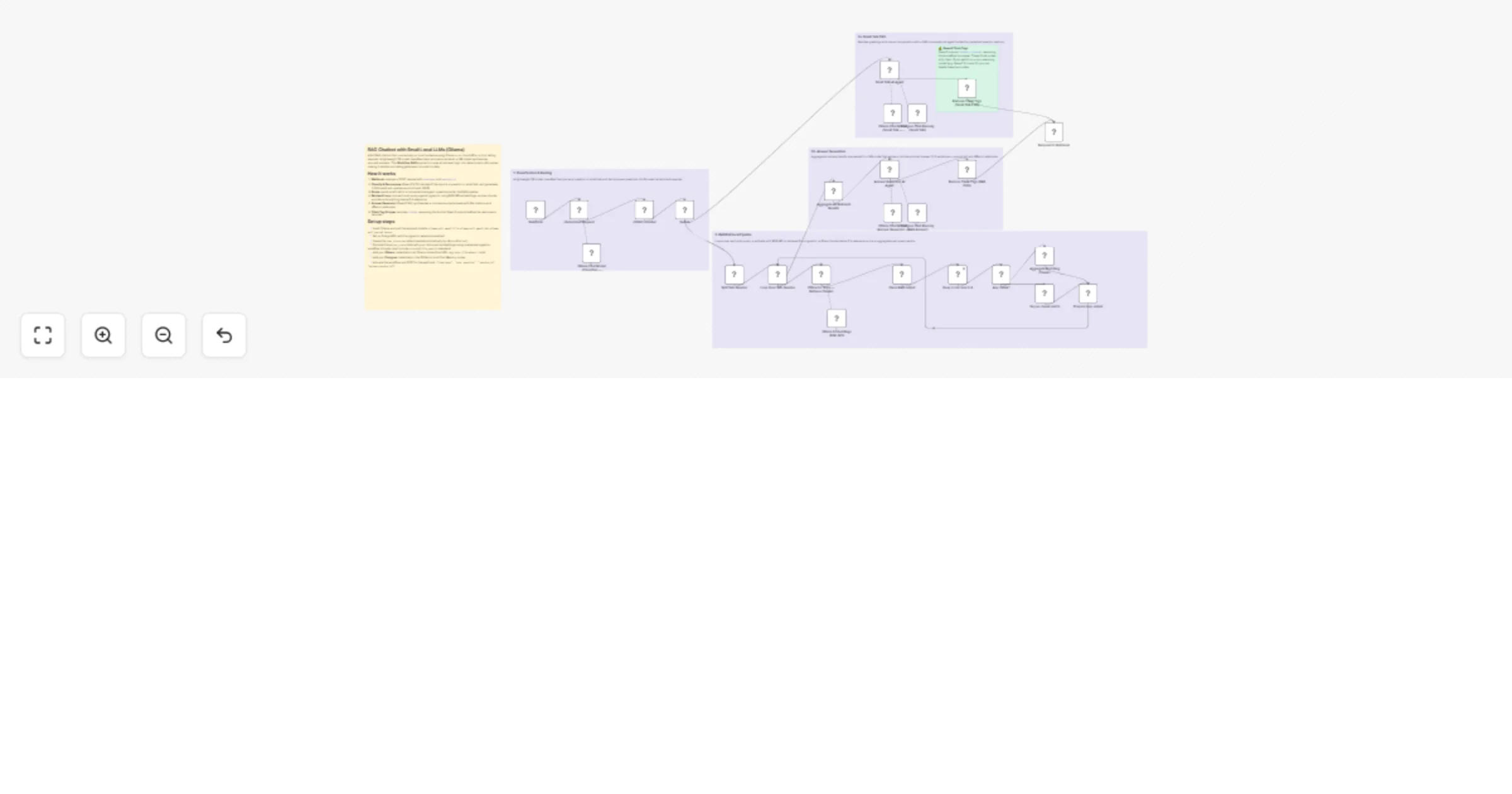
Build a fully local RAG chatbot using Ollama that works without tool calling — ideal for smaller open-source models like Qwen that don't support native function calls. This template lets you run a private, self-hosted AI assistant with retrieval-augmented generation using only your own hardware.

How it works

  1. A Webhook receives the user's chat message
  2. A small classifier LLM (Qwen 7B) analyzes the input and decides: is this small talk, or a real question that needs the knowledge base?
  3. For small talk, a dedicated AI agent responds conversationally with chat memory
  4. For real questions, the classifier generates focused sub-queries, which are sent through a loop-based RAG pipeline:
  • Each sub-query is embedded using BGE-M3 and matched against a Postgres PGVector store
  • Results are filtered by a relevance score threshold (>0.4)
  • Chunks are aggregated and deduplicated across all sub-queries
  1. An Answer Generator agent (Qwen 14B) produces a sourced answer using a strict 3-step format: short answer → sources → follow-up question
  2. Both paths use Postgres-backed chat memory for multi-turn conversations
  3. A post-processing step removes <think> tags that some reasoning models produce

Set up steps

  1. Install Ollama and pull the required models:
  • ollama pull qwen2.5:7b (classifier + small talk)
  • ollama pull qwen3:14b (answer generation)
  • ollama pull bge-m3 (embeddings)
  1. Set up PostgreSQL with the pgvector extension enabled
  2. Create your vector store — ingest your documents into the PGVector store using BGE-M3 embeddings (you can use n8n's built-in document loaders for this)
  3. Configure credentials in n8n:
  • Ollama connection (default: http://localhost:11434)
  • PostgreSQL connection for both chat memory and vector store
  1. Customize the webhook path and connect it to your frontend or API client
  2. Optional: Adjust the relevance score threshold, swap models for larger/smaller ones, or modify the system prompts to match your use case

1.2 Logical Blocks

This catalog entry is organized from the workflow JSON. The node-level section below shows the executable blocks available for review before importing the template.

2. Block-by-Block Analysis

Block 1 - Sticky Note — Overview

Type / Role
n8n-nodes-base.stickyNote - stickyNote
Config choices
Version 1

Block 2 - Sticky Note — Classification

Type / Role
n8n-nodes-base.stickyNote - stickyNote
Config choices
Version 1

Block 3 - Sticky Note — Small Talk

Type / Role
n8n-nodes-base.stickyNote - stickyNote
Config choices
Version 1

Block 4 - Sticky Note — Answer Generation

Type / Role
n8n-nodes-base.stickyNote - stickyNote
Config choices
Version 1

Block 5 - Sticky Note — RAG Retrieval

Type / Role
n8n-nodes-base.stickyNote - stickyNote
Config choices
Version 1

Block 6 - Sticky Note — Think Tags Warning

Type / Role
n8n-nodes-base.stickyNote - stickyNote
Config choices
Version 1

Block 7 - Split Sub-Queries

Type / Role
n8n-nodes-base.splitOut - splitOut
Config choices
Version 1

Block 8 - Aggregate Matching Chunks

Type / Role
n8n-nodes-base.aggregate - aggregate
Config choices
Version 1

Block 9 - Aggregate All Retrieval Results

Type / Role
n8n-nodes-base.aggregate - aggregate
Config choices
Version 1

Block 10 - Any chunk?

Type / Role
n8n-nodes-base.if - if
Config choices
Version 2.2

Block 11 - Clean RAG output

Type / Role
n8n-nodes-base.set - set
Config choices
Version 3.4

Block 12 - Keep score over 0.4

Type / Role
n8n-nodes-base.filter - filter
Config choices
Version 2.2

Block 13 - Say no chunk match

Type / Role
n8n-nodes-base.set - set
Config choices
Version 3.4

Block 14 - Prepare loop output

Type / Role
n8n-nodes-base.set - set
Config choices
Version 3.4

Block 15 - Postgres Chat Memory (Small Talk)

Type / Role
@n8n/n8n-nodes-langchain.memoryPostgresChat - memoryPostgresChat
Config choices
Version 1.3

Block 16 - Remove Think Tags (RAG Path)

Type / Role
n8n-nodes-base.code - code
Config choices
Version 2

Block 17 - Switch

Type / Role
n8n-nodes-base.switch - switch
Config choices
Version 3.3

Block 18 - JSON Formatter

Type / Role
n8n-nodes-base.code - code
Config choices
Version 2

Block 19 - Small Talk AI Agent

Type / Role
@n8n/n8n-nodes-langchain.agent - agent
Config choices
Version 2.2

Block 20 - Ollama Chat Model (Small Talk — Qwen3:14b)

Type / Role
@n8n/n8n-nodes-langchain.lmChatOllama - lmChatOllama
Config choices
Version 1

Block 21 - Ollama Chat Model (Classifier — Qwen2.5:7b)

Type / Role
@n8n/n8n-nodes-langchain.lmChatOllama - lmChatOllama
Config choices
Version 1

Block 22 - Postgres Chat Memory (RAG Answer)

Type / Role
@n8n/n8n-nodes-langchain.memoryPostgresChat - memoryPostgresChat
Config choices
Version 1.3

Block 23 - Answer Generator AI Agent

Type / Role
@n8n/n8n-nodes-langchain.agent - agent
Config choices
Version 2.2

Block 24 - Ollama Chat Model (Answer Generator — Qwen3:14b)

Type / Role
@n8n/n8n-nodes-langchain.lmChatOllama - lmChatOllama
Config choices
Version 1

Showing the first 24 of 31 workflow blocks. Download the JSON for the full node graph.

3. Summary Table

Workflow Build a local RAG chatbot with Ollama, Qwen, BGE-M3 and Postgres PGVector
Complexity advanced
Nodes 31
Categories Internal Wiki, AI RAG
Author Wassim Abid
Published 06 Apr 2026

4. Reproducing the Workflow from Scratch

  1. 1. Download the workflow JSON

    Use the JSON export at /data/workflows/14782/14782.json as the source template for this automation.

  2. 2. Import the template into n8n

    Open n8n, import the downloaded JSON, and review each node before activating the workflow.

  3. 3. Configure credentials and variables

    Replace placeholder credentials, API keys, webhook URLs, account IDs, and environment-specific values with your own settings.

  4. 4. Test with sample data

    Run the workflow manually or in a staging workspace, inspect node output, and confirm downstream systems receive the expected data.

  5. 5. Activate and monitor

    Enable the workflow only after testing, then monitor executions, errors, and rate limits during the first production runs.

5. General Notes & Resources

Review imported nodes carefully before activation. This catalog entry is intended to help you inspect the workflow structure, understand required services, and find related templates faster.

Node names, credentials, schedules, webhook paths, and external service limits may need adjustment for your workspace.

Frequently asked questions

What does Build a local RAG chatbot with Ollama, Qwen, BGE-M3 and Postgres PGVector do?

Build a fully local RAG chatbot using Ollama that works without tool calling — ideal for smaller open source models like Qwen that don't support native function calls. This template lets you run a ...

What do I need before importing this workflow?

Review the workflow JSON, configure any required credentials in n8n, and test the automation in a safe workspace before using it in production.

Can I customize this workflow?

Yes. Use the block-by-block analysis and the downloadable JSON to inspect each node, then adjust credentials, prompts, schedules, filters, or destinations for your Internal Wiki, AI RAG use case.