🔊 Browser recording audio transcribing and AI analysis with Deepgram and GPT-4o

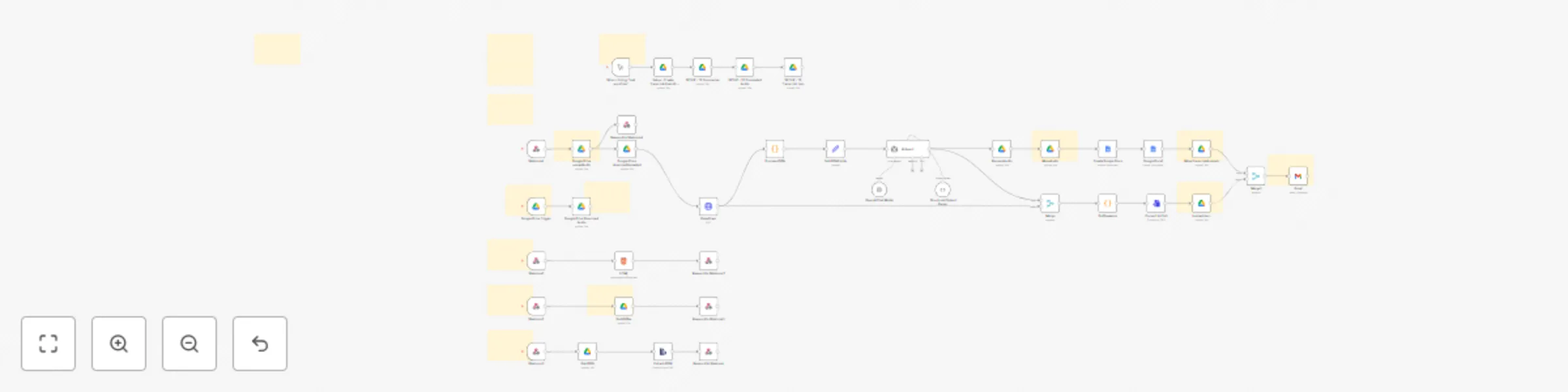
Workflow preview

Workflow preview
100%
🔊  Browser recording audio transcribing and AI analysis with Deepgram and GPT-4o preview
Open on n8n.io

Important notice

This workflow is provided as-is. Please review and test before using in production.

1. Workflow Overview

Overview Transcript Evalu8r V2 is a robust browser based transcript analysis tool powered by Deepgram’s ...

Best for

  • Document Extraction automation workflows
  • AI Summarization automation workflows
  • advanced n8n builders looking for reusable templates

Tools used

n8n-nodes-base.googledrivetrigger, n8n-nodes-base.httprequest, @n8n/n8n-nodes-langchain.agent, @n8n/n8n-nodes-langchain.outputparserstructured, @n8n/n8n-nodes-langchain.lmchatopenai, n8n-nodes-base.googledocs, n8n-nodes-base.html, n8n-nodes-base.respondtowebhook

Source and attribution

This workflow is cataloged by N8N Workflows and links back to its original n8n.io source page by RealSimple Solutions.

Original n8n.io source

1.1 Workflow description

Title
🔊 Browser recording audio transcribing and AI analysis with Deepgram and GPT-4o
Workflow name
🔊 Browser recording audio transcribing and AI analysis with Deepgram and GPT-4o

Overview

Transcript Evalu8r V2 is a robust browser-based transcript analysis tool powered by Deepgram’s speech-to-text API and built into an n8n workflow template. This release introduces full in-browser audio recording, device selection, and playback functionality, allowing users to capture and analyze conversations without leaving their browser.

Designed for researchers, support teams, podcasters, legal professionals, and analysts, Transcript Evalu8r simplifies how you extract value from voice data using intuitive tools, AI-powered insights, and seamless automation.


What’s New in V2

### 🔴 Record in Browser
Users can now record audio directly in the browser with one click. Record meetings, calls, or voice notes instantly—no external software required.
### 🎧 Select Audio Input Devices
Users can choose from connected input devices (e.g., internal mic, USB mic, headset) before recording, ensuring maximum control and audio quality.

▶️ Listen to Recording in Browser

Once a recording is complete, users can immediately play back the audio in-browser to review before submitting for transcription—ensuring content is clear and relevant.


How It Works

  1. Record or upload an audio file
  2. **Audio recording is uploaded to Google Drive
  3. Audio file is sent to Deepgram for transcribing and AI analysis
  4. Audio File is moved to completed folder
  5. JSON transcript is saved to Google Drive
  6. Google Doc of AI analysis, summary, key points, action items, and full transctip is created
  7. Use the Web UI to Explore:
    • Speaker Names
    • Transcript
    • Key points & tasks
    • Sentiment chart
    • Topic and intent lists with time stamps
  8. Download or export transcript and insights
  9. Add Additional automations or continue workflow (e.g., send to Notion, Slack, Google Sheets, todoist)


Key Features

🔹 Transcript Processing & Uploads

  • Upload or record audio directly in your browser
  • Track progress of file uploads in real-time
  • View, select, or download transcripts in Google Docs, JSON, and other formats

🔹 Interactive Transcript Viewer

  • Full transcript display with timestamps, speaker IDs, and auto-scroll
  • Clickable word-level navigation for pinpointing dialogue
  • Real speaker labeling (not just "Speaker 1")

🔹 AI-Powered Analysis

  • Sentiment visualization over time, per speaker
  • Topic and intent extraction with confidence scores
  • Speaker contribution insights, interruptions, and common word frequency

🔹 Insight Summaries Google Doc

  • AI-generated summary, key points, and action items
  • Speaker-specific task suggestions and idea highlights

🔹 UI Enhancements

  • Collapsible sections for focused analysis
  • Light and dark mode support
  • Responsive design across desktop, tablet, and mobile

Use Cases

✅ Interview & podcast summarization
✅ Customer support QA monitoring
✅ Legal or compliance transcription logging
✅ Market research and trend analysis
✅ Internal meeting follow-up automation


Requirements

  • n8n instance (self-hosted or cloud)
  • Deepgram API Key (for audio transcription)
  • Supported browser with mic permissions enabled

Why Choose Transcript Evalu8r V2?

🚀 Instantly record and transcribe within your browser
🧠 Extract sentiment, insights, and intent automatically
📈 Visualize speaker tone and engagement
🎧 Choose audio input for cleaner recordings
🔗 Connect with your favorite tools using n8n’s integrations

1.2 Logical Blocks

This catalog entry is organized from the workflow JSON. The node-level section below shows the executable blocks available for review before importing the template.

2. Block-by-Block Analysis

Block 1 - Google Drive Trigger

Type / Role
n8n-nodes-base.googleDriveTrigger - googleDriveTrigger
Config choices
Version 1

Block 2 - DeepGram

Type / Role
n8n-nodes-base.httpRequest - httpRequest
Config choices
Version 4.2

Block 3 - AI Agent

Type / Role
@n8n/n8n-nodes-langchain.agent - agent
Config choices
Version 1.7

Block 4 - Structured Output Parser

Type / Role
@n8n/n8n-nodes-langchain.outputParserStructured - outputParserStructured
Config choices
Version 1.2

Block 5 - OpenAI Chat Model

Type / Role
@n8n/n8n-nodes-langchain.lmChatOpenAi - lmChatOpenAi
Config choices
Version 1.2

Block 6 - Google Docs1

Type / Role
n8n-nodes-base.googleDocs - googleDocs
Config choices
Version 2

Block 7 - HTML

Type / Role
n8n-nodes-base.html - html
Config choices
Version 1.2

Block 8 - Respond to Webhook

Type / Role
n8n-nodes-base.respondToWebhook - respondToWebhook
Config choices
Version 1.1

Block 9 - Webhook1

Type / Role
n8n-nodes-base.webhook - webhook
Config choices
Version 2

Block 10 - Webhook2

Type / Role
n8n-nodes-base.webhook - webhook
Config choices
Version 2

Block 11 - Respond to Webhook1

Type / Role
n8n-nodes-base.respondToWebhook - respondToWebhook
Config choices
Version 1.1

Block 12 - Respond to Webhook2

Type / Role
n8n-nodes-base.respondToWebhook - respondToWebhook
Config choices
Version 1.1

Block 13 - Webhook3

Type / Role
n8n-nodes-base.webhook - webhook
Config choices
Version 2

Block 14 - Webhook4

Type / Role
n8n-nodes-base.webhook - webhook
Config choices
Version 2

Block 15 - Google Drive uploadAudio

Type / Role
n8n-nodes-base.googleDrive - googleDrive
Config choices
Version 3

Block 16 - Google Drive downloadUploaded

Type / Role
n8n-nodes-base.googleDrive - googleDrive
Config choices
Version 3

Block 17 - Respond to Webhook4

Type / Role
n8n-nodes-base.respondToWebhook - respondToWebhook
Config choices
Version 1.1

Block 18 - Gmail

Type / Role
n8n-nodes-base.gmail - gmail
Config choices
Version 2.1

Block 19 - Convert to File1

Type / Role
n8n-nodes-base.convertToFile - convertToFile
Config choices
Version 1.1

Block 20 - Upload Json

Type / Role
n8n-nodes-base.googleDrive - googleDrive
Config choices
Version 3

Block 21 - Create Google Docs

Type / Role
n8n-nodes-base.googleDocs - googleDocs
Config choices
Version 2

Block 22 - Google Drive Download Audio

Type / Role
n8n-nodes-base.googleDrive - googleDrive
Config choices
Version 3

Block 23 - Merge

Type / Role
n8n-nodes-base.merge - merge
Config choices
Version 3

Block 24 - RenameAudio

Type / Role
n8n-nodes-base.googleDrive - googleDrive
Config choices
Version 3

Showing the first 24 of 54 workflow blocks. Download the JSON for the full node graph.

3. Summary Table

Workflow 🔊 Browser recording audio transcribing and AI analysis with Deepgram and GPT-4o
Complexity advanced
Nodes 54
Categories Document Extraction, AI Summarization
Author RealSimple Solutions
Published 07 Apr 2025

4. Reproducing the Workflow from Scratch

  1. 1. Download the workflow JSON

    Use the JSON export at /data/workflows/3451/3451.json as the source template for this automation.

  2. 2. Import the template into n8n

    Open n8n, import the downloaded JSON, and review each node before activating the workflow.

  3. 3. Configure credentials and variables

    Replace placeholder credentials, API keys, webhook URLs, account IDs, and environment-specific values with your own settings.

  4. 4. Test with sample data

    Run the workflow manually or in a staging workspace, inspect node output, and confirm downstream systems receive the expected data.

  5. 5. Activate and monitor

    Enable the workflow only after testing, then monitor executions, errors, and rate limits during the first production runs.

5. General Notes & Resources

Review imported nodes carefully before activation. This catalog entry is intended to help you inspect the workflow structure, understand required services, and find related templates faster.

Node names, credentials, schedules, webhook paths, and external service limits may need adjustment for your workspace.

Frequently asked questions

What does 🔊 Browser recording audio transcribing and AI analysis with Deepgram and GPT-4o do?

Overview Transcript Evalu8r V2 is a robust browser based transcript analysis tool powered by Deepgram’s ...

What do I need before importing this workflow?

Review the workflow JSON, configure any required credentials in n8n, and test the automation in a safe workspace before using it in production.

Can I customize this workflow?

Yes. Use the block-by-block analysis and the downloadable JSON to inspect each node, then adjust credentials, prompts, schedules, filters, or destinations for your Document Extraction, AI Summarization use case.