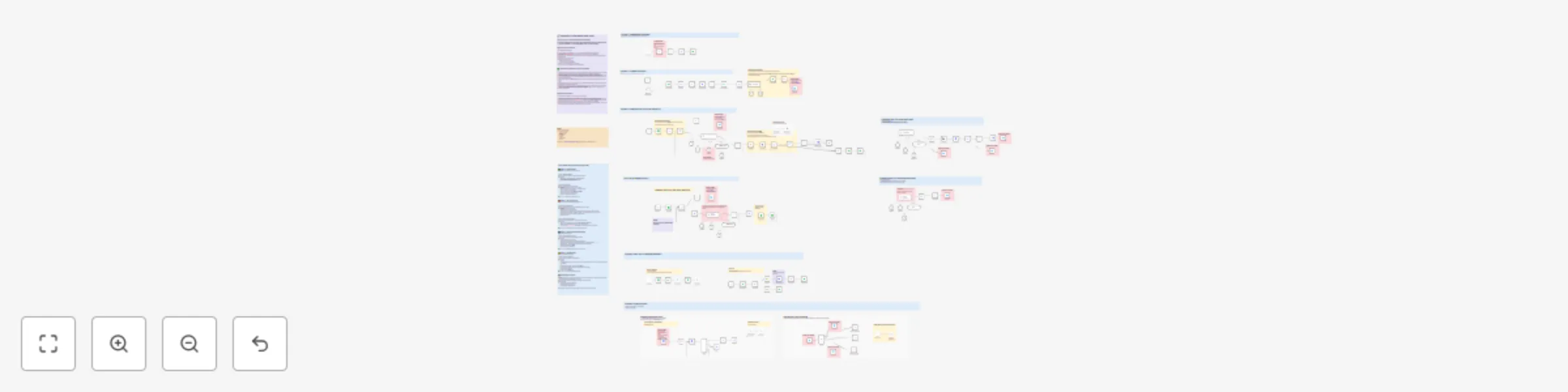
Automated viral content engine for LinkedIn & X with AI generation & publishing

Workflow preview

Workflow preview
100%
Automated viral content engine for LinkedIn & X with AI generation & publishing preview
Open on n8n.io

Important notice

This workflow is provided as-is. Please review and test before using in production.

1. Workflow Overview

Social Media Spark (SMS) — Automated Viral Content Engine Automate your entire content workflow : discover viral ideas, generate posts in your tone, repurpose for X, and auto publish — reducing 90%...

Best for

  • Social Media automation workflows
  • Multimodal AI automation workflows
  • advanced n8n builders looking for reusable templates

Tools used

n8n-nodes-base.manualtrigger, n8n-nodes-base.set, n8n-nodes-base.googlesheets, n8n-nodes-base.filter, n8n-nodes-base.httprequest, n8n-nodes-base.aggregate, n8n-nodes-base.stickynote, @n8n/n8n-nodes-langchain.textclassifier

Source and attribution

This workflow is cataloged by N8N Workflows and links back to its original n8n.io source page by Diptamoy Barman.

Original n8n.io source

1.1 Workflow description

Title
Automated viral content engine for LinkedIn & X with AI generation & publishing
Workflow name
Automated viral content engine for LinkedIn & X with AI generation & publishing

Social Media Spark (SMS) — Automated Viral Content Engine

Automate your entire content workflow: discover viral ideas, generate posts in your tone, repurpose for X, and auto-publish — reducing 90% of manual effort.


🚀 What it Does

  • Scrapes competitors or niche profiles on LinkedIn to find high-performing posts.
  • Classifies and saves evergreen content ideas for later use.
  • Generates fresh posts in your own voice with matching images.
  • Repurposes content for X (Twitter) in a platform-optimized style.
  • Automatically publishes content to LinkedIn and X on your schedule.
  • Allows on-demand commands via Telegram for research or instant content generation.

🧩 Why Use It

  • Save time: no more manual scraping, idea collection, or formatting.
  • Stay consistent: maintain a daily content pipeline.
  • Multi-platform leverage: create once, adapt for LinkedIn and X.
  • Creative control: mix automation with optional human review.
  • Scalable: extend to more platforms, analytics, and workflows as you grow.

🔧 Prerequisites & Setup

Before importing or activating the workflow, prepare these:

  • AI Provider (OpenAI / Gemini / OpenRouter)
    For classifying posts, generating new content, repurposing for X.

  • Google Sheets
    Central database for competitors, ideas, generated posts, and posting status.

  • Google Drive
    Stores generated images.

  • Apify & Browseract
    Scrapes LinkedIn profiles, posts, and performs research tasks.

  • LinkedIn API
    Needed for automated LinkedIn publishing.

  • X (Twitter) API
    Requires OAuth 1.0a for image uploads and OAuth 2.0 for text posting.

  • Telegram Bot
    Enables on-demand commands and notifications.
    Set your Telegram User ID in the trigger node.

> 🔎 In each sub-workflow, look for nodes marked “Configure Me!” to replace example prompts, search keywords, sheet IDs, etc.


⚙️ How It Works (Simplified Flow)

  1. Scrape & Classify: Collect high-engagement posts → keep evergreen ones.
  2. Generate Content: Rewrite ideas into new posts in your voice → create images.
  3. Repurpose for X: Adapt LinkedIn posts for short-form, high-impact tweets.
  4. Auto-Publish: Post daily on LinkedIn and X.
  5. Control via Telegram: Manually trigger scraping, research, or post generation.

💡 Best Practices & Tips

  • Keep all API keys private — never share them in public repos or screenshots.
  • Adjust cron schedules (e.g., scraping on weekends, posting on weekdays) to fit your content rhythm.
  • Add Human-in-the-Loop review steps for brand-sensitive content.
  • Extend to other platforms (Instagram, TikTok, YouTube Shorts) as needed.
  • Experiment with prompt variations for different tones or creative styles.
  • Add analytics logging (likes, comments, clicks) to measure content performance.

🙋‍♂️ Who is This For

  • Solo creators & founders who want to post consistently but don’t have time for daily ideation.
  • Small marketing teams that need to keep up with trends without spending hours on research.
  • Consultants & thought leaders who want to amplify their personal brand on LinkedIn and X.
  • Startups & bootstrapped businesses that need a lean but reliable content engine.
  • Content strategists who want a data-driven, repeatable pipeline for finding and using what works.

Or anyone who wants to boost social presence by 300%


💡 Why SMS Stands Out

  • Authentic voice: Uses your own tone and style (defined in prompts and examples), so posts feel personal — not generic AI fluff.
  • Data-driven: Pulls from real, viral posts in your niche to inspire fresh content.
  • Quality over quantity: Focuses only on proven viral ideas instead of churning random posts.
  • Consistent growth: Keeps your posting regular, so you stay visible and relevant.
  • Efficient workflow: Minimizes manual work while letting you step in when needed (e.g., for approvals or special campaigns).

> ⚡ SMS combines real market data with your unique voice — so you post smarter, not just more often.

1.2 Logical Blocks

This catalog entry is organized from the workflow JSON. The node-level section below shows the executable blocks available for review before importing the template.

2. Block-by-Block Analysis

Block 1 - Manual Trigger

Type / Role
n8n-nodes-base.manualTrigger - manualTrigger
Config choices
Version 1

Block 2 - Edit Fields

Type / Role
n8n-nodes-base.set - set
Config choices
Version 3.4

Block 3 - Add competitors

Type / Role
n8n-nodes-base.googleSheets - googleSheets
Config choices
Version 4.6

Block 4 - >100 likes

Type / Role
n8n-nodes-base.filter - filter
Config choices
Version 2.2

Block 5 - Find competitors

Type / Role
n8n-nodes-base.httpRequest - httpRequest
Config choices
Version 4.2

Block 6 - Scrape viral posts

Type / Role
n8n-nodes-base.httpRequest - httpRequest
Config choices
Version 4.2

Block 7 - Get competitors

Type / Role
n8n-nodes-base.googleSheets - googleSheets
Config choices
Version 4.6

Block 8 - Aggregate

Type / Role
n8n-nodes-base.aggregate - aggregate
Config choices
Version 1

Block 9 - Edit Fields1

Type / Role
n8n-nodes-base.set - set
Config choices
Version 3.4

Block 10 - Sticky Note

Type / Role
n8n-nodes-base.stickyNote - stickyNote
Config choices
Version 1

Block 11 - Edit Fields2

Type / Role
n8n-nodes-base.set - set
Config choices
Version 3.4

Block 12 - Text Classifier

Type / Role
@n8n/n8n-nodes-langchain.textClassifier - textClassifier
Config choices
Version 1.1

Block 13 - Deepseek

Type / Role
@n8n/n8n-nodes-langchain.lmChatOpenRouter - lmChatOpenRouter
Config choices
Version 1

Block 14 - append ideas

Type / Role
n8n-nodes-base.googleSheets - googleSheets
Config choices
Version 4.6

Block 15 - Remove Duplicates

Type / Role
n8n-nodes-base.removeDuplicates - removeDuplicates
Config choices
Version 2

Block 16 - Telegram trigger

Type / Role
n8n-nodes-base.executeWorkflowTrigger - executeWorkflowTrigger
Config choices
Version 1.1

Block 17 - Aggregate1

Type / Role
n8n-nodes-base.aggregate - aggregate
Config choices
Version 1

Block 18 - Saturday 11 PM

Type / Role
n8n-nodes-base.scheduleTrigger - scheduleTrigger
Config choices
Version 1.2

Block 19 - Gemini flash

Type / Role
@n8n/n8n-nodes-langchain.lmChatGoogleGemini - lmChatGoogleGemini
Config choices
Version 1

Block 20 - Sticky Note18

Type / Role
n8n-nodes-base.stickyNote - stickyNote
Config choices
Version 1

Block 21 - Sticky Note8

Type / Role
n8n-nodes-base.stickyNote - stickyNote
Config choices
Version 1

Block 22 - Sticky Note1

Type / Role
n8n-nodes-base.stickyNote - stickyNote
Config choices
Version 1

Block 23 - >100 likes1

Type / Role
n8n-nodes-base.filter - filter
Config choices
Version 2.2

Block 24 - Sticky Note10

Type / Role
n8n-nodes-base.stickyNote - stickyNote
Config choices
Version 1

Showing the first 24 of 156 workflow blocks. Download the JSON for the full node graph.

3. Summary Table

Workflow Automated viral content engine for LinkedIn & X with AI generation & publishing
Complexity advanced
Nodes 156
Categories Social Media, Multimodal AI
Author Diptamoy Barman
Published 30 Sept 2025

4. Reproducing the Workflow from Scratch

  1. 1. Download the workflow JSON

    Use the JSON export at /data/workflows/9100/9100.json as the source template for this automation.

  2. 2. Import the template into n8n

    Open n8n, import the downloaded JSON, and review each node before activating the workflow.

  3. 3. Configure credentials and variables

    Replace placeholder credentials, API keys, webhook URLs, account IDs, and environment-specific values with your own settings.

  4. 4. Test with sample data

    Run the workflow manually or in a staging workspace, inspect node output, and confirm downstream systems receive the expected data.

  5. 5. Activate and monitor

    Enable the workflow only after testing, then monitor executions, errors, and rate limits during the first production runs.

5. General Notes & Resources

Review imported nodes carefully before activation. This catalog entry is intended to help you inspect the workflow structure, understand required services, and find related templates faster.

Node names, credentials, schedules, webhook paths, and external service limits may need adjustment for your workspace.

Frequently asked questions

What does Automated viral content engine for LinkedIn & X with AI generation & publishing do?

Social Media Spark (SMS) — Automated Viral Content Engine Automate your entire content workflow : discover viral ideas, generate posts in your tone, repurpose for X, and auto publish — reducing 90%...

What do I need before importing this workflow?

Review the workflow JSON, configure any required credentials in n8n, and test the automation in a safe workspace before using it in production.

Can I customize this workflow?

Yes. Use the block-by-block analysis and the downloadable JSON to inspect each node, then adjust credentials, prompts, schedules, filters, or destinations for your Social Media, Multimodal AI use case.