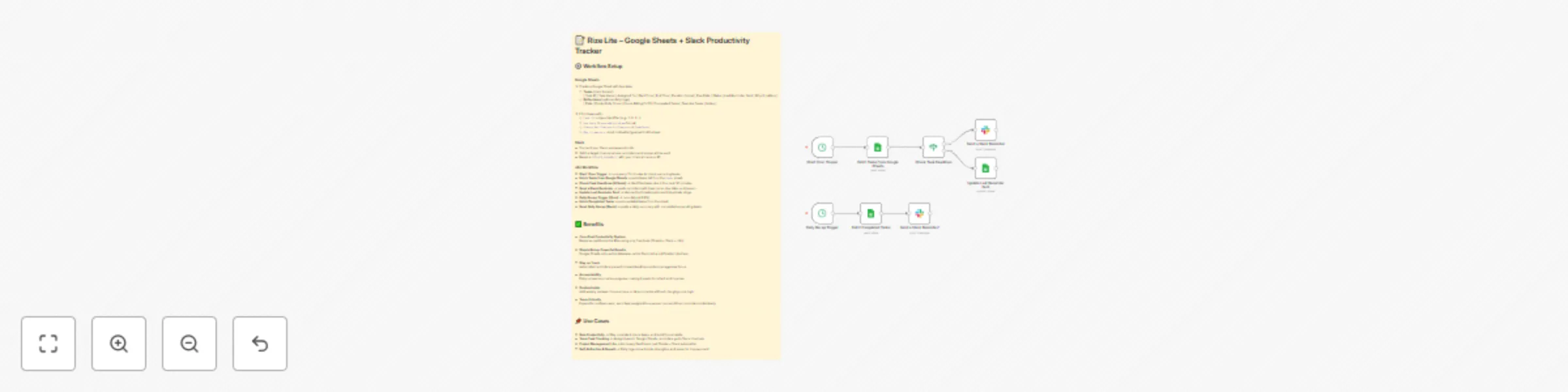
Automated task reminders & daily recaps using Google Sheets and Slack

Workflow preview

Workflow preview
100%
Automated task reminders & daily recaps using Google Sheets and Slack preview
Open on n8n.io

Important notice

This workflow is provided as-is. Please review and test before using in production.

1. Workflow Overview

What This Workflow Does This workflow transforms Google Sheets into a lightweight productivity engine and connects it to Slack for automated reminders and daily recaps . No extra SaaS, no extra cos...

Best for

  • Personal Productivity automation workflows
  • Multimodal AI automation workflows
  • intermediate n8n builders looking for reusable templates

Tools used

n8n-nodes-base.cron, n8n-nodes-base.googlesheets, n8n-nodes-base.if, n8n-nodes-base.slack, n8n-nodes-base.stickynote

Source and attribution

This workflow is cataloged by N8N Workflows and links back to its original n8n.io source page by Ziad Adel.

Original n8n.io source

1.1 Workflow description

Title
Automated task reminders & daily recaps using Google Sheets and Slack
Workflow name
Automated task reminders & daily recaps using Google Sheets and Slack

What This Workflow Does

This workflow transforms Google Sheets into a lightweight productivity engine and connects it to Slack for automated reminders and daily recaps. No extra SaaS, no extra cost – just a simple system that keeps you on track and accountable.


Pre-conditions / Requirements

Before you start, make sure you have:

  • A Google account with access to Google Sheets.
  • A Slack workspace where you can post reminders and summaries.
  • An n8n instance (self-hosted or cloud) with:
    • Google Sheets credentials connected.
    • Slack credentials connected.

How It Works

  1. Task Tracking in Google Sheets

    • Add tasks with columns: Task ID, Task Name, Due Date, Status, and Why it matters.
    • The workflow checks for tasks that are due soon or overdue.
  2. Automated Slack Reminders

    • Every 15 minutes, the workflow scans for tasks due in the next 30 minutes.
    • Slack sends a ping with the task name, deadline, and reason.
  3. Daily Recap at 6 PM

    • Slack posts a summary of how many tasks you completed vs how many are still pending.
    • Encourages reflection and accountability.
  4. Duplicate Protection

    • Each task has a "Last Reminder Sent" column so you don’t get spammed with repeat messages.

Customization Options

  • Reminder Frequency: Change the Cron node to check tasks every 5, 10, 30 minutes, or hourly.
  • Daily Recap Time: Adjust the daily Cron node (default: 6 PM) to match your schedule.
  • Slack Channel: Point reminders and recaps to a private DM, a public channel, or multiple channels.
  • Task Fields: Add columns like Priority, Assigned To, or Category and adjust Slack messages accordingly.
  • Weekly Review: Extend the workflow with another Cron node on Sundays to send a weekly productivity score.
  • Reflection Logs: Add automation to write daily results into a second tab for trend tracking.

Benefits

  • Eliminate missed deadlines with proactive reminders.
  • Daily accountability inside Slack – no extra dashboards.
  • Zero SaaS costs – only Sheets, Slack, and n8n.
  • Fully customizable to match your workflow, team, or habits.
  • Scales easily from solo use to team task tracking.

Use Cases

  • Solo founders or freelancers who want a cheap but powerful task manager.
  • Small teams who live in Slack and want lightweight accountability.
  • Productivity enthusiasts who want flexibility and control without being locked into another SaaS.

1.2 Logical Blocks

This catalog entry is organized from the workflow JSON. The node-level section below shows the executable blocks available for review before importing the template.

2. Block-by-Block Analysis

Block 1 - Start: Cron Trigger

Type / Role
n8n-nodes-base.cron - cron
Config choices
Version 1

Block 2 - Fetch Tasks from Google Sheets

Type / Role
n8n-nodes-base.googleSheets - googleSheets
Config choices
Version 3

Block 3 - Check Task Deadlines

Type / Role
n8n-nodes-base.if - if
Config choices
Version 1

Block 4 - Update Last Reminder Sent

Type / Role
n8n-nodes-base.googleSheets - googleSheets
Config choices
Version 3

Block 5 - Daily Recap Trigger

Type / Role
n8n-nodes-base.cron - cron
Config choices
Version 1

Block 6 - Fetch Completed Tasks

Type / Role
n8n-nodes-base.googleSheets - googleSheets
Config choices
Version 3

Block 7 - Send a Slack Reminder

Type / Role
n8n-nodes-base.slack - slack
Config choices
Version 2.3

Block 8 - Send a Slack Reminder1

Type / Role
n8n-nodes-base.slack - slack
Config choices
Version 2.3

Block 9 - Sticky Note

Type / Role
n8n-nodes-base.stickyNote - stickyNote
Config choices
Version 1

3. Summary Table

Workflow Automated task reminders & daily recaps using Google Sheets and Slack
Complexity intermediate
Nodes 9
Categories Personal Productivity, Multimodal AI
Author Ziad Adel
Published 21 Aug 2025

4. Reproducing the Workflow from Scratch

  1. 1. Download the workflow JSON

    Use the JSON export at /data/workflows/7711/7711.json as the source template for this automation.

  2. 2. Import the template into n8n

    Open n8n, import the downloaded JSON, and review each node before activating the workflow.

  3. 3. Configure credentials and variables

    Replace placeholder credentials, API keys, webhook URLs, account IDs, and environment-specific values with your own settings.

  4. 4. Test with sample data

    Run the workflow manually or in a staging workspace, inspect node output, and confirm downstream systems receive the expected data.

  5. 5. Activate and monitor

    Enable the workflow only after testing, then monitor executions, errors, and rate limits during the first production runs.

5. General Notes & Resources

Review imported nodes carefully before activation. This catalog entry is intended to help you inspect the workflow structure, understand required services, and find related templates faster.

Node names, credentials, schedules, webhook paths, and external service limits may need adjustment for your workspace.

Frequently asked questions

What does Automated task reminders & daily recaps using Google Sheets and Slack do?

What This Workflow Does This workflow transforms Google Sheets into a lightweight productivity engine and connects it to Slack for automated reminders and daily recaps . No extra SaaS, no extra cos...

What do I need before importing this workflow?

Review the workflow JSON, configure any required credentials in n8n, and test the automation in a safe workspace before using it in production.

Can I customize this workflow?

Yes. Use the block-by-block analysis and the downloadable JSON to inspect each node, then adjust credentials, prompts, schedules, filters, or destinations for your Personal Productivity, Multimodal AI use case.